
1. Safety Information
Please read and understand all safety warnings and instructions before operating this leaf blower. Failure to follow these instructions may result in electric shock, fire, and/or serious injury.
General Safety Precautions
- Read the Manual: Familiarize yourself with the controls and proper use of the appliance.
- Wear Eye Protection: Always wear safety glasses or goggles to protect your eyes from flying debris.
- Wear Hearing Protection: Prolonged use may require hearing protection.
- Secure Grip: Maintain a firm grip on the handle during operation.
- Dry Conditions: Operate the leaf blower only in dry conditions. Do not expose to rain or wet environments.
- Keep Clear: Ensure children, bystanders, and pets are kept at a safe distance from the operating area.
- Inspect Before Use: Check for loose parts, damage, or obstructions before each use.
Electrical Safety
- Battery Compatibility: Use only with compatible DEWALT 20V MAX lithium-ion batteries (DCB200, DCB201, DCB203, DCB204, DCB205, DCB206, DCB207, DCB208, DCB210, DCB230, DCB240).
- Battery Condition: Do not use damaged or modified battery packs.
- Charging: Refer to the battery manufacturer's instructions for proper charging procedures. This product does not include a charger.
2. Package Contents
Verify that all items are present and in good condition upon unpacking.
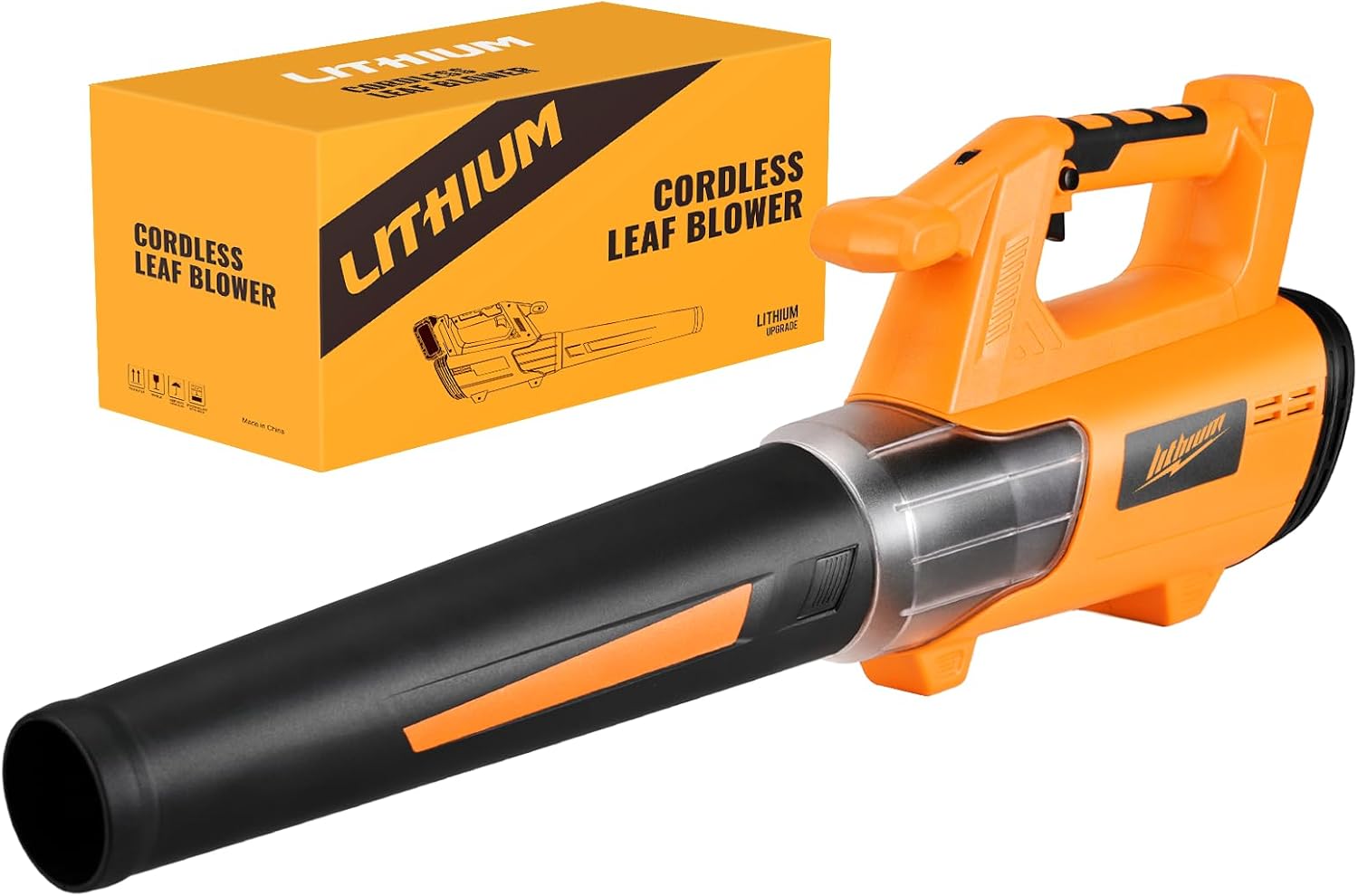
- 1 x BEEDECK Cordless Leaf Blower (Tool Only)
- 1 x Blower Tube
- 1 x User Manual (this document)
3. Setup
3.1 Attaching the Blower Tube
- Align the blower tube with the outlet on the main unit.
- Push the tube onto the outlet and twist it clockwise until it locks securely into place. Ensure the assembling button or dot aligns for proper fit.

Image: Diagram illustrating the simple assembly of the blower tube onto the main unit of the BEEDECK Cordless Leaf Blower.
3.2 Installing the Battery
- Ensure the leaf blower is turned off.
- Slide a charged, compatible DEWALT 20V MAX lithium-ion battery into the battery slot on the blower until it clicks into place.
- To remove the battery, press the battery release button and slide the battery out.

Image: The BEEDECK Cordless Leaf Blower with an exploded view of the battery compartment, showing various compatible DEWALT 20V Li-ion battery models.
4. Operating Instructions
4.1 Controls Overview

Image: Diagram of the BEEDECK Cordless Leaf Blower highlighting its components: Soft Grip Non-Slip Handle, Insurance Button, ON/OFF Switch, Assembling Button, and Large-diameter Nozzle.
4.2 Powering On and Off
- To turn on the leaf blower, press the ON/OFF switch.
- To turn off the leaf blower, release the ON/OFF switch.
4.3 Adjusting Speed Modes
This leaf blower features 6 adjustable speed modes to suit various tasks.
- Locate the speed adjustment dial on the side of the blower.
- Rotate the dial to select the desired speed setting from 1 (lowest) to 6 (highest).

Image: Side view of the BEEDECK Cordless Leaf Blower showing the 6-speed adjustment dial and an arrow pointing to the 'Assemble Dot' for tube alignment.
4.4 General Usage
Hold the leaf blower firmly with one hand using the ergonomic handle. Use a sweeping motion to direct debris away from desired areas. Start with a lower speed for light debris and increase as needed for heavier or wet leaves.

Image: Four panels depicting the BEEDECK Cordless Leaf Blower being used in different environments: a lawn, a backyard patio, inside a car, and on a walkway.
5. Maintenance
5.1 Cleaning
- Always remove the battery before cleaning.
- Wipe the exterior of the blower with a damp cloth. Do not use harsh chemicals or abrasive cleaners.
- Ensure air vents are clear of debris to prevent overheating. Use a soft brush or compressed air if necessary.
5.2 Storage
- Remove the battery from the leaf blower before storing.
- The blower tube can be detached for more compact storage.
- Store the leaf blower in a dry, secure location, out of reach of children.
6. Troubleshooting
If you encounter issues with your BEEDECK Cordless Leaf Blower, refer to the following common problems and solutions:
| Problem | Possible Cause | Solution |
|---|---|---|
| Blower does not start | Battery not installed correctly Battery is discharged ON/OFF switch not engaged | Ensure battery is fully seated and clicked into place Charge the battery Press the ON/OFF switch firmly |
| Low air output or power | Battery is low Blower tube not securely attached Air intake/outlet obstructed | Charge the battery Re-attach blower tube securely Clear any obstructions from air vents or nozzle |
| Excessive vibration or noise | Obstruction in fan/impeller Loose components | Remove battery and carefully inspect for and remove any debris Check all connections and ensure they are tight |
If the problem persists after attempting these solutions, please contact customer support.
7. Specifications
| Feature | Detail |
|---|---|
| Brand | BEEDECK |
| Model | LB-DWY-US-0B |
| Power Source | Battery Powered |
| Voltage | 20 Volts |
| Battery Compatibility | DEWALT 20V MAX Lithium-ion Batteries (DCB200, DCB201, DCB203, DCB204, DCB205, DCB206, DCB207, DCB208, DCB210, DCB230, DCB240) |
| Max Air Volume | 520 CFM (Cubic Feet per Minute) |
| Max Wind Speed | 150 MPH (Miles Per Hour) |
| Speed Modes | 6 Adjustable Speeds |
| Item Weight | 2.45 kg (5.39 lbs) |
| Product Dimensions | 30" L x 5" W x 9" H |
| Special Features | Adjustable Speed, Lightweight, Overload Protection, Ergonomic Handle, Detachable Blower Tube |
| UPC | 810147640881 |

Image: Cutaway view of the BEEDECK Cordless Leaf Blower illustrating the internal powerful motor and air flow, highlighting features like 'More Power', 'Lower Noise', and 'More Runtime'.

Image: Diagram showing the overall dimensions of the BEEDECK Cordless Leaf Blower, indicating a total length of 30 inches and a blower tube length of 16 inches.
8. Warranty and Customer Support
BEEDECK is committed to providing quality products and customer satisfaction.
Warranty Information
For specific warranty details regarding your BEEDECK Cordless Leaf Blower, please refer to the warranty card included with your purchase or contact customer support.
Customer Support
Our company offers 24-hour customer support to address any questions or concerns you may have promptly. Please reach out to us for assistance with product operation, troubleshooting, or warranty inquiries.
Contact information can typically be found on the product packaging or on the BEEDECK official website.