
Introduction
This manual provides instructions for the Sudio K2 Pro Wireless Headphones. Please read this manual carefully before using the product to ensure proper operation and to maximize your listening experience.
The Sudio K2 Pro headphones feature Active Noise Cancelling (ANC) technology, Bluetooth 5.4 connectivity, and a lightweight over-ear design for comfort. They offer up to 65 hours of playtime and support USB-C charging and 3.5mm audio input.
What's in the Box
- Sudio K2 Pro Wireless Headphones
- USB-C Charging Cable
- 3.5mm Audio Cable
- Protective Case
- User Manual (this document)
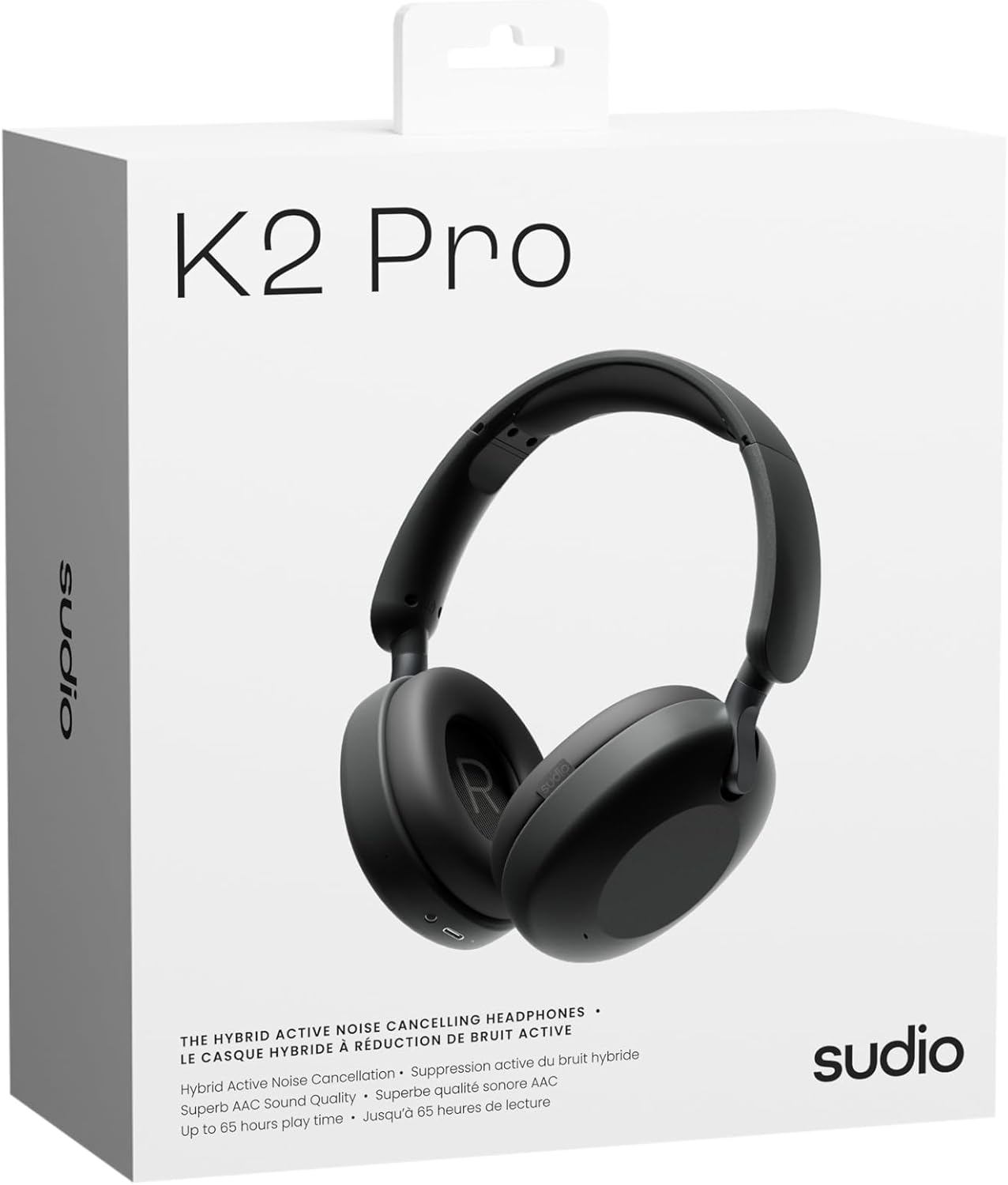
Image: Sudio K2 Pro packaging and included items.
Setup
1. Initial Charging
Before first use, fully charge your Sudio K2 Pro headphones. Connect the provided USB-C charging cable to the headphone's charging port and to a compatible USB power source. The LED indicator will show charging status.

Image: USB-C charging port on the Sudio K2 Pro headphones.
2. Powering On/Off
- Power On: Press and hold the Power button for approximately 3 seconds until the LED indicator lights up.
- Power Off: Press and hold the Power button for approximately 3 seconds until the LED indicator turns off.
3. Bluetooth Pairing
- Ensure the headphones are powered off.
- Press and hold the Power button for 5-7 seconds until the LED indicator flashes blue and red, indicating pairing mode.
- On your device (smartphone, tablet, computer), enable Bluetooth and search for available devices.
- Select "Sudio K2 Pro" from the list of devices.
- Once paired, the LED indicator will turn solid blue or flash blue slowly.
4. Wired Connection
For a wired connection, plug one end of the 3.5mm audio cable into the headphone's audio input jack and the other end into your audio source. The headphones will automatically switch to wired mode.
Operating Instructions
Controls Overview

Image: Detailed view of the headphone controls.
- Power Button: Power on/off, play/pause, answer/end calls.
- Volume Up/Next Track: Short press for volume up, long press for next track.
- Volume Down/Previous Track: Short press for volume down, long press for previous track.
- ANC Button: Toggle Active Noise Cancelling (ANC) on/off.
Active Noise Cancelling (ANC)
Press the ANC button to activate or deactivate the Active Noise Cancelling feature. When ANC is active, the headphones will reduce ambient background noise, providing a more immersive audio experience.
Making and Receiving Calls
- Answer/End Call: Press the Power button once.
- Reject Call: Press and hold the Power button for 2 seconds.
Maintenance
- Cleaning: Use a soft, dry cloth to clean the headphones. Do not use abrasive cleaners or solvents.
- Storage: When not in use, store the headphones in the provided protective case to prevent damage.
- Battery Care: To prolong battery life, avoid fully discharging the headphones frequently. Charge them regularly.
- Temperature: Avoid exposing the headphones to extreme temperatures (hot or cold) or high humidity.

Image: Sudio K2 Pro headphones stored in their protective case.
Troubleshooting
- No Power: Ensure the headphones are fully charged. Connect to a power source and check the charging indicator.
- Cannot Pair via Bluetooth:
- Ensure the headphones are in pairing mode (LED flashing blue/red).
- Turn off and on Bluetooth on your device.
- Move the headphones closer to your device.
- Clear previous Bluetooth connections on your device and try pairing again.
- No Sound:
- Check the volume level on both the headphones and your connected device.
- Ensure the headphones are properly paired or the 3.5mm cable is securely connected.
- If using a wired connection, ensure the Bluetooth is off on the headphones.
- ANC Not Working: Press the ANC button to ensure it is activated.
Specifications
| Feature | Detail |
|---|---|
| Model Name | Sudio K2 Pro |
| Model Number | SD-2601 |
| Noise Control | Active Noise Cancellation (ANC) |
| Connectivity Technology | Bluetooth 5.4, Wired (3.5mm) |
| Playtime | Up to 65 hours |
| Charging Time | 90 minutes |
| Charging Port | USB-C |
| Item Weight | 245 Grams (8.6 ounces) |
| Impedance | 32 Ohm |
| Special Features | Microphone Included, Noise Cancellation, Touch Control, Volume Control |
Warranty and Support
For warranty information and customer support, please refer to the official Sudio website or contact their customer service directly. Keep your proof of purchase for warranty claims.
Manufacturer: Sudio
Website: www.sudio.com
Product Videos
When you have Sudio K2 Pro in your everyday life
Video: This video showcases the Sudio K2 Pro headphones in various daily scenarios, highlighting their comfort and style.
Unboxing Sudio K2 Pro
Video: This video demonstrates the unboxing experience of the Sudio K2 Pro headphones, showing the contents of the package.
Introducing Sudio K2 Pro
Video: A brief introduction to the Sudio K2 Pro headphones, highlighting key features and design.
