
yAyusi ES-B180
yAyusi ES-B180 Auto Face Tracking Tripod with Ring Light User Manual
Model: ES-B180 | Brand: yAyusi
Introduction
This manual provides detailed instructions for the safe and effective use of your yAyusi ES-B180 Auto Face Tracking Tripod with 360 Rotation and 10-inch Ring Light. Please read this manual thoroughly before operation and retain it for future reference.
Package Contents
Verify that all items listed below are included in your package:
- 1 x Auto Face Tracking Tripod (70.9 inches)
- 1 x Remote Control
- 1 x 10-inch Ring Light
- 1 x Product Manual (this document)
- 1 x Carrying Bag

Image: The package contents including the tripod, remote, ring light, manual, and carrying bag.
Product Overview and Components
The yAyusi ES-B180 combines an auto face tracking tripod, a selfie stick, and a 10-inch ring light into one versatile device. It features a built-in AI camera for automatic face and body recognition and tracking, eliminating the need for an external app.
Key Components:
- Tripod Base: Provides stability for floor or desk use.
- Telescopic Pole: Extends from 13.4 inches to 70.9 inches.
- Phone Holder: Adjustable to securely hold phones from 4 to 7 inches wide.
- AI Tracking Module: Integrated camera for face and body tracking.
- 10-inch Ring Light: Detachable, with 3 color modes (warm, cool, natural) and 10 brightness levels.
- Bluetooth Remote Control: For convenient photo and video capture.
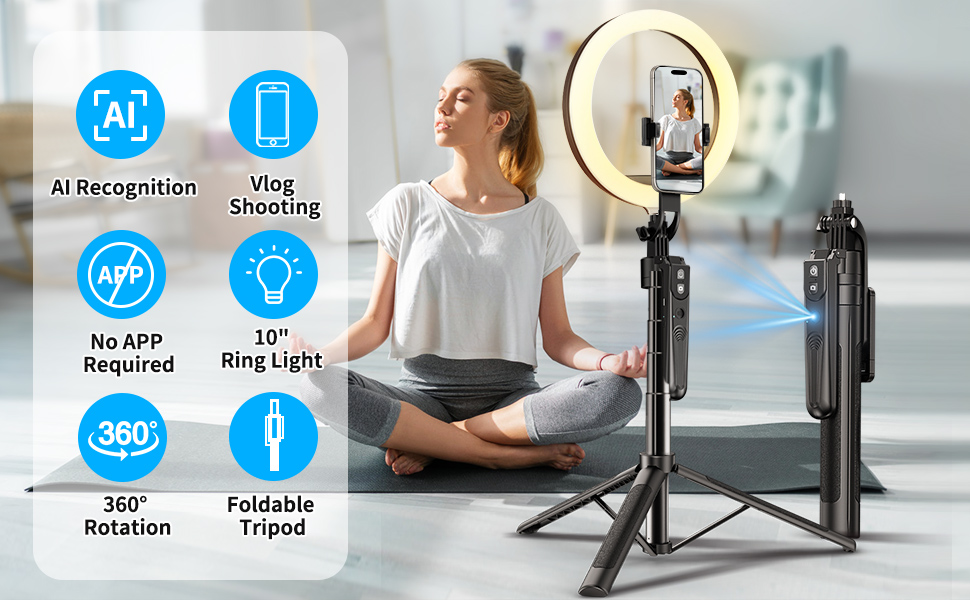
Image: An overview of the yAyusi ES-B180's key features, including AI recognition, no app required, 360-degree rotation, 10-inch ring light, and foldable tripod design.
Setup Instructions
- Unfold the Tripod: Gently spread the tripod legs until they are fully extended and stable.
- Extend the Telescopic Pole: Pull the telescopic pole upwards to your desired height. Secure it by twisting the locking mechanisms if present, or ensuring it clicks into place. The maximum height is 70.9 inches.
- Attach the Ring Light (Optional): If using the ring light, align it with the 1/4 inch screw thread on top of the phone holder and screw it clockwise until secure.
- Insert Your Phone: Open the phone holder clamps and carefully place your smartphone (4-7 inches) into the holder. Ensure it is securely gripped.
- Power On: Press and hold the power button on the AI tracking module until the indicator light illuminates.
- Pair Remote Control (Optional):
- Ensure the remote control has a battery installed.
- Turn on Bluetooth on your smartphone.
- Search for available devices and select "AB Shutter3" or similar.
- Once paired, the remote can be used to trigger your phone's camera shutter.

Image: The yAyusi ES-B180 tripod in its extended form with the ring light and phone holder, showcasing its auto-tracking feature and remote control.
Operating Instructions
1. Auto Face Tracking Mode
The built-in AI camera automatically recognizes and tracks faces or bodies without requiring an app.
- Ensure the AI tracking module is powered on.
- Position yourself in front of the camera. The device will automatically detect and follow your movement with 360-degree rotation.
- Maintain a reasonable distance for optimal tracking performance.
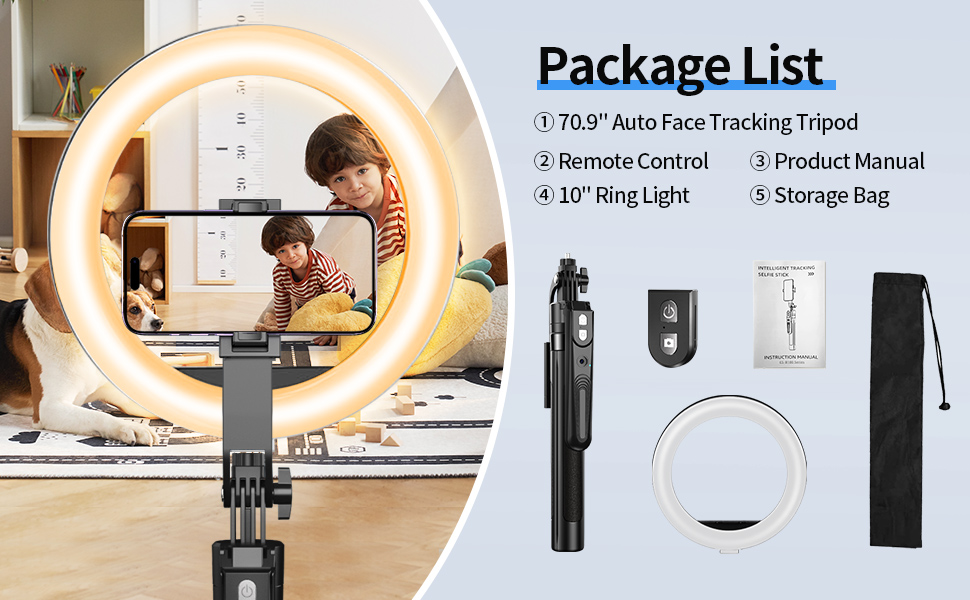
Image: Demonstrates the auto-tracking feature of the tripod, showing a person being tracked during various activities.
2. Ring Light Operation
The 10-inch ring light provides adjustable illumination.
- Power On/Off: Press the power button on the ring light to turn it on or off.
- Change Color Mode: Press the mode button to cycle through 3 color modes: Warm, Cool, and Natural (Daylight).
- Adjust Brightness: Use the '+' and '-' buttons to select from 10 levels of brightness for each color mode.

Image: Illustrates the 10 levels of brightness and 3 color temperature options (Warm, Cool, Natural) of the 10-inch ring light.
3. Using as a Selfie Stick
The device can be folded and used as a handheld selfie stick.
- Fold the tripod legs inwards.
- Collapse the telescopic pole to its shortest length (13.4 inches).
- Hold the device by the base and extend the pole as needed for selfie shots.
- Use the Bluetooth remote control to capture photos or start/stop video recording.

Image: A person using the yAyusi ES-B180 in selfie stick mode outdoors, demonstrating its portability and handheld use.
4. Desk Mode and Floor Mode
The tripod can be configured for various heights and uses.
- Desk Mode: Keep the telescopic pole at a shorter height with legs spread for stable placement on a desk or table.
- Floor Mode: Extend the telescopic pole to its full height (up to 70.9 inches) with legs fully spread for floor-standing use.

Image: Comparison of the yAyusi ES-B180 in Floor Mode (fully extended) and Desk Mode (compact), showing its versatility.
Maintenance
- Cleaning: Wipe the device with a soft, dry cloth. Do not use abrasive cleaners or solvents.
- Storage: When not in use, collapse the tripod and store it in the provided carrying bag in a cool, dry place away from direct sunlight.
- Battery Care: The device has a built-in rechargeable battery. Charge it regularly, even if not in frequent use, to maintain battery health. Avoid fully discharging the battery for extended periods.
- Avoid Water: This device is not waterproof. Keep it away from water and high humidity.
Troubleshooting
| Problem | Possible Cause | Solution |
|---|---|---|
| Device does not power on. | Low battery. | Charge the device using the provided USB cable. |
| Face tracking is not working. | Insufficient lighting; Obstruction of AI camera; Subject too far or too close. | Ensure adequate lighting (use ring light if needed). Check that the AI camera lens is clean and unobstructed. Position yourself within the optimal tracking range. |
| Ring light does not turn on. | Not properly connected; Power issue. | Ensure the ring light is securely attached and the main device has power. |
| Remote control not pairing. | Remote battery low; Bluetooth not enabled on phone; Incorrect pairing procedure. | Replace remote battery. Enable Bluetooth on your phone and re-attempt pairing. Refer to "Setup Instructions" for pairing steps. |
| Tripod feels unstable. | Legs not fully extended; Surface uneven. | Ensure tripod legs are fully spread and locked. Place the tripod on a flat, stable surface. |
Specifications
| Feature | Detail |
|---|---|
| Model Number | ES-B180 |
| Brand | yAyusi |
| Max Height | 70.9 inches (180 cm) |
| Folded Length | 13.4 inches (34 cm) |
| Ring Light Size | 10 inches |
| Ring Light Modes | 3 Color Modes (Warm, Cool, Natural), 10 Brightness Levels |
| Phone Holder Width | 2-4 inches (compatible with 4-7 inch phones) |
| Rotation | 360 degrees (Auto Face Tracking) |
| Battery Type | 1 Lithium Polymer battery (included) |
| Battery Life (Tracking) | 20-48 hours |
| Connectivity | Bluetooth (for remote control) |
| Item Weight | 2.61 pounds |
| Hardware Interface | USB 3.1 Type C |
Warranty and Support
yAyusi offers a 24-month after-sales service for this product. If you encounter any issues or have questions regarding your yAyusi ES-B180 Auto Face Tracking Tripod, please contact our customer support team. We aim to ensure every customer is satisfied and offer a 100% refund if you are not satisfied with your purchase.
For support, please refer to the contact information provided on the product packaging or the official yAyusi website.
Ask a question about this manual
Ask about setup, troubleshooting, compatibility, parts, safety, or missing instructions. Manuals+ will review the question and use this page’s manual context to help answer it.