Introduction
This manual provides comprehensive instructions for the installation, operation, and maintenance of your mangoal Front 4K & Rear 1080P OEM Style Dedicated Dash Cam. Please read this manual thoroughly before using the product to ensure proper functionality and safety.
Important Pre-Purchase Note
Please Note: This dash cam is designed for specific vehicle models. Some models are available from mangoal but may not yet be listed on general product pages. Before purchasing, it is essential to communicate directly with mangoal to confirm compatibility with your vehicle. After confirming suitability, place your order and provide mangoal with your order number for verification.

Image: A graphic illustrating the "Please Note" message about vehicle compatibility and the need for pre-purchase communication.
To ensure you receive the correct model and color for your specific car, it is recommended to take a clear photo of your rear-view mirror position from the side and send it to mangoal for verification. This helps in accurately identifying the compatible dash cam model.
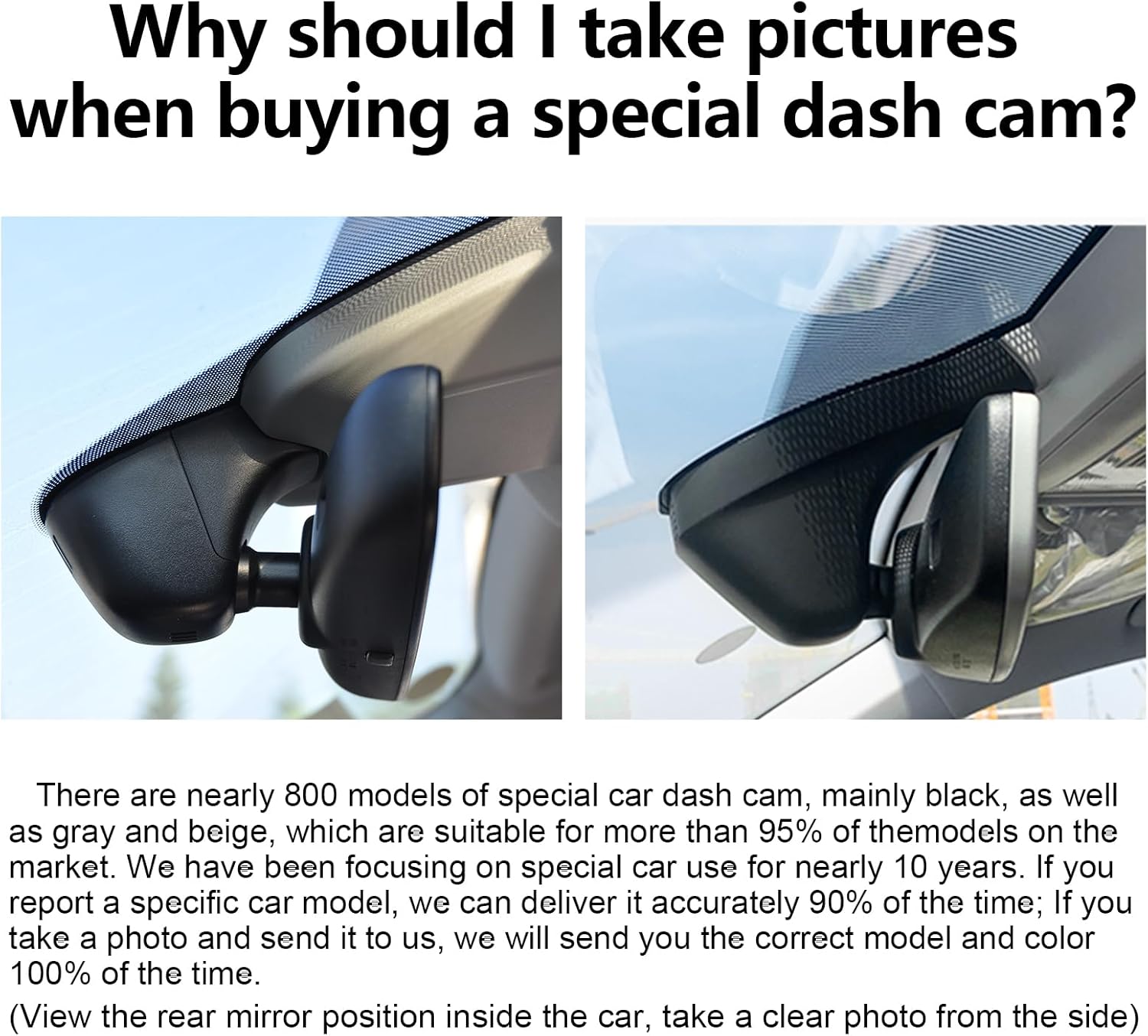
Image: Two examples of OEM style dash cam installations, highlighting the importance of vehicle-specific fitment.
Product Overview
The mangoal OEM Style Dedicated Dash Cam offers high-definition video recording for both front and rear views, integrated with advanced features for vehicle security and driving assistance.

Image: A visual summary of the dash cam's key features, including OEM style design, easy installation, super night vision, WiFi/App connectivity, 4K UHD recording, loop recording, G-Sensor, and parking monitor.
What's in the Box
Verify that all components are present in the packaging:

Packing Box

4K Dash Cam (Front)

Strap

Dashcam Power Adapter

128G TF Card

Car Wire Trim Tool

Rear Cam

User Manual
RearCam Charging Cable
Setup and Installation
1. Front Dash Cam Installation (Plug and Play)
The front dash cam is designed for a seamless "plug and play" installation, integrating directly into your vehicle's existing setup. Ensure the dash cam is securely mounted near your rearview mirror, aligning with the OEM style for a discreet appearance.
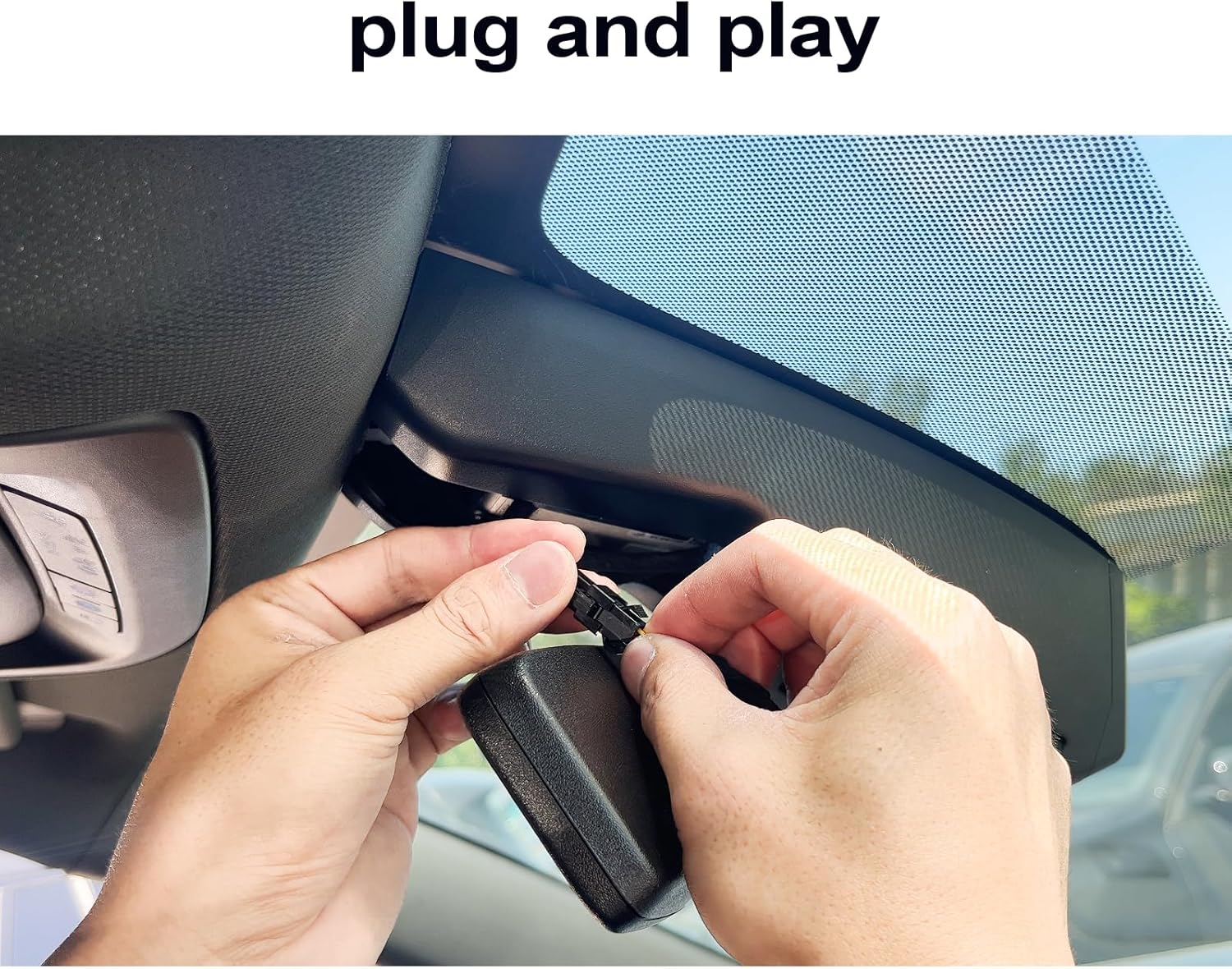
Image: A close-up of hands performing a "plug and play" connection for the dash cam, demonstrating ease of installation.
2. Rear Dash Cam Installation
The rear dash cam provides additional coverage. Before permanent installation, connect the rear cam to its power cable and test its functionality to ensure it is working correctly.
- Mounting: The rear camera features a 360° rotation adjustment, allowing flexible positioning for optimal viewing angles, whether mounted inside or outside the vehicle.
- Cable Routing: Carefully route the power cord for the rear dash cam to avoid interference with vehicle operations and maintain a tidy appearance. Refer to the schematic diagram for typical routing paths.

Image: Illustration of the rear dash cam's 360-degree rotation capability and a schematic for power cord routing in an SUV/car.

Image: Illustration of the rear dash cam's 360-degree rotation capability and a schematic for power cord routing in a pickup truck.
Operating Instructions
1. Powering On and Recording
Once installed and connected to power, the dash cam will automatically power on and begin recording when your vehicle starts. The front camera records in 4K (2160P) resolution, and the rear camera records in 1080P, ensuring clear and detailed footage.

Image: A split screen demonstrating the clarity of the 4K front camera and 1080P rear camera footage, capturing license plates and road details.

Image: A wide shot of a city street, illustrating the high-resolution capture capability of the 4K UHD front dash cam.
2. Mobile App and Wi-Fi Connectivity
The dash cam features built-in Wi-Fi for seamless connection to a dedicated mobile application (SkyCamm). This app allows you to:
- View real-time video footage on your smartphone.
- Download and transfer important recordings to your phone or PC.
- Share videos on social media platforms.
Image: A user interacting with the mobile app on a smartphone, showing the live view from the dash cam and options for downloading from app stores.

Image: A driver viewing the dash cam feed on a smartphone, illustrating the ease of access to features like live preview, fast download, and sharing via the mobile app.
3. Loop Recording
The dash cam utilizes seamless loop recording. When the memory card is full, the oldest footage will be automatically overwritten by new content. This ensures continuous recording without manual intervention.
- Recording duration varies by SD card size:
- 32GB: Approximately 2 hours
- 64GB: Approximately 4 hours
- 128GB: Approximately 8 hours

Image: A visual representation of the loop recording function, showing how older files are overwritten and indicating recording durations for 32GB, 64GB, and 128GB SD cards.
4. G-Sensor (Emergency Recording)
The built-in G-Sensor detects sudden impacts or collisions. In such an event, it automatically saves and locks the current video footage into a dedicated folder, preventing it from being overwritten by loop recording. This ensures critical evidence is preserved.

Image: A visual representation of a car collision, with a prominent lock icon indicating that the G-Sensor has activated to protect the recording.
5. Parking Monitor
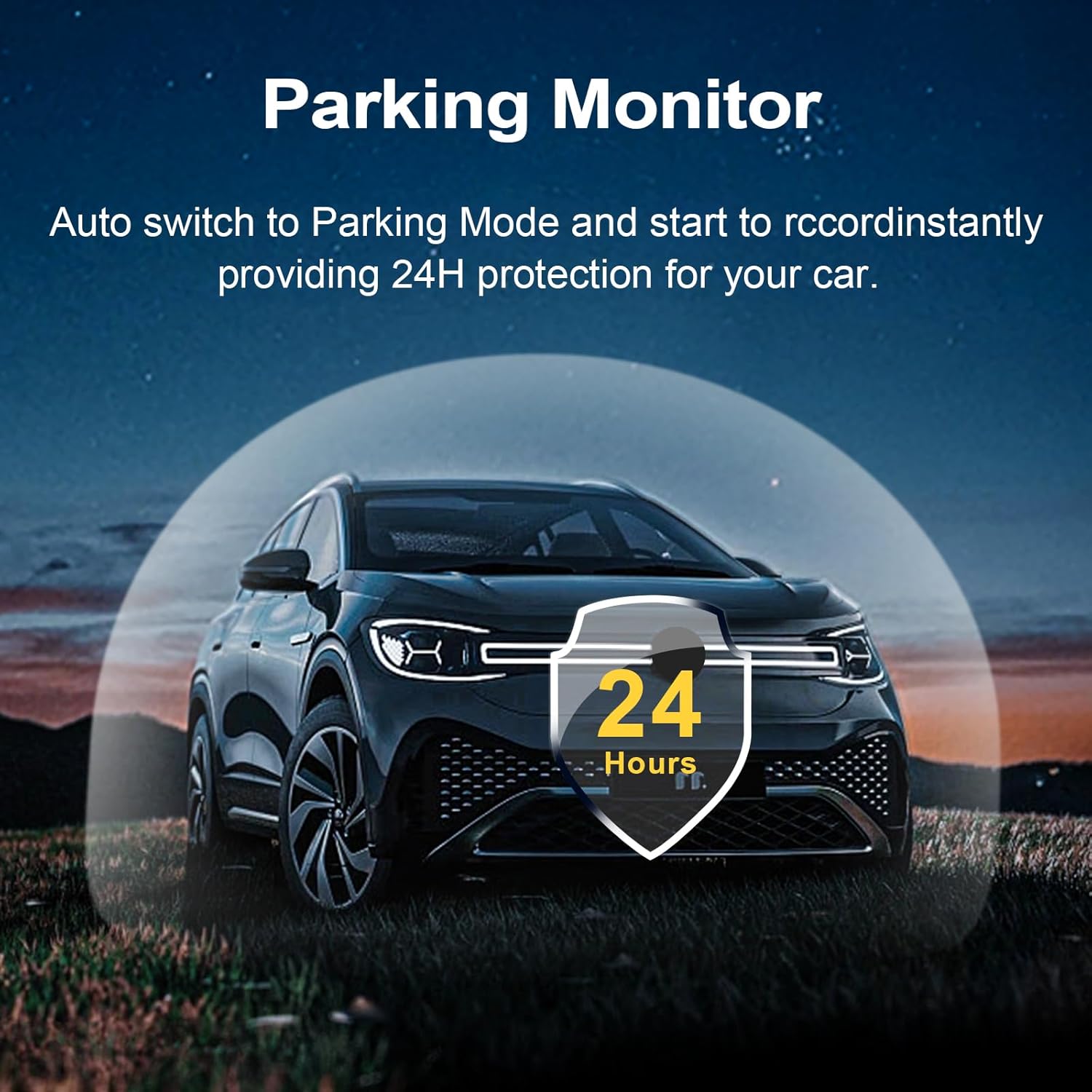
When your vehicle is parked, the dash cam can automatically switch to Parking Mode. This feature provides 24-hour protection by recording incidents that occur while your vehicle is stationary, such as bumps or attempted vandalism.
Image: A car parked at night with a glowing shield icon displaying "24 Hours", symbolizing the continuous protection offered by the parking monitor feature.

Image: A car parked at night with a glowing shield icon displaying "24 Hours", symbolizing the continuous protection offered by the parking monitor feature.
6. Superior Night Vision
Equipped with a Sony Sensor, f/1.8 aperture, WDR (Wide Dynamic Range), and a 6-layer lens, the dash cam provides enhanced night vision capabilities. This allows for clear video recording even in low-light conditions, ensuring visibility during night drives.

Image: A rear view of a car driving at night, showcasing the effectiveness of the dash cam's superior night vision in capturing clear details in dark environments.
Maintenance
- Cleaning: Regularly wipe the camera lenses with a soft, dry cloth to ensure clear recordings. Avoid using abrasive cleaners.
- Firmware Updates: Check the mangoal official website or app periodically for firmware updates to ensure optimal performance and access to new features.
- Memory Card: Format the memory card monthly to prevent data corruption and maintain recording efficiency. Use a high-quality Class 10 or higher microSD card.
- Temperature: Avoid exposing the dash cam to extreme temperatures for extended periods, as this can affect battery life and performance.
Troubleshooting
| Problem | Possible Cause | Solution |
|---|---|---|
| Dash cam does not power on. | No power supply; faulty connection. | Check power cable connection; ensure vehicle's ignition is on; test power adapter. |
| Recording stops unexpectedly. | Memory card full; faulty memory card; power interruption. | Format or replace memory card; ensure stable power supply. |
| Video footage is blurry or unclear. | Dirty lens; protective film still on lens; incorrect focus. | Clean lenses; remove any protective film; ensure proper mounting. |
| Wi-Fi connection issues. | Incorrect password; too far from device; app issues. | Re-enter Wi-Fi password; move closer to dash cam; restart app and dash cam. |
| G-Sensor is too sensitive/not sensitive enough. | G-Sensor sensitivity setting. | Adjust G-Sensor sensitivity in the mobile app settings. |
Specifications
- Front Camera Resolution: 4K (2160P)
- Rear Camera Resolution: 1080P
- Lens Aperture: f/1.8
- Image Sensor: CMOS IMX335 chip (for 4K)
- Special Features: Loop Recording, G-Sensor, Parking Monitor, Built-in Wi-Fi, Mobile App (SkyCamm), Superior Night Vision (Sony Sensor, WDR, 6-Layer Lens)
- Connectivity: Wireless
- Control Method: App
- Mounting Type: OEM Style (Ceiling/Rearview Mirror area)
- Product Dimensions: 9.84"D x 3.54"W x 2.75"H
- Batteries: 1 Lithium Metal battery (included)
- Brand: mangoal
- Model: B0DF4WS227
Warranty and Support
For warranty information, technical support, or further inquiries, please refer to the official mangoal website or contact their customer service directly. You can also visit the mangoal Store on Amazon for additional resources and contact details.


