
1. Introduction
This manual provides essential information for the safe and effective use of the PPOZYLPC QDX50A Pressure Transmitter. This device is designed for accurate measurement of pressure in various media, including water, air, and oil systems. Please read this manual thoroughly before installation and operation to ensure proper functionality and to prevent damage or injury.
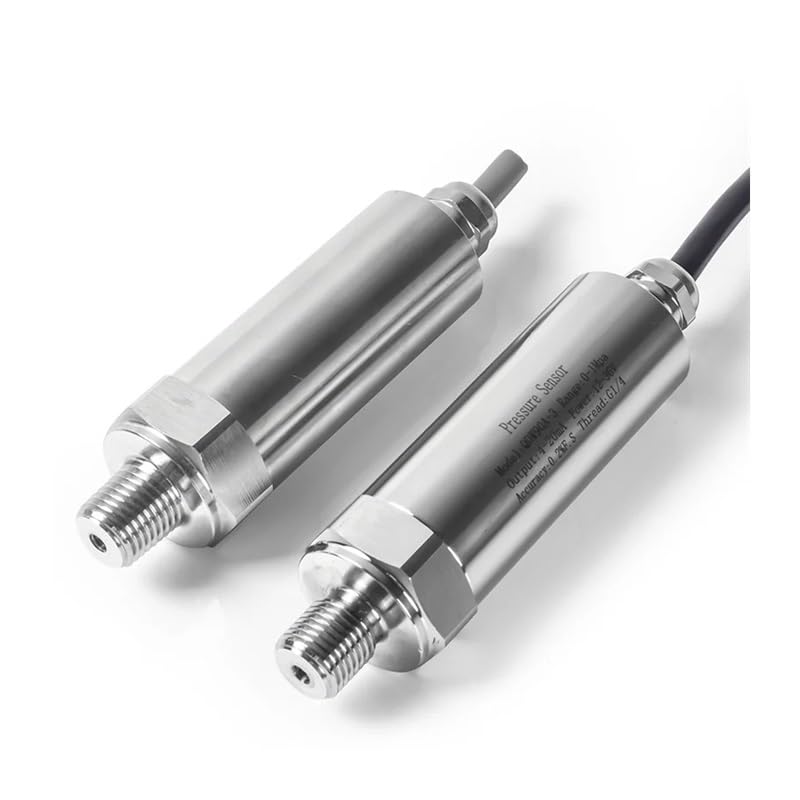
Figure 1: PPOZYLPC QDX50A Pressure Transmitter (Example Model)
2. Product Overview
The PPOZYLPC QDX50A Pressure Transmitter is a robust and reliable sensor featuring a G1/4 transducer for versatile process connections. This specific model provides a 4-20mA output signal and measures pressure within the 0-2.5Mpa range. Its design ensures stable performance across a wide operating temperature range, making it suitable for demanding industrial and commercial applications.
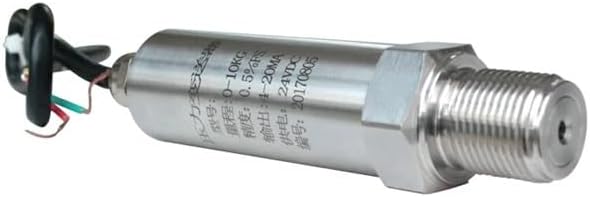
Figure 2: Pressure Transmitter showing electrical connections.
Key features include:
- High Accuracy: Provides precise pressure readings.
- Standard Output: 4-20mA current output for compatibility with various control systems.
- Durable Construction: Designed for long-term use in challenging environments.
- Wide Application: Suitable for water, air, and oil pressure monitoring.

Figure 3: Various models of pressure transmitters.
3. Specifications
The following table details the technical specifications for the PPOZYLPC QDX50A Pressure Transmitter (0-2.5Mpa, 4-20mA Output).
| Feature | Specification |
|---|---|
| Model Number | QDX50A |
| Measuring Range | 0-2.5 Mpa |
| Output Signal | 4-20mA |
| Process Connection | G1/4 |
| Power Supply | DC12V - DC24V |
| Working Temperature | -20°C to 60°C |
| Item Weight | 3.92 ounces |
| Package Dimensions | 1.18 x 0.79 x 0.39 inches |
4. Setup
4.1 Safety Precautions
- Ensure power is disconnected before installation or wiring.
- Wear appropriate personal protective equipment (PPE).
- Verify compatibility of the transmitter with the system's pressure range and media.
- Avoid installing in areas with excessive vibration or extreme temperatures beyond specified limits.
4.2 Mechanical Installation
The QDX50A Pressure Transmitter features a G1/4 process connection. Ensure the mating port is clean and free of debris. Apply appropriate thread sealant (e.g., PTFE tape) to the threads before installation to prevent leaks. Tighten securely, but do not overtighten, which can damage the threads or sensor.
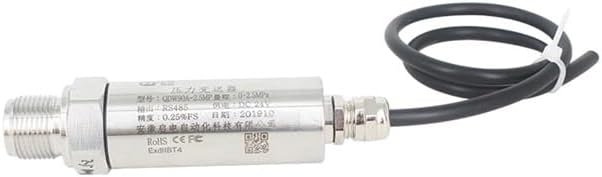
Figure 4: Pressure Transmitter showing the threaded connection and cable.
4.3 Electrical Wiring
Connect the transmitter to a stable DC power supply (12V-24V) and your control system according to the following general wiring scheme. Always refer to your system's specific wiring diagrams if available.
- Red Wire: Power Supply Positive (+)
- Black Wire: Power Supply Negative (-) / Signal Ground
- Green/Blue Wire: 4-20mA Signal Output
Ensure all connections are secure and insulated to prevent short circuits or electrical hazards.
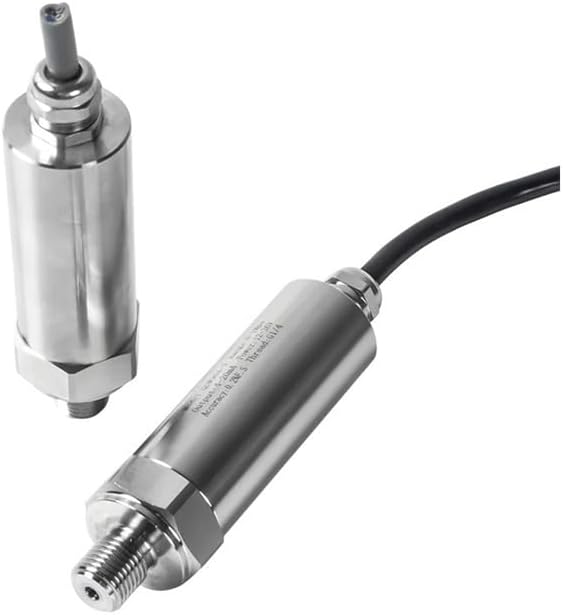
Figure 5: Close-up of a pressure transmitter, illustrating the wiring connection point.
5. Operating
5.1 Initial Power-Up
After completing mechanical and electrical installation, apply power to the transmitter. Monitor the output signal to confirm proper operation. The 4-20mA output will correspond to the measured pressure within the 0-2.5Mpa range.
5.2 Pressure Monitoring
The transmitter continuously measures pressure and converts it into a proportional 4-20mA current signal. This signal can be read by a compatible PLC, data logger, or display unit. A 4mA output typically corresponds to 0 Mpa, and a 20mA output corresponds to 2.5 Mpa.
5.3 Calibration
The QDX50A Pressure Transmitter is factory calibrated. For most applications, re-calibration is not required. If your application demands higher precision or if you suspect drift, professional re-calibration using a certified pressure calibrator may be necessary. Consult a qualified technician for calibration procedures.
6. Maintenance
Regular maintenance ensures the longevity and accuracy of your pressure transmitter.
- Cleaning: Periodically clean the exterior of the transmitter with a soft, damp cloth. Avoid using abrasive cleaners or solvents that could damage the housing or seals.
- Inspection: Regularly inspect the process connection for any signs of leakage, corrosion, or damage. Check the electrical cable for wear or damage. Replace if necessary.
- Environmental Conditions: Ensure the operating environment remains within the specified temperature and humidity ranges. Protect the transmitter from direct impact or excessive vibration.
7. Troubleshooting
If you encounter issues with your pressure transmitter, refer to the following troubleshooting guide:
| Problem | Possible Cause | Solution |
|---|---|---|
| No Output Signal | No power, incorrect wiring, damaged cable. | Check power supply, verify wiring connections, inspect cable for damage. |
| Inaccurate Readings | Sensor clogged, system leak, incorrect calibration, sensor damage. | Clean sensor port, check for system leaks, consider professional re-calibration, inspect sensor for physical damage. |
| Intermittent Output | Loose wiring, electrical interference, unstable power supply. | Secure all electrical connections, check for sources of electromagnetic interference, ensure stable power supply. |
| Leakage at Connection | Improper thread sealant, insufficient tightening, damaged threads. | Reapply thread sealant, tighten connection appropriately, inspect threads for damage. |
If problems persist after following these steps, contact customer support.
8. Warranty
PPOZYLPC warrants this product against defects in materials and workmanship for a period of one (1) year from the date of purchase. This warranty does not cover damage resulting from improper installation, misuse, unauthorized modification, or normal wear and tear. Proof of purchase is required for all warranty claims. For detailed warranty terms and conditions, please refer to the documentation included with your purchase or contact customer support.
9. Support
For technical assistance, troubleshooting, or product inquiries, please contact PPOZYLPC customer support through the retailer where the product was purchased or visit the official PPOZYLPC website for contact information. When contacting support, please have your product model number (QDX50A) and purchase details readily available.