
1. Introduction
This manual provides instructions for the safe and effective use of your iSTIM X1 Wireless Heat TENS Unit. The iSTIM X1 combines Transcutaneous Electrical Nerve Stimulation (TENS) with heat therapy for temporary pain relief.
TENS (Transcutaneous Electrical Nerve Stimulation): This method delivers steady electrical pulses through the skin to stimulate nerve fibers, which can interrupt pain signals to the brain and promote the release of natural pain-relieving endorphins.
Heat Therapy: Heat therapy enhances circulation and blood flow to targeted areas, which can alleviate discomfort and improve muscle flexibility. This can relax muscles, provide soothing relief, and support tissue healing.
2. Product Overview
2.1 Included Components
- iSTIM X1 Heat + TENS Combo Unit x 1
- Remote Control x 1
- Electrode Pads x 8 (Japanese Gel Pads)
- Instruction Manual x 1
- USB Charger & Lead x 1
- Parking Board x 2

Image: Contents of the iSTIM X1 package.
2.2 Device and Remote Control
The iSTIM X1 unit is designed for wireless operation, providing flexibility during use. The remote control allows for easy adjustment of settings.

Image: The iSTIM X1 main unit and its remote control.

Image: Dimensions of the iSTIM X1 unit and regulatory information.
3. Safety Information
Legal Disclaimer: Statements regarding dietary supplements have not been evaluated by the FDA and are not intended to diagnose, treat, cure, or prevent any disease or health condition. This device is intended for temporary pain relief.
For user safety, the device features an automatic shut-down after 20 minutes of continuous operation. This is a safety design feature.
4. Setup
4.1 Charging the Device and Remote
Upon first use, the iSTIM X1 unit and its remote control may arrive without charge. Fully charge both the main unit and the remote for at least 2 hours using the provided USB charger and lead before initial operation.
4.2 Attaching Electrode Pads
The iSTIM X1 uses high-grade, biocompatible Japanese gel electrode pads. These pads are designed for efficient current conduction and are suitable for sensitive skin. Do not use extra electrode gel.
- Ensure your skin is clean and dry before applying the pads.
- Carefully peel the protective film from the gel pads.
- Attach the gel pads firmly to the designated areas on the iSTIM X1 main unit.
- Apply the unit with attached pads to the desired treatment area on your body.

Image: Placement of gel pads and heating area on the iSTIM X1 unit.
5. Operating Instructions
5.1 Powering On and Pairing
- First, press the power button on the iSTIM X1 main unit to turn it on.
- Then, turn on the remote control. The remote should automatically pair with the unit.
- If the remote is not working, refer to the Troubleshooting section for pairing instructions.
5.2 Using TENS and Heat Functions
The iSTIM X1 offers 15 adjustable intensity levels for both TENS and Heat functions.

Image: Remote control button descriptions and device functions.
- TENS Button: Press the 'TENS' button on the remote to activate the Transcutaneous Electrical Nerve Stimulation.
- Heat Button: Press the 'HEAT' button on the remote to activate the heat therapy. The unit can heat up to 109°F (42°C) in a few seconds.
- Increase Intensity Button (Up Arrow): Press this button to increase the intensity level of the selected function (TENS or Heat).
- Decrease Intensity Button (Down Arrow): Press this button to decrease the intensity level of the selected function (TENS or Heat).
The device will automatically shut down after 20 minutes of use for safety.

Image: Example of iSTIM X1 usage for back pain relief.
6. Maintenance and Care
6.1 Electrode Pad Care
- After each use, place the electrode pads back onto the provided parking boards to preserve their adhesive quality.
- Do not use additional electrode gel, as this can damage the pads and affect performance.
- Replace pads when they lose their stickiness or if irritation occurs.
6.2 Cleaning and Storage
- Wipe the main unit and remote control with a soft, damp cloth. Do not use abrasive cleaners or immerse in water.
- Store the device and its components in a cool, dry place, away from direct sunlight and extreme temperatures.
7. Troubleshooting
If you encounter issues with your iSTIM X1, refer to the following guide:
- When device won't turn on: Fully charge the battery. If it still won't turn on, contact customer service.
- When Remote is not working: Hold the "TENS" or "HEAT" button on the device, then hold the "Increase intensity" button on the remote for 5-10 seconds. The device will beep 5 times when successfully paired.
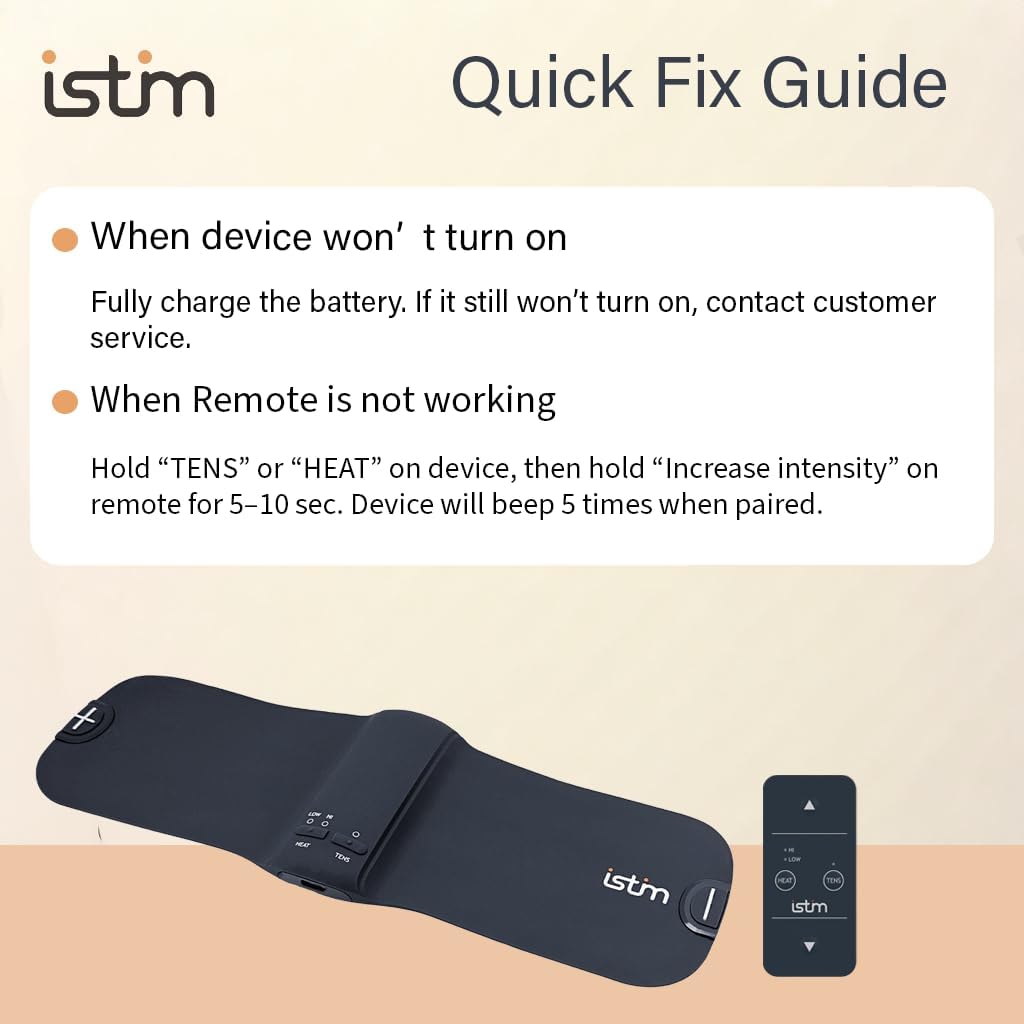
Image: Quick Fix Guide for common issues.
8. Specifications
| Feature | Detail |
|---|---|
| Model Number | Heating TENS FT-810R |
| Package Dimensions | 11.81 x 5.75 x 2.05 inches |
| Item Weight | 1.19 Pounds |
| Manufacturer | Everyway-Medical |
| Date First Available | August 23, 2024 |
9. Warranty Information
Specific warranty details for the iSTIM X1 Wireless Heat TENS Unit are not provided in the product information. Please refer to the product packaging or contact iSTIM customer support for comprehensive warranty terms and conditions.