
Introduction
This manual provides essential instructions for the proper setup, operation, and maintenance of your Fockety Fitness Tracker Smart Ring. Please read this guide thoroughly before using the device to ensure optimal performance and longevity.
Package Contents
- 1 x Fockety Fitness Tracker Smart Ring
- 1 x Charging Case
- 1 x User Manual (this document)
Setup
1. Charging the Device
Before initial use, fully charge your Smart Ring. Place the ring into its charging case. The ring features an adsorbable coil for efficient charging. A full charge typically takes approximately 30 minutes and provides up to 5 days of continuous use, with a standby time of up to 7 days.

Image: The Fockety Smart Ring placed inside its dedicated white charging case, indicating the charging process.

Image: A top-down view showing the Fockety Smart Ring positioned beside its open white charging case, ready for charging or storage.
2. Proper Wearing and Sizing
For accurate data collection, ensure the optical sensor on the inner side of the ring maintains close contact with the skin of your fingertip. The ring should fit snugly but comfortably.
To determine your correct ring size, measure the circumference of the base of your finger using a fine thread. Wrap the thread around your finger, mark where it overlaps, and then measure the length of the thread with a ruler. Ensure the thread is pulled straight and slightly tight during measurement to avoid selecting a size that is too large. Refer to the sizing chart below for guidance.

Image: A Fockety Smart Ring displayed alongside a detailed size chart. The chart provides measurements for ring sizes 7 through 13, including diameter, circumference, and a corresponding applicable weight range for each size, aiding in proper fit selection.

Image: Three Fockety Smart Rings in different finishes (Black, Gold, Silver) are shown, highlighting the importance of proper wearing. Text on the image instructs users to keep the optical sensor in close contact with the skin on their fingertips to ensure accurate data collection.

Image: A man is shown wearing a Fockety Smart Ring on his finger, illustrating its comfortable fit and slim profile. The image emphasizes the ring's 2.5mm thickness, contributing to a comfortable wearing experience.
3. App Installation and Pairing
The Fockety Smart Ring operates with the "Smart Health" application. Download the "Smart Health" app from your smartphone's app store (iOS App Store or Google Play Store). Follow the in-app instructions to pair your Smart Ring with your smartphone via Bluetooth.
Operating Instructions
1. Sport Monitoring
The Smart Ring provides real-time synchronization with your smartphone, accurately monitoring your physical activities. It tracks various metrics to help you achieve your daily fitness goals. These metrics include:
- Workout mode
- Distance covered
- Duration of activity
- Calories burned
- Steps taken

Image: A woman is shown wearing the Fockety Smart Ring, demonstrating its function in sport monitoring. The image highlights the ring's ability to accurately track exercise data, including mileage statistics, exercise time, calories burned, and steps taken.
2. Remote Care Function
Utilize the Remote Care feature to monitor the daily activity data of family members or loved ones. By adding them to your friends list within the "Smart Health" app, you can remotely view their steps, distance covered, calories burned, and sleep duration. This feature helps you stay connected and informed about their well-being.
3. Water Resistance
The Fockety Smart Ring has an IPX8 water resistance rating. This allows for convenient use during activities such as showering, swimming, or washing hands. Ensure the ring is properly worn to maintain its water resistance.
Maintenance
1. Cleaning
To maintain optimal performance and hygiene, regularly clean your Smart Ring. Use a soft, dry cloth to wipe the exterior. For the optical sensor area, gently clean with a slightly damp cloth and ensure it is dry before wearing. Avoid using harsh chemicals or abrasive materials.
2. Battery Care
To prolong battery life, avoid fully discharging the ring frequently. Charge the ring when the battery level is low. Store the ring and charging case in a cool, dry place when not in use for extended periods.
Troubleshooting
- Device not charging: Ensure the ring is correctly seated in the charging case and the case itself is charged. Check for any debris obstructing the charging contacts.
- Inaccurate data: Verify that the optical sensor is in close contact with your skin. Ensure the ring is worn snugly and not loose.
- Cannot connect to app: Make sure Bluetooth is enabled on your smartphone and the ring is within range. Restart both the ring (by placing it in the charger) and the app.
- App not displaying data: Check your internet connection. Ensure the app has necessary permissions on your smartphone.
Specifications
| Model Name | Focketyft1amw0dkx-24 |
| Brand | Fockety |
| Material | Stainless Steel + Resin |
| Ring Battery Type | Lithium Battery |
| Ring Battery Capacity | 20mAh |
| Ring Battery Life | Approximately 5 days |
| Ring Charging Time | Approximately 30 minutes |
| Charging Case Battery Capacity | 300mAh |
| Thickness | Approximately 2.5mm |
| Weight | Approximately 5g (ring) |
| Water Resistance | IPX8 Rating |
| Compatible App | Smart Health |
| Package Dimensions | 3.54 x 3.54 x 1.18 inches |
| Item Weight (packaged) | 3.17 ounces |
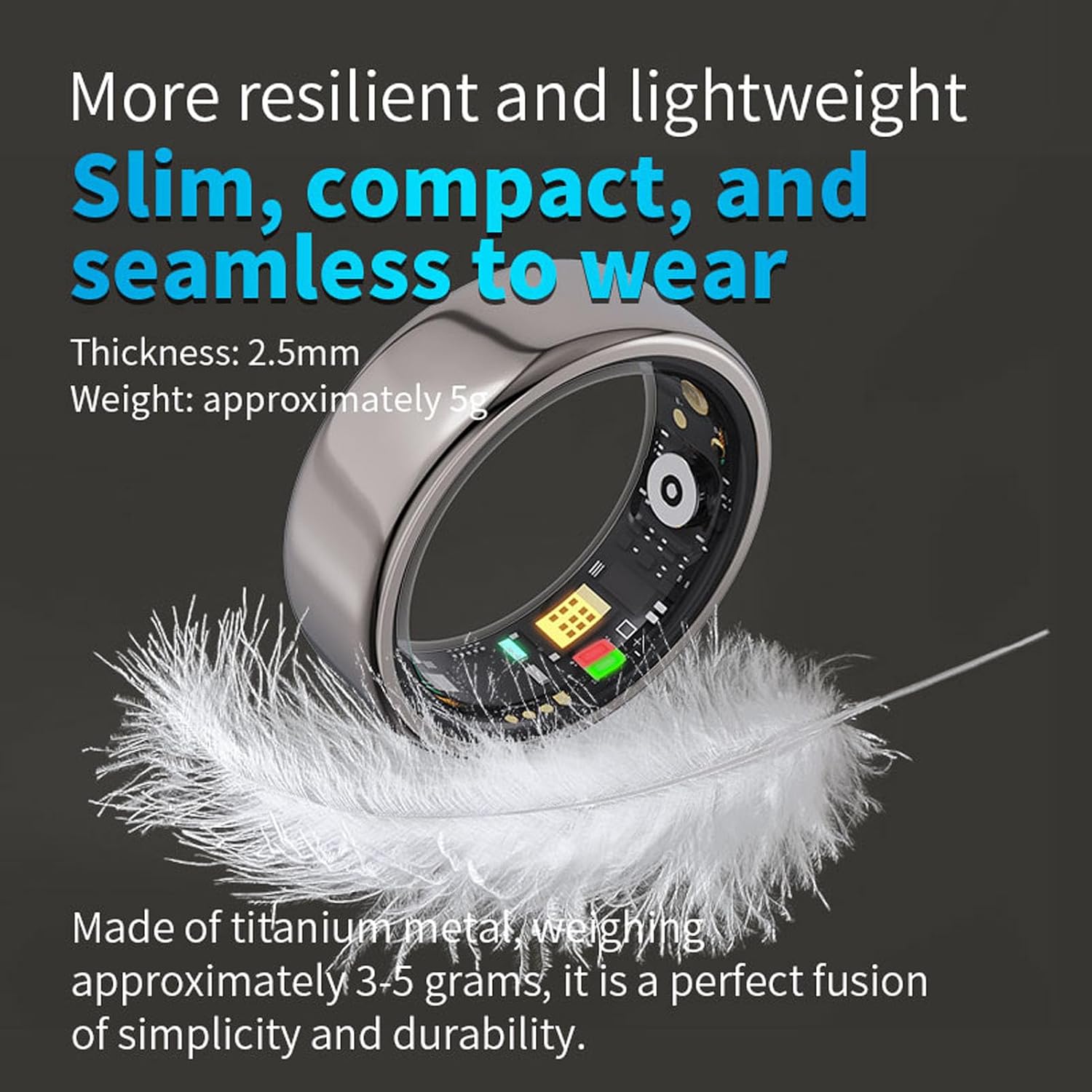
Image: The Fockety Smart Ring is depicted alongside a feather, visually emphasizing its lightweight and slim design. Text on the image highlights its 2.5mm thickness and approximate weight of 5g, noting its construction from titanium metal for simplicity and durability.

Image: A detailed close-up of the Fockety Smart Ring's interior, showcasing its optical sensor and intricate circuitry. This view illustrates the technology embedded within the ring for health and fitness tracking.
Warranty and Support
For warranty information or technical support, please refer to the contact details provided with your purchase or visit the official Fockety website. Keep your purchase receipt as proof of purchase.