
Important Safety Instructions
Please read and save these instructions before using this humidifier. Failure to follow these instructions may result in electric shock, fire, or serious injury.
- Always place the humidifier on a firm, flat, waterproof surface at least 12 inches (30 cm) away from walls and appliances.
- Do not immerse the humidifier base in water or other liquids.
- Do not operate the humidifier if the cord or plug is damaged, or if the unit malfunctions or has been dropped.
- Keep the humidifier out of reach of children and pets.
- Always unplug the humidifier before cleaning, refilling, or moving it.
- Use only clean, cool tap water or distilled water. Do not use hot water.
- Do not add essential oils directly into the water tank. Use the designated aroma pad tray.
- Do not block the mist outlet or air intake.
Product Overview
The Dreo DR-HHM006 is an ultrasonic cool mist humidifier designed to improve air quality and comfort in your living space. It features a 3-liter top-fill tank, adjustable mist output, a humidity sensor, and a night light function.

Image: The Dreo DR-HHM006 Cool Mist Ultrasonic Humidifier, showcasing its transparent water tank, control panel, and mist outlet.
What's in the Box
- Humidifier Body
- Water Tank (integrated)
- Power Cord
- User Manual
Setup
- Placement: Place the humidifier on a flat, stable, and waterproof surface. Ensure it is at least 12 inches (30 cm) away from walls, furniture, and electronic appliances to prevent moisture damage.
- Fill Water Tank: Remove the top cover. Pour clean, cool tap water or distilled water directly into the water tank. Do not exceed the 'MAX' fill line. Replace the top cover securely.

Image: A hand pouring water into the top-fill opening of the humidifier, next to an illustration of the 360° adjustable nozzle and the built-in aroma pad tray.
- Connect Power: Plug the power cord into a standard electrical outlet. The display will illuminate briefly.
Operating Instructions
Control Panel
The control panel features touch-sensitive buttons and a digital display for easy operation.

Image: The humidifier's control panel displaying '62' for humidity, with an ambient light indicator showing 'Wet', 'Comfort', and 'Dry' zones. This illustrates the auto mode functionality.
Functions
- Power On/Off: Press the power button (U) to turn the humidifier on or off.
- Mist Level Adjustment: Press the mist button (SSS) repeatedly to cycle through low, medium, and high mist output settings.
- Auto Mode & Humidity Control: Press the Auto button (A) to activate Auto Mode. The humidifier will automatically adjust mist output to maintain a comfortable humidity level (e.g., 40-60%). You can also manually set a target humidity level by pressing the humidity button (%) to cycle through desired percentages. The built-in humidistat provides real-time humidity readings.
- Night Light: Press the light button (Lightbulb icon) to turn the night light on or off.
- Aroma Pad Tray: Pull out the aroma pad tray located at the base of the humidifier. Add a few drops of essential oil onto the aroma pad (not directly into the water tank). Slide the tray back into place.
- 360° Nozzle: The mist nozzle on top of the humidifier can be rotated 360 degrees to direct the mist in any desired direction.
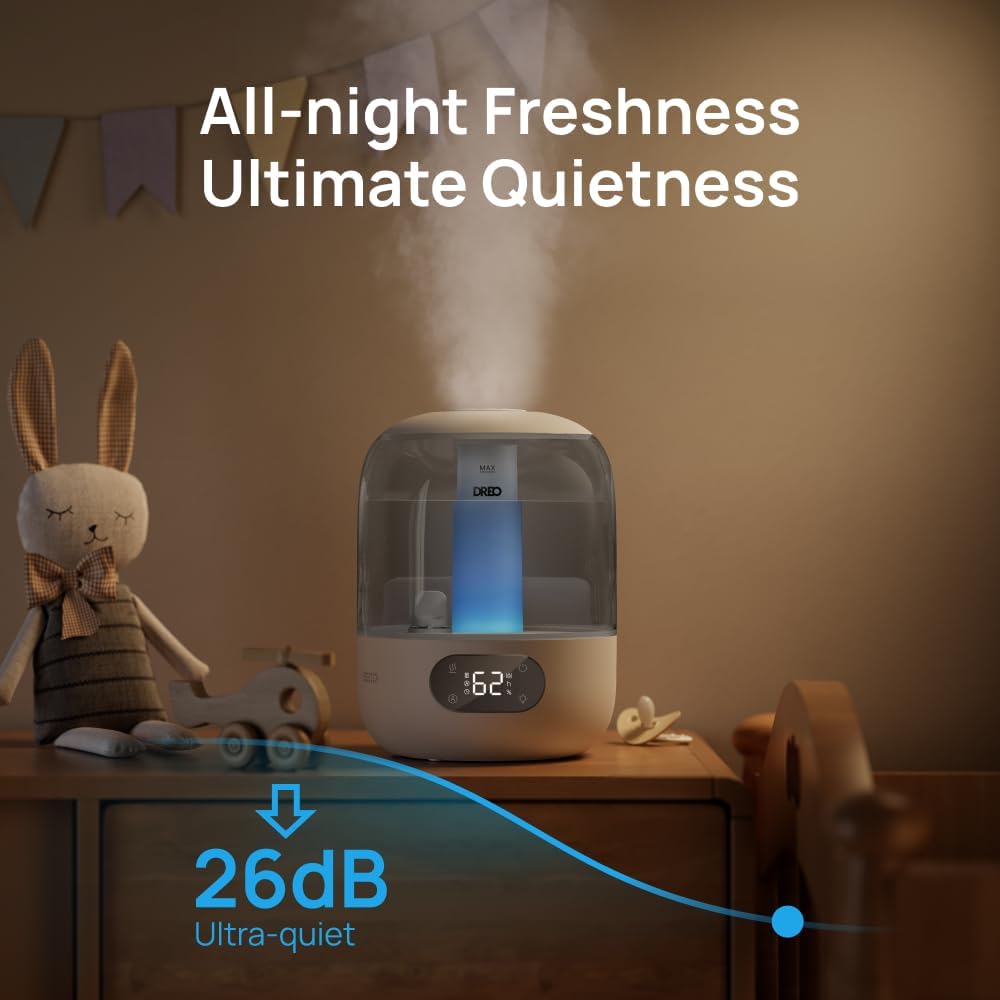
Image: The humidifier operating quietly in a nursery setting, with a graphic indicating an ultra-quiet 26dB noise level.
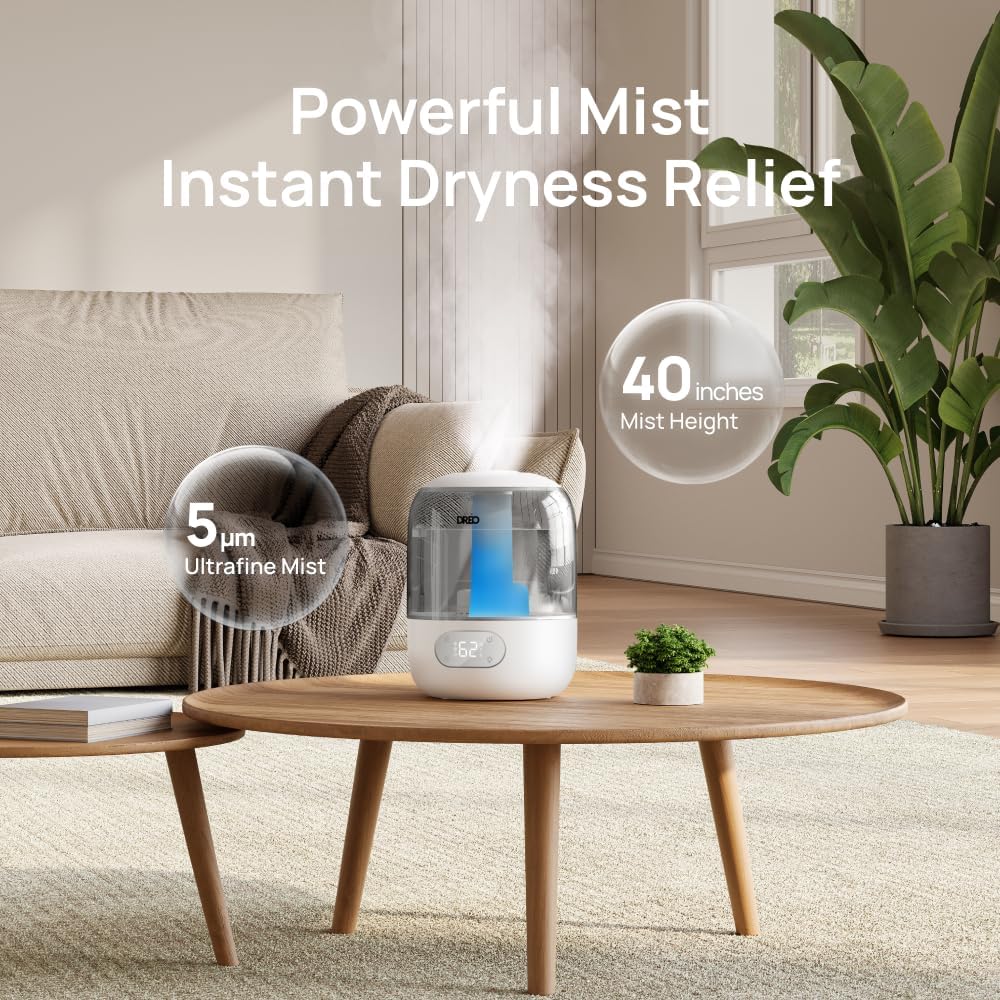
Image: The humidifier releasing a powerful mist, with text indicating 5µm ultrafine mist and 40 inches mist height, providing instant dryness relief in a living room setting.
Maintenance
Regular cleaning is essential for optimal performance and to prevent mineral buildup and mold growth.
Daily Maintenance
- Unplug the humidifier.
- Empty any remaining water from the tank and base.
- Wipe the tank and base dry with a clean cloth.
- Refill with fresh water before each use.
Weekly Cleaning
- Unplug and Disassemble: Unplug the humidifier and remove the top cover.
- Clean Water Tank: Rinse the water tank thoroughly with clean water. For deeper cleaning, use a soft brush or sponge to scrub the inside.
- Clean Base and Transducer: Gently wipe the inside of the base and the ultrasonic transducer (the small disc) with a soft cloth. Do not use abrasive cleaners or hard objects.
- Descaling (if needed): If mineral buildup occurs, mix equal parts white vinegar and water. Pour the solution into the base and let it sit for 15-20 minutes. Gently scrub with a soft brush, then rinse thoroughly until the vinegar smell is gone.
- Clean Aroma Pad Tray: Remove the aroma pad and wash the tray with warm water and mild soap. Rinse and dry thoroughly.
- Dry and Reassemble: Ensure all parts are completely dry before reassembling the humidifier.

Image: A hand wiping the inside of the humidifier's water tank with a cloth, demonstrating the easy-to-clean design.
Storage
When not in use for an extended period, clean the humidifier thoroughly, ensure all parts are dry, and store it in a cool, dry place.
Troubleshooting
| Problem | Possible Cause | Solution |
|---|---|---|
| No mist or low mist output | Low water level Mineral buildup on transducer Mist nozzle blocked | Refill water tank Clean transducer and base Clear any obstructions from the mist nozzle |
| Unusual odor | Stale water New unit odor Mineral buildup | Empty and refill with fresh water Run for a few hours in a well-ventilated area Clean the humidifier thoroughly |
| Water leaking from base | Overfilled tank Unit not on a level surface Damaged tank | Do not exceed MAX fill line Place on a flat, stable surface Contact customer support |
| Loud noise during operation | Low water level Unit not on a level surface Foreign object in base | Refill water tank Place on a flat, stable surface Check and remove any foreign objects |
Specifications
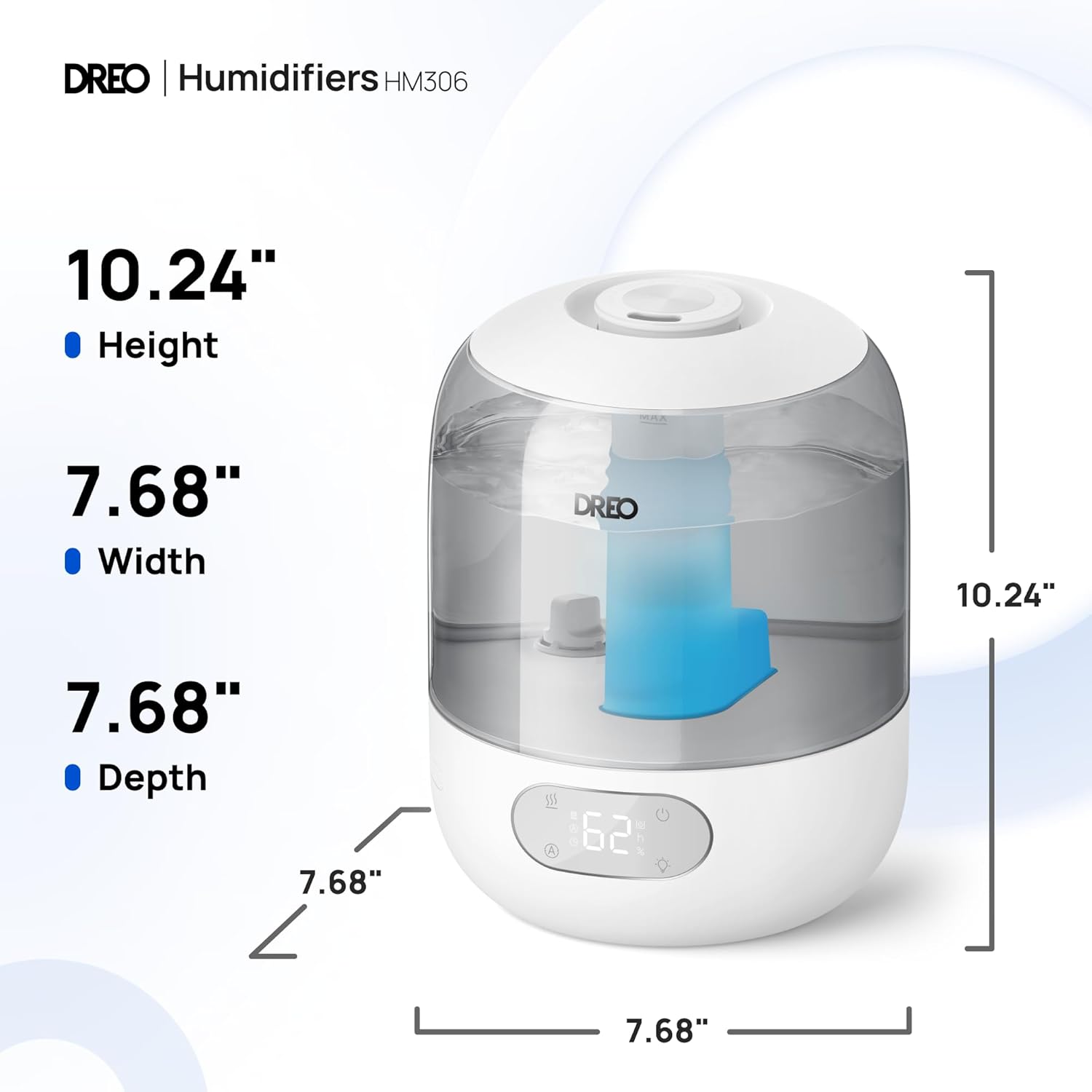
Image: A diagram illustrating the dimensions of the Dreo DR-HHM006 humidifier: 10.24 inches height, 7.68 inches width, and 7.68 inches depth.
| Feature | Detail |
|---|---|
| Brand | Dreo |
| Model Name | DR-HHM006 |
| Operation Mode | Ultrasonic |
| Tank Capacity | 3 Liters |
| Max Runtime | Up to 30 hours (in Sleep Mode) |
| Coverage Area | Up to 300 sq ft |
| Mist Output | 250ml/hr |
| Noise Level | 26dB (in Sleep Mode) |
| Dimensions (D x W x H) | 7.6" x 10.2" x 7.6" |
| Item Weight | 2.2 Pounds |
| Voltage | 120 Volts (AC) |
| Wattage | 29 watts |
| Special Features | Adjustable Humidity Control, Aroma Diffuser, Digital Display, Humidistat, Timer, Night Light |
Warranty and Support
Dreo provides a warranty for this product. For detailed warranty information, product registration, or technical support, please visit the official Dreo website or contact their customer service. Keep your purchase receipt as proof of purchase.
Contact Information:
Website: www.dreo.com
Email: support@dreo.com (example, actual email may vary)


