
1. Product Overview
The Maclean MCE25 is an infrared motion detector designed for automatic control of lighting or other electrical devices. It is suitable for both indoor and outdoor applications, including gardens, terraces, corridors, basements, warehouses, and garages. The sensor features a 180-degree detection angle and an adjustable detection range of 5 to 12 meters. Its integrated twilight sensor allows for operation during both day and night, activating connected devices only when motion is detected and ambient light conditions require it. The IP44 protection rating ensures the device is resistant to splashing water from any direction, making it suitable for various environmental conditions.
2. Key Features
- 180° Detection Angle: Provides wide coverage for reliable motion detection.
- Adjustable Detection Range: Customizable from 5 to 12 meters to suit specific area requirements.
- Integrated Twilight Sensor: Allows for day and night operation, with adjustable light sensitivity (3-2000 lux).
- Adjustable Illumination Duration: Set the light-on time from 10 seconds to 7 minutes.
- IP44 Protection Rating: Ensures resistance against splashing water, ideal for outdoor use.
- Energy Efficient: Activates connected devices only when necessary, reducing power consumption.
- Versatile Application: Suitable for controlling lighting, electric heating, air conditioning, and other electrical loads up to 1200W (resistive) or 300W (inductive).
3. Specifications
| Manufacturer | Maclean |
| Model Number | MCE25 |
| Operating Voltage | 220-240 V / 50 Hz |
| Max Power (Resistive Load) | 1200 W |
| Max Power (Inductive Load) | 300 W |
| Detection Angle | 180° |
| Adjustable Light Sensitivity (LUX) | 3-2000 lux |
| Adjustable Detection Range (SENS) | 5-12 m (<24 °C) |
| Operating Temperature | -20 to +40 °C |
| Operating Humidity | <93% RH |
| Sensor Type | PIR (Passive Infrared) |
| Protection Rating | IP44 |
| Mounting Height | 1.8 to 2.5 m |
| Motion Detection Speed | 0.6-1.5 m/s |
| Adjustable Illumination Duration (TIME) | 10 seconds to 7 minutes |
| Power Consumption | approx. 0.5 W |
| Product Dimensions (L x W x H) | 7 x 8.7 x 9 cm |
| Weight | 250 grams |
4. Setup and Installation
Before installation, ensure the power supply is disconnected to prevent electrical shock. The sensor is designed for wall mounting. Choose a mounting location that provides the desired detection coverage and is within the recommended height range of 1.8 to 2.5 meters.
Wiring:
- Open the sensor casing carefully.
- Connect the live (L), neutral (N), and load (L') wires to the appropriate terminals inside the sensor. Refer to the wiring diagram provided in the packaging for precise connections.
- Ensure all connections are secure.
Mounting:
- Mark the drilling points on the wall using the sensor's mounting holes as a template.
- Drill holes and insert wall plugs if necessary.
- Secure the sensor base to the wall using screws.
- Reattach the sensor body to the base, ensuring it is firmly in place.

This diagram shows the internal components of the Maclean MCE25 motion detector, including the wiring terminals for electrical connection and the location of the SENS, TIME, and LUX adjustment knobs.

A technical diagram providing the physical dimensions of the Maclean MCE25 motion detector, including its width, depth, and height, crucial for installation planning.
5. Operating Instructions
The Maclean MCE25 motion detector features three adjustable knobs for fine-tuning its operation:
- SENS (Sensitivity/Detection Range): This knob adjusts the maximum detection range from 5 to 12 meters. Rotate towards '+' for a wider range or towards '-' for a shorter range. For very large areas, setting it to the maximum (12m) is recommended.
- TIME (Illumination Duration): This knob controls how long the connected light or device remains active after motion is detected. The duration can be set from approximately 10 seconds to 7 minutes. Rotate towards '+' for a longer duration or towards '-' for a shorter duration.
- LUX (Light Sensitivity/Twilight Threshold): This knob determines the ambient light level at which the sensor will become active.
- To enable operation both day and night, set the knob to the 'Day' position (sun symbol). The sensor will activate regardless of ambient light.
- To enable operation only when ambient light is below approximately 3 LUX (i.e., at night), set the knob to the 'Night' position (moon symbol).

This image highlights the three adjustable control knobs on the Maclean MCE25 sensor: SENS (sensitivity/detection range), TIME (illumination duration), and LUX (light sensitivity/twilight threshold). These controls allow users to customize the sensor's operation.
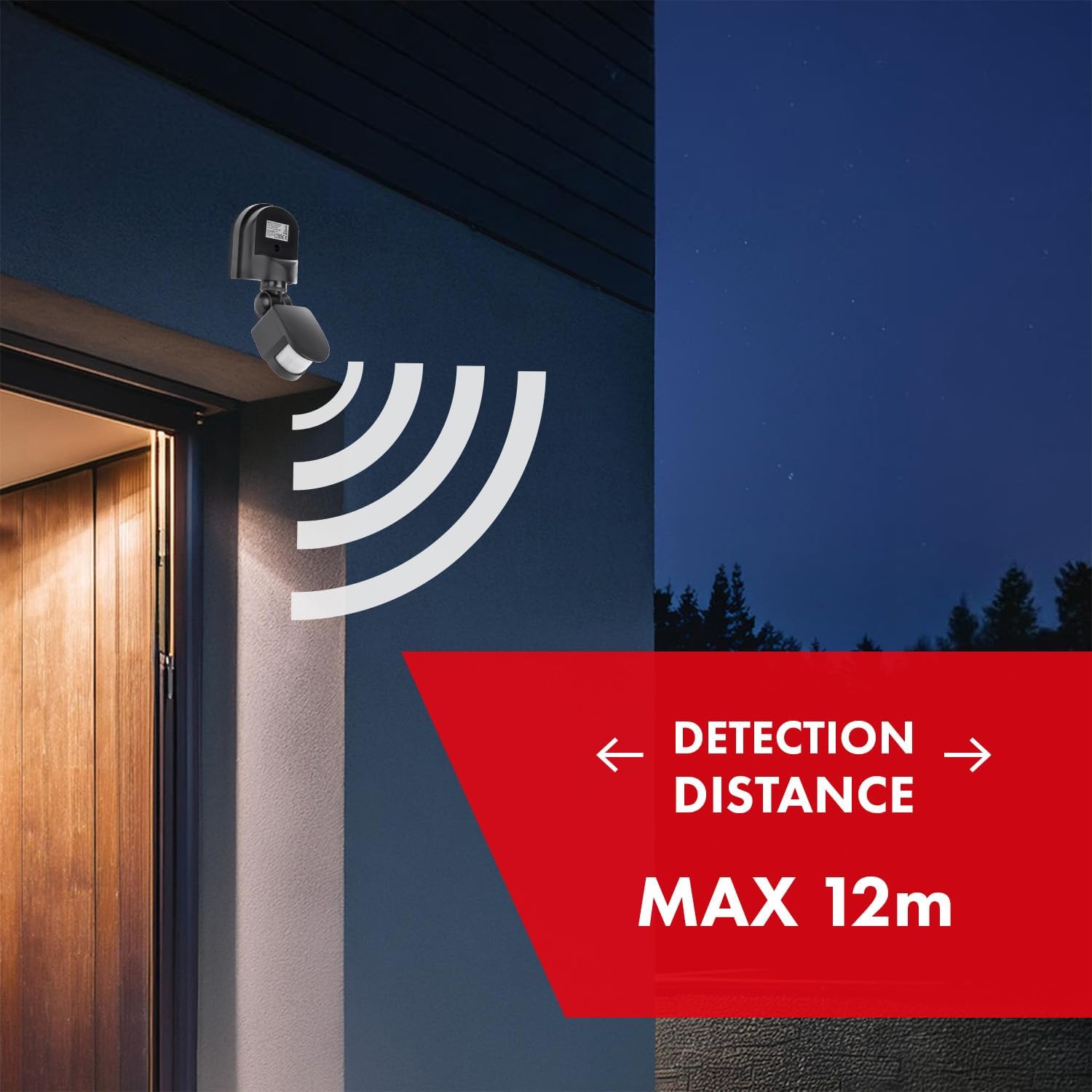
This image illustrates the effective detection range of the Maclean MCE25 motion detector, extending up to 12 meters from the sensor. The sensor is shown mounted on an exterior wall, activating lighting in a dark environment.

This image demonstrates the wide 180-degree detection angle of the Maclean MCE25 motion detector, ensuring comprehensive coverage of the area in front of it. A walking figure indicates the sensor's ability to detect movement.
6. Maintenance
The Maclean MCE25 motion detector requires minimal maintenance. To ensure optimal performance:
- Regularly clean the sensor lens with a soft, dry cloth to remove dust or debris that may obstruct detection.
- Avoid using abrasive cleaners or solvents, as these can damage the sensor's surface.
- Periodically check the mounting for stability, especially in outdoor installations where weather conditions can affect it.
- Ensure no objects are blocking the sensor's field of view.
7. Troubleshooting
If you encounter issues with your Maclean MCE25 motion detector, consider the following:
- Sensor not detecting motion:
- Check the SENS knob setting; increase sensitivity if needed.
- Ensure the sensor's field of view is not obstructed.
- Verify the mounting height is within the recommended range (1.8-2.5m).
- Confirm power supply to the unit.
- Light stays on or turns on without motion:
- Adjust the TIME knob to a shorter duration.
- Check the LUX knob setting; if set to 'Day', it will activate regardless of light. Adjust to 'Night' if only nighttime operation is desired.
- Ensure there are no heat sources (e.g., vents, direct sunlight) or moving objects (e.g., tree branches, small animals) within the detection zone that could trigger false alarms.
- Light flashes or flickers:
- Verify stable power connection.
- Check the connected load; ensure it does not exceed the maximum wattage (1200W resistive / 300W inductive).
If problems persist after attempting these troubleshooting steps, consult a qualified electrician or contact Maclean customer support.
8. Warranty and Support
Maclean products are designed for reliability and performance. For warranty information, please refer to the specific terms and conditions provided with your purchase or visit the official Maclean website. For technical support or further assistance, please contact Maclean customer service through their official channels. Keep your proof of purchase for warranty claims.
