1. Introduction
The FiiO BTR13 is a versatile Bluetooth headphone amplifier designed to elevate your audio experience. It combines advanced decoding capabilities with powerful amplification in a compact, portable form factor. This manual provides detailed instructions for setting up, operating, and maintaining your BTR13 to ensure optimal performance.

Image: The FiiO BTR13 Bluetooth DAC and Headphone Amplifier.
Video: An overview of the FiiO BTR13 Bluetooth Headphone Amplifier, highlighting its key features and design.
2. Package Contents
Please check the package contents upon unboxing to ensure all items are present:
- FiiO BTR13 Unit
- Screen Protector (pre-installed)
- Dual Type-C Data Cable
- Lanyard
- Quick Start Guide
- Warranty Card

Image: All items included in the FiiO BTR13 package.
3. Product Features
- High-Fidelity Audio: Equipped with dual Cirrus Logic CS43131 DACs, one for each channel, to minimize crosstalk and deliver pure, high-quality sound.
- Powerful Output: Independent headphone amplifier power supply boosting balanced output power to 220mW+220mW.
- Advanced Bluetooth Connectivity: Features Qualcomm QCC5125 Bluetooth chip supporting LDAC, aptX, aptX LL, aptX Adaptive, aptX HD, AAC, and SBC codecs. Achieves up to 96kHz sampling rate for high-definition audio.
- Multi-Mode Operation: PC/BT/PHONE three-position switch allows quick transitions between computer sound card, Bluetooth decoding, and mobile phone modes.
- Customizable Sound: Supports various preset sound effects and allows fine adjustment of EQ frequencies, gain, and bandwidth via FiiO's proprietary algorithms and app/web interface.
- Compact and Portable: Weighs just 28.6g, designed for easy portability.
- Display: 0.96-inch color IPS display for clear visual feedback.
- In-line Controls Support: The 3.5mm jack supports the CTIA standard for in-line controls, allowing use of microphone, play/pause, and volume adjustment from your headphones' cable.

Image: Dual high-end CS43131 DACs for fully balanced audio.

Image: Independent headphone amplifier power supply for immense force.
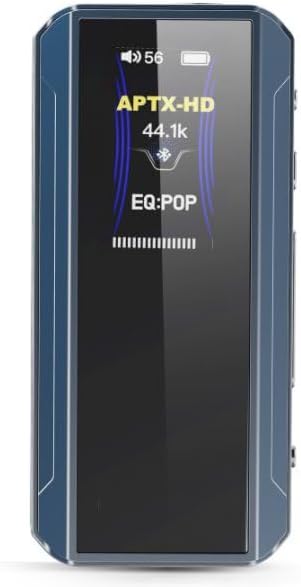
Image: The BTR13 display showing APTX-HD codec and EQ settings.
4. Setup
4.1 Initial Charging
Before first use, fully charge your FiiO BTR13. Connect the provided Dual Type-C data cable to the BTR13's USB-C port and the other end to a USB power adapter (not included) or a computer's USB port. The charging time is approximately 2 hours.
4.2 Power On/Off
- Power On: Press and hold the Power button until the screen lights up.
- Power Off: Press and hold the Power button until the screen turns off.
4.3 Connecting to Devices
The BTR13 features a PC/BT/PHONE three-position switch on its side for easy mode selection.

Image: The PC/BT/PHONE three-position switch and connection examples.
- PC Mode (Computer Sound Card): Set the switch to 'PC'. Connect the BTR13 to your computer via the USB-C cable. The device will function as a USB DAC and headphone amplifier, powered by the computer.
- BT Mode (Bluetooth Decoding): Set the switch to 'BT'. The BTR13 will act as a Bluetooth decoder and headphone amplifier, powered by its internal battery. To pair, put the BTR13 into pairing mode (refer to the Quick Start Guide for specific button combinations) and select 'FiiO BTR13' from your device's Bluetooth settings.
- PHONE Mode (Mobile Phone Sound Dongle): Set the switch to 'PHONE'. Connect the BTR13 to your mobile phone via the USB-C cable. It will function as a USB DAC audio dongle, powered by its internal battery.
4.4 Headphone Connection
The BTR13 offers both unbalanced and balanced headphone outputs:
- 3.5mm Unbalanced Output: For standard headphones.
- 4.4mm Balanced Output: For headphones with a balanced connection, offering enhanced audio performance.
5. Operating Instructions
5.1 Basic Controls
The BTR13 features physical buttons for various functions:
- Volume Control: Use the dedicated volume buttons (+/-) on the side of the device.
- Play/Pause: Typically controlled via the multi-function button or in-line controls on your headphones.
- Track Navigation: Skip tracks forward/backward using the multi-function button (refer to Quick Start Guide for specific presses).
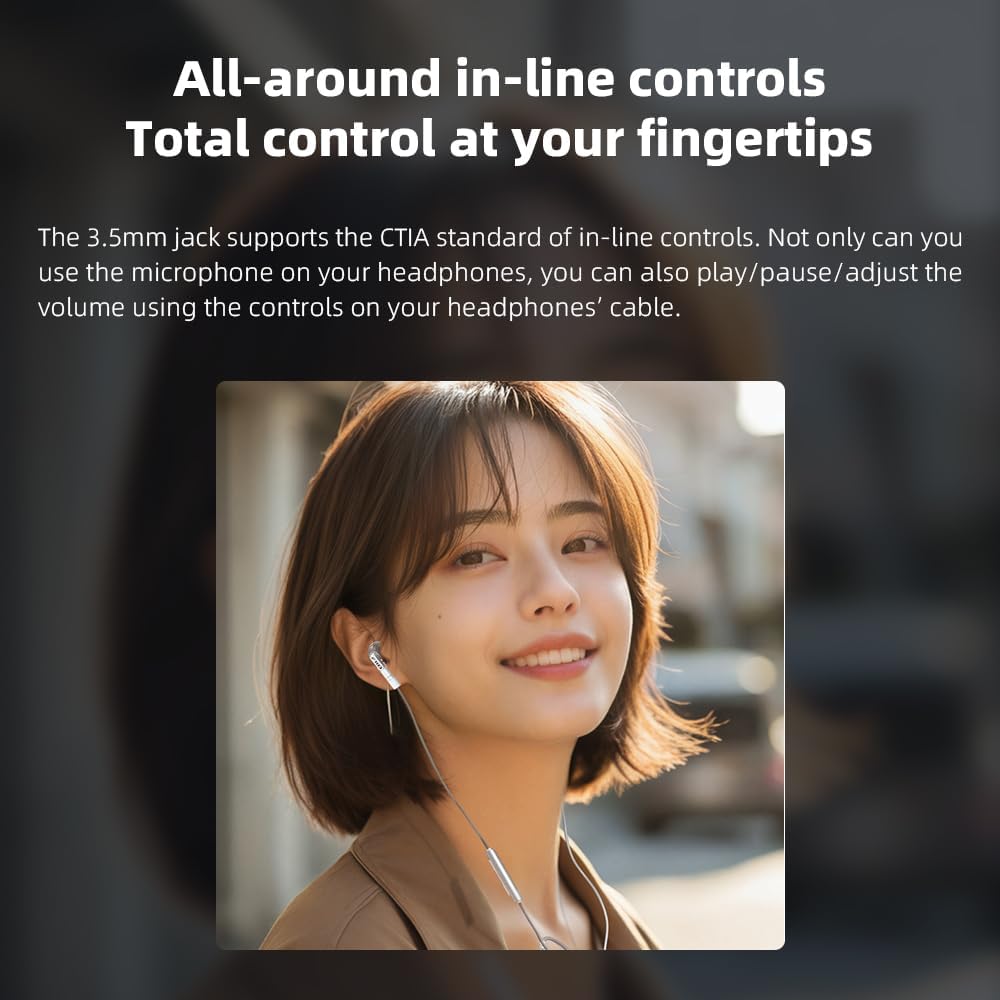
Image: All-around in-line controls for total control at your fingertips.
5.2 EQ and Sound Customization
The FiiO BTR13 allows for extensive sound customization:
- FiiO Control App: Download the FiiO Control app (available for Android and iOS) to access advanced settings, including detailed EQ adjustments, preset sound effects, and online EQ sharing.
- Web Interface: Some advanced settings may also be accessible via a web interface when connected to a computer (refer to FiiO's official website for details).

Image: Global PEQ settings accessible via app or web.
5.3 Car Mode
The BTR13 features a patented car mode for seamless integration with vehicle audio systems. When connected to a car's USB port, the BTR13 can automatically power on/off with the car's ignition, providing convenient audio playback.
6. Maintenance
- Cleaning: Use a soft, dry cloth to clean the device. Avoid using harsh chemicals or abrasive materials.
- Storage: Store the BTR13 in a cool, dry place away from direct sunlight and extreme temperatures.
- Battery Care: To prolong battery life, avoid fully discharging the device frequently. Charge it regularly, even if not in use for extended periods.
- Firmware Updates: Periodically check FiiO's official website or the FiiO Control app for available firmware updates to ensure optimal performance and access to new features.
7. Troubleshooting
If you encounter issues with your FiiO BTR13, please refer to the following common troubleshooting steps:
- No Sound:
- Ensure the BTR13 is powered on and charged.
- Check headphone connections (3.5mm or 4.4mm).
- Verify the volume level on both the BTR13 and the connected source device.
- Confirm the correct mode is selected (PC/BT/PHONE switch).
- Bluetooth Connection Issues:
- Ensure the BTR13 is in BT mode and pairing mode.
- Delete the BTR13 from your source device's Bluetooth list and attempt to re-pair.
- Move the BTR13 closer to the source device to reduce interference.
- Restart both the BTR13 and the source device.
- Device Not Recognized by PC/Phone:
- Ensure the BTR13 is in PC or PHONE mode.
- Try a different USB-C cable.
- Connect to a different USB port on your computer or try another phone.
- Short Battery Life:
- Ensure the device is fully charged.
- High volume levels or demanding codecs (like LDAC) can consume more power.
- If the issue persists, contact FiiO support.
8. Specifications
| Feature | Specification |
|---|---|
| Model Name | BTR13 |
| Brand | FiiO |
| Connectivity Technology | Wireless (Bluetooth), USB |
| Wireless Communication Technology | Bluetooth 5.1 |
| Supported Bluetooth Codecs | LDAC, aptX, aptX LL, aptX Adaptive, aptX HD, AAC, SBC |
| DAC Chip | Dual Cirrus Logic CS43131 |
| Headphones Jack | 3.5 mm Unbalanced, 4.4 mm Balanced |
| Balanced Output Power | 220mW + 220mW |
| Sampling Rate (Max) | 96kHz (Bluetooth/USB DAC) |
| Frequency Range | 20 Hz - 20,000 Hz |
| Impedance | 150 Ohm |
| Charging Time | 2 Hours |
| Item Weight | 28.6g (approx. 1 oz) |
| Material | Plastic |
| Display | 0.96-inch Color IPS |
9. Warranty and Support
FiiO products come with a limited warranty. Please refer to the included Warranty Card for specific terms and conditions regarding your FiiO BTR13. For technical support, troubleshooting assistance, or warranty claims, please visit the official FiiO website or contact their customer service directly.
FiiO Official Website: www.fiio.com


