
Product Overview
The ARPHA Keyless Entry Door Lock with 2 Handle Set (Model D180H) offers advanced security and convenient access to your home. This smart lock can be unlocked via multiple methods including a mobile application, keypad password, electronic key (EKey), and a traditional mechanical key. It supports up to 100 unique access codes, including 97 user codes and 3 administrator passcodes, providing flexible access management for various users.
Key features include an auto-lock function with adjustable timing (10 seconds to 30 minutes), a one-touch lock feature for quick securing, and an anti-peeping password method that allows for the entry of random digits before or after the actual code to enhance privacy. The lock is designed for easy installation on most US standard left and right-hand doors without the need for drilling. It operates on 4 AA batteries (not included) with an approximate battery life of 180 days.
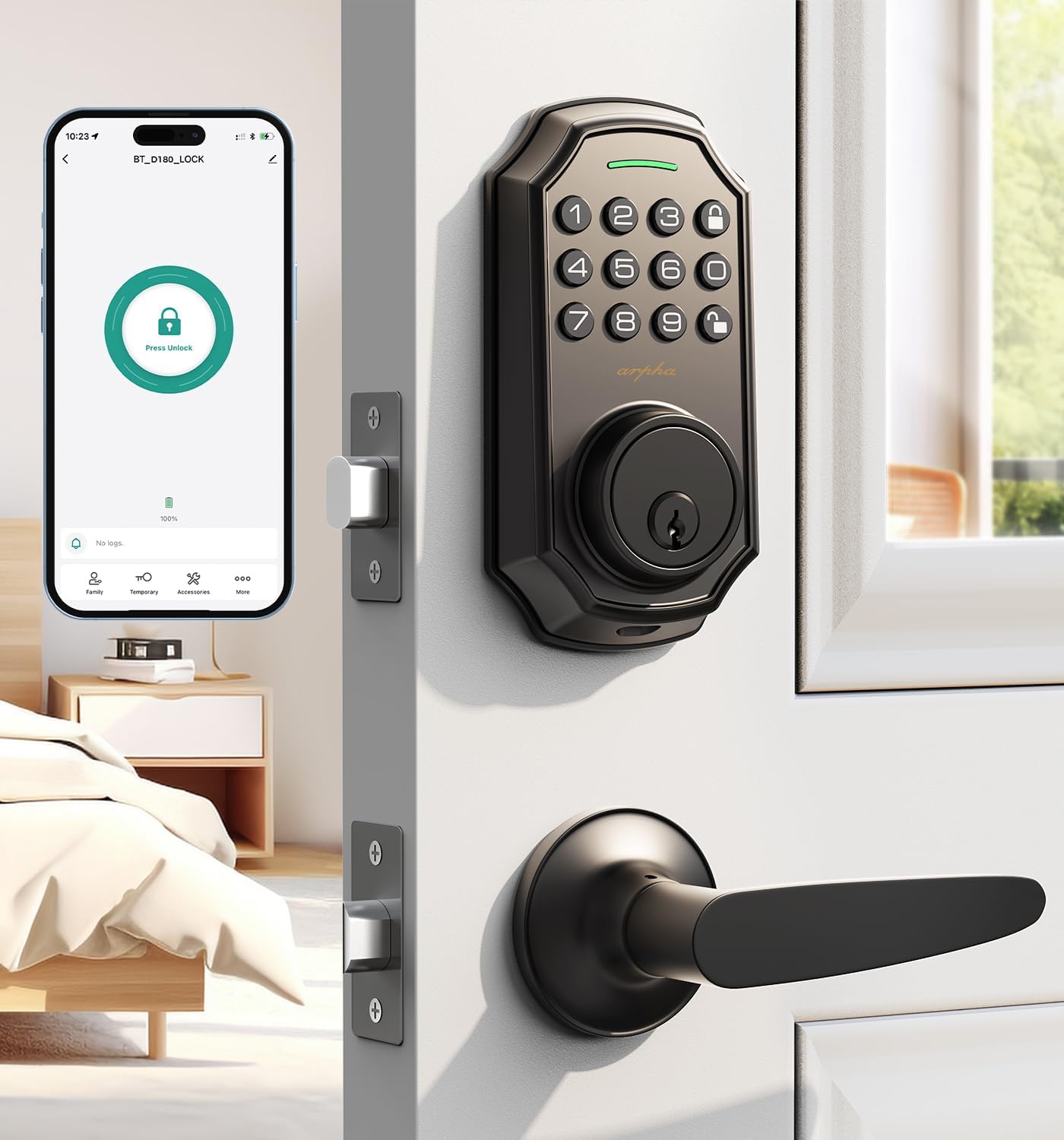
Image: ARPHA Keyless Entry Door Lock with 2 Handle Set, showcasing the keypad and handle.
Included Components
Before beginning installation, ensure all components are present:
- Keypad Deadbolt Unit
- Interior Assembly Unit
- Door Handle Set (2 handles)
- Lock Cylinder
- Mounting Plate
- Strike Plate
- Screws and Fasteners
- Mechanical Keys
- Installation Template (if applicable)
Setup and Installation
The ARPHA D180H lock is designed for straightforward installation. Follow these steps carefully. For visual guidance, refer to the installation videos provided.
Door Compatibility
This lock set is compatible with most US standard left and right-hand doors. Ensure your door meets the following dimensions:
- Door Thickness: 1.31" to 2.16" (35mm to 55mm)
- Backset: 2-3/8" or 2-3/4" (60mm or 70mm)
- Cross Bore Diameter: 2-1/8" (54mm)

Image: Diagram illustrating compatible door dimensions and types for the ARPHA D180H lock.
Step-by-Step Installation
- Install the Lock Cylinder: Insert the lock cylinder into the door edge. Secure it with the provided screws.
- Install the Front Lock: Pass the connecting wire through the bottom of the cylinder. Ensure the cylinder is vertical.
- Secure with Metal Plate: Secure the front lock with the metal plate and appropriate screws.
- Install the Rear Lock: Insert the wire into the slot on the rear lock. Hide any extra connecting wires in the doorway. Place the rear lock on the plate and secure it with screws.
- Insert Batteries: Open the battery compartment on the interior unit and insert 4 AA batteries. Ensure correct polarity.
- Test Operation: After installation, test the lock's functionality using the mechanical key and keypad.
Video: H300 handle installation video, demonstrating the process of installing the lock cylinder and handle components.
Video: D180H installation video, providing a detailed guide for installing the smart lock components.
Video: Easy-to-install keypad lock, very practical, demonstrating the overall installation process and ease of use.
Operating Instructions
Unlocking Methods
- App Control: Unlock the door remotely using the dedicated mobile application.
- Password: Enter your programmed password on the keypad.
- EKey: Use a registered electronic key for quick access.
- Mechanical Key: Use the physical key as a backup.

Image: Illustration of the 4-in-1 unlocking methods: Keypad Password, Mechanical Key, One Touch Unlock, and App Remote Control.
App Control and Features
The ARPHA smart lock can be fully managed through its mobile application. Ensure Bluetooth is enabled on your device for initial connection. Remote unlocking requires an optional gateway (ASIN: B09YHFG933).
- Generate and Share Codes: Create one-time, permanent, scheduled, and recurring access codes for family, guests, or service providers.
- User Management: Add or remove users and assign specific access permissions.
- Access Records: View real-time unlocking records and activity logs within the app.
Video: D180H-App Connection Door Lock Tutorial, guiding users through connecting the lock to the mobile application.
Video: D180H-App Function Operation, demonstrating various functions and settings available in the app.

Image: Visual representation of the lock's capacity for up to 100 user codes, including admin and regular users.
Auto-Lock and One-Touch Locking
The electronic door lock features a smart one-touch switch for easy control. You can enable the auto-lock feature and set the timer from 10 seconds to 30 minutes, ensuring the door is automatically secured after a set period.

Image: Depiction of the auto-lock and one-touch locking features, showing the adjustable timer.
Anti-Peeping Password
The security lock supports a 16-digit virtual password unlocking method. Users can enter 10 to 8 digits before or after setting a 6 to 8 digit password. This allows you to add random numbers before or after your correct passcode to protect it from prying eyes, ensuring your security stays private even in crowded spaces.

Image: Explanation of the anti-peeping password feature, showing how random digits can be added to protect the real passcode.
Maintenance
To ensure optimal performance and longevity of your ARPHA Keyless Entry Door Lock, regular maintenance is recommended:
- Battery Replacement: Replace the 4 AA batteries when the low battery alert is triggered. Avoid mixing old and new batteries.
- Cleaning: Wipe the keypad and exterior surfaces with a soft, dry cloth. Avoid abrasive cleaners or solvents that could damage the finish.
- Check Connections: Periodically check that all screws and connections are secure.
- Lubrication: If the mechanical parts feel stiff, apply a small amount of graphite lubricant to the lock cylinder.
Troubleshooting
If you encounter issues with your ARPHA Keyless Entry Door Lock, refer to the following common troubleshooting tips:
- Lock Not Responding: Check battery levels and replace if necessary. Ensure the battery compartment is securely closed.
- Keypad Not Lighting Up: This usually indicates low battery. Replace batteries.
- Incorrect Passcode Entry: Ensure you are entering the correct 6-8 digit passcode. Remember the anti-peeping feature allows extra digits, but the core code must be accurate.
- Auto-Lock Not Working: Verify the auto-lock feature is enabled in the app and the delay time is set correctly.
- App Connection Issues: Ensure Bluetooth is enabled on your phone and you are within range. For remote access, confirm your optional gateway is properly set up and connected.
- Mechanical Key Not Working: Ensure the key is fully inserted and turned correctly. Check for any obstructions in the keyhole.
For further assistance, please contact ARPHA customer support.
Specifications
| Brand | ARPHA |
| Model Name | D180H |
| Lock Type | Keypad Deadbolt Handle Set, Smart Deadbolt Lock for Front Door, Bluetooth Door Lock |
| Material | Zinc |
| Color | Black |
| Item Dimensions L x W x H | 5.9 x 3 x 2.4 inches |
| Item Weight | 3.6 Pounds |
| Control Method | App |
| Connectivity Protocol | Ble |
| Power Source | 4 AA Batteries (not included) |
| Recommended Uses | Residential front doors |
Warranty and Support
ARPHA is committed to providing exceptional support for its products:
- Assurance: ARPHA offers a 30-day money-back guarantee and an 18-month assurance period.
- Technical Support: Lifetime technical support is available.
- Customer Service: A dedicated support team is available via 24/7 after-sales email service to assist with any inquiries or issues.