
1. Introduction and Overview
Thank you for choosing the oneisall Automatic Cat Feeder. This smart pet food dispenser is designed to provide convenient and precise feeding for your small pets, ensuring they receive their meals on time, every time. With Wi-Fi connectivity and app control, you can manage your pet's feeding schedule from anywhere.
This manual provides detailed instructions for setting up, operating, and maintaining your new automatic cat feeder. Please read it thoroughly before use to ensure proper function and safety.

Figure 1: oneisall Automatic Cat Feeder with its accompanying mobile application interface.
2. Product Features
- Convenient APP Control: Manage feeding schedules effortlessly from your iOS/Android phone via 2.4GHz Wi-Fi.
- Precise Portion Control: Set 1-10 meals/day, with 1-36 portions (approx. 7g each) of dry food per meal.
- Freshness in Every Bite: Features an airtight lid, unique rotor, and built-in desiccant to prevent moisture and keep food fresh.
- Suitable Food Storage: 3.5L capacity (approx. 15 cups or 4 lbs) holds enough dry food for an adult cat for up to 15 days.
- Shared Control: Invite family members to control the feeder and monitor feeding logs via the app.
- Dual Power Supply: Operates via power cord with battery backup (4 x AA batteries, not included) for uninterrupted feeding during power outages.
- Durable Construction: Includes a removable 304 stainless steel bowl for easy cleaning.
- Anti-Stuck Structure: Equipped with an equally divided vane design and wide food outlet to prevent kibble jams.

Figure 2: Smart APP Control allows you to feed your pet anytime, anywhere.
3. Setup Guide
3.1 Unpacking
Carefully remove all components from the packaging. Ensure you have the main feeder unit, stainless steel bowl, power adapter, and desiccant bag.
3.2 Power Supply
Connect the power adapter to the feeder and plug it into a wall outlet. For backup power, insert 4 AA batteries (not included) into the battery compartment located at the bottom of the feeder. This ensures continuous operation during power outages.
Video 1: Official product video demonstrating the oneisall 2.4G WiFi Automatic Cat Feeder with APP Control, including power supply features.
3.3 App Download & Connection
Download the "Smart Life" app from the App Store (iOS) or Google Play Store (Android). Open the app and follow the on-screen instructions to add your device. Ensure your Wi-Fi network is 2.4GHz, as the feeder does not support 5GHz networks.

Figure 3: Scan the QR code or search for "Smart Life" in your app store to download the control application.
For direct download, visit: https://smartapp.tuya.com/smartlife
3.4 Filling Food
Open the top lid of the feeder. Pour dry pet food into the storage container. The feeder has a 3.5L capacity, which can hold approximately 15 cups (4 lbs) of dry food. Ensure the kibble size is less than 0.5 inches (12mm) in diameter to prevent jamming. Place the desiccant bag in its designated slot under the lid to maintain food freshness.
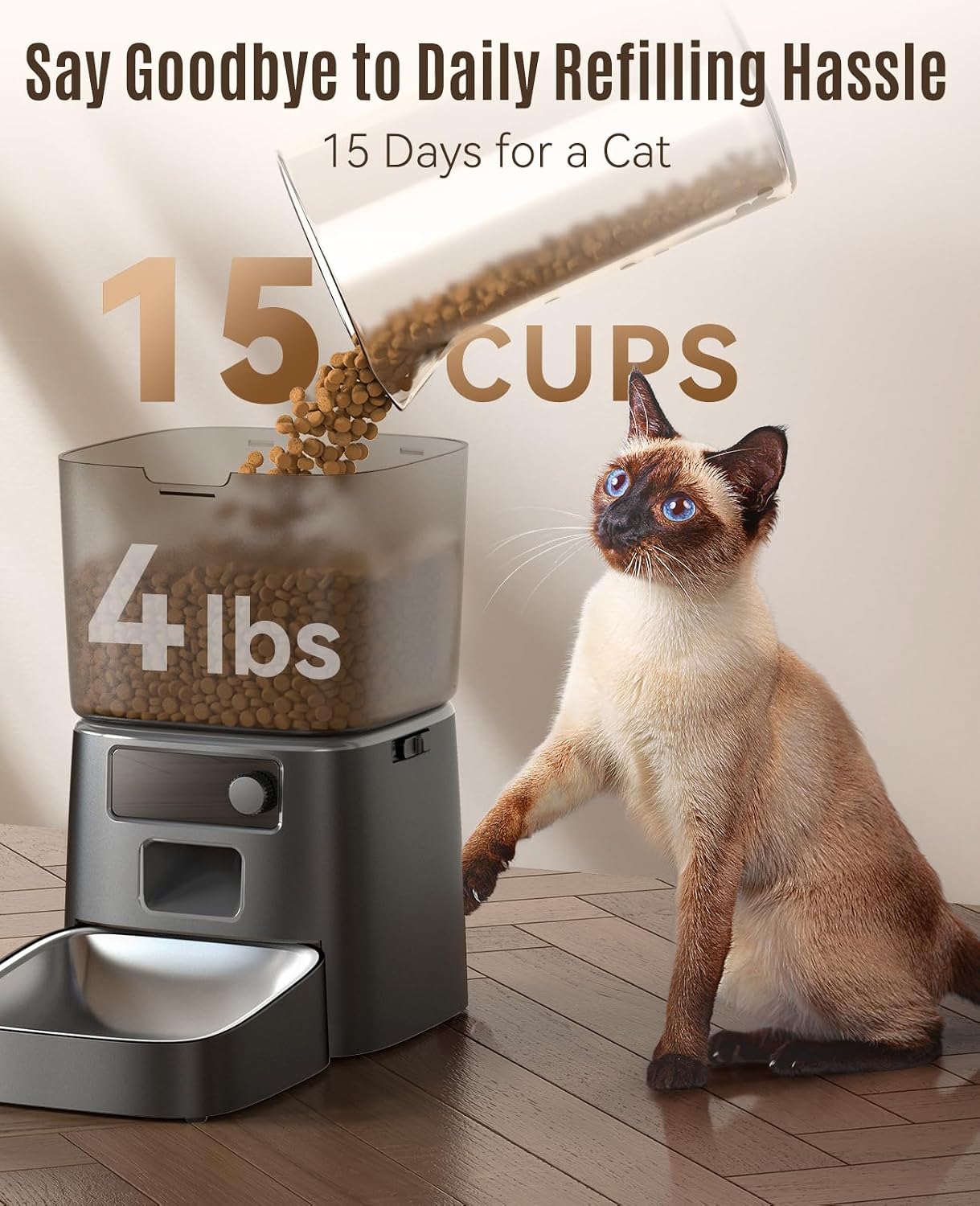
Figure 4: The feeder's large capacity can hold up to 15 cups of dry food, sufficient for extended periods.

Figure 5: The triple seal design, including a safety lock, desiccant bag, and sealing rotor, ensures food remains fresh and crispy.

Figure 6: The anti-stuck structure with equally divided vanes and a wide food outlet accommodates kibble sizes up to 0.5 inches (12mm).
4. Operating Instructions
4.1 Setting Feeding Schedule (App Control)
Open the "Smart Life" app. Navigate to the "Meal Plan" section. Here, you can set up to 10 meals per day. For each meal, specify the time, days of the week, and the number of portions (1-36) to be dispensed. This allows for customized feeding plans tailored to your pet's needs.

Figure 7: Set precise feeding schedules and portion sizes through the app to maintain your pet's diet.
4.2 Manual Feeding
To dispense food instantly, use the "Manual" button in the app or press the manual feed button on the feeder itself. You can select the number of portions to dispense for an immediate snack or extra meal.
4.3 Portion Control
Each portion is approximately 7g. Adjust the number of portions per meal in the app to suit your pet's dietary requirements and weight management goals.
4.4 Slow Feed Setting
The app includes a "Slow Feed" option to prevent pets from eating too quickly, promoting healthier digestion. Enable or disable this feature in the app's settings.
4.5 Feeding Records
The "Feed Record" feature in the app allows you to view a history of all dispensed meals, including time and portion size. This helps you monitor your pet's eating habits and ensures every meal is served on time.
5. Maintenance and Cleaning
- Stainless Steel Bowl: The 304 stainless steel bowl is removable and dishwasher-safe for easy cleaning. Regular cleaning is recommended to maintain hygiene.
- Food Container: The food storage container can be detached for thorough cleaning. Ensure it is completely dry before refilling with food.
- Desiccant Bag: Replace the desiccant bag periodically (e.g., every 1-2 months) to ensure optimal food freshness.
- Feeder Base: Do not wash the feeder base. Wipe it clean with a dry cloth.
6. Troubleshooting
- Feeder Not Dispensing:
- Check if the food container is empty.
- Ensure kibble size is within the recommended 0.5 inch (12mm) diameter to prevent jams.
- Verify power supply (AC adapter and/or batteries).
- App Connectivity Issues:
- Confirm your Wi-Fi network is 2.4GHz.
- Ensure the feeder is within range of your Wi-Fi router.
- Restart the feeder and your router.
- Inaccurate Portions:
- Check for any obstructions in the food outlet.
- Ensure the food type is dry kibble and not sticky or unusually shaped.
7. Specifications
| Model | PFD-001 Pro |
| Capacity | 3.5L (approx. 15 cups / 4 lbs dry food) |
| Dimensions (LxWxH) | 6.63 x 6.63 x 11.38 inches |
| Item Weight | 3.54 pounds |
| Power Supply | AC Power Adapter (included), 4 x AA Batteries (not included) |
| Wi-Fi Connectivity | 2.4GHz only |
| Material | Stainless Steel (bowl) |

Figure 8: Detailed product specifications and dimensions.
8. Important Safety Information
- Use only dry kibble with a diameter of 0.5 inches (12mm) or less.
- Do not wash the feeder base; wipe clean with a dry cloth.
- Keep the feeder dry before use.
- This product is recommended for pets over 6 months old.
- Ensure the feeder is placed on a stable, level surface.
9. Warranty and Support
The oneisall Automatic Cat Feeder comes with a 2-year warranty. For any product inquiries, technical support, or warranty claims, please contact oneisall customer service.
Email: support@oneisall.com
For more information, visit the official oneisall store: oneisall Store