
1. Introduction
The OHYEAHSPIN 24 Inch Portable TV on Wheels is a versatile smart display designed for flexible entertainment and productivity. It features a 24-inch 2K touch screen with a 60Hz refresh rate, running on Android 12 with an MTK 8788 octa-core processor, 8GB RAM, and 128GB storage. Its portable design includes a 360-degree rotating base, wheels for easy movement, and a built-in 13500mAh battery for extended use. Connectivity options include Type-C, USB, and HDMI ports, supporting wireless mouse and keyboard, and content projection from various devices.
2. Setup
2.1 Unboxing and Assembly
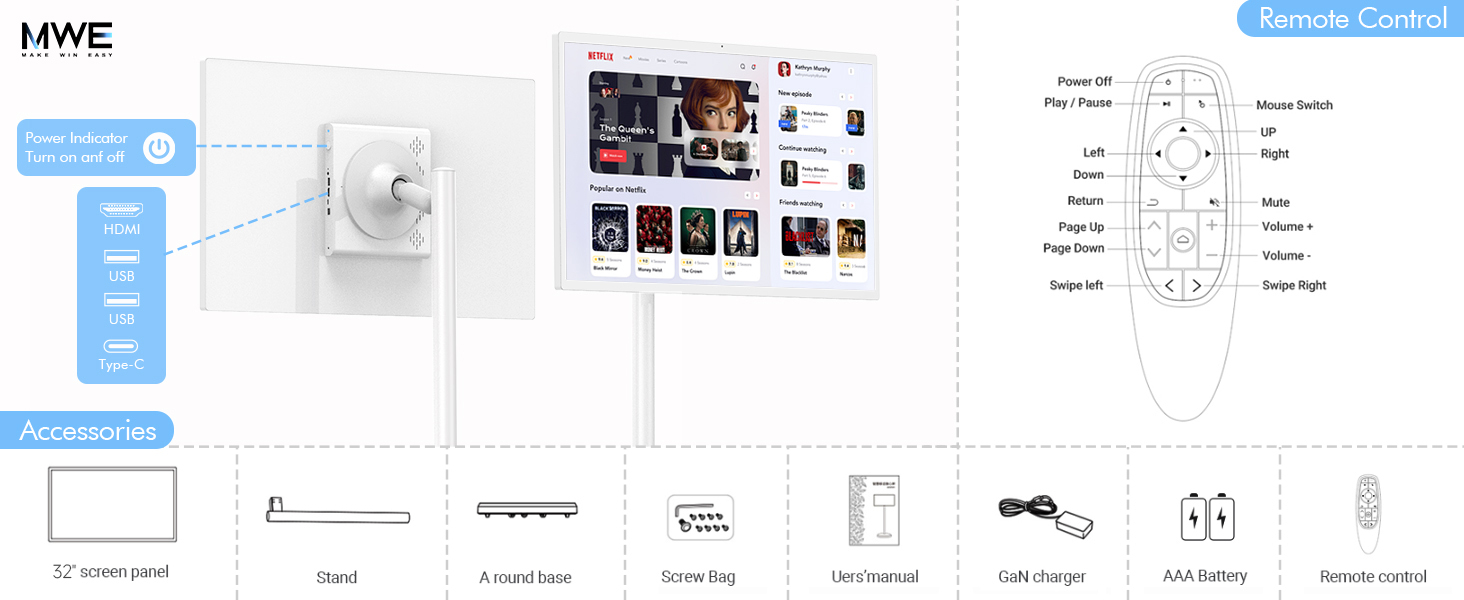
Carefully remove all components from the packaging. The package includes the 24-inch screen panel, a stand, a round base with wheels, a screw bag, a user manual, a GaN charger, AAA batteries, and a remote control. Follow the instructions below to assemble your portable TV.
- Attach the stand to the round base using the provided screws.
- Secure the screen panel to the top of the stand. Ensure all connections are firm.
- Connect the power cable to the device and plug it into a power outlet for initial charging.
Text Description: This image displays the various accessories included with the OHYEAHSPIN Portable TV, such as the remote control, power adapter, and cables. It also highlights the different ports available on the device, including HDMI, USB, and Type-C.

Text Description: This image provides a close-up of the remote control for the OHYEAHSPIN Portable TV, detailing its buttons for power, play/pause, mouse switch, navigation, volume, and swipe controls. It also shows the device's ports: HDMI, USB, and Type-C.
3. Operating Instructions
3.1 Power On/Off and Initial Setup
- Press and hold the power button located on the device or remote control to turn the TV on or off.
- Upon first use, follow the on-screen prompts to select your language, connect to Wi-Fi, and set up your Android OS preferences.
3.2 Touch Screen and Remote Control
The 24-inch display features a 10-point capacitive touchscreen for direct interaction. Alternatively, use the included remote control for navigation. The remote supports both traditional button input and an air mouse function for precise control.

Text Description: This image highlights the 24-inch 2K UHD touch screen panel of the OHYEAHSPIN Portable TV, emphasizing its Full HD 1080p resolution, 16:9 aspect ratio, 60Hz refresh rate, 178° viewable angle, and touch screen capability.
3.3 Android Operating System
The TV runs on Android 12, powered by an MTK 8788 octa-core processor with 8GB RAM and 128GB internal storage. This allows for smooth operation and the installation of various applications from the Google Play Store.

Text Description: This image shows the Android OS home screen of the OHYEAHSPIN Portable TV, displaying various app icons like Netflix, YouTube, Spotify, Zoom, Facebook, and TikTok, indicating its support for diverse applications.
3.4 Screen Adjustment and Portability
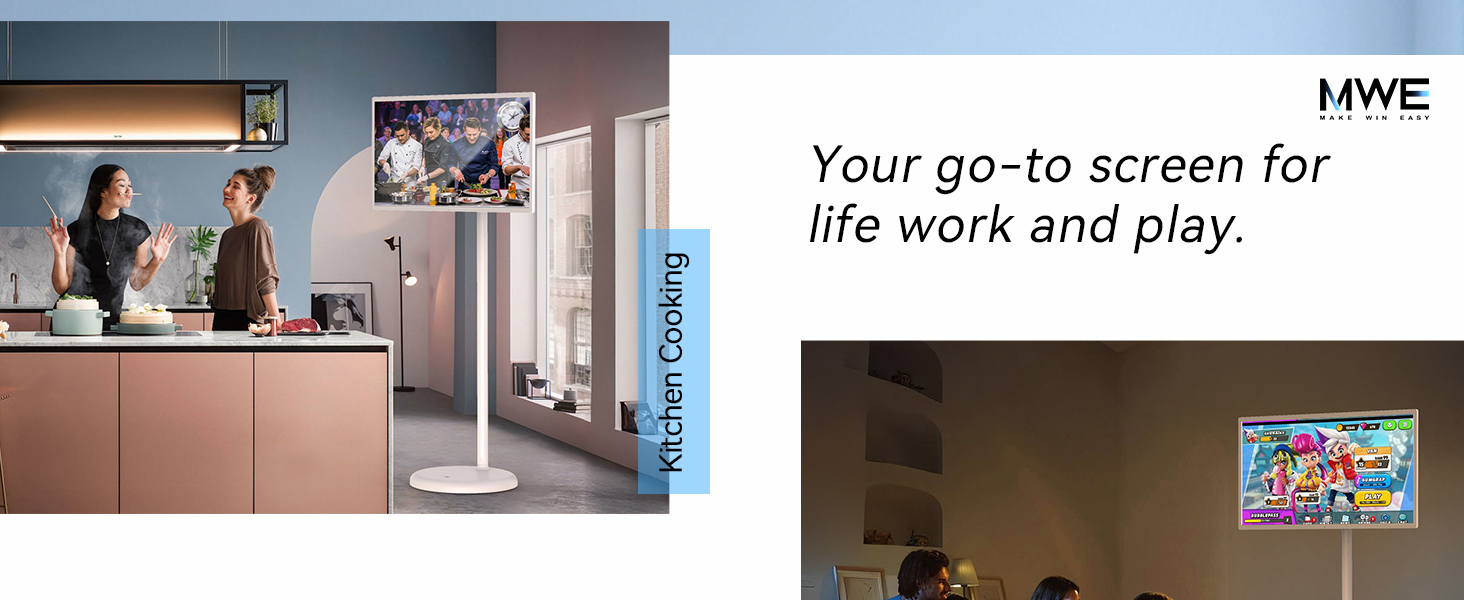
The device features a 360-degree rotating base, allowing for easy movement between rooms. The screen can be rotated 90 degrees for vertical viewing, tilted 20 degrees up or down, and adjusted up to 10 inches in height for optimal positioning.
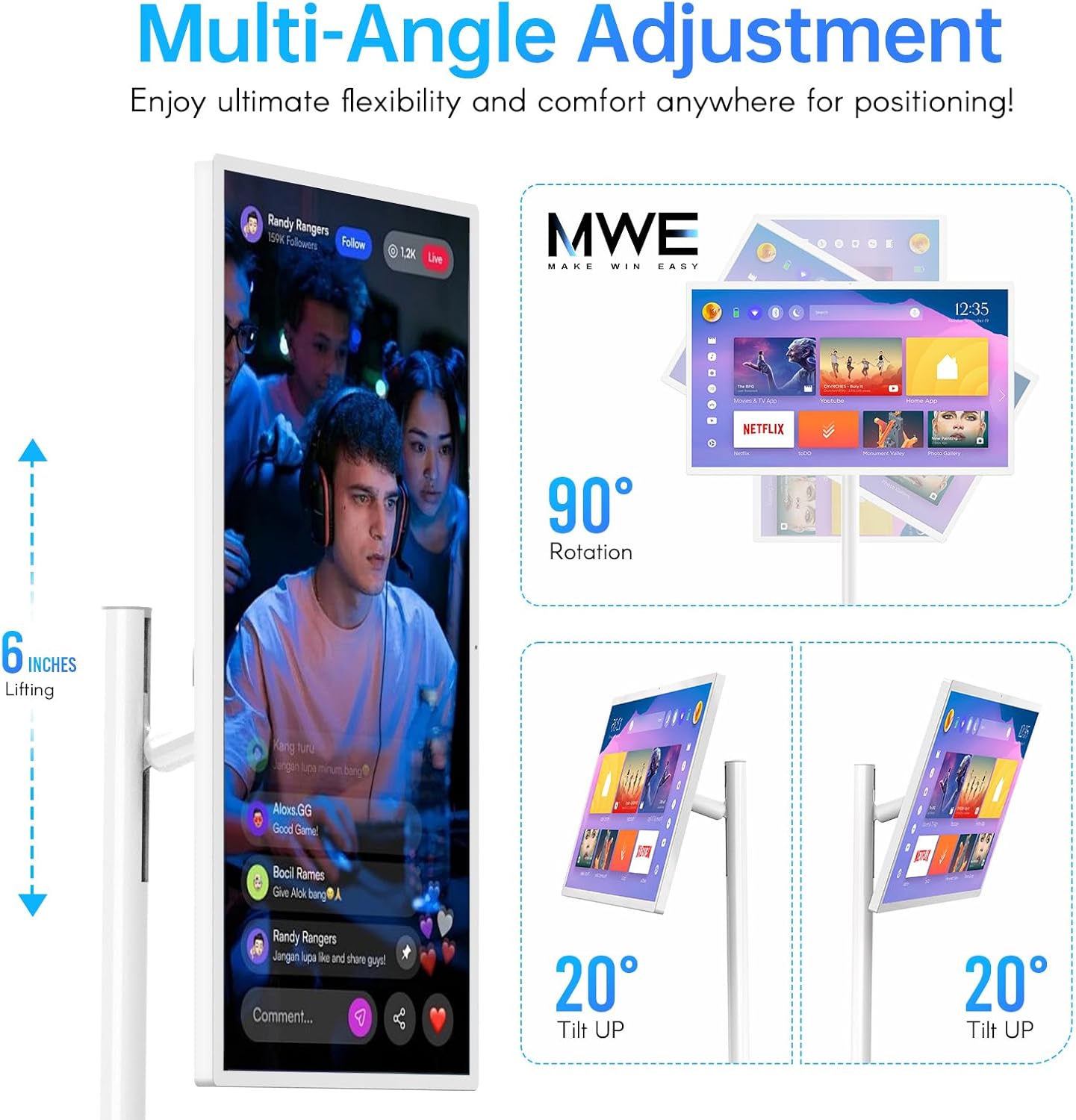
Text Description: This image illustrates the multi-angle adjustment features of the OHYEAHSPIN Portable TV, including 90° rotation, 6 inches of lifting, and 20° tilt up/down, providing ultimate flexibility for positioning.
3.5 Battery Life and Charging
Equipped with a 13500mAh 12V battery, the portable TV offers up to 8 hours of continuous use or 6 hours of video playback on a full charge. It supports fast charging, with a full recharge taking approximately 6 hours.

Text Description: This image emphasizes the 8-hour battery life of the OHYEAHSPIN Portable TV, powered by a 13500mAh battery. It shows various usage scenarios such as watching movies, playing games, fitness, outdoors, kitchen use, and video calls.
4. Connectivity and Media Integration
4.1 Ports and Wireless Connectivity
The device includes Type-C, USB, and HDMI ports for connecting external devices. It also supports Wi-Fi (2.4G/5.8G) and Bluetooth 4.2 for wireless connectivity.
Text Description: This image showcases the connectivity features of the OHYEAHSPIN portable smart screen, including 1920x1080 resolution, WiFi 2.4G/5.8G, Bluetooth 4.2, 8 Core & 128GB, USB/HDMI/Type-C ports, and Airplay support for enhanced viewing.
4.2 Content Projection
Easily project content from your smartphone, computer, or tablet to the portable TV, enhancing your viewing experience.
Text Description: This video, titled '2K Touch Smart Screen Android OS' by MWE-OHYEAHSPIN Direct, demonstrates the features and functionality of the 2K touch smart screen running on Android OS. It shows the user interacting with the screen and navigating through applications.
5. Maintenance
To ensure the longevity and optimal performance of your OHYEAHSPIN Portable TV, follow these maintenance guidelines:
- Keep the screen clean using a soft, lint-free cloth. Avoid abrasive cleaners or solvents.
- Store the device in a cool, dry place away from direct sunlight and extreme temperatures.
- Avoid exposing the device to water or excessive moisture.
- Handle the screen and stand with care to prevent physical damage.
6. Troubleshooting
If you encounter any issues with your OHYEAHSPIN Portable TV, refer to the following common troubleshooting tips:
- No Power: Ensure the power cable is securely connected and the device is charged. Try a different power outlet.
- Screen Not Responding: Restart the device. If using the remote, ensure batteries are correctly inserted and charged.
- Wi-Fi Connectivity Issues: Check your router and internet connection. Restart the TV and attempt to reconnect to the Wi-Fi network.
- Image/Sound Problems: Verify all cables (HDMI, etc.) are properly connected. Adjust display and audio settings in the Android OS.
For further assistance, please refer to the user manual included in the packaging or contact customer support.
7. Specifications
| Feature | Detail |
|---|---|
| Product Dimensions | 9 x 20 x 52 inches |
| Item Weight | 47.9 pounds |
| Manufacturer | OHYEAHSPIN |
| Item Model Number | Portable Monitor |
| Standing Screen Display Size | 24 Inches |
| Aspect Ratio | 16:9 |
| Resolution | 1920 x 1080 (2K DCI 1080p) |
| Total USB Ports | 1 |
| Screen Surface Description | Glossy |
8. Warranty and Support
The OHYEAHSPIN Portable TV comes with a 3-year warranty for products with quality defects. For installation and usage videos, please refer to the product page or the user manual included in the packaging. The professional technical team at MWE provides online support for quick help and solutions to any questions or problems you may encounter.