
1. Product Overview
The Betopper 54*4W High CRI Par Light (LPC010N-DE) is an ultra-bright LED stage light designed for various lighting applications. It features a high Color Rendering Index (CRI) of over 90, ensuring natural and vibrant color reproduction for photography, studio lighting, and video recording. With 54x4W RGBW (Red, Green, Blue, White) LED bulbs, it delivers up to 5500 lumens, providing superior brightness for large venues.
- CRI>90 Par Light: Provides exceptional color accuracy for natural and vibrant object and skin tones, ideal for photography, studio lighting, and video recording.
- Superior Brightness: Equipped with 54*4W LED bulbs, delivering up to 5500 lumens for industry-leading brightness in large venues.
- RGBW Full Color: Features RGBW (red, green, blue, white) light sources for brighter and purer colors compared to traditional RGB lights, suitable for various lighting effects.
- Flexible Control Modes: Offers DMX, automatic, and sound-activated modes, along with multiple pre-set colors for easy scene creation. Can be used as stage lights, DJ lights, strobe lights, and wash lights.
- Wide Range of Applications: Perfect for parties, disco, bars, clubs, banquets, karaoke, weddings, church events, live performances, band performances, studios, and holidays. Features excellent heat dissipation for durability.
2. What's in the Box
- Par Light x1
- Installation Screws
- User's Manual
- Installation Brackets
3. Setup
Before operating your Betopper LED Par Light, ensure all components are present and undamaged. This light is designed for indoor use and is not waterproof.
3.1 Mounting
The light comes with adjustable installation brackets for versatile mounting options. It can be placed on the floor or installed on a T-bar or truss system using appropriate clamps (not included).

Image: Betopper LED Par Light showing flexible mounting options on the floor and installed on a T-bar.
3.2 Power Connection
Connect the provided power cable to the 'POWER IN' port on the back of the unit. The light supports AC100-240V input. For daisy-chaining multiple units, use the 'POWER OUT' port to connect to the 'POWER IN' of the next light. Ensure the total wattage does not exceed the circuit's capacity.
3.3 DMX Connection
For DMX control, connect a DMX cable from your DMX controller to the 'DMX IN' port of the first light. To daisy-chain DMX, connect from the 'DMX OUT' of the first light to the 'DMX IN' of the next light. Ensure proper DMX termination for stable signal transmission.

Image: Detailed view of the light's back panel, highlighting DMX input/output, power input/output, and the digital display with control buttons.
4. Operating Modes
The Betopper LED Par Light offers several operating modes, which can be selected and configured using the digital display and control buttons (MENU, UP, DOWN, ENTER) on the back panel.
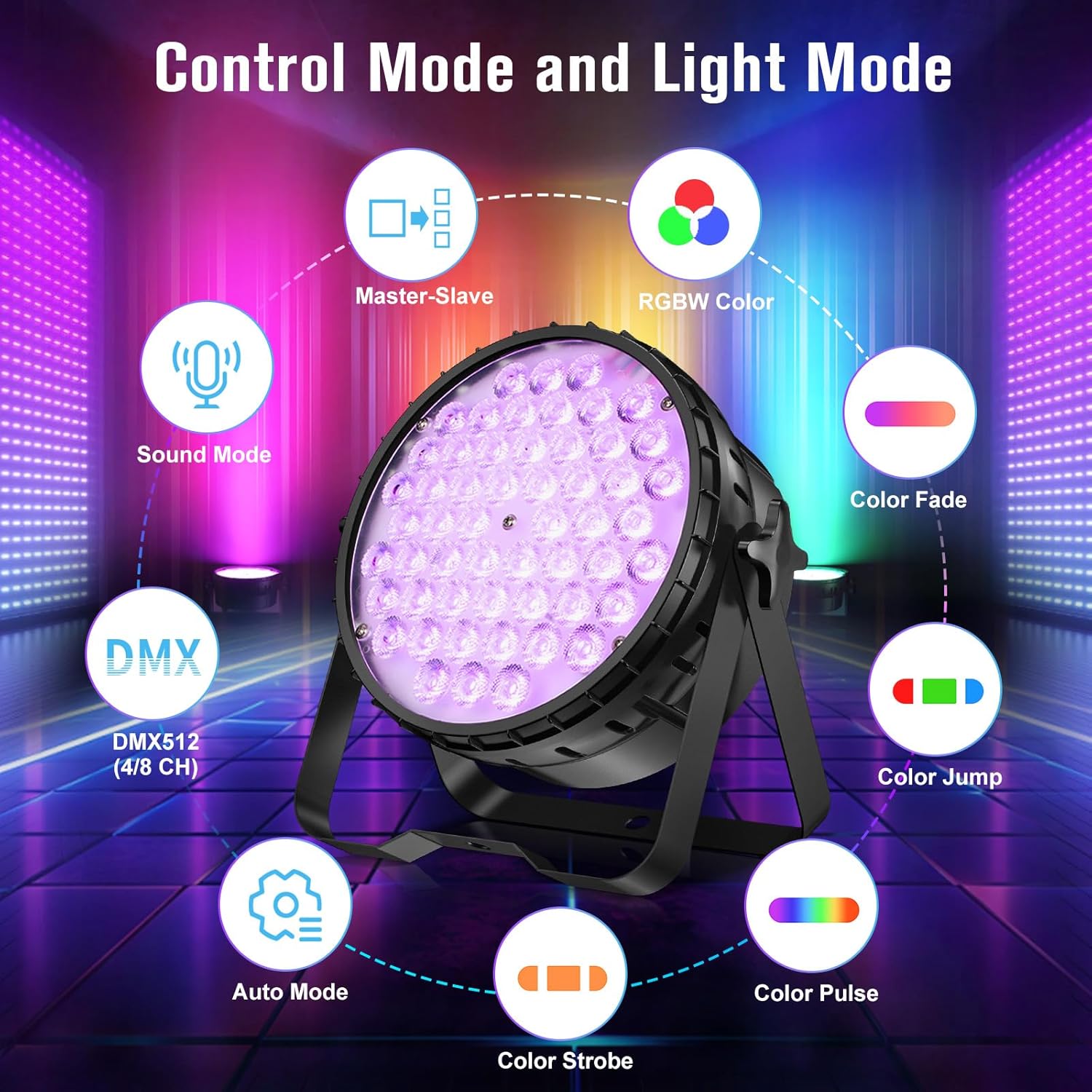
Image: Visual representation of the different control modes (Master-Slave, Sound Mode, DMX512, Auto Mode) and light effects (RGBW Color, Color Fade, Color Jump, Color Pulse, Color Strobe).
4.1 DMX Control Mode
This mode allows precise control over the light's functions using a DMX512 controller. The light supports 4 or 8 DMX channels, enabling control over individual RGBW colors, dimming, strobe speed, and pre-programmed shows. Refer to the DMX channel chart in the full user manual for detailed channel assignments.
4.2 Automatic Mode
In Automatic mode, the light cycles through various pre-programmed color changes and effects without external input. This mode is ideal for quick setup and continuous lighting displays.

Image: Examples of various lighting effects and color outputs, demonstrating brightness adjustability and color mixing capabilities.
4.3 Sound-Activated Mode
The sound-activated mode utilizes a built-in microphone to react to ambient sound, synchronizing light changes with music beats or other audio. This creates dynamic and engaging visual effects for parties and events.
4.4 CRI Adjustment
The light features a High CRI mode (CRI/RA>90) for superior color accuracy. This can be adjusted via the menu to ensure objects and skin tones appear natural and vibrant, crucial for professional photography and video applications.

Image: Comparison illustrating the difference in color reproduction between High CRI (CRI≥90) and normal light, emphasizing natural color vibrancy.
4.5 Brightness and Color Effects
The 54*4W LED bulbs provide exceptional brightness. The RGBW configuration allows for a vast spectrum of colors and various effects like color fade, jump, pulse, and strobe, enhancing any event's atmosphere.

Image: Examples of vivid color projections, demonstrating the light's ability to create diverse and impactful visual environments.
4.6 Official Product Videos
Video: BETOPPER LED Par Light Stage Light LPC120 LPC010N LPC010-B. This video demonstrates the various models and their lighting capabilities in a stage setting.
Video: BETOPPER Stage Light with High CRI LED Par Lighting 54X4W. This video highlights the high CRI features and brightness of the light.
Video: Betopper 54*4W professional par light. A brief overview of the professional features and build quality.
Video: BETOPPER Professional High CRI Stage Light. Showcases the high CRI performance and various color outputs.
5. Maintenance
Regular maintenance ensures the longevity and optimal performance of your Betopper LED Par Light.
- Cleaning: Periodically clean the lens and housing with a soft, lint-free cloth. Avoid abrasive cleaners or solvents.
- Fan Inspection: Ensure the cooling fan on the back panel is free from dust and debris to maintain proper heat dissipation.
- Cable Check: Inspect power and DMX cables regularly for any signs of wear or damage. Replace if necessary.
6. Troubleshooting
| Problem | Possible Cause | Solution |
|---|---|---|
| Light does not power on | No power supply; Loose power cable | Check power outlet; Ensure power cable is securely connected. |
| Incorrect color output | Incorrect mode selected; DMX address mismatch | Verify operating mode; Check DMX address and channel settings. |
| Light not responding to DMX | Incorrect DMX connection; No DMX signal; Incorrect DMX address | Check DMX cable connections; Verify DMX signal from controller; Set correct DMX address. |
| Fan is loud | Normal operation; Dust accumulation | Fan noise is normal during operation; Clean fan vents if excessive dust is present. |
7. Specifications
| Feature | Detail |
|---|---|
| Model Number | LPC010N-DE |
| Light Source Type | Light Emitting Diode (LED) |
| Number of Light Sources | 54 |
| Wattage | 54 * 4W (Total 120 Watts) |
| Brightness | Up to 5500 Lumens |
| Color Rendering Index (CRI) | 95 (CRI/RA>90 in High CRI mode) |
| Color Temperature | 4500 Kelvin |
| Light Colors | RGBW (Red, Green, Blue, White) 4-in-1 |
| Control Modes | DMX512, Automatic, Sound-Activated, Master-Slave |
| Material | Aluminum |
| Product Dimensions | 9.84"L x 4.5"W x 9.84"H |
| Item Weight | 3.83 pounds |
| Power Source | Corded Electric |
| Country of Origin | China |
8. Warranty and Support
Betopper products are designed for reliability and performance. For warranty information, technical support, or service inquiries, please refer to the contact details provided on the product packaging or visit the official Betopper website. Keep your purchase receipt for warranty claims.
