
NIIMBOT B21
NIIMBOT B21 Label Maker User Manual
Comprehensive guide for setup, operation, and maintenance of your NIIMBOT B21 Bluetooth Thermal Label Printer.
1. Introduction
The NIIMBOT B21 is a 2-inch Bluetooth thermal label printer designed for various labeling needs, including address labels, logos, canning jar labels, candle labels, mailing labels, gift labels, and more. It offers inkless printing and connects to your smartphone or PC via Bluetooth for easy label creation and printing.

Image: The NIIMBOT B21 Label Maker in white, showcasing its compact design.
2. Package Contents
Verify that all items are included in your package:
- 1 x NIIMBOT B21 Label Maker
- 1 x User Manual
- 1 x USB Cable
- 1 x Roll Label Tape (50x30mm, 230pcs)

Image: Contents of the NIIMBOT B21 package, including the label maker, user manual, USB cable, and a roll of label tape.
3. Setup Guide
3.1. Powering On and Charging
Before first use, ensure the device is fully charged using the provided Type-C USB cable. The label maker will automatically shut down after 15 minutes of inactivity to conserve power.
3.2. Loading Label Paper
- Open the label maker's cover.
- Insert the label roll with the printing side facing up.
- Close the cover securely.

Image: Visual guide showing how to load label paper, connect via Bluetooth, and print labels.
Video: Demonstration of using the NIIMBOT B21 Label Maker for kitchen pantry organization, including loading labels and printing.
3.3. App Installation and Connection
- Download the NIIMBOT APP from your device's app store (available for both phones and PC).
- Enable Bluetooth on your device.
- Open the NIIMBOT APP and connect to the B21 Label Maker via Bluetooth. The app features automatic template matching for convenience.

Image: The NIIMBOT B21 printer connected via Bluetooth to a smartphone, demonstrating the auto-identification feature for labels.

Image: Illustrates both Bluetooth connectivity with a smartphone and USB cable connection with a PC for the NIIMBOT B21.
4. Operating Instructions
4.1. Creating Labels
The NIIMBOT APP provides various functions for label creation:
- Templates: Access over 1000 image materials and 20+ fonts.
- Image Recognition: Convert text from photos directly into editable text.
- Batch Printing: Supports Excel batch printing for multiple labels.
- Code Generation: Scan and identify 1D/2D codes.
- Customization: Adjust content and layout to meet specific needs.

Image: Overview of the NIIMBOT app's features for label design, including options for time, Excel data, icons, pictures, text, logos, QR codes, 1D codes, and borders.
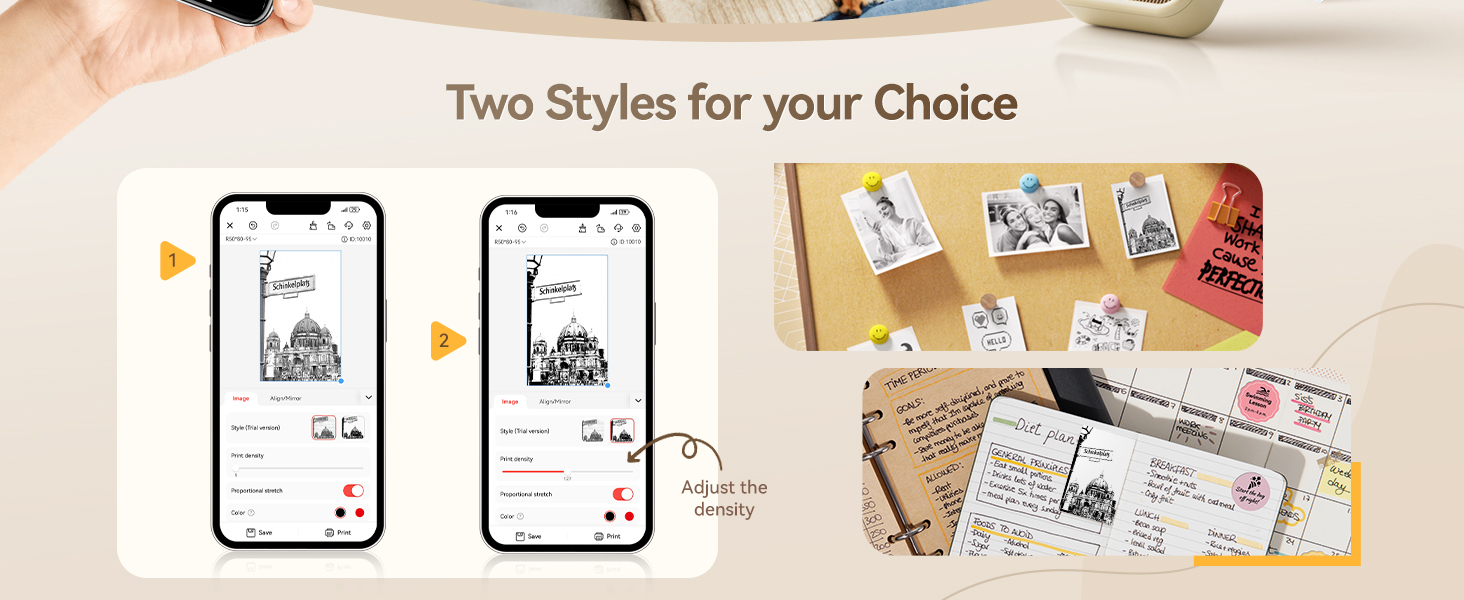
Image: The NIIMBOT app interface demonstrating how to adjust print density and select from different label styles.
4.2. Printing Labels
Once your label design is complete in the app, select the print option. The B21 uses thermal printing technology, eliminating the need for ink, toner, or carbon tape.
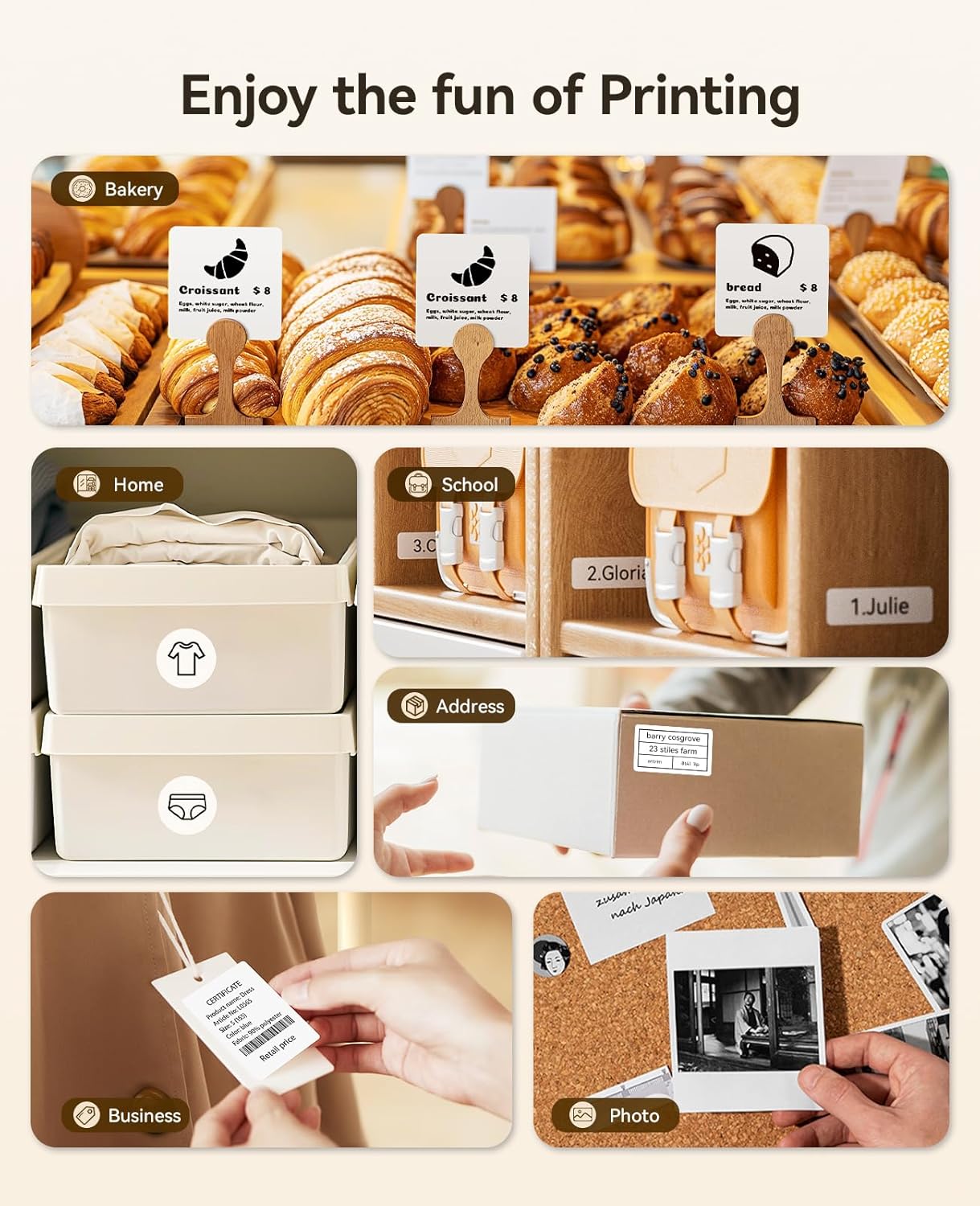
Image: Examples of labels printed with the NIIMBOT B21 for various uses such as bakery items, home organization, school supplies, address labels, business tags, and photo descriptions.

Image: Further examples of the NIIMBOT B21 label maker's versatility in bakery, school, business, and home environments.
Video: Demonstration of using the NIIMBOT B21 Christmas Label Maker for gift labeling.
4.3. Supported Label Types and Sizes
The B21 label maker supports label widths from 0.8 inches to 2 inches (20-50mm). A variety of label shapes and sizes are compatible, including:
- Round Labels (e.g., 31x31mm, 34x34mm, 50x50mm)
- Transparent Labels (e.g., 40x60mm, 50x80mm)
- Gift Labels (e.g., 50x40mm)
- White Labels (e.g., 40x30mm, 50x70mm)
- Price Labels (e.g., 25x78mm)
- Logo Labels (e.g., 50x50mm)
- Address Labels (e.g., 40x60mm)
- Clothing Labels (e.g., 50x80mm)
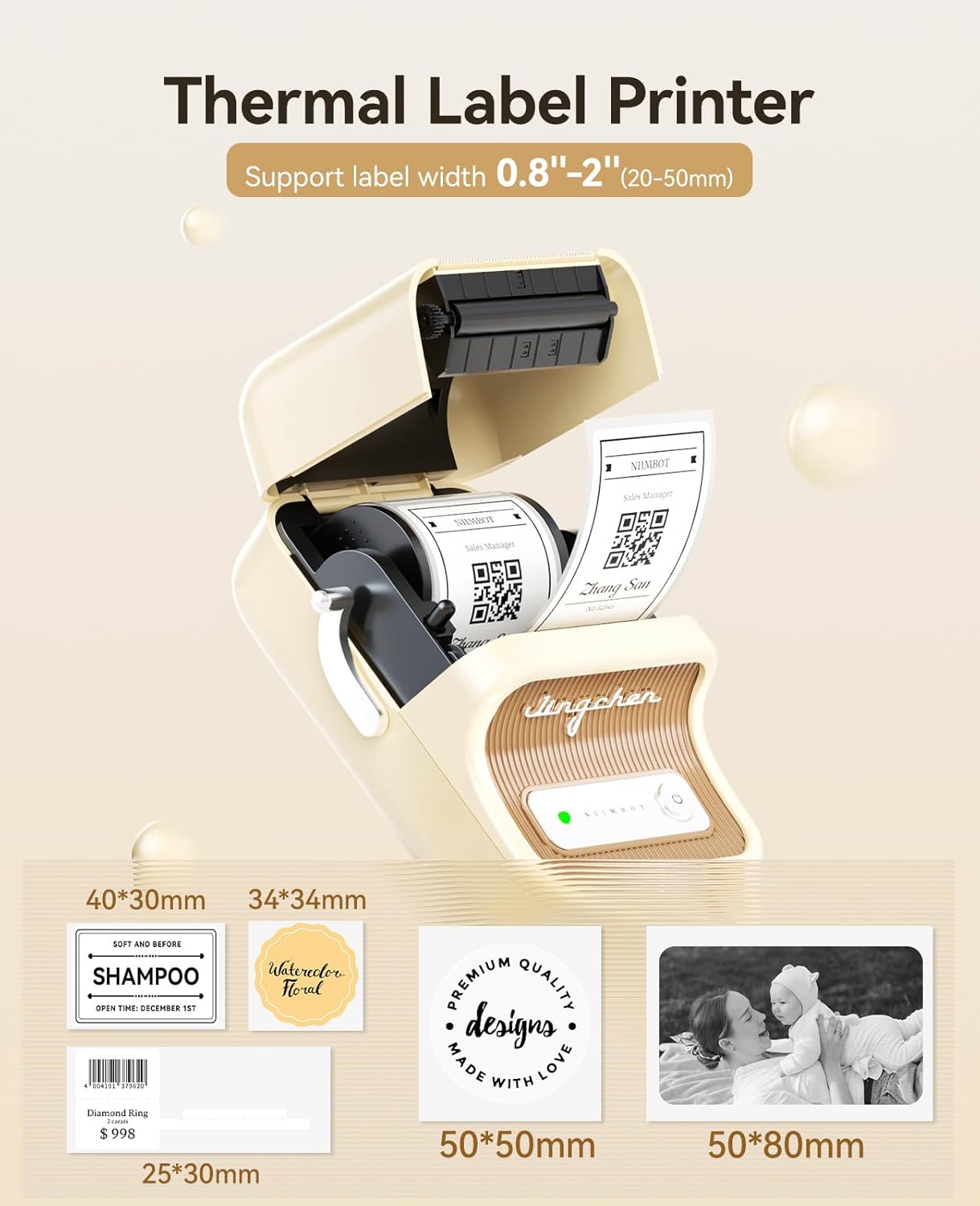
Image: The NIIMBOT B21 printer displaying different compatible label sizes and types, such as 40x30mm, 34x34mm, 25x30mm, 50x50mm, and 50x80mm.

Image: A detailed view of various label types and their dimensions, including round, transparent, gift, and white labels, along with examples of printed content like barcodes and text.

Image: Examples of specialized labels such as price tags (25x78mm), logo labels (50x50mm), address labels (40x60mm), and clothing labels (50x80mm).
View compatible labels on Amazon (Barcode: 691234567890)5. Maintenance
5.1. Cleaning the Printer
To maintain optimal print quality, periodically clean the print head and rollers. Use a soft, lint-free cloth lightly dampened with isopropyl alcohol. Ensure the printer is turned off and disconnected from power before cleaning.
5.2. Replacing Label Rolls
When a label roll is depleted, simply replace it with a new NIIMBOT-compatible roll. No ink cartridges or ribbons are required, saving on printing costs.

Image: The NIIMBOT B21 printer highlighting its inkless thermal printing technology.
6. Troubleshooting
6.1. Common Issues and Solutions
- Printer not connecting via Bluetooth: Ensure Bluetooth is enabled on your device and the printer is powered on. Restart both devices and try again.
- Poor print quality: Check if the label roll is inserted correctly. Clean the print head if smudges or unclear prints occur. Adjust print density settings in the app.
- Labels not feeding correctly: Ensure the label roll is properly seated and not jammed.
- Printer not turning on: Charge the device using the provided USB cable.
6.2. Frequently Asked Questions (FAQ)
- Q: Can this label printer work with third-party paper?
- A: Our printing system utilizes patented label detection technology that only recognizes authentic NIIMBOT labels. Third-party labels lack the required RFID. For optimal performance, always use genuine NIIMBOT labels (sold separately).
- Q: Do I need to subscribe to VIP?
- A: The free fonts, images, and icons provided by the APP are sufficient for daily use. It is not necessary to purchase a membership service; the print quality and design choices are extensive even without a membership.
7. Specifications
| Feature | Detail |
|---|---|
| Brand | NIIMBOT |
| Model Name | B21 |
| Connectivity Technology | Bluetooth |
| Printing Technology | Thermal |
| Printer Output | Monochrome |
| Max Print Speed Monochrome | 50 mm/s |
| Item Weight | 9.6 ounces |
| Product Dimensions | 2.4"D x 3.7"W x 5.1"H |
| Maximum Print Resolution | 203dpi |
| Maximum Media Size | 50x80mm |
| Control Method | App |
| Battery Life | Up to 4 hours of working time per charge |
8. Warranty and Support
The NIIMBOT B21 Label Maker comes with a 2-Year Warranty. For technical support or any questions regarding your product, please contact NIIMBOT customer service. As a valued customer, you are eligible for prompt technical assistance.
Related documentsB21


Ask a question about this manual
Ask about setup, troubleshooting, compatibility, parts, safety, or missing instructions. Manuals+ will review the question and use this page’s manual context to help answer it.