Introduction
This user manual provides detailed instructions for the realme 13 Pro 5G smartphone. Please read this manual thoroughly before using your device to ensure proper operation and to maximize its features. Keep this manual for future reference.
What's in the Box
Upon unboxing your realme 13 Pro, verify that the following items are included:
- realme 13 Pro 5G Smartphone
- USB Cable
Note: The specific contents may vary by region. Please check the packaging for a complete list.
Device Overview
Familiarize yourself with the physical components and layout of your realme 13 Pro 5G smartphone.
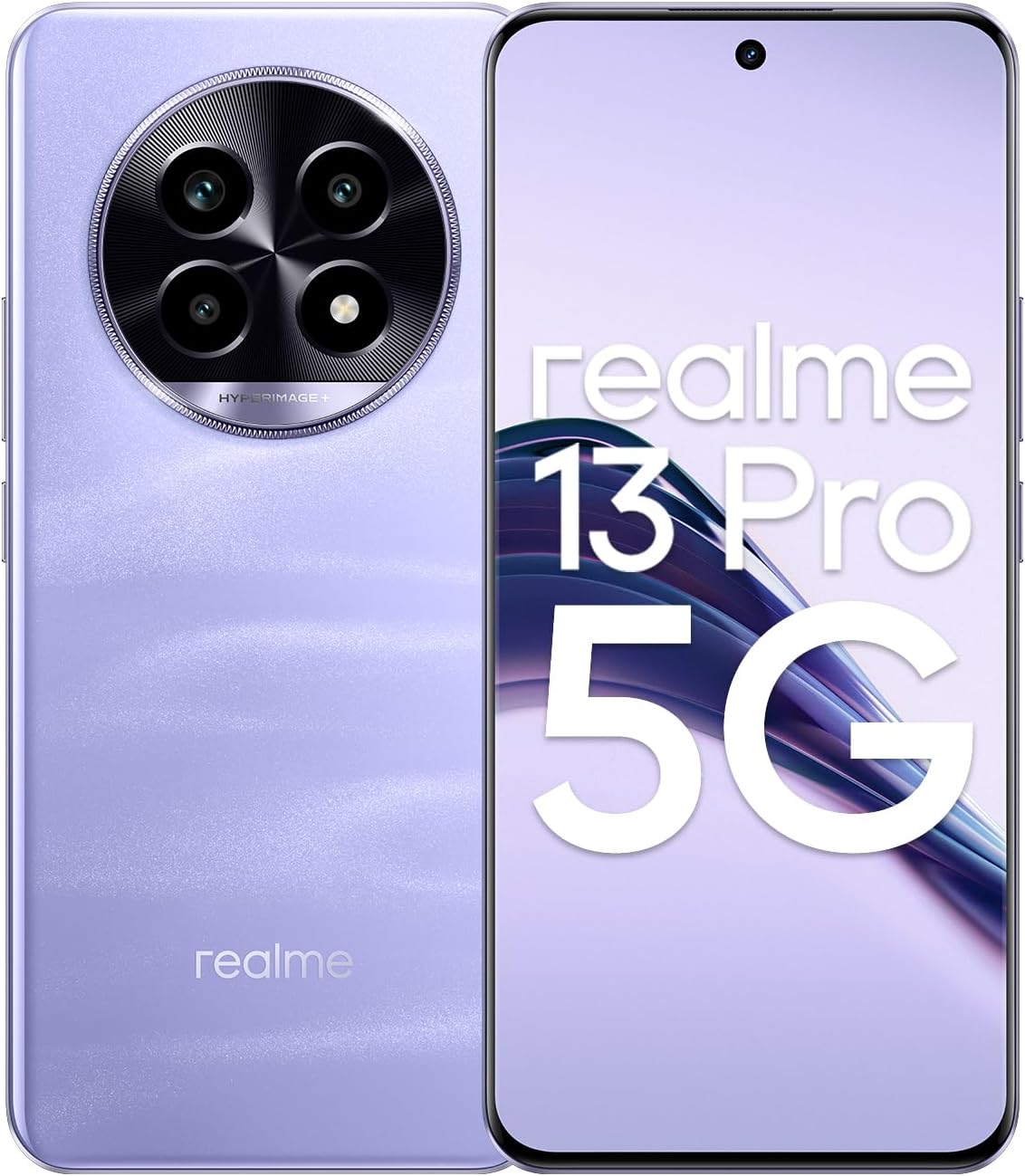
Figure 1: Front and Back View of the realme 13 Pro 5G Smartphone. This image displays the device from both the front, showing the display and front camera, and the back, highlighting the circular camera module and realme branding.

Figure 2: Front View of the realme 13 Pro 5G Smartphone. This image focuses on the device's display, showcasing its edge-to-edge design and the punch-hole front camera at the top center.
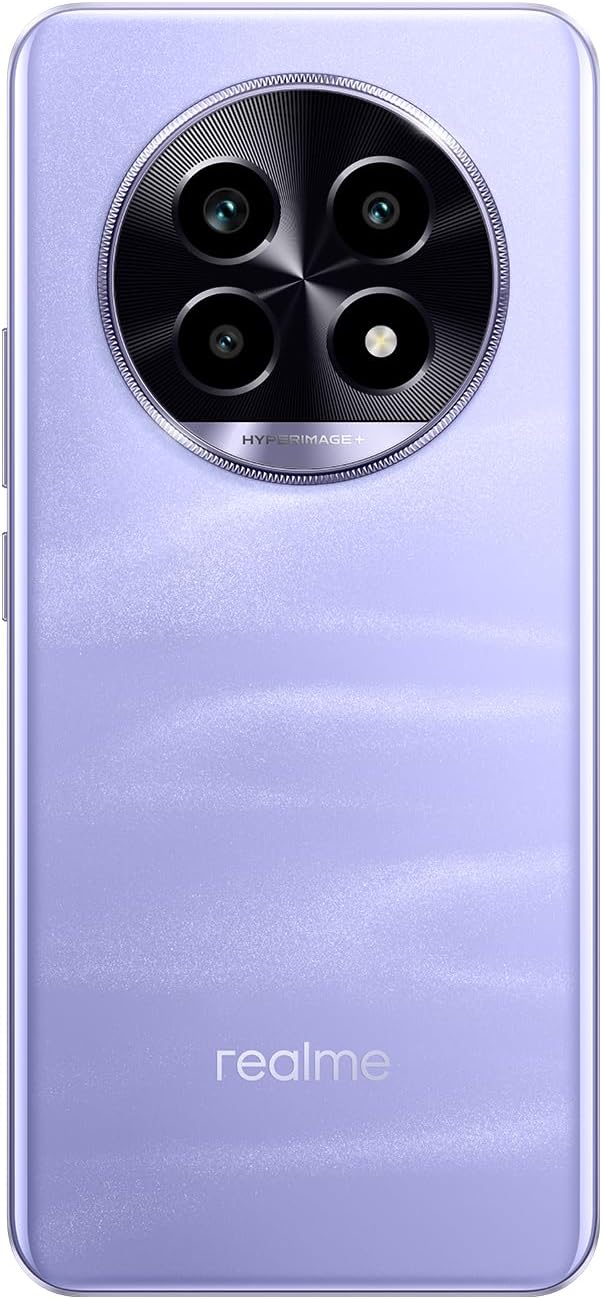
Figure 3: Back View of the realme 13 Pro 5G Smartphone. This image provides a clear view of the device's rear panel, emphasizing the large circular camera module with multiple lenses and the realme logo at the bottom.

Figure 4: Side Profile View of the realme 13 Pro 5G Smartphone. This image shows the slim profile of the realme 13 Pro, illustrating the design of its side edges.

Figure 5: Top and Bottom View of the realme 13 Pro 5G Smartphone. This image illustrates the top and bottom edges of the device, showing ports such as the USB-C charging port, speaker grille, microphone, and SIM card tray.
Setup
1. SIM Card Installation
The realme 13 Pro supports Dual-SIM functionality. Ensure your SIM cards are compatible with GSM networks. This device is not compatible with CDMA networks (e.g., Verizon, Sprint, US Cellular).
- Locate the SIM card tray on the side of your device (refer to Figure 5).
- Insert the SIM ejector tool (not explicitly listed in box, but standard) into the small hole next to the tray and push gently until the tray pops out.
- Place your Nano-SIM cards into the designated slots on the tray. Ensure the gold contacts face downwards and the cut corner aligns correctly.
- Carefully reinsert the SIM card tray into the phone until it clicks into place.
Important: Before purchasing, verify network compatibility with your service provider, especially for 3G, 4G/LTE, and 5G bands. Refer to the Specifications section for supported frequencies.
2. Powering On Your Device
Press and hold the Power button (located on the right side, refer to Figure 4) until the realme logo appears on the screen. Follow the on-screen instructions to complete the initial setup, including language selection, Wi-Fi connection, and Google account setup.
3. Charging the Battery
Connect the provided USB cable to the USB-C port at the bottom of the phone (refer to Figure 5) and to a compatible power adapter (not included in the box, typically). The device features a 5200mAh non-removable battery.
Operating Your Device
Display and Navigation
The realme 13 Pro features a 6.7-inch AMOLED display with a resolution of 1080 x 2412 pixels. Navigate the interface using touch gestures: tap to select, swipe to scroll, pinch to zoom.
Camera Functions
Your device is equipped with a versatile camera system:
- Rear Camera: 50 MP wide-angle lens with OIS and PDAF, and an 8 MP ultrawide lens.
- Front Camera: 32 MP wide-angle lens for selfies and video calls.
Open the Camera app to access various modes such as Photo, Video, Portrait, Night, and Pro mode. Tap on the screen to focus and press the shutter button to capture images or start recording videos.
Network Connectivity
The realme 13 Pro supports 2G, 3G, 4G, and 5G cellular networks. Ensure your SIM card is active and has a data plan for internet access. You can manage network settings, Wi-Fi, Bluetooth, and other connections through the Settings app.
Software and Updates
The device runs on Android 14. realme periodically releases software updates to improve performance, add new features, and enhance security. You can check for and install updates via the Settings app under "About phone" or "System updates."
Maintenance
Battery Care
- Avoid exposing the device to extreme temperatures.
- Do not let the battery completely drain frequently.
- Use only realme-approved chargers and cables.
- The 5200mAh battery is non-removable; do not attempt to replace it yourself.
Cleaning Your Device
Use a soft, lint-free cloth to clean the screen and body of the phone. Avoid using harsh chemicals or abrasive materials. For stubborn smudges, slightly dampen the cloth with water or a screen cleaner designed for electronics.
Software Maintenance
Regularly clear cache from apps, uninstall unused applications, and restart your phone to maintain optimal performance. Keep your operating system and apps updated.
Troubleshooting
If you encounter issues with your realme 13 Pro, try the following common solutions:
- Device not turning on: Ensure the battery is charged. Connect the charger and wait a few minutes before attempting to power on again.
- Device freezing or unresponsive: Press and hold the Power button for about 10-15 seconds to force a restart.
- Network connectivity issues:
- Check if your SIM card is properly inserted.
- Toggle Airplane Mode on and off.
- Restart your device.
- Verify with your service provider if there are network outages in your area or issues with your account.
- Apps crashing: Clear the cache and data of the problematic app via Settings > Apps. If the issue persists, uninstall and reinstall the app.
- Slow performance: Close background apps, clear storage space, and restart your device. Consider a factory reset as a last resort (back up your data first).
Specifications
| Feature | Detail |
|---|---|
| Model Name | realme 13 Pro |
| Display | 6.7 inches AMOLED, 1080 x 2412 pixels |
| Processor | Qualcomm SM7435-AB Snapdragon 7s Gen 2 (4 nm) Octa-core (4x2.40 GHz Cortex-A78 & 4x1.95 GHz Cortex-A55) |
| RAM | 12GB |
| Internal Storage | 512GB (non-expandable) |
| Operating System | Android 14 |
| Rear Camera | 50 MP, f/1.9 (wide, OIS, PDAF) + 8 MP, f/2.2 (ultrawide) |
| Front Camera | 32 MP, f/2.5 (wide) |
| Battery | 5200mAh (non-removable) |
| Connectivity | 5G, 4G LTE, 3G, 2G (GSM Only), Wi-Fi, Bluetooth, GPS |
| SIM Type | Dual Nano-SIM |
| Audio Jack | 3.5 mm |
| Dimensions (Package) | 7.17 x 3.74 x 2.48 inches |
| Item Weight | 1.1 pounds (approx. 0.5 kg) |
| Supported Frequencies (SIM 1 & 2) |
|
Warranty and Support
For warranty information and customer support, please refer to the warranty card included with your product or visit the official realme website. You can also visit the realme Store for additional resources and contact options.


