Introduction
Thank you for choosing the SWGOTA 4G Kids Smartwatch. This device is designed to provide safety, communication, and entertainment for children, while offering peace of mind for parents. Equipped with GPS+LBS+WIFI triple tracking, 4G video calls, SOS function, and IP68 water resistance, this smartwatch is an ideal companion for your child's daily adventures. Please read this manual carefully before using the watch to ensure proper operation and maintenance.
Safety Information
- Do not attempt to disassemble or modify the watch.
- Keep the watch away from extreme temperatures and direct sunlight.
- Ensure the charging port is dry before charging to prevent damage.
- The watch is IP68 water-resistant, suitable for daily splashes and short immersion, but not for hot water, diving, or prolonged swimming.
- Use only the original charger and cable provided.
- Supervise children during initial setup and usage.
Package Contents
Please check the package contents upon unboxing:
- SWGOTA 4G Kids Smartwatch
- USB Charging Cable
- User Manual (this document)
- Two interchangeable straps (silicone and two-tone nylon)
Product Overview

Figure 1: The SWGOTA 4G Kids Smartwatch, showcasing its primary design and the two included strap options. The main watch displays an active video call, while the smaller watch shows the main app menu.

Figure 2: Detailed product diagram illustrating the SIM card slot, menu/SOS button, on/off/back/SOS button, and the watch dimensions (41mm width, 258mm length). It also shows the correct Nano SIM card type.
The watch features a vibrant display, a side SIM card slot, and multi-functional buttons for easy navigation and emergency calls.
Setup
1. SIM Card Installation
The SWGOTA 4G Kids Smartwatch requires a Nano SIM card (4G compatible) for full functionality, including calls, video calls, and real-time GPS tracking.
- Ensure the watch is powered off before inserting the SIM card.
- Locate the SIM card slot on the side of the watch (refer to Figure 2).
- Carefully insert the Nano SIM card into the slot with the chip facing up and the cut corner aligned correctly. Push until it clicks into place.
- Close the SIM card slot cover securely to ensure water resistance.
Note: The watch supports 4G networks. Ensure your SIM card has an active data plan and sufficient balance for calls and data.
2. Initial Charging
Before first use, fully charge the smartwatch.
- Connect the magnetic charging cable to the charging port on the back of the watch.
- Connect the USB end of the cable to a standard USB power adapter (5V/1A recommended) or a computer's USB port.
- The watch display will show a charging indicator. A full charge typically takes 2-3 hours.
The 700 mAh battery provides 3-5 days of normal use.
3. App Installation and Pairing
To manage the watch and access all features, download the "SeTracker2" app on your smartphone.
- Scan the QR code provided in the watch's packaging or search for "SeTracker2" in your smartphone's app store (Google Play Store for Android, Apple App Store for iOS).
- Install and open the app. Register a new account if you don't have one.
- In the app, select "Add Device" or "Bind Device".
- Scan the QR code located on the back of the watch or enter the 15-digit REG code manually.
- Follow the on-screen prompts to complete the binding process. You can set up emergency contacts, safe zones, and school mode settings within the app.
Operating Instructions
1. Basic Navigation
- Power On/Off: Press and hold the On/Off button (refer to Figure 2) for a few seconds.
- Screen Wake/Sleep: Press the On/Off button briefly.
- Navigate: Swipe left/right on the touchscreen to browse through app icons. Tap an icon to open an application.
- Return: Press the On/Off/Back button to go back to the previous screen or the home screen.
2. Making Calls
The watch supports two-way voice calls with pre-approved contacts.
- From the home screen, tap the "Phone" or "Contacts" icon.
- Select a contact from the list (contacts are managed via the SeTracker2 app).
- Tap the call icon to initiate a voice call.
3. Video Calls
The 4G connectivity allows for real-time video calls between the watch and the parent's smartphone (via the SeTracker2 app).

Figure 3: The smartwatch facilitating a stable 4G video call between a child and a parent, demonstrating clear communication.
- From the watch, tap the "Video Call" icon.
- Select the contact you wish to video call.
- Ensure both devices have a stable 4G connection.
Parents can initiate video calls from the SeTracker2 app to the watch.
4. SOS Function
In an emergency, the child can activate the SOS function.
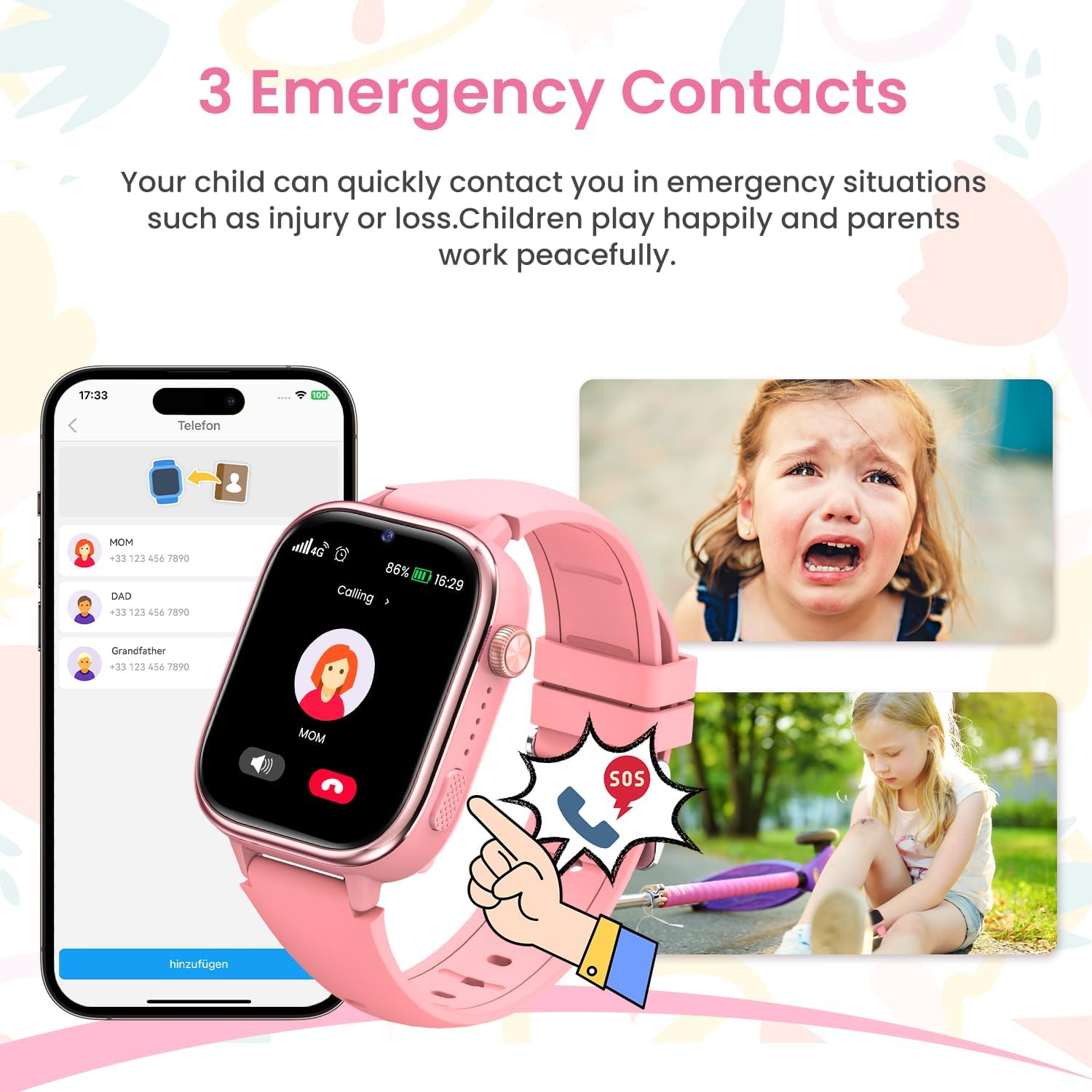
Figure 4: The SOS feature in action, showing a child activating the emergency call and the watch cycling through pre-set emergency contacts.
- Press and hold the SOS button (often the On/Off button or a dedicated button, refer to Figure 2) for 2-3 seconds.
- The watch will automatically dial the three pre-set emergency contacts in a loop until one answers.
- Parents will also receive an SOS notification via the SeTracker2 app.
Emergency contacts are configured in the SeTracker2 app.
5. GPS Tracking
The watch uses GPS, LBS (Location Based Service), and Wi-Fi for accurate real-time location tracking.
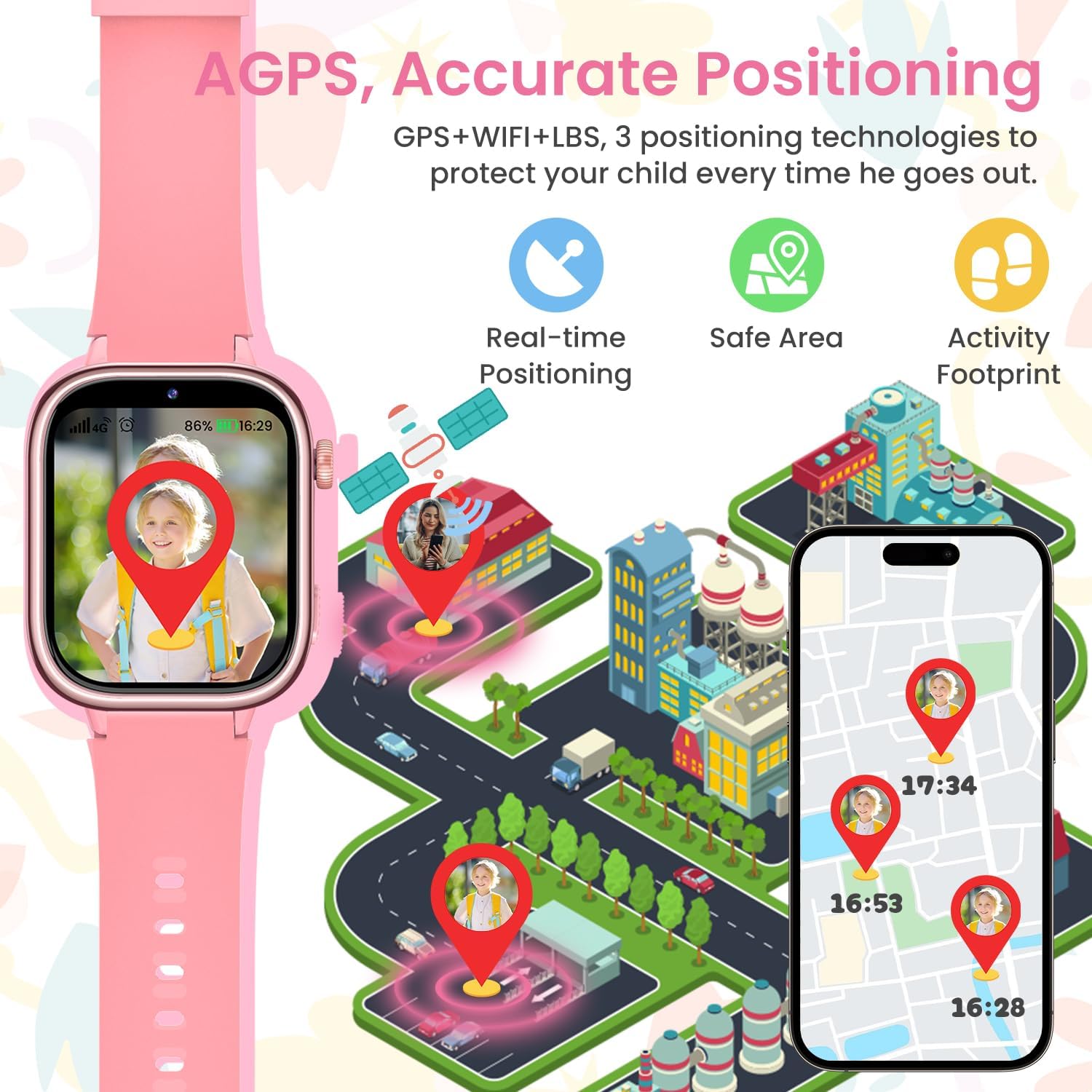
Figure 5: Visual representation of the AGPS, WiFi, and LBS positioning technologies, showing real-time location and historical activity footprints on a map.
- Parents can view the child's real-time location on a map within the SeTracker2 app.
- Set up "Safe Zones" (geofencing) in the app. You will receive alerts when the child enters or leaves these designated areas.
- Review the child's historical movement "Activity Footprint" in the app.
6. School Mode
The "Do Not Disturb" or "School Mode" feature helps children focus during class.
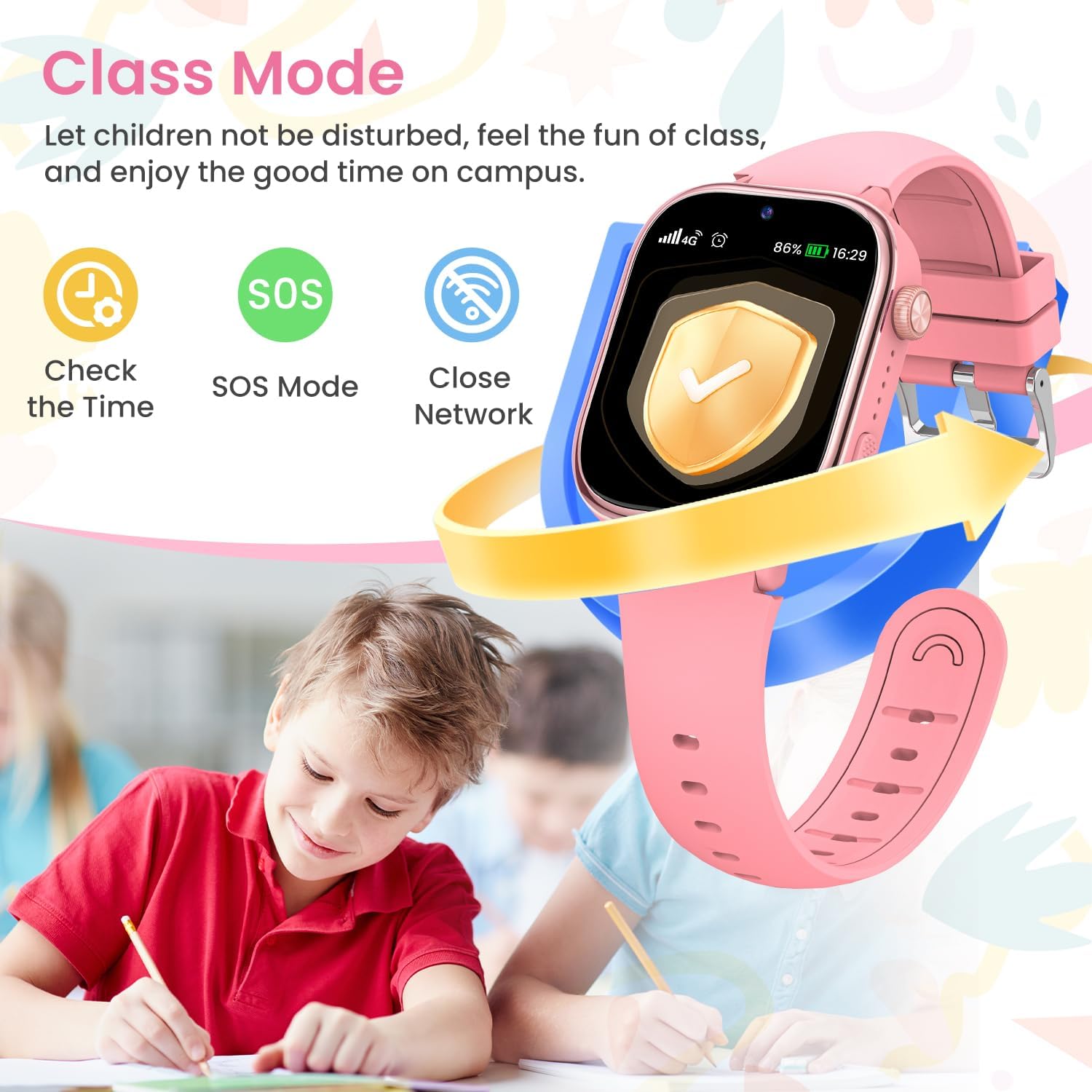
Figure 6: The smartwatch in "Class Mode," which blocks calls and messages to prevent distractions during school hours, allowing only time-checking and SOS.
- Set specific time periods for School Mode in the SeTracker2 app.
- During School Mode, the watch will block all incoming calls, messages, and games, except for the SOS function.
- The child can still check the time.
7. Other Features

Figure 7: Overview of additional features including the photo function, sleep monitoring, alarm clock, and pedometer for activity tracking.
- Pedometer: Tracks steps taken throughout the day. View data on the watch or in the app.
- Alarm Clock: Set multiple alarms via the SeTracker2 app for reminders.
- Sleep Monitoring: Monitors sleep patterns. Data can be viewed in the app.
- Camera: The watch has a built-in camera for taking photos.
- Games: Includes 7 educational games for entertainment.
- Voice Chat: Send and receive voice messages with approved contacts via the app.
- Reward Function: Parents can send "hearts" as rewards through the app to encourage good behavior.
Maintenance
1. Cleaning
- Wipe the watch screen and body with a soft, dry, lint-free cloth.
- For stubborn stains, slightly dampen the cloth with water. Avoid using harsh chemicals or abrasive materials.
- Clean the charging contacts regularly to ensure proper charging.
2. Water Resistance (IP68)

Figure 8: The smartwatch's IP68 water resistance, indicating its ability to withstand daily water exposure like hand washing, rain, and sweat.
The SWGOTA 4G Kids Smartwatch has an IP68 water resistance rating. This means it is protected against dust ingress and can withstand immersion in water up to 1.5 meters for up to 30 minutes.
- It is suitable for daily use, such as hand washing, splashes, and light rain.
- Do NOT use it for swimming, diving, hot showers, or saunas.
- Ensure the SIM card slot cover is securely closed to maintain water resistance.
- If the watch gets wet, wipe it dry thoroughly before charging.
3. Battery Care
- Avoid fully discharging the battery frequently.
- Charge the watch regularly, even if not in use, to maintain battery health.
- Store the watch in a cool, dry place when not in use for extended periods.
Troubleshooting
| Problem | Possible Cause | Solution |
|---|---|---|
| Watch cannot power on. | Low battery; Watch frozen. | Charge the watch for at least 30 minutes. If still unresponsive, try a hard reset (press and hold power button for 10-15 seconds). |
| No signal/Cannot make calls. | SIM card not inserted correctly; No active data plan; Out of network coverage. | Ensure SIM card is properly inserted. Check SIM card balance and data plan. Move to an area with better network coverage. Restart the watch. |
| GPS location is inaccurate. | Poor GPS signal (indoors/dense areas); LBS/Wi-Fi positioning active. | Move to an open outdoor area for better GPS signal. Ensure Wi-Fi is enabled on the watch for improved indoor positioning. |
| Cannot bind watch to app. | Incorrect REG code; Network issue; Watch not registered. | Double-check the REG code. Ensure the watch has network connectivity. Try restarting both the watch and the app. |
| Watch battery drains quickly. | Frequent GPS updates; High usage of video calls/games; Poor network signal. | Adjust GPS update frequency in the app. Reduce usage of power-intensive features. Ensure good network signal. |
Specifications
| Feature | Detail |
|---|---|
| Brand | SWGOTA |
| Model | 4G Kids Smartwatch |
| Operating System | Android Wear 2.0 |
| Connectivity | 4G Cellular, Bluetooth |
| Positioning | GPS, LBS, Wi-Fi |
| Battery Capacity | 700 mAh Lithium-ion |
| Water Resistance | IP68 |
| Special Features | SOS Button, Two-way Voice Call, Video Call, School Mode, Pedometer, Sleep Monitor, Alarm, Camera, Games |
| Target Audience | Children and adolescents (3-14 years) |
Warranty and Support
SWGOTA products come with a standard manufacturer's warranty. Please refer to your purchase documentation or contact your retailer for specific warranty terms and conditions.
For technical support, troubleshooting assistance, or any inquiries regarding your SWGOTA 4G Kids Smartwatch, please contact our customer support team through the contact information provided on our official website or your purchase platform.
We are committed to providing excellent service and ensuring your satisfaction with our products.