
deerdance TV LED Backlight Sync to Screen
deerdance Immersive LED TV Light User Manual
Model: TV LED Backlight Sync to Screen
1. Introduction
Thank you for choosing the deerdance Immersive LED TV Light. This product is designed to enhance your viewing experience by synchronizing LED backlighting with the colors displayed on your screen, creating an immersive ambiance for movies, games, and more. Utilizing advanced AR sensor technology, it provides real-time, accurate color matching without latency.

The deerdance Immersive LED TV Light creates a dynamic and immersive viewing experience by extending screen colors onto your wall.

Enhance your gaming sessions with responsive backlighting that mirrors on-screen action.
2. Safety Information
- Ensure the power supply is disconnected before installation or maintenance.
- Do not expose the LED strip or control box to extreme temperatures or direct water, despite its waterproof coating.
- Keep out of reach of children.
- Use only the provided power adapter.
- Avoid bending the LED strip sharply, as this may damage the circuit.
3. Package Contents
Verify that all items are present in your package:
- TV LED Backlight Sync to Screen (14.8FT LED Strip)
- AR Smart Pick-up Color Sensor
- Control Box
- Power Adapter
- User Manual

Overview of the product components: LED strip, AR sensor, control box, and power adapter.
4. Product Features
- AR Technology for Real-time Color Matching: Utilizes an AR capture scheme for precise, low-latency color synchronization with your screen.
- Privacy-Focused Design: Employs AR smart pick-up color sensors instead of cameras, ensuring privacy.
- Adjustable Telescoping Pole: Fits TVs, PCs, and monitors from 24-100 inches. The 14.8FT light fully matches 65-inch TVs and covers three sides for larger screens up to 100 inches.
- Smart APP Control: Manage lights via the "uLamp" app (available on Google Play/App Store) with 16 million colors, scenes, brightness control, timer, DIY, and music modes.
- Enhanced Double 5050RGB Light Beads: Features oversized chips and pure gold lines for vivid, natural lighting and reduced eye fatigue.
- Waterproof Coating: Provides better protection for the TV light strip.
- Built-in Microphone: The control box includes a microphone for music synchronization.
- Plug and Play: Simple installation with no complex calibration required.
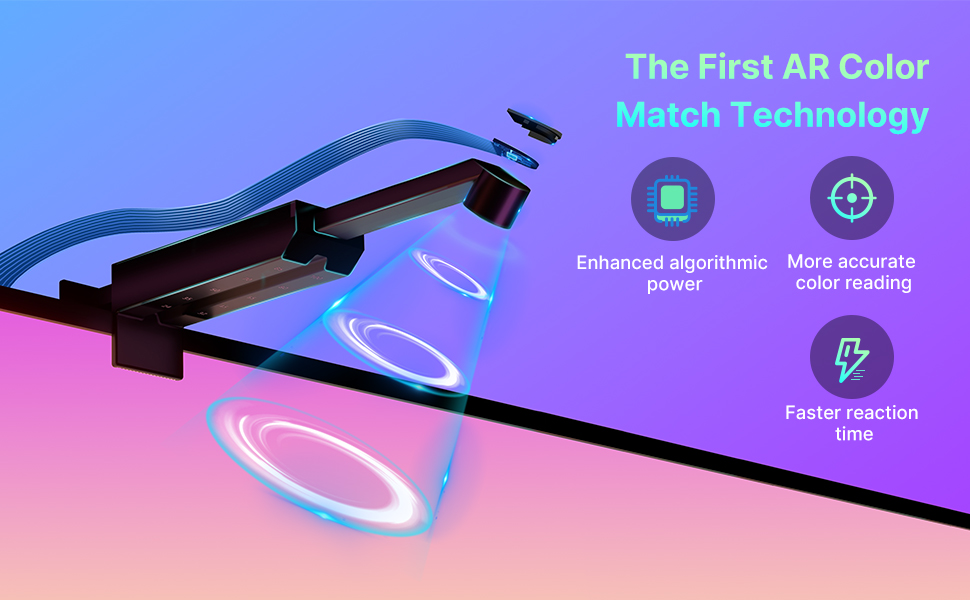
The AR Color Match Technology ensures precise and fast color synchronization.
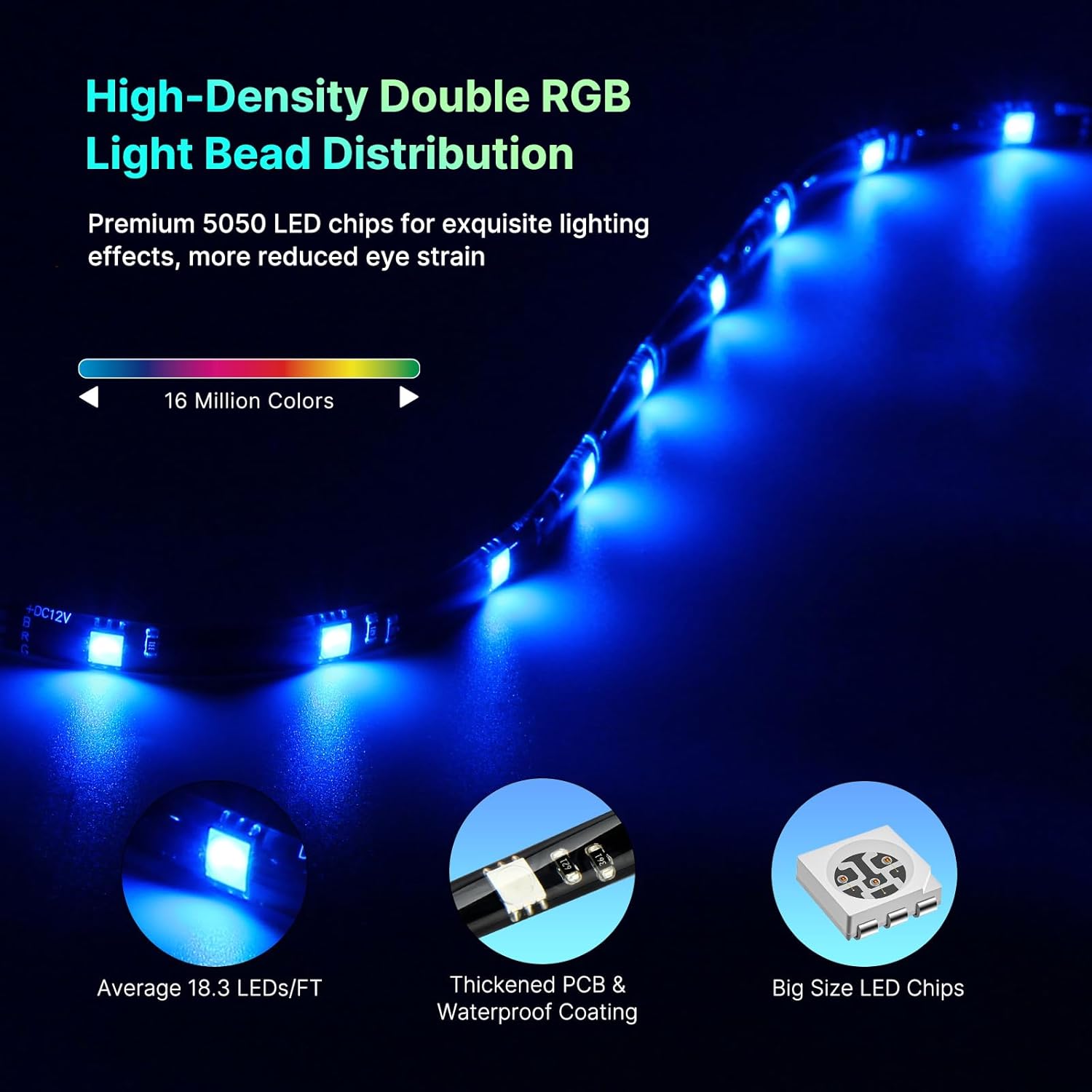
High-density double RGB light beads provide superior lighting effects.
5. Setup Instructions
- Clean the Surface: Ensure the back of your TV is clean and dry before attaching the LED strip.
- Attach LED Strip: Carefully peel the adhesive backing and firmly press the LED strip along the edges of the back of your TV. For TVs up to 65 inches, the strip covers all four sides. For TVs larger than 65 inches (e.g., 100 inches), it covers three sides. You can cut excess strips at designated marks if needed.
- Mount AR Sensor: Attach the AR smart pick-up color sensor to the top center of your TV. Adjust the telescoping pole to ensure optimal color pickup.
- Connect Components: Connect the LED strip and the AR sensor to the control box.
- Power On: Plug the power adapter into the control box and then into a power outlet.

The 14.8ft light strip is suitable for TVs from 24 to 100 inches, with options to cut excess for smaller sizes or cover three sides for larger ones.

The adjustable arm of the AR sensor allows for a larger color pickup area, ensuring accurate synchronization across various screen sizes.
6. Operating Instructions
6.1. Basic Operation (Control Box)
The control box allows for basic functions without the app:
- Power Button: Press to turn the lights On/Off.
- Mode Button: Cycle through different lighting modes (e.g., static colors, dynamic effects, music sync).
- Brightness Buttons: Adjust the brightness level.
6.2. Smart APP Control
For full functionality, download the "uLamp" app from Google Play or the App Store, or scan the QR code provided on the product packaging.
- Download and Install: Search for "uLamp" and install the app on your smartphone.
- Bluetooth Connection: Ensure Bluetooth is enabled on your phone. Open the app, and it should automatically detect your deerdance LED TV Light.
- Explore Features: The app provides access to:
- 16 million colors
- Various scene modes
- Brightness adjustment
- Timer function
- DIY custom lighting effects
- Music mode synchronization

Control your lights via the intuitive uLamp app or the convenient physical control box.
6.3. Music Mode
The built-in microphone in the control box allows the lights to sync with music or ambient sounds. Activate this mode via the app or the control box.

Experience dynamic lighting that moves to the beat of your music.
7. Maintenance
- Cleaning: Gently wipe the LED strip and AR sensor with a dry, soft cloth. Do not use harsh chemicals or abrasive cleaners.
- Adhesion: If the LED strip's adhesive weakens over time, you may use additional adhesive clips or tape to secure it.
- Storage: If storing the product for an extended period, disconnect it from power and store it in a cool, dry place.
8. Troubleshooting
| Problem | Possible Cause | Solution |
|---|---|---|
| Lights do not turn on. | No power, loose connection, faulty adapter. | Check power outlet, ensure all cables are securely connected. Try a different outlet. |
| Lights do not sync with screen colors accurately. | AR sensor misaligned, screen glare, incorrect app settings. | Ensure AR sensor is properly positioned and adjusted. Minimize glare on the screen. Check app settings for color calibration or sync mode. |
| App cannot connect to the device. | Bluetooth off, device too far, app glitch. | Ensure Bluetooth is enabled on your phone. Bring phone closer to the control box. Restart the app or your phone. |
| Music mode not working. | Microphone obstructed, low volume. | Ensure the control box microphone is not covered. Increase audio volume. |
9. Specifications
| Feature | Detail |
|---|---|
| Brand | deerdance |
| Model Number | TV LED Backlight Sync to Screen |
| Light Source Type | LED (Enhanced Double 5050RGB) |
| Light Color | Multicolor (16 Million Colors) |
| LED Strip Length | 14.8 FT |
| Compatible TV Sizes | 24-100 inches |
| Control Method | App Control (uLamp) & Control Box |
| Connectivity Technology | Bluetooth |
| Power Source | Corded Electric |
| Water Resistance Level | Waterproof |
| Item Weight | 14.4 ounces |
| Country of Origin | China |
10. Official Product Video
This video demonstrates the deerdance TV LED Backlight Sync to Screen TV in action, showcasing its real-time color matching capabilities and immersive effects.
11. Warranty and Support
For warranty information and customer support, please refer to the contact details provided on the product packaging or visit the official deerdance website. Keep your purchase receipt for warranty claims.
Ask a question about this manual
Ask about setup, troubleshooting, compatibility, parts, safety, or missing instructions. Manuals+ will review the question and use this page’s manual context to help answer it.