1. Introduction
This manual provides comprehensive instructions for the setup, operation, and maintenance of your Obbmox DE520 Wireless Outdoor Security Cameras. These cameras are designed to provide reliable home security with advanced features such as 2K resolution, 180° pan view, color night vision, and two-way audio communication.
1.1. What's in the Box
- Obbmox DE520 Security Camera (2-Pack)
- Instruction Manual
- Mounting Screws
- USB Charging Cables

Image: The Obbmox DE520 security cameras, showing their compact design and the associated mobile application interface for remote viewing and control.
2. Product Overview
The Obbmox DE520 cameras offer a robust set of features for comprehensive home surveillance:
- 2K 180° Pan View & Color Night Vision: Delivers crisp, high-definition images with wide coverage. Color night vision provides detailed footage even in low-light conditions.
- PIR Motion Detection & 2-Way Talk: Equipped with Passive Infrared (PIR) motion detection for accurate alerts. The two-way talk feature enables real-time communication through the camera.
- Multi-Alarm & User Sharing: Supports various alert types for suspicious activity. Camera access can be shared with multiple users for collaborative monitoring.
- True Wireless Security Cam and Long-lasting Rechargeable Battery: Designed for flexible placement without wiring. The rechargeable battery ensures extended operation. (Supports 2.4GHz WiFi only)
- 7-day Rolling Cloud/TF Card Storage: Offers lifetime free 7-day rolling cloud storage and supports optional TF card storage (up to 128GB, not included) for local recording. (Does not support 5G WiFi)

Image: Visual representation of key features including 2K QHD Color Night Image, 180° Pan Rotate, PIR Motion Detection, 2-way Audio, Cloud & SD Storage, Multi-user Sharing, IP-65 Waterproof, and Rechargeable Battery.
3. Setup
3.1. Charging the Camera
Before initial use, fully charge the camera using the provided USB charging cable. The camera's battery life varies based on activity levels.
3.2. App Installation and Pairing
Download the "CloudEdge" application from your device's app store (App Store for iOS or Google Play for Android). Follow the in-app instructions to create an account and pair your cameras. The process is designed for quick recognition and simple connection.
3.3. Physical Installation
The cameras are designed for easy installation on various surfaces, including walls and edges. Use the included mounting screws to secure the camera. The adjustable bracket allows for optimal positioning.
- Pull down the bracket and adjust it to the appropriate angle.
- Mark the drill holes as indicated by the bracket.
- Install the screws and hang up the camera.
- Adjust the angle of the bracket for a better view after connecting the camera.

Image: Examples of camera placement, demonstrating its suitability for indoor and outdoor use, including living rooms, baby rooms, porches, and garages.
4. Operating Instructions
4.1. Live View and Pan Control
Access the "CloudEdge" app. Select the desired camera from your dashboard to view the live feed. The 180° pan feature allows you to remotely adjust the camera's horizontal view to cover a wider area, minimizing blind spots. You can control the pan function directly from the app interface.

Image: Illustration of the camera's 180° pan coverage, showing how it can capture a wide field of view without blind spots.
4.2. Two-Way Talk
The two-way talk feature allows you to communicate with individuals near the camera. Press and hold the "Hold to talk" button within the live view interface of the app to speak. Release the button to listen.
4.3. Motion Detection and Smart Siren
The camera utilizes PIR motion detection to identify movement. Upon detection, it can trigger various alerts, including light alarms, siren alarms, and push notifications to your smartphone. This feature helps deter intruders and keeps you informed of activity.

Image: Depiction of the PIR Motion Detection and Smart Siren functionality, showing how the camera detects movement and can activate a light alarm, siren alarm, send notifications, and enable two-way talk.
4.4. Night Vision
The camera features color night vision, providing clear and detailed footage even in low-light conditions. The built-in white light enhances visibility at night, allowing the camera to capture color images.

Image: Comparison of day and night vision, highlighting the camera's superior 2K QHD vision for clear images in both bright and low-light environments.
4.5. Recording and Storage
The Obbmox DE520 cameras offer two storage options:
- Lifetime Free 7-day Rolling Cloud Storage: Automatically saves your video footage to the cloud for seven days, accessible anytime via the app.
- TF Card Storage: Supports local storage via a TF (microSD) card up to 128GB (not included). Insert the TF card into the designated slot on the camera.

Image: Display of the real-time live view and video playback features, along with icons representing TF card storage (up to 128GB) and Lifetime 7-Day Free Rolling Cloud Storage.
5. Maintenance
5.1. Battery Charging
Monitor the battery level through the "CloudEdge" app. When the battery is low, remove the camera from its mounting and connect it to a power source using the provided USB charging cable. Ensure the camera is fully charged for optimal performance.
5.2. Cleaning
Periodically clean the camera lens and body with a soft, dry cloth to ensure clear image quality and proper functioning. Avoid using abrasive cleaners or solvents.
5.3. Weather Resistance
The Obbmox DE520 cameras are IP65 waterproof, designed to withstand various weather conditions, including rain, snow, and dust. While durable, extreme temperatures (below -4°F or above 140°F) should be avoided for prolonged periods to ensure longevity.
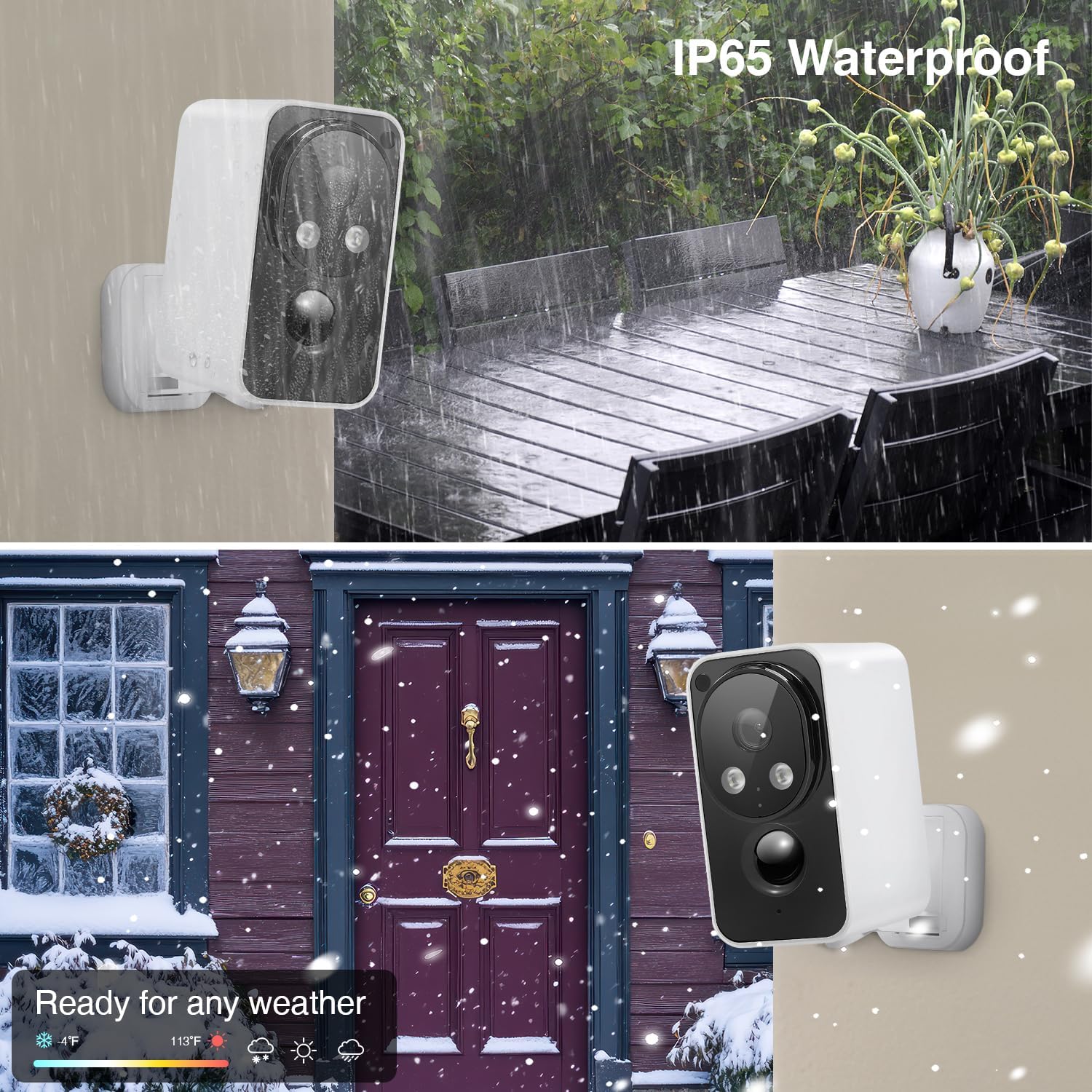
Image: Demonstrates the camera's IP65 waterproof rating and its ability to function reliably in various weather conditions, including rain and snow.
6. Troubleshooting
| Issue | Possible Cause | Solution |
|---|---|---|
| Camera not connecting to Wi-Fi | Only supports 2.4GHz Wi-Fi; incorrect password; too far from router. | Ensure your Wi-Fi is 2.4GHz. Verify password. Move camera closer to router or use a Wi-Fi extender. |
| Poor image quality | Dirty lens; low light conditions; network bandwidth issues. | Clean the lens. Ensure adequate lighting or enable color night vision. Check your internet connection speed. |
| Short battery life | Frequent motion detection; continuous live view; cold weather. | Reduce motion detection sensitivity. Limit live view duration. Ensure camera is fully charged. Battery performance may decrease in cold temperatures. |
| Motion alerts not received | App notifications disabled; motion detection off; incorrect activity zone settings. | Enable notifications for the "CloudEdge" app. Verify motion detection is active in app settings. Adjust activity zones as needed. |
7. Specifications
| Feature | Detail |
|---|---|
| Model Number | DE520 |
| Video Capture Resolution | 2K (2560 Pixels Max Webcam Image Resolution) |
| Viewing Angle | 180 Degrees (Pan Rotating) |
| Connectivity Technology | Wireless (2.4GHz Wi-Fi Only) |
| Power Source | Battery Powered |
| Indoor/Outdoor Usage | Indoor/Outdoor (IP65 Waterproof) |
| Special Feature | 2-Way Audio, PIR Motion Detection, Color Night Vision |
| Storage Options | Lifetime Free 7-day Rolling Cloud Storage, TF Card (up to 128GB) |
| Product Dimensions | 2.6 x 1.97 x 4.09 inches |
| Item Weight | 1.41 pounds |
8. Warranty and Support
For technical support or warranty inquiries, please contact Obbmox customer service:
- Phone: +1 313-380-6888
- Email: Ob-Assistance@outlook.com
Please refer to your purchase documentation for specific warranty terms and conditions.