
Introduction
This manual provides detailed instructions for the installation, operation, maintenance, and troubleshooting of your Wonsidary W96-1 9.3 Inch Portable Wireless CarPlay Touchscreen. Please read this manual thoroughly before using the device to ensure proper function and safety.
Safety Information
Always prioritize safety while driving. Do not operate the device in a way that distracts you from the road. Ensure the device is securely mounted and does not obstruct your view or interfere with vehicle controls. Avoid exposing the device to extreme temperatures, direct sunlight for prolonged periods, or moisture.
Setup
1. Installation
The Wonsidary W96-1 screen is designed for easy installation. It comes with a 360-degree rotating suction cup base and a self-adhesive holder. You can attach the unit to your dashboard console or windscreen.
- Choose a suitable location on your dashboard or windscreen that does not obstruct your view or interfere with airbags.
- Clean the surface thoroughly before attaching the suction cup or adhesive holder.
- Securely attach the base to the chosen surface.
- Mount the W96-1 screen onto the base.
- Connect the power cable to the device and plug the cigarette lighter adapter into your car's cigarette lighter socket. The cigarette lighter plug also includes USB ports for charging other devices.
2. Wireless CarPlay and Android Auto Connection
The device supports both wireless CarPlay and Android Auto for seamless integration with your smartphone.

Image: The Wonsidary W96-1 screen showing both Apple CarPlay and Android Auto interfaces, demonstrating wireless or wired connectivity for navigation, music, and calls.
- Ensure your smartphone's Bluetooth and Wi-Fi are enabled.
- On the W96-1 screen, navigate to the CarPlay or Android Auto connection option.
- Pair your smartphone with the W96-1 via Bluetooth.
- Follow the on-screen prompts on both the W96-1 and your smartphone to establish the wireless connection.
- Note: If your iOS system is updated to version 18.0.1 or later and you experience connection issues, reset the W96-1 to factory settings or restart and reconnect your phone.
3. Wireless and Wired Mirroring Connection
Mirror your smartphone's content directly to the W96-1 display. This supports both wireless and wired mirroring for iOS (iPhone 6+) and Android (Android 11+).

Image: The Wonsidary W96-1 screen demonstrating smartphone mirroring capabilities, showing a phone's screen content (like YouTube) duplicated on the larger display via Airplay for iOS and Autolink for Android.
- For wireless mirroring, ensure your phone and the W96-1 are connected to the same Wi-Fi network or follow the device's specific mirroring instructions.
- For wired mirroring, connect your smartphone to the W96-1 using a compatible USB cable.
- Select the mirroring option on the W96-1 screen and confirm the connection on your smartphone.
- Note: Netflix is not supported for mirroring.
Operating Instructions
1. Voice Control and Navigation
Utilize voice commands via Siri or Google Assistant for hands-free operation, enhancing driving safety.
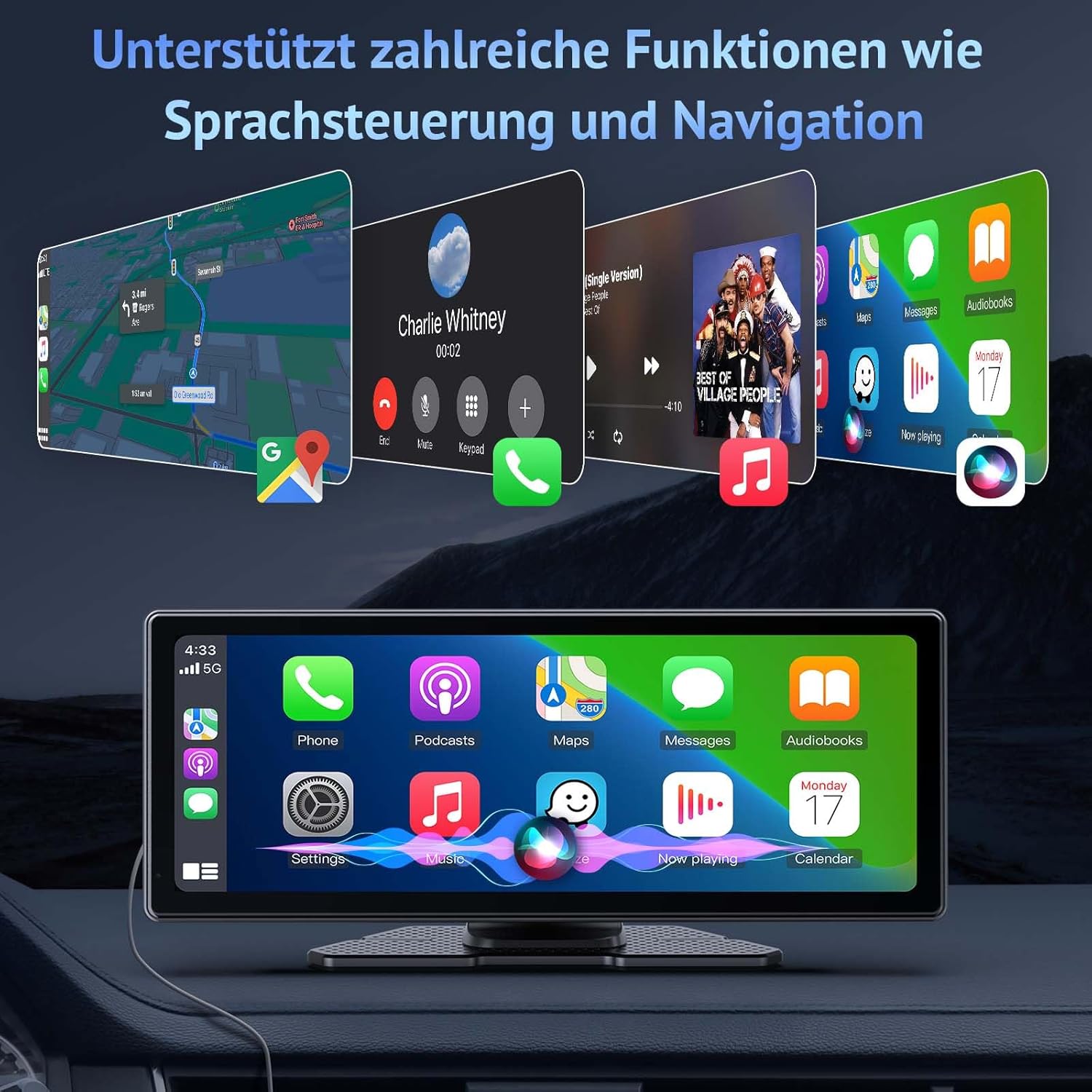
Image: The Wonsidary W96-1 screen showcasing its support for voice control and navigation, with examples of phone calls, map directions, and music applications visible.
- Activate Siri or Google Assistant through the screen or your steering wheel controls (if configured).
- Issue commands such as "Call [Contact Name]", "Navigate to [Address]", or "Send message to [Contact Name]".
- The screen provides real-time GPS, map updates, and live route planning, selecting optimal routes based on current traffic.
- The device includes a clear microphone and an external microphone interface for improved voice recognition.
2. Audio Output Options and EQ
The W96-1 offers multiple ways to output audio to your car's stereo system.

Image: The Wonsidary W96-1 screen illustrating six methods for music playback, including Bluetooth, FM transmission, AUX connection, built-in speaker, USB drive (U Disk), and SD card.
- Bluetooth: Connects wirelessly to your car stereo for high-quality sound.
- AUX Cable: Use an AUX cable to connect the W96-1 to your car's AUX input.
- FM Channels: Transmit audio to your car's FM radio by tuning both devices to the same FM frequency.
- Built-in Speakers: The device has its own speakers for direct audio output.
- Equalizer (EQ): Adjust sound settings to match different music styles and personal preferences for an optimal listening experience.
3. Offline Entertainment (TF Card and USB)
Play videos, music, and photos directly from a TF card or USB drive without an internet connection.

Image: The Wonsidary W96-1 screen demonstrating local multimedia playback, showing how to view videos, listen to music, and browse photos stored on a TF card or USB drive.
- Insert a TF card into the designated slot or a USB drive into the USB port.
- Navigate to the media player on the W96-1 screen.
- Select the desired media type (videos, music, or photos) and choose your files for playback.
- Note: TF cards and USB drives are not included.
4. Anti-Glare Display with Automatic Brightness
The 9.3-inch display features anti-glare technology and an automatic light sensor for optimal visibility.

Image: The Wonsidary W96-1 screen demonstrating its automatic light sensor, which adjusts screen brightness for day and night conditions, alongside options for manual brightness control.
- The built-in light sensor automatically adjusts screen brightness, dimming or brightening as needed (e.g., in tunnels, at night, or in bright sunlight).
- You can also manually adjust the brightness settings to your preference.
5. Steering Wheel Control
The system is compatible with existing steering wheel controls for convenient operation.
- Connect the W96-1 to your car's system via Bluetooth.
- Once connected, you can use your steering wheel controls for volume adjustment, playback (play/pause), and call functions.
6. Customizable Home Screen Logo
Personalize your device with a custom start-up logo.
- Access the settings menu on the W96-1 screen.
- Locate the option for customizing the boot logo.
- You can set an individual car logo, an image, or custom text to display when the device starts.
Maintenance
- Cleaning: Use a soft, dry cloth to clean the screen and exterior. For stubborn smudges, slightly dampen the cloth with water or a screen-safe cleaner. Avoid abrasive materials or harsh chemicals.
- Storage: If storing the device for an extended period, disconnect it from power and store it in a cool, dry place away from direct sunlight.
- Software Updates: Periodically check the manufacturer's website for any available software updates to ensure optimal performance and compatibility.
Troubleshooting
| Problem | Possible Cause | Solution |
|---|---|---|
| Device does not power on. | No power supply; loose connection. | Ensure the cigarette lighter adapter is securely plugged in and the car's power outlet is functional. Check the power cable connection to the device. |
| CarPlay/Android Auto not connecting wirelessly. | Bluetooth/Wi-Fi issues; iOS update incompatibility. | Ensure Bluetooth and Wi-Fi are enabled on your phone and the W96-1. Try restarting both devices. If using iOS 18.0.1+, reset the W96-1 to factory settings or restart and reconnect your phone. |
| No sound from car speakers. | Incorrect audio output setting; volume too low. | Check the audio output settings on the W96-1 (Bluetooth, AUX, FM). Ensure your car stereo is set to the correct input (e.g., AUX, FM frequency). Increase volume on both the W96-1 and your car stereo. |
| Screen mirroring not working. | Incompatible app; incorrect connection method. | Verify the app is supported (Netflix is not). Ensure you are using the correct wireless or wired mirroring procedure for your phone's OS. |
| Touchscreen unresponsive. | Temporary software glitch; screen dirty. | Restart the device. Clean the screen with a soft, dry cloth. |
Specifications

Image: The Wonsidary W96-1 screen emphasizing its HD IPS and 2.5D Curved Touchscreen technology, detailing high resolution, curved screen design, and full viewing angles.
| Feature | Detail |
|---|---|
| Brand | Wonsidary |
| Model Number | W96-1 |
| Screen Size | 9.3 inches |
| Display Type | HD IPS + 2.5D Curved Touchscreen |
| Connectivity Technology | Bluetooth, Wireless (CarPlay/Android Auto), Wired (USB) |
| Controller Type | Touchscreen, Voice (Siri/Google Assistant), App, Steering Wheel Control |
| Special Features | Built-In Bluetooth, Phone Mirroring, Auto Brightness Adjust, Voice Control, Navigation, EQ, Offline Media Playback (TF/USB) |
| Compatible Devices | Smartphone (iOS iPhone 6+, Android 11+) |
| Audio Output Modes | Bluetooth, AUX, FM Transmitter, Built-in Speakers |
| Connector Type | 3.5mm Jack (AUX), USB |
| Video Encoding Support | H.264, H.265/HEVC, VP9, AV1, MPEG-4, MPEG-2, WMV, AVI, MKV |
| Number of Channels | 2 |
| Surround Sound Channel Configuration | 4.1 |
Warranty and Support
For warranty information and technical support, please refer to the documentation included with your purchase or contact Wonsidary customer service directly. Keep your proof of purchase for warranty claims.
For further assistance, visit the official Wonsidary website or contact their support channels.


