
1. Introduction
Thank you for choosing the Satechi Vegan-Leather Mouse Pad. This manual provides essential information for the proper setup, operation, and maintenance of your new mouse pad. Please read this manual thoroughly to ensure optimal performance and longevity of the product.

Image: The Satechi Vegan-Leather Premium Mouse Pad, highlighting its key features such as vegan leather material, water resistance, reversibility, reinforced stitching, and a smooth gliding surface.
2. Product Overview
The Satechi Vegan-Leather Mouse Pad is designed to enhance your workspace with its ergonomic features and durable construction. It offers a smooth surface for precise mouse movements and is built to withstand daily use.
Key Features:
- Premium Vegan-Leather: Crafted from high-quality vegan leather with reinforced stitching for a stylish and durable finish.
- Ergonomic Design: Provides a comfortable fit for the wrist, reducing strain during extended use.
- Reversible: Offers two usable sides, allowing for extended use and aesthetic versatility.
- Scratch and Water Resistant: Protects your desk from spills and minor abrasions.
- Easy to Clean: Simple maintenance with a damp cloth and mild soap.
- Smooth Gliding Surface: Ensures effortless and precise mouse movement.

Image: An illustration detailing the premium build of the Satechi mouse pad, highlighting its vegan-leather material, water resistance, reinforced stitching, and ease of cleaning.

Image: The Satechi mouse pad demonstrating its reversible design, with a hand placed on it and clear labels indicating its dimensions of 9.8 inches (24.9 cm) in length and 7.5 inches (19.05 cm) in width.
3. Setup
Setting up your Satechi Vegan-Leather Mouse Pad is a straightforward process.
- Unpack: Carefully remove the mouse pad from its packaging.
- Placement: Place the mouse pad on a clean, flat surface on your desk or workspace.
- Orientation: Choose your preferred side (both sides are usable) and orientation.
- Ready for Use: Your mouse pad is now ready for use with your mouse.

Image: A black Satechi Vegan-Leather Mouse Pad with a white wireless mouse positioned on its surface, ready for use.
4. Operating Instructions
The Satechi Vegan-Leather Mouse Pad is designed for intuitive use, providing a consistent and comfortable surface for your mouse.
- Mouse Placement: Place your optical or laser mouse directly onto the surface of the mouse pad.
- Smooth Gliding: The smooth texture of the vegan leather allows for effortless and precise cursor control.
- Ergonomic Support: Position your wrist comfortably on the pad to utilize its ergonomic design, reducing fatigue during prolonged use.
- Stability: The non-slip backing helps keep the mouse pad securely in place on most desk surfaces.

Image: A user's hands operating a mouse on the Satechi mouse pad, positioned in front of a large curved monitor, illustrating the smooth and effortless control provided by the pad's surface.

Image: A hand moving a mouse across the Satechi mouse pad, with an arrow indicating the smooth gliding motion, emphasizing the comfort for the wrist.
5. Maintenance
To maintain the appearance and functionality of your Satechi Vegan-Leather Mouse Pad, follow these simple cleaning instructions:
- Regular Cleaning: For everyday dust and light smudges, wipe the surface with a soft, dry cloth.
- Spot Cleaning: For spills or stains, use a damp cloth with a small amount of mild soap. Gently wipe the affected area.
- Drying: After cleaning, allow the mouse pad to air dry completely before resuming use. Do not expose to direct sunlight or excessive heat.
- Avoid Harsh Chemicals: Do not use abrasive cleaners, solvents, or harsh chemicals, as these can damage the vegan leather material.

Image: Water droplets resting on the surface of the Satechi Vegan-Leather Mouse Pad, illustrating its water-resistant capabilities and protecting the desk underneath.

Image: A hand wiping the Satechi mouse pad with a cloth, demonstrating the ease of cleaning the water-resistant surface, with a laptop and a glass of water in the background.
6. Troubleshooting
If you encounter any issues with your mouse pad, refer to the following common solutions:
- Mouse Tracking Issues: If your mouse is not tracking smoothly, ensure the mouse pad surface is clean and free of debris. A quick wipe with a damp cloth may resolve the issue.
- Mouse Pad Sliding: If the mouse pad slides on your desk, ensure the desk surface is clean and dry. The non-slip backing performs best on smooth, clean surfaces.
- Stains or Marks: Refer to the Maintenance section for cleaning instructions. Promptly clean spills to prevent permanent staining.
- Curling Edges: If the mouse pad edges curl slightly after prolonged storage, gently flatten it or reverse it to the other side. Over time, it should return to its flat shape.
7. Specifications
| Feature | Detail |
|---|---|
| Model Number | ST-LMPK |
| Material | Vegan Leather |
| Color | Black (also available in Blue, Brown) |
| Product Dimensions (L x W x H) | 9.8 x 7.5 x 0.14 inches (24.9 x 19.05 x 0.36 cm) |
| Item Weight | 4.2 ounces |
| Special Features | Ergonomic, Non-slip, Reversible, Water Resistant |
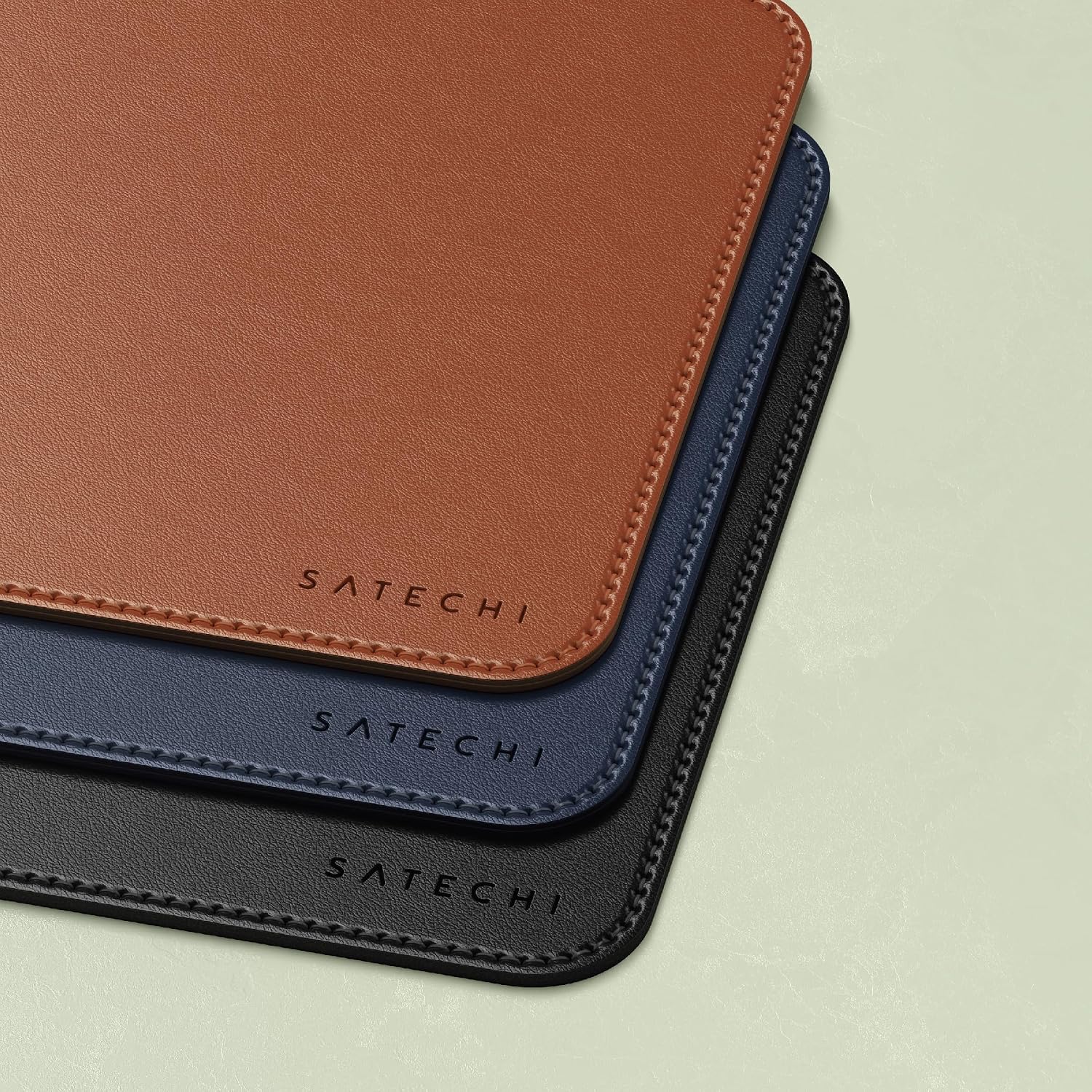
Image: A stack of three Satechi Vegan-Leather Mouse Pads, showcasing the available color options: brown, blue, and black.
8. Warranty and Support
Satechi products are designed for quality and durability. Your Satechi Vegan-Leather Mouse Pad is covered by a 2-year limited warranty against defects in materials and workmanship under normal use.
For customer service, technical support, or warranty claims, please contact Satechi customer support through their official website or the retailer where the product was purchased. Please have your model number (ST-LMPK) and proof of purchase ready.
For more information, visit the official Satechi website: www.satechi.com