Introduction
This manual provides essential information for the safe and effective operation of your NKOK 2.4GHz Polaris RC Switchback Assault. Please read all instructions carefully before use and retain this manual for future reference.
Safety Information
WARNING: CHOKING HAZARD - Small parts. Not for children under 3 years.
Always operate the RC vehicle in a safe environment, away from people, pets, and obstacles. Do not operate near water or in heavy traffic areas. Adult supervision is recommended.
What's in the Box
- RC Vehicle (Polaris Switchback Assault)
- Remote Controller
- 7.4V Li-ion Battery (for vehicle)
- USB Charger
- 2 x AAA Batteries (for remote)
- Instruction Manual
- Two sets of interchangeable skis (smooth for snow/sand, wheeled for hard surfaces)
Setup
1. Battery Installation and Charging
- Vehicle Battery: Locate the battery compartment on the RC vehicle. Insert the provided 7.4V Li-ion battery. Connect the battery to the vehicle's power connector. Close the compartment securely.
- Charging the Vehicle Battery: Connect the 7.4V Li-ion battery to the USB charger. Plug the USB charger into a compatible USB power source (e.g., computer, USB wall adapter). The charging indicator light will show the charging status. Allow sufficient time for a full charge before first use.
- Remote Controller Batteries: Open the battery compartment on the remote controller. Insert the 2 x AAA batteries, ensuring correct polarity (+/-). Close the compartment.
2. Attaching Skis
Your Polaris Switchback Assault comes with two sets of interchangeable skis: smooth skis for snow/sand and wheeled skis for hard surfaces. Select the appropriate set for your intended terrain.

Image: The NKOK Polaris RC Switchback Assault with its two distinct sets of skis, one designed for smooth gliding on snow and the other with wheels for various hard terrains.
To swap skis, carefully detach the current set from the front suspension points and attach the desired set, ensuring they are securely fastened.
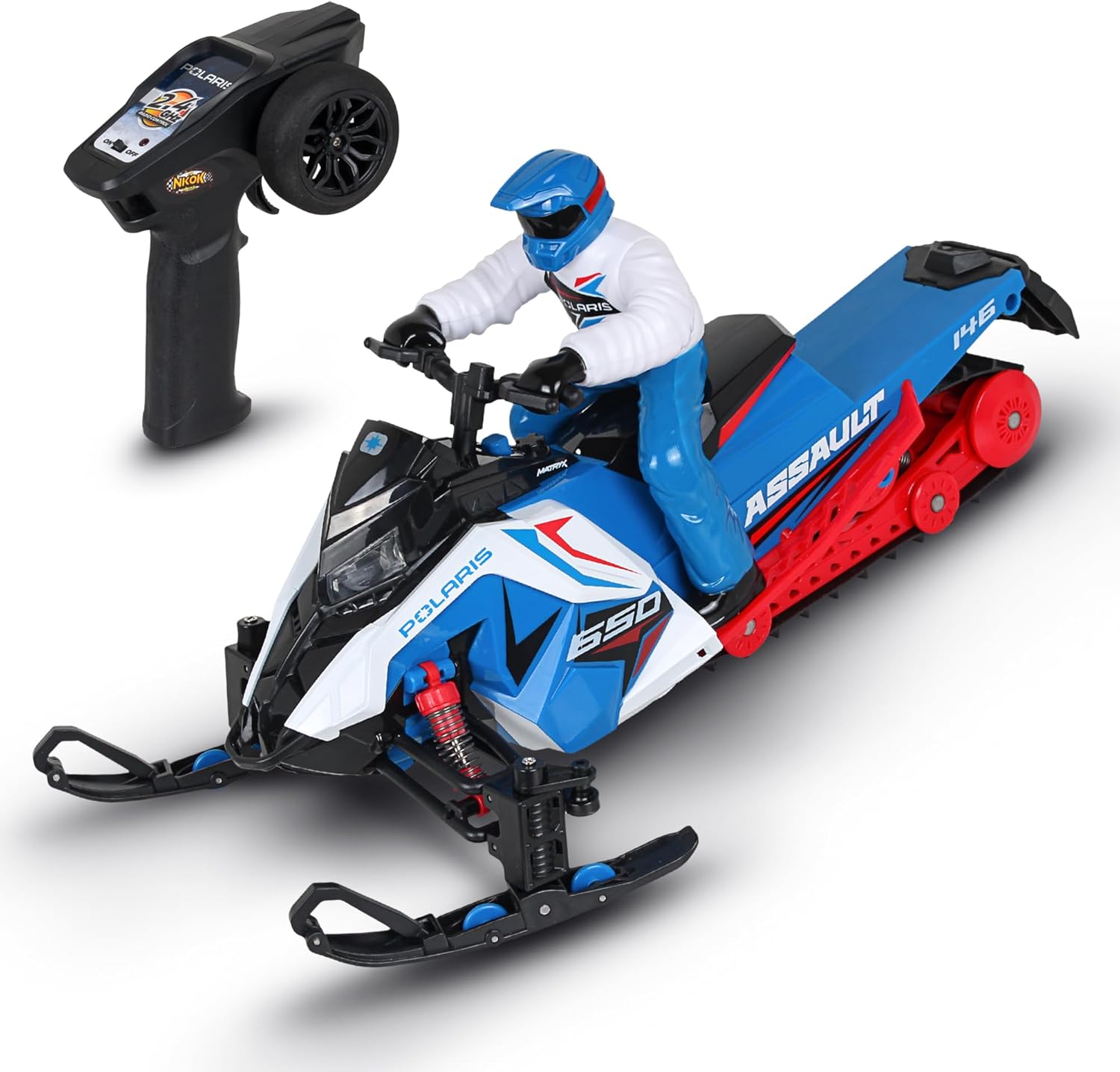
Image: The NKOK Polaris RC Switchback Assault snowmobile, blue and red, positioned next to its black remote controller, ready for operation.
Operating Instructions
1. Power On/Off
- Turn on the RC vehicle using the power switch located on the snowmobile.
- Turn on the remote controller using its power switch.
- The vehicle and remote should automatically pair. If not, turn both off and on again.
2. Basic Controls
- Forward/Backward: Use the throttle trigger on the remote to move the vehicle forward or backward.
- Steering: Use the steering wheel on the remote to turn the vehicle left or right.
3. Features
- Working Headlights: The vehicle is equipped with working headlights to illuminate the path during operation.
- Advanced Suspension: The independent spring-loaded suspension system on each ski and the track allows the vehicle to handle bumps and uneven surfaces.
- 2.4 GHz Frequency: The 2.4 GHz frequency allows for a long range of up to 150 feet and supports up to 16 players simultaneously without interference.
4. Terrain Versatility
Utilize the appropriate ski set for optimal performance:
- Smooth Skis: Ideal for snow and sand.
- Wheeled Skis: Best for hard surfaces such as asphalt, cement, tile, and hardwood floors, as well as grass and dirt.
Video: An official product video showcasing the NKOK 2.4GHz Polaris RC Switchback Assault in action across various terrains, highlighting its interchangeable skis and suspension system.
Video: A promotional video demonstrating the NKOK 2.4GHz Polaris RC Switchback Assault's features, including its ability to operate on snow and hard surfaces with different ski attachments.
Maintenance
- Cleaning: After use, especially in dirt or snow, gently wipe down the vehicle with a damp cloth to remove any debris. Ensure all parts are dry before storage.
- Battery Care: Always fully charge the Li-ion battery before storage and periodically recharge it if not used for extended periods to maintain battery health. Do not overcharge.
- Ski Maintenance: Regularly inspect the skis for wear or damage. Ensure they are clean and free of obstructions.
Troubleshooting
| Problem | Possible Cause | Solution |
|---|---|---|
| Vehicle does not respond to remote. | Low batteries in vehicle or remote; vehicle/remote not paired. | Charge vehicle battery. Replace remote batteries. Turn both off and on to re-pair. |
| Short operating range. | Interference; low remote batteries. | Move to an area with less interference. Replace remote batteries. |
| Vehicle performs poorly on snow. | Incorrect skis; deep powder snow. | Ensure smooth skis are attached. Performance may be limited in very deep, loose powder snow. |
| Difficulty closing battery compartment. | Battery not seated correctly; wires obstructing. | Carefully ensure the battery is fully seated and wires are not pinched. |
Specifications
- Product Dimensions: 12.5 x 5.5 x 6.13 inches
- Item Weight: 2.27 pounds
- Item Model Number: 81442
- Manufacturer Recommended Age: 6 years and up
- Batteries: 7.4V Li-ion (vehicle, included), 2 x AAA (remote, included)
- Frequency: 2.4 GHz
- Range: Up to 150 feet
- Multi-Player: Up to 16 simultaneous players
Warranty and Support
For warranty information or technical support, please refer to the contact details provided on the product packaging or visit the official NKOK website. Keep your purchase receipt as proof of purchase.