Introduction
This manual provides instructions for the safe and effective use of your eeTao Mini USB AC/DC Adapter Charger. This adapter is designed to provide power and charge compatible devices, specifically the CHNADKS ADKS-4 ADKS4 Gas Detector. Please read this manual thoroughly before use and retain it for future reference.
Product Overview
The eeTao Mini USB AC/DC Adapter Charger is a compact power supply unit designed for specific electronic devices. It converts standard AC wall power to DC power suitable for charging. It features built-in protection mechanisms to ensure safe operation.
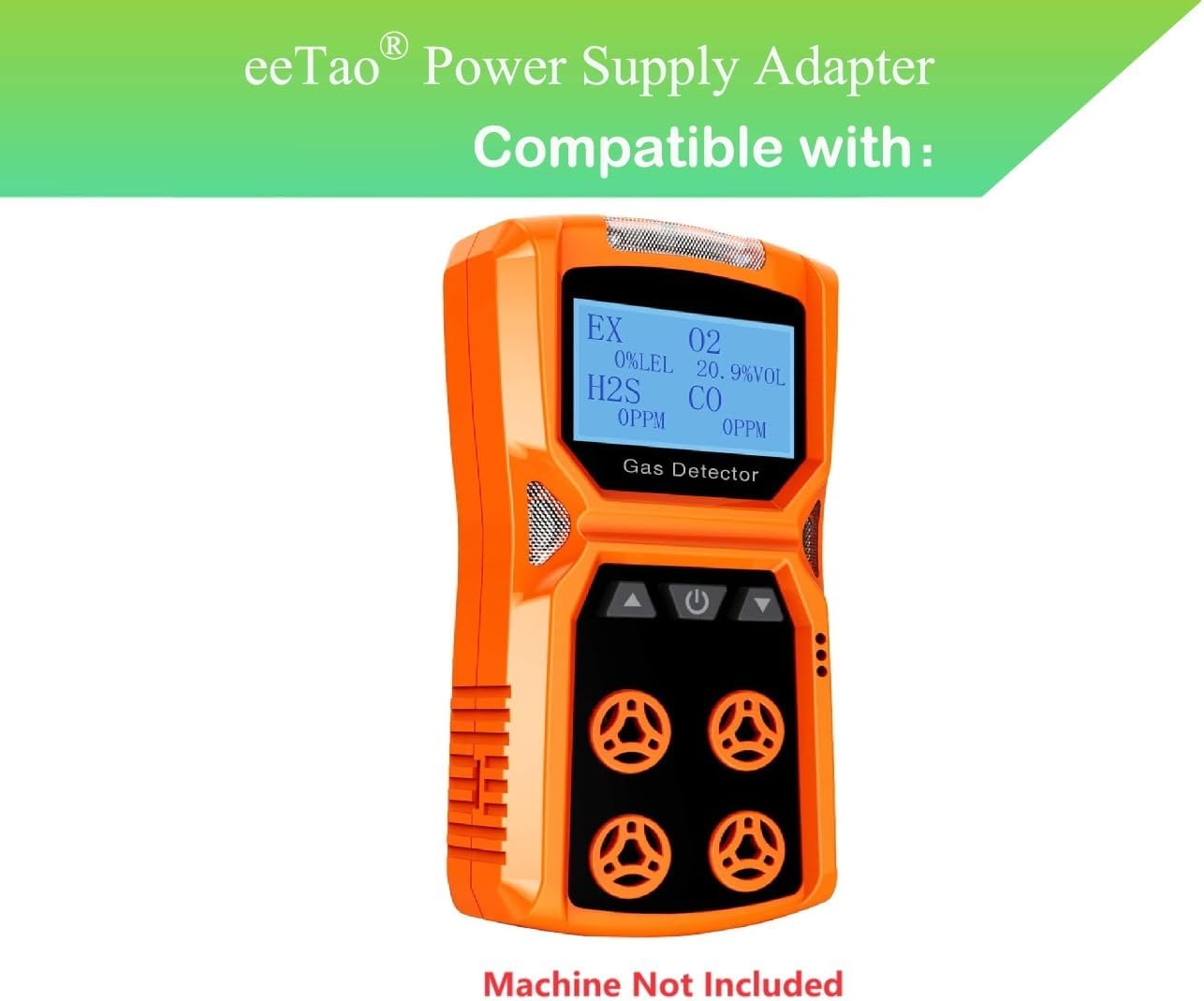
Image: The eeTao Mini USB AC/DC Adapter Charger, showing its compact design and attached cable.

Image: The back of the eeTao AC/DC Adapter Charger, displaying input and output specifications, and safety certifications.
Safety Information
- Do not expose the adapter to water or excessive moisture.
- Do not disassemble or modify the adapter.
- Avoid extreme temperatures.
- Ensure the adapter is used with compatible devices only.
- Unplug the adapter from the power outlet when not in use or during electrical storms.
Setup
- Verify Compatibility: Ensure your device, such as the CHNADKS ADKS-4 ADKS4 Gas Detector, requires a 5V DC input and is compatible with a USB Type C connector.
- Connect to Device: Plug the USB Type C connector of the adapter cable into the charging port of your compatible device.
- Connect to Power Outlet: Insert the AC plug of the adapter into a standard wall power outlet (100-240 VAC, 50/60 Hz).
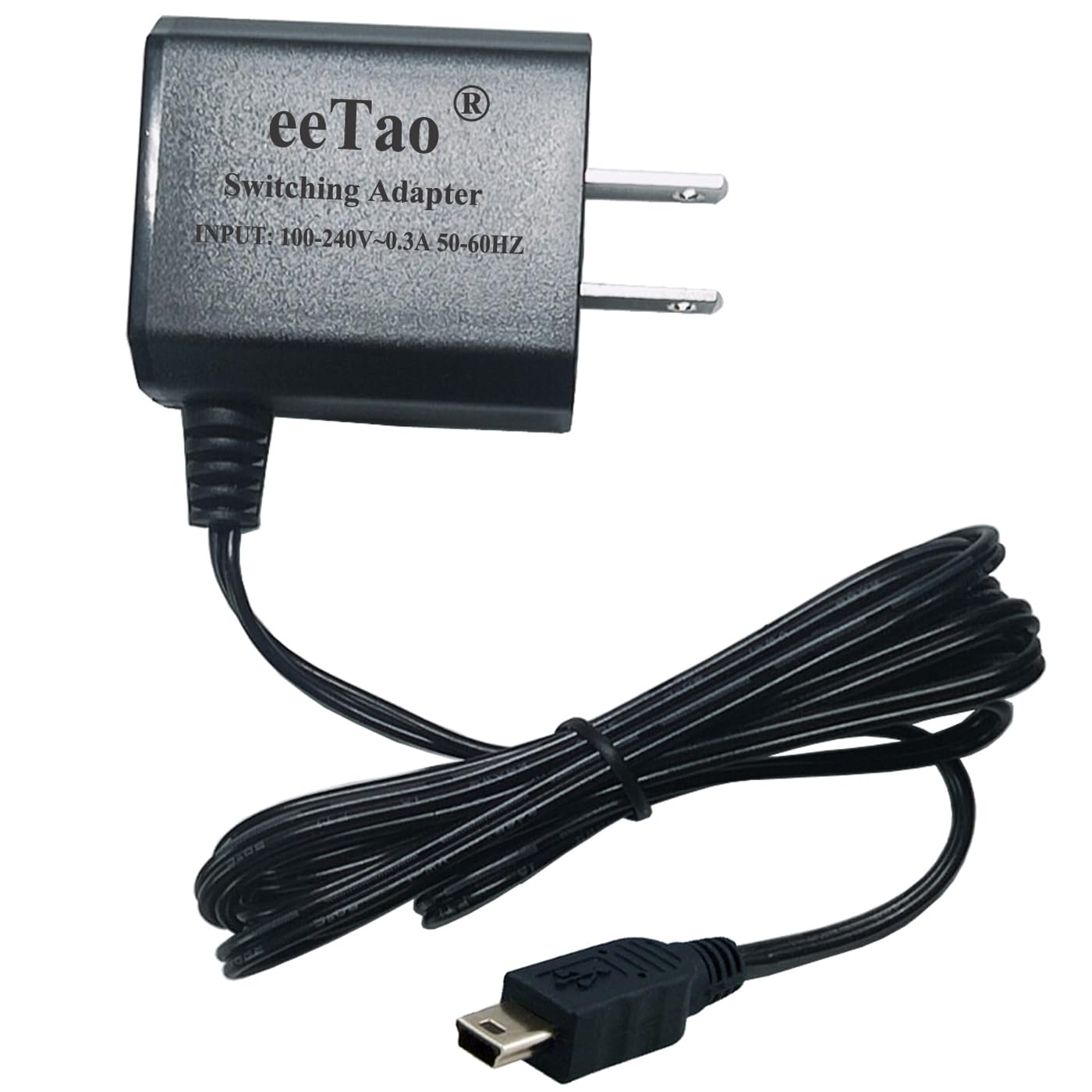
Image: An example of the CHNADKS ADKS-4 ADKS4 Gas Detector, illustrating the type of device this charger is compatible with. The gas detector itself is not included with the charger.
Operating Instructions
Once connected, the adapter will begin supplying power to your device. If your device has a charging indicator, observe it to confirm charging status. The adapter is designed for continuous power supply and charging.
- The adapter provides a stable 5V DC output.
- It features Over Voltage Protection (OVP), Over Current Protection (OCP), and Short Circuit Protection (SCP) for safe charging.
- Charging time will vary depending on the device's battery capacity and current charge level.
Maintenance
- Cleaning: Disconnect the adapter from the power outlet and the device before cleaning. Use a soft, dry cloth to wipe the surface. Do not use liquid cleaners or solvents.
- Storage: Store the adapter in a cool, dry place away from direct sunlight and extreme temperatures when not in use.
- Cable Care: Avoid bending or twisting the cable excessively, as this can damage the internal wires.
Troubleshooting
Device Not Charging:
- Check Connections: Ensure the adapter is securely plugged into both the wall outlet and the device.
- Verify Power Outlet: Test the wall outlet with another device to confirm it is supplying power.
- Inspect Cable/Adapter: Check for any visible damage to the cable or adapter. If damaged, discontinue use.
- Device Battery Condition: Rechargeable batteries have a limited lifespan (typically 1 to 3 years). If the device's battery is damaged or at the end of its life, it may not accept a charge, even with a functional charger. This is a device battery issue, not a charger issue.
Slow Charging:
- Ensure the device is not being heavily used while charging.
- Verify the device's charging port is clean and free of debris.
Specifications
| Brand | eeTao |
| Model Number | CHNADKS ADKS-4 ADKS4 Charger |
| Input Voltage | 100-240 VAC, 50/60 Hz |
| Output Voltage | 5 Volts (DC) |
| Output Current | 1 Amps |
| Connector Type | USB Type C |
| Compatible Devices | CHNADKS ADKS-4 ADKS4 Gas Detector |
| Product Dimensions | 3 x 2 x 1 inches |
| Item Weight | 3 ounces |
| Special Feature | Fast Charging, OVP, OCP, SCP Protection |
Warranty and Support
Warranty Information:
eeTao offers a 30-day refund policy and a 24-month satisfaction exchange for this product. Please retain your proof of purchase for warranty claims.
Customer Support:
For any questions, technical assistance, or warranty claims, please contact eeTao customer support. Refer to the seller information on your purchase platform for direct contact methods.
You can also visit the eeTao Store on Amazon for more information.