
1. Introduction
This manual provides detailed instructions for the installation, operation, and maintenance of the PPOZYLPC Differential Pressure Transmitter, Model QDF70B. This device is designed for precise measurement of differential pressure in various industrial and scientific applications, specifically for wind and gas mediums. It features a robust aluminum alloy construction and provides a 2.5-4.88V output signal corresponding to a -3-0kpa pressure range.
2. Safety Information
Please read and understand all safety instructions before installing or operating the device. Failure to follow these instructions may result in equipment damage, personal injury, or inaccurate readings.
- Qualified Personnel: Installation and maintenance should only be performed by qualified personnel familiar with pressure systems and electrical wiring.
- Power Supply: Ensure the power supply voltage (12VDC~36VDC) matches the device requirements. Incorrect voltage can damage the transmitter.
- Pressure Limits: Do not exceed the specified pressure range (-3-0kpa) or maximum measuring range (59 Bar & Under for the product line, but adhere to the specific variant's range) to prevent sensor damage.
- Medium Compatibility: This device is designed for wind and non-corrosive gases. Do not use with incompatible or corrosive mediums.
- Electrical Connections: Ensure all electrical connections are secure and properly insulated to prevent short circuits or electrical hazards.
- Environmental Conditions: Operate the device within specified environmental conditions (temperature, humidity) to ensure optimal performance and longevity.
3. Product Overview
The PPOZYLPC QDF70B Differential Pressure Transmitter is a high-precision digital sensor designed for reliable differential pressure measurement. It converts pressure differences into a standard electrical output signal, making it suitable for integration into control systems and monitoring equipment.
Key Features:
- Model: QDF70B
- Pressure Range: -3-0kpa
- Output Signal: 2.5-4.88V
- Accuracy: 0.2%FS; 0.5%FS
- Power Supply: 12VDC~36VDC (Standard 24VDC)
- Response Time: 10ms
- Material: Durable Aluminium Alloy housing
- Medium Compatibility: Suitable for wind and non-corrosive gases
Components:
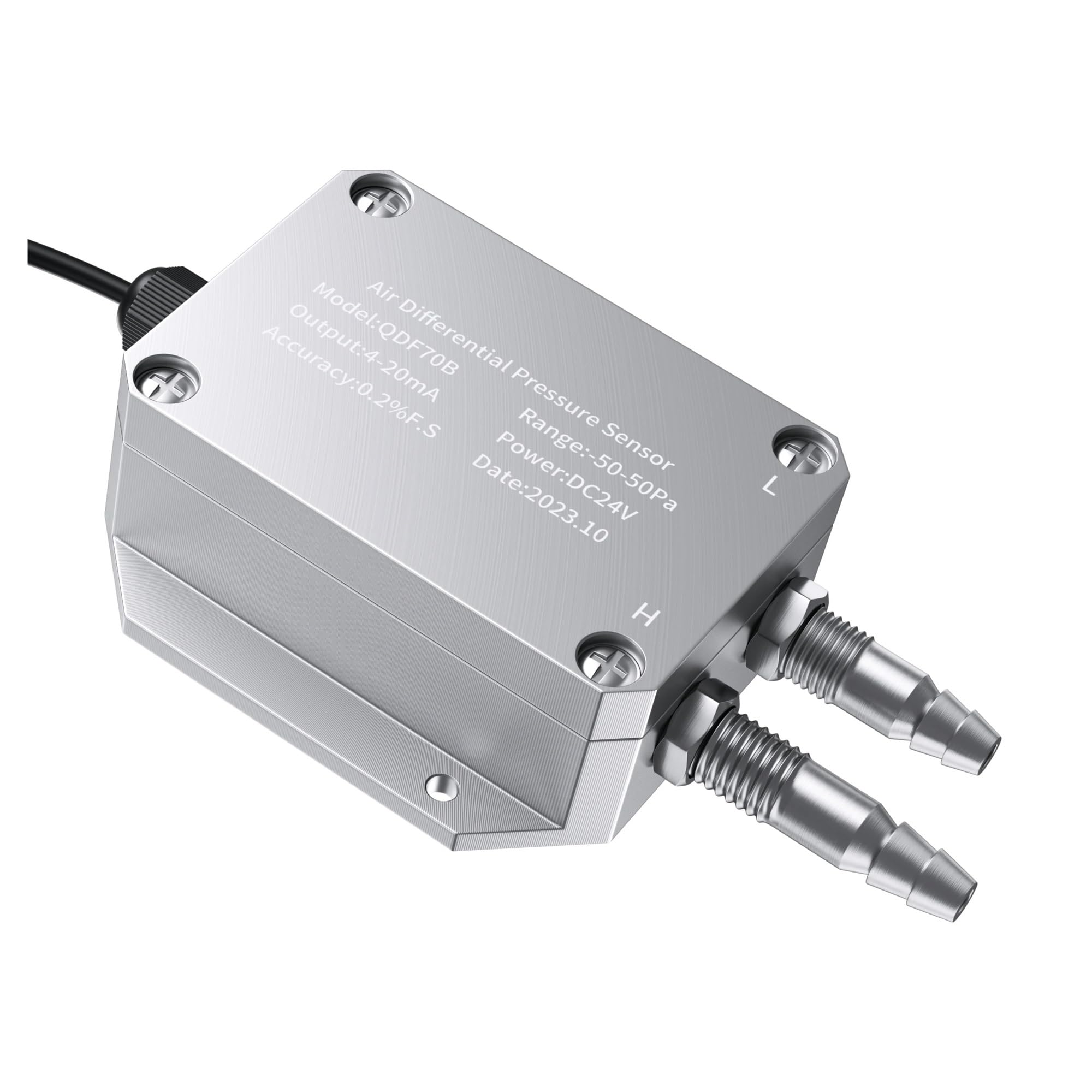
This image displays the front of the PPOZYLPC QDF70B Differential Pressure Transmitter. The label clearly indicates the model number QDF70B, the range (-50-50Pa in this example, but the current product is -3-0kpa), output type (4-20mA in this example, but the current product is 2.5-4.88V), power, accuracy, and date of manufacture. The two pressure ports, labeled 'L' (Low) and 'H' (High), are visible on the right side, along with the electrical cable connection on the left.

This image provides a top-down view of the PPOZYLPC QDF70B Differential Pressure Transmitter. It clearly shows the 'L' (Low pressure) and 'H' (High pressure) ports, which are used for connecting the pressure lines. The robust metal construction and screw-fastened casing are also visible.
4. Specifications
| Parameter | Value |
|---|---|
| Model Number | QDF70B |
| Pressure Range | -3-0kpa |
| Output Signal | 2.5-4.88V |
| Power Supply | 12VDC~36VDC (Standard 24VDC) |
| Accuracy | 0.2%FS; 0.5%FS |
| Response Time | 10ms |
| Material | Aluminium Alloy |
| Medium Compatibility | Wind, Gases |
| Package Dimensions | 1.18 x 0.79 x 0.39 inches |
| Item Weight | 3.92 ounces |
5. Setup
5.1 Mounting
The transmitter should be mounted in a stable location free from excessive vibration. Ensure the mounting orientation does not interfere with pressure port connections or cable routing. Use appropriate fasteners for secure installation.
5.2 Electrical Connections
Connect the transmitter to a stable DC power supply (12VDC~36VDC). Observe correct polarity. The output signal (2.5-4.88V) should be connected to your monitoring or control system's input. Refer to the wiring diagram below for typical connections.
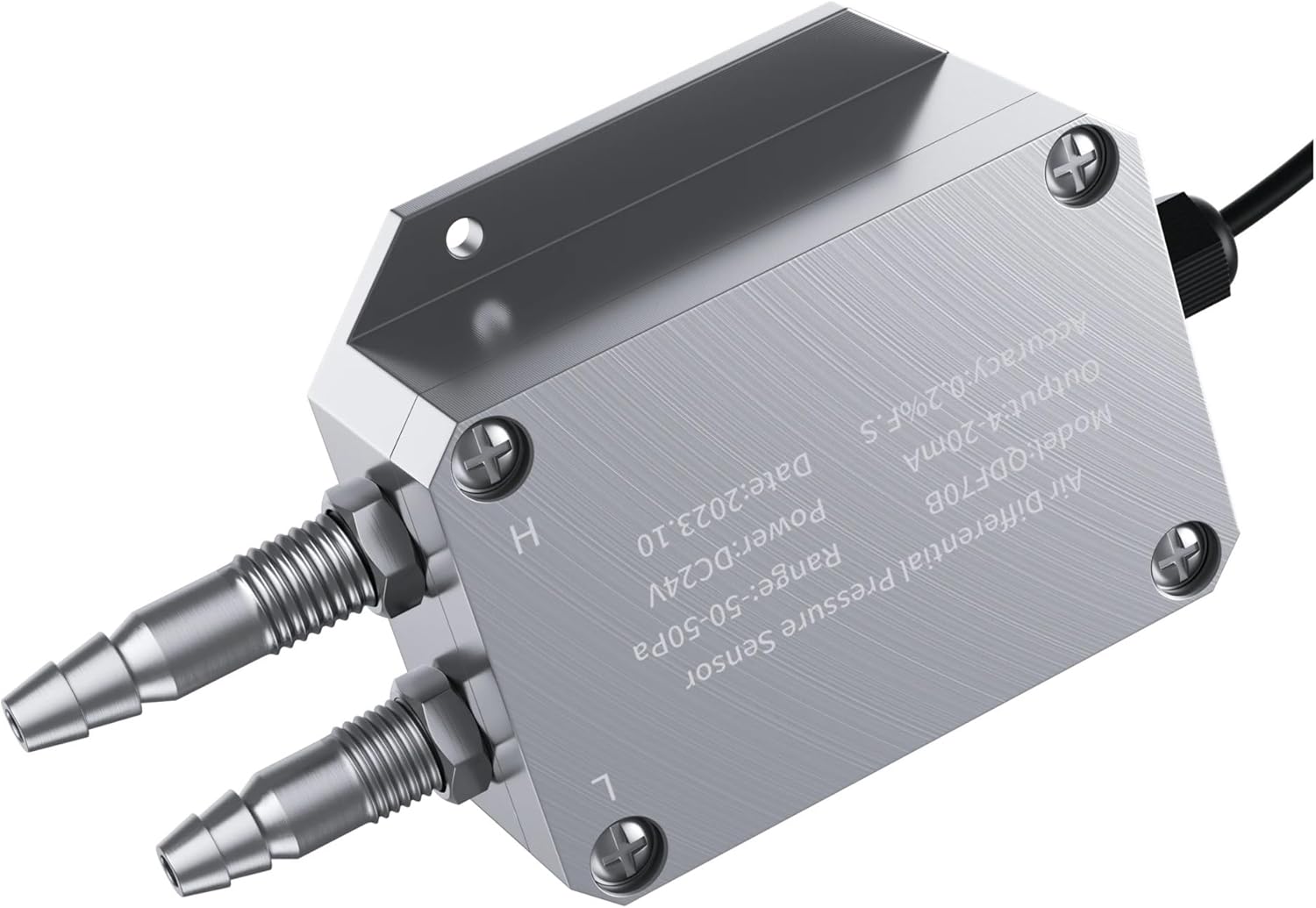
This image highlights the electrical cable connection point on the PPOZYLPC QDF70B Differential Pressure Transmitter. Ensure the cable is securely connected and properly routed to avoid strain or damage. The cable provides both power input and signal output.
5.3 Pressure Connections
Connect the high-pressure line to the port labeled 'H' and the low-pressure line to the port labeled 'L'. Ensure all connections are leak-free. Use appropriate tubing and fittings compatible with the measured medium and pressure range.
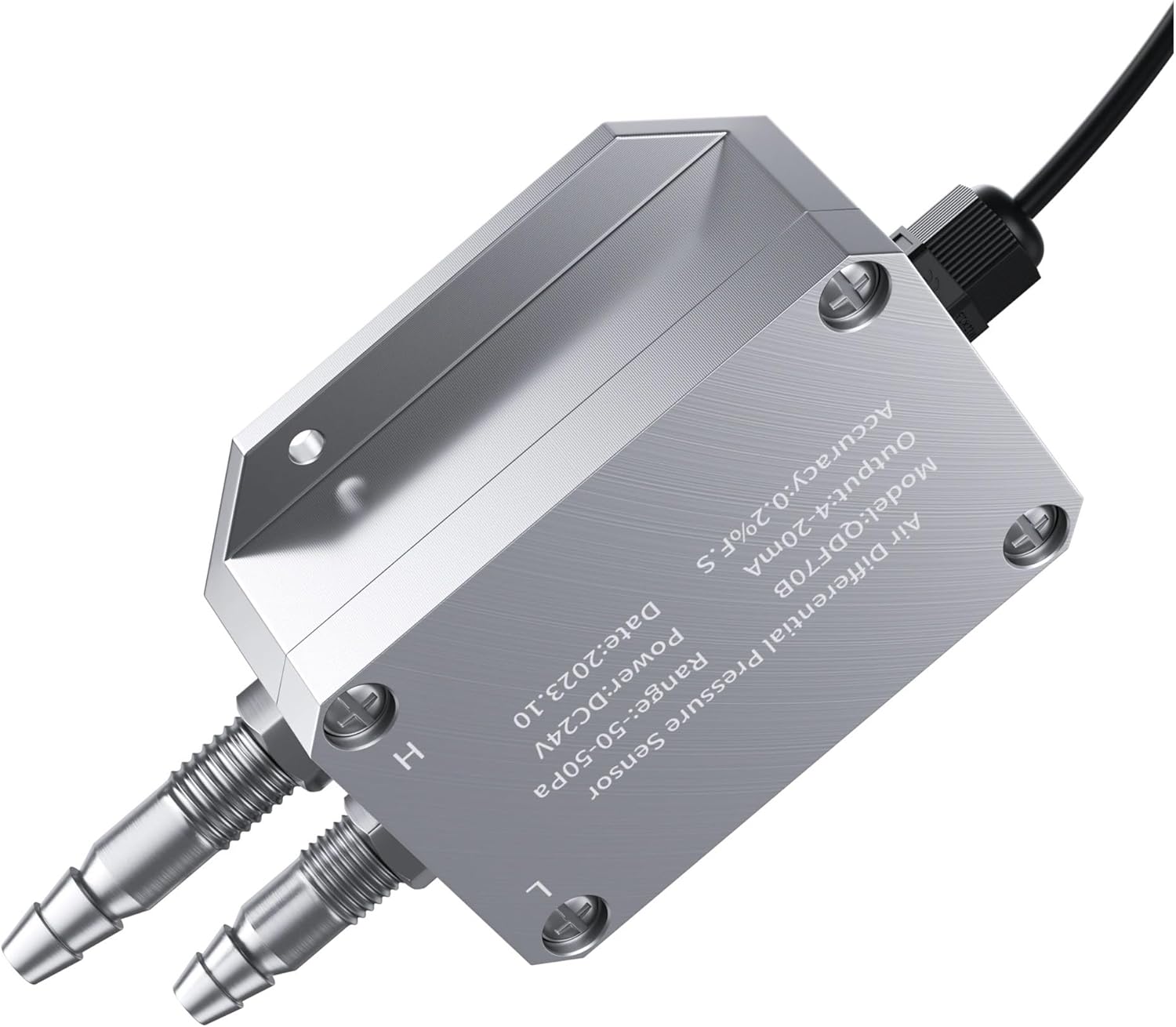
This image shows a close-up of the 'L' (Low pressure) and 'H' (High pressure) ports on the PPOZYLPC QDF70B Differential Pressure Transmitter. These ports are designed for connecting pressure tubing to measure the differential pressure between two points.
6. Operating Instructions
6.1 Powering On
Once all electrical and pressure connections are securely made, apply power to the transmitter. The device will typically stabilize within a few milliseconds (response time is 10ms).
6.2 Reading Output
The transmitter provides a 2.5-4.88V analog output signal. This voltage corresponds linearly to the measured differential pressure within the -3-0kpa range. For example:
- A pressure of -3kpa will correspond to an output of 2.5V.
- A pressure of 0kpa will correspond to an output of 4.88V.
Your monitoring or control system should be configured to interpret this voltage range accordingly.
6.3 Zero Adjustment (if applicable)
Some applications may require a zero adjustment. If your system allows for software-based zeroing, ensure the pressure difference is zero before performing this operation. Consult your system's documentation for specific zeroing procedures.
7. Maintenance
The PPOZYLPC QDF70B Differential Pressure Transmitter is designed for minimal maintenance. However, regular checks can ensure long-term reliability and accuracy.
- Cleaning: Periodically clean the exterior of the transmitter with a soft, damp cloth. Do not use abrasive cleaners or solvents. Ensure no moisture enters the electrical connections or pressure ports.
- Pressure Port Inspection: Regularly inspect the pressure ports and tubing for any signs of blockage, corrosion, or leaks. Clear any obstructions carefully.
- Electrical Connection Check: Verify that all electrical connections remain tight and free from corrosion.
- Calibration Check: For critical applications, periodic calibration checks against a known standard are recommended to ensure continued accuracy.
- Storage: If storing the device, ensure it is kept in a dry, clean environment within its specified temperature limits. Cap the pressure ports to prevent dust or debris ingress.
8. Troubleshooting
If you encounter issues with your differential pressure transmitter, refer to the following common troubleshooting steps:
| Problem | Possible Cause | Solution |
|---|---|---|
| No output signal | No power, incorrect wiring, damaged cable. | Check power supply, verify wiring connections and polarity, inspect cable for damage. |
| Inaccurate readings | Incorrect pressure connections (H/L reversed), leaks in pressure lines, sensor damage, calibration drift. | Verify H and L connections, check for leaks, perform a calibration check, ensure medium compatibility. |
| Output signal stuck at minimum/maximum | Pressure exceeding range, sensor damage, wiring issue. | Ensure pressure is within -3-0kpa range, check wiring, consider sensor replacement if damaged. |
| Intermittent readings | Loose electrical connections, unstable power supply, environmental interference. | Secure all connections, ensure stable power, check for sources of electrical interference. |
9. Warranty and Support
For warranty information, technical support, or service inquiries, please contact your vendor or the manufacturer, PPOZYLPC. Keep your purchase receipt and product model number (QDF70B) available when contacting support.