Introduction
This manual provides detailed instructions for the setup, operation, and maintenance of your Xiaomi Redmi Computer Speaker. This soundbar features both wired and Bluetooth connectivity, 4-unit drivers for enhanced audio, 5 distinct audio modes, two-channel stereo sound, a DSP chip for optimized performance, customizable RGB lighting, and intuitive knob-type control. Please read this manual thoroughly before using the product to ensure proper functionality and longevity.
Package Contents
- Xiaomi Redmi Computer Speaker
- USB Power Cable
- Audio Cable (if applicable)
- User Manual (this document)
Product Overview

Front view of the Xiaomi Redmi Computer Speaker, showcasing its sleek design and integrated RGB light strip along the bottom edge.

Detailed view of the speaker's features, including the metallic control knob, textured fabric grille, and rear port cover.
Controls and Indicators:
- Power/Volume Knob: Rotate to adjust volume, press to power on/off or switch input modes.
- RGB Light Strip: Located at the bottom, indicates status and provides ambient lighting.
- Mode Button: Button on top for switching audio modes or RGB effects.
Setup
1. Power Connection:
Connect the provided USB power cable to the speaker's power input port and then to a compatible USB power source (e.g., computer USB port, USB wall adapter).
2. Audio Connection:
Wired Connection:
Connect the audio cable (if included or required) from your computer's audio output jack to the speaker's audio input port.
Bluetooth Connection:
- Ensure the speaker is powered on.
- Press the Power/Volume knob or dedicated mode button to switch to Bluetooth mode. The RGB light strip may indicate Bluetooth pairing mode (e.g., blinking blue).
- On your device (computer, smartphone), enable Bluetooth and search for "Xiaomi Redmi Speaker" or similar.
- Select the speaker from the list of available devices to pair. A confirmation sound or steady light will indicate successful pairing.
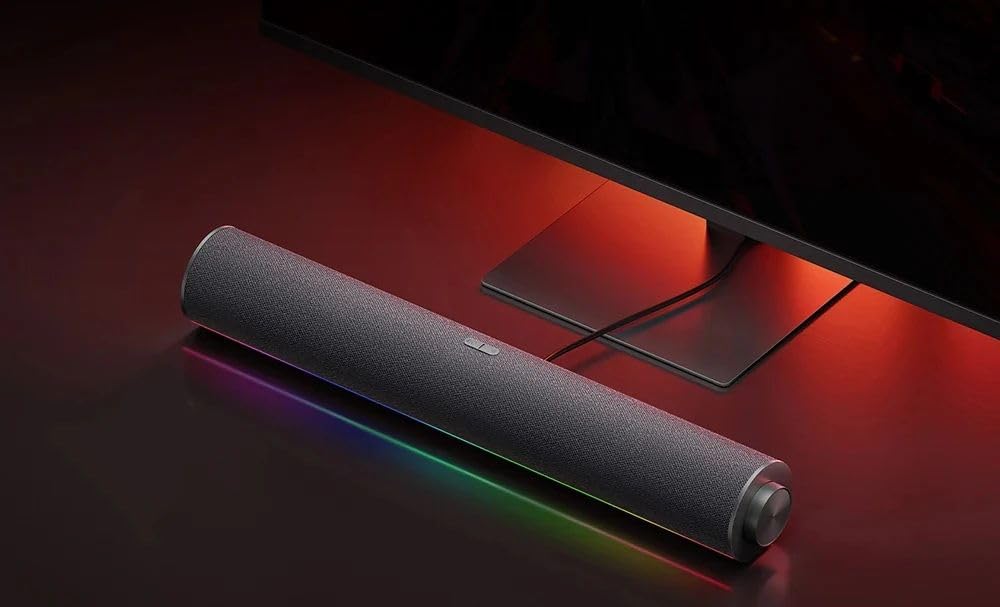
The Xiaomi Redmi Computer Speaker positioned neatly below a desktop monitor, ready for use.
Operating Instructions
Power On/Off:
Press and hold the Power/Volume knob for approximately 3 seconds to power the speaker on or off.
Volume Control:
Rotate the Power/Volume knob clockwise to increase volume and counter-clockwise to decrease volume.
Input Mode Switching:
Short press the Power/Volume knob to cycle through available input modes (e.g., Bluetooth, Wired).
Audio Modes:
The speaker supports 5 audio modes. Short press the dedicated mode button to cycle through different audio equalization presets (e.g., Music, Movie, Game, Voice, Standard). Refer to the RGB light indicator for the active mode.
RGB Lighting Control:
The RGB light strip offers various effects. Press the mode button to change lighting patterns or colors. Some common modes include:
- Pickup rhythm movement (reacts to audio)
- Fashion neon
- Dream aurora
- Warm fire
- Solid color respiration

Visual representation of the various RGB lighting modes available on the speaker, including "Pickup rhythm movement" and "Fashion neon".

The speaker connected via Bluetooth to a smartphone, demonstrating its wireless audio playback capability.
Maintenance
- Cleaning: Use a soft, dry cloth to wipe the surface of the speaker. Do not use liquid cleaners or abrasive materials.
- Storage: When not in use for extended periods, store the speaker in a cool, dry place away from direct sunlight and extreme temperatures.
- Avoid Water: Keep the speaker away from water and high humidity to prevent damage to internal components.
- Handle with Care: Avoid dropping or subjecting the speaker to strong impacts.
Troubleshooting
| Problem | Possible Cause | Solution |
|---|---|---|
| No Sound | Speaker not powered on; Volume too low; Incorrect input mode; Loose cable connection; Device volume too low. | Ensure speaker is powered on; Increase speaker and device volume; Switch to correct input mode (Bluetooth/Wired); Check all cable connections. |
| Bluetooth Disconnection | Device out of range; Interference; Speaker not in pairing mode. | Move device closer to speaker; Avoid obstacles; Re-enter Bluetooth pairing mode on speaker and re-pair. |
| RGB Lights Not Working | Light mode off; Software glitch. | Cycle through RGB light modes; Power cycle the speaker. |
| Distorted Audio | Volume too high; Poor audio source quality; Cable interference. | Reduce volume; Use a high-quality audio source; Check audio cable for damage or interference. |
Specifications
| Feature | Detail |
|---|---|
| Brand | Xiaomi |
| Model Number | RM |
| Connectivity Technology | Wired, Bluetooth |
| Audio Output Mode | Stereo |
| Mounting Type | Tabletop |
| Package Dimensions | 46.4 x 11.2 x 8 cm |
| Item Weight | 900 g |
| Battery Capacity | 1500 mAh |
Warranty and Support
This product may be eligible for extended warranty options. Please refer to your purchase documentation or contact your retailer for specific warranty terms and conditions.
- 1-Year Extended Warranty: Available through Salama Care (E-mail delivery).
- 2-Year Extended Warranty: Available through Salama Care (E-mail delivery).
For technical support or further assistance, please visit the official Xiaomi support website or contact their customer service.