
Introduction
Thank you for choosing the TANLANIN TE-001DBK Portable 3-Speed Belt-Drive Turntable Vinyl Player. This manual provides essential information for the safe and optimal use of your new record player. Please read it thoroughly before operation and retain it for future reference.
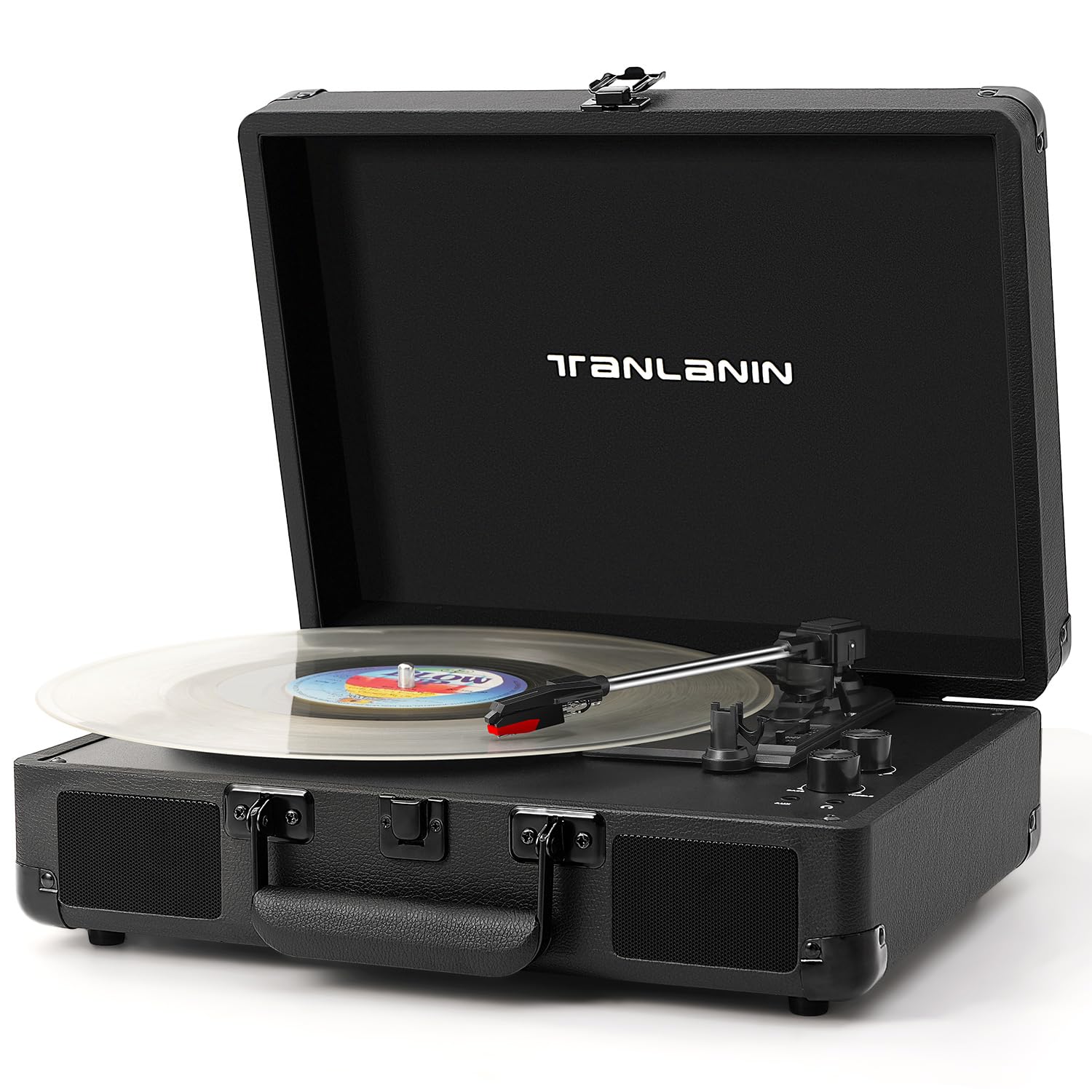
What's in the Box
- 1x Vintage Record Player
- 1x 45 RPM Adapter
- 1x Power Adapter
- 1x Slipmat & Stylus
- 1x User Manual
Product Overview & Features
The TANLANIN TE-001DBK is a versatile record player designed for both vinyl enthusiasts and modern music listeners. Its vintage suitcase design offers portability and style, while integrated features provide a comprehensive audio experience.
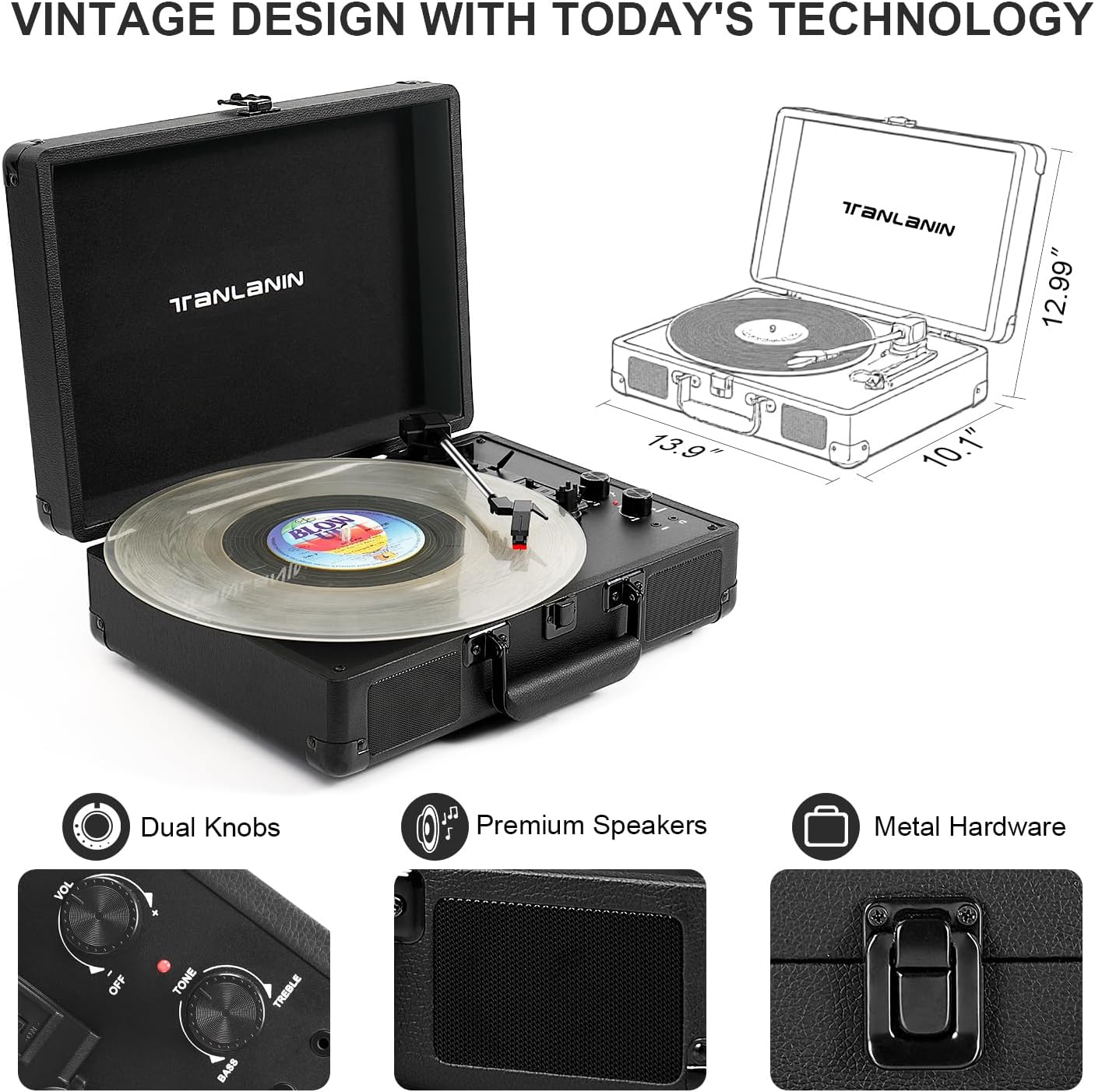
- Three-Speed Belt-Driven Turntable: Supports 33 1/3, 45, and 78 RPM records.
- Built-in Stereo Speakers: Delivers enhanced sound directly from the unit.
- Bass/Treble Control: Customize your audio output to your preference.
- Bluetooth Connectivity: Stream music wirelessly from your smartphone, tablet, or other Bluetooth-enabled devices.
- Multiple Connection Options: Includes RCA outputs for external speakers, AUX-in for non-Bluetooth devices (like CD players), and a 3.5mm headphone jack for private listening.
- Auto-Stop Switch: Automatically stops the record from spinning when playback is complete.
- Portable Design: Housed in a vintage-style suitcase with a carry handle for easy transport.
- Sound Isolating Feet: Prevents vibration for clearer audio.
Setup
- Unpack the Unit: Carefully remove the record player and all accessories from the packaging.
- Place the Slipmat: Position the included slipmat onto the turntable platter.
- Connect Power: Plug the power adapter into the DC 5V input port on the back of the unit, then plug the other end into a wall outlet.
- Remove Stylus Protector: Gently remove the white plastic protective cap from the stylus (needle) before playing any records.
- Unlock Tone Arm: Release the tone arm lock to allow free movement of the tone arm.

Operating Instructions
Playing a Vinyl Record
- Power On: Turn the Power/Volume knob clockwise to power on the unit. The LED indicator will light up.
- Select Speed: Choose the appropriate speed (33 1/3, 45, or 78 RPM) using the speed switch. Use the 45 RPM adapter for records with larger center holes.
- Place Record: Carefully place your vinyl record on the turntable platter.
- Activate Auto-Stop (Optional): Set the AUTO STOP switch to ON if you want the platter to stop spinning automatically after the record finishes.
- Position Tone Arm: Lift the tone arm using the tone arm lifter and gently move it over the desired track on the record.
- Lower Tone Arm: Slowly lower the tone arm onto the record using the tone arm lifter. The music will begin to play.
- Adjust Volume: Use the Power/Volume knob to adjust the listening volume.
- Adjust Tone: Use the Bass/Treble knob to fine-tune the audio output.

Bluetooth Connectivity
- Switch to Bluetooth Mode: Turn the Power/Volume knob clockwise to power on the unit. The LED indicator will light up. Switch the mode to Bluetooth (BT). The indicator light will flash, indicating it's in pairing mode.
- Pair Device: On your mobile device (smartphone, tablet, etc.), enable Bluetooth and search for "TANLANIN" in the list of available devices. Select it to pair.
- Play Music: Once paired, the indicator light will stop flashing. You can now play music from your device through the record player's built-in speakers.

Using AUX-in and Headphone Jack
- AUX-in: Connect an external audio device (e.g., CD player, MP3 player) to the 3.5mm AUX-in port using an audio cable (not included). The record player will automatically switch to AUX-in mode.
- Headphone Jack: For private listening, plug your 3.5mm headphones into the headphone jack. The built-in speakers will be muted.

Adjusting Bass and Treble
Use the dedicated Bass/Treble knob to fine-tune the audio output. Turn the knob to the left to increase bass or to the right to increase treble, allowing you to customize the sound to your preference.

Official Product Video: Black Record Player with Treble & Bass Control
Maintenance
- Cleaning the Unit: Wipe the exterior with a soft, dry cloth. Avoid using harsh chemicals or abrasive cleaners.
- Stylus Care: Handle the stylus with extreme care. Clean it periodically with a soft brush (not included) in a back-to-front motion. Replace the stylus if you notice a decrease in sound quality or visible damage.
- Record Care: Keep your records clean and free of dust. Store them vertically in their sleeves to prevent warping.
- Storage: When not in use, ensure the tone arm is secured with its lock and the stylus protector is in place. Close the lid to protect the turntable from dust.
Troubleshooting
- No Power: Ensure the power adapter is securely connected to both the unit and a working wall outlet.
- No Sound:
- Check the volume level.
- If using headphones, ensure they are fully plugged in. Unplug them to use built-in speakers.
- If playing a record, ensure the stylus protector is removed and the tone arm is properly lowered onto the record.
- If using Bluetooth, ensure your device is paired and the volume on both the record player and your device is up.
- Skipping Record:
- Ensure the record player is on a stable, level surface.
- Clean the record and the stylus for any dust or debris.
- Check the stylus for damage; replace if necessary.
- Bluetooth Not Pairing:
- Ensure the record player is in Bluetooth mode (flashing LED).
- Make sure your mobile device's Bluetooth is enabled and within range.
- Try unpairing and re-pairing the device.
Specifications
| Feature | Detail |
|---|---|
| Product Dimensions | 14 x 10 x 5 inches |
| Item Weight | 5.35 pounds |
| Item Model Number | TE-001DBK |
| Brand | TANLANIN |
| Maximum Rotational Speed | 78 RPM (supports 33 1/3, 45, 78 RPM) |
| Special Features | Adjustable Speed, Adjustable Tone, Bass Control, Bluetooth, Built-in Speaker |
| Material | Engineered Wood |
| Style | Vintage |
| Color | Black |
| Compatible Devices | CD Player, MP3 Player, Personal Computer, Speaker, Wired Headphone |
Warranty & Support
For warranty information or technical support, please refer to the contact details provided in the included User Manual or visit the official TANLANIN website. Keep your purchase receipt as proof of purchase for any warranty claims.


