
AZDOME PG17
AZDOME PG17 4K Rear View Mirror Camera User Manual
Model: PG17
Product Overview
The AZDOME PG17 is a 4K 12-inch rear view mirror camera system designed to enhance vehicle safety and recording capabilities. This comprehensive package includes the main mirror dash cam, a rear camera, a Type-C OBD hardwire kit, and a 256GB SD card, along with a 20ft extension cable for the rear camera.

Image: Overview of the AZDOME PG17 system, showing the mirror dash cam, rear camera, GPS module, hardwire kit, and both 64GB and 256GB SD cards.
What's Included
- AZDOME PG17 4K 12" Rear View Mirror Camera
- Rear Camera with 20ft Extend Cable
- Type-C OBD Dash Cam Hardwire Kit
- 256GB Micro SD Card (U3, Class 10, A2)
- User Manual
Setup and Installation
Hardwire Kit Installation for Parking Monitoring
The included OBD hardwire kit enables 24-hour parking monitoring and protects your vehicle's battery. Ensure proper connection to avoid electrical issues.

Image: Step-by-step guide for hardwire kit installation, showing how to locate the fuse box, identify fuse slots, connect cables, and test the dash cam.
- Locate Fuse Box: Identify the fuse box in your vehicle.
- Find Correct Fuse Slot: Use a circuit pen to find the correct fuse slot for ACC (Accessory) and BAT+ (Battery Positive).
- Identify Fuse Type: Determine the correct type of fuse for your car.
- Connect Cables: Connect the red, yellow, and black cables from the hardwire kit.
- Ground Connection: Connect the black wire (GND) to a metal bolt or screw for grounding.
- Test and Route: Test the dash cam to ensure it functions correctly, then route the cables neatly.

Image: Detailed wiring diagram illustrating the connections for the hardwire kit: Black wire (GND) to metal, Yellow wire (ACC) to fuse box ACC, Red wire (BAT+) to constant fuse. The kit converts 12V/24V to 5V/2.5A max output via Type-C.
The hardwire kit features low voltage protection, automatically stopping recording if the vehicle's battery voltage drops too low, preventing battery drain.
Rear Camera Connection
The 20ft extension cable allows flexible placement of the rear camera, suitable for various vehicle types including minivans, UTVs, trucks, and RVs.
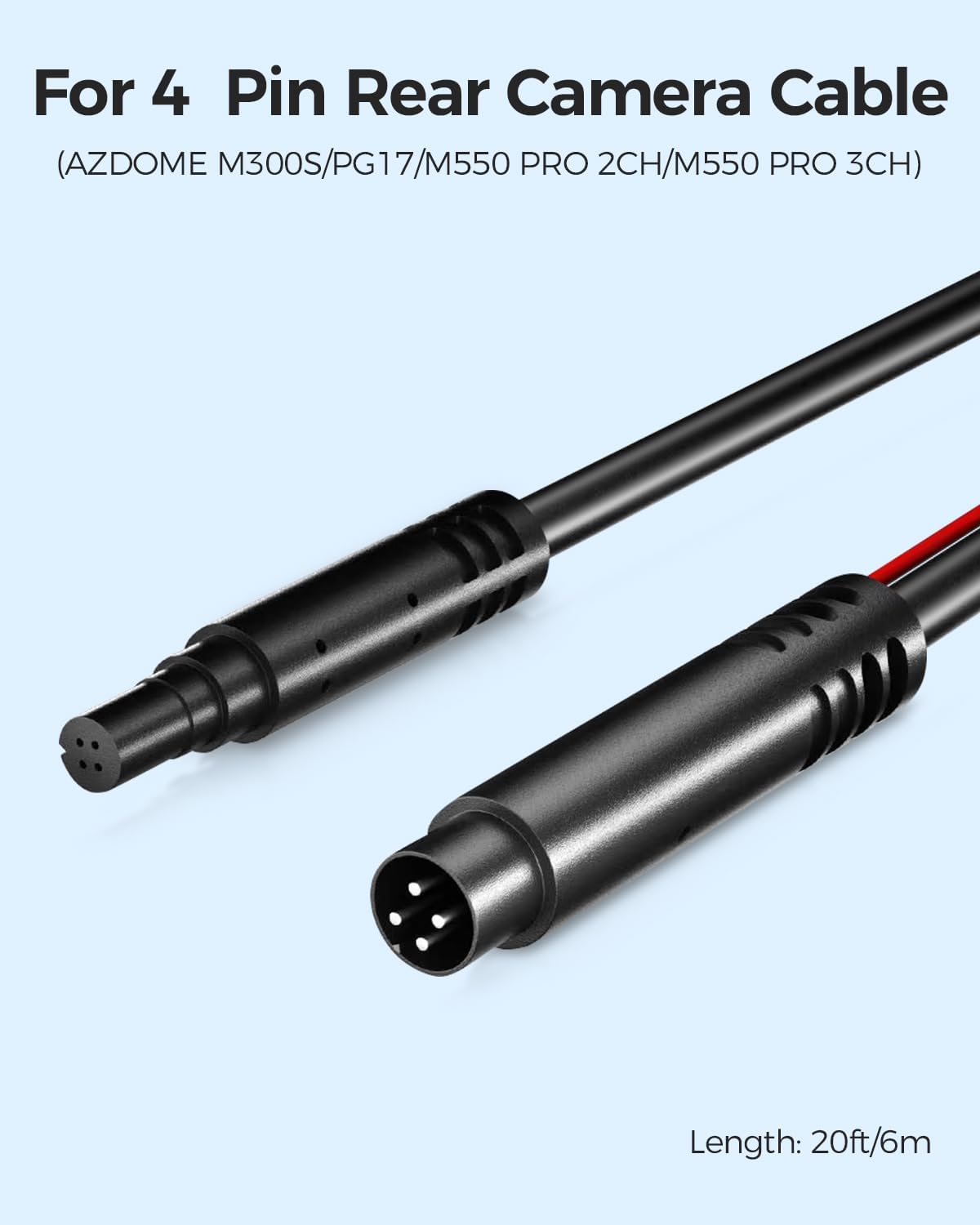
Image: Close-up of the 4-pin rear camera extension cable, indicating its 20ft/6m length and compatibility with AZDOME M300S/PG17/M550 Pro 2CH/M550 Pro 3CH models.
Operating Instructions
Parking Monitoring Modes
The AZDOME PG17 offers two primary parking monitoring modes when connected via the hardwire kit:
- Collision Detection Parking Mode: Utilizes the G-sensor to detect impacts. If a collision is detected, the current video segment is automatically locked to prevent overwriting, preserving critical evidence.
- Time-Lapse Parking Mode: Records video at one frame per second (1fps), allowing for extended recording periods while capturing all essential details during parking.

Image: Illustration of the 24-hour parking mode, detailing both Collision Detection Parking Mode (showing a car impact scenario) and Time-Lapse Parking Mode (showing continuous recording at 1fps over 24 hours).
Loop Recording
The dash cam employs loop recording to ensure continuous operation. When the SD card reaches its full capacity, the system automatically overwrites the oldest unlocked footage. This ensures that you always have the most recent recordings available.

Image: Diagram explaining the loop recording process: deleting oldest unlocked clips, storing new footage on the memory card, locking clips upon event detection, and continuously recording new clips. Default recording segments are 1, 3, or 5 minutes.
Maintenance
SD Card Management
The AZDOME PG17 comes with a 256GB Micro SD card, providing ample storage. Dash cams place significant stress on SD cards due to continuous recording. It is recommended to periodically format the SD card within the dash cam's settings to maintain optimal performance and prevent data corruption.

Image: Illustration highlighting the fast transfer speeds of the AZDOME 256GB Micro SD Card, supporting up to 100MB/s read and 80MB/s write speeds for efficient data transfer.
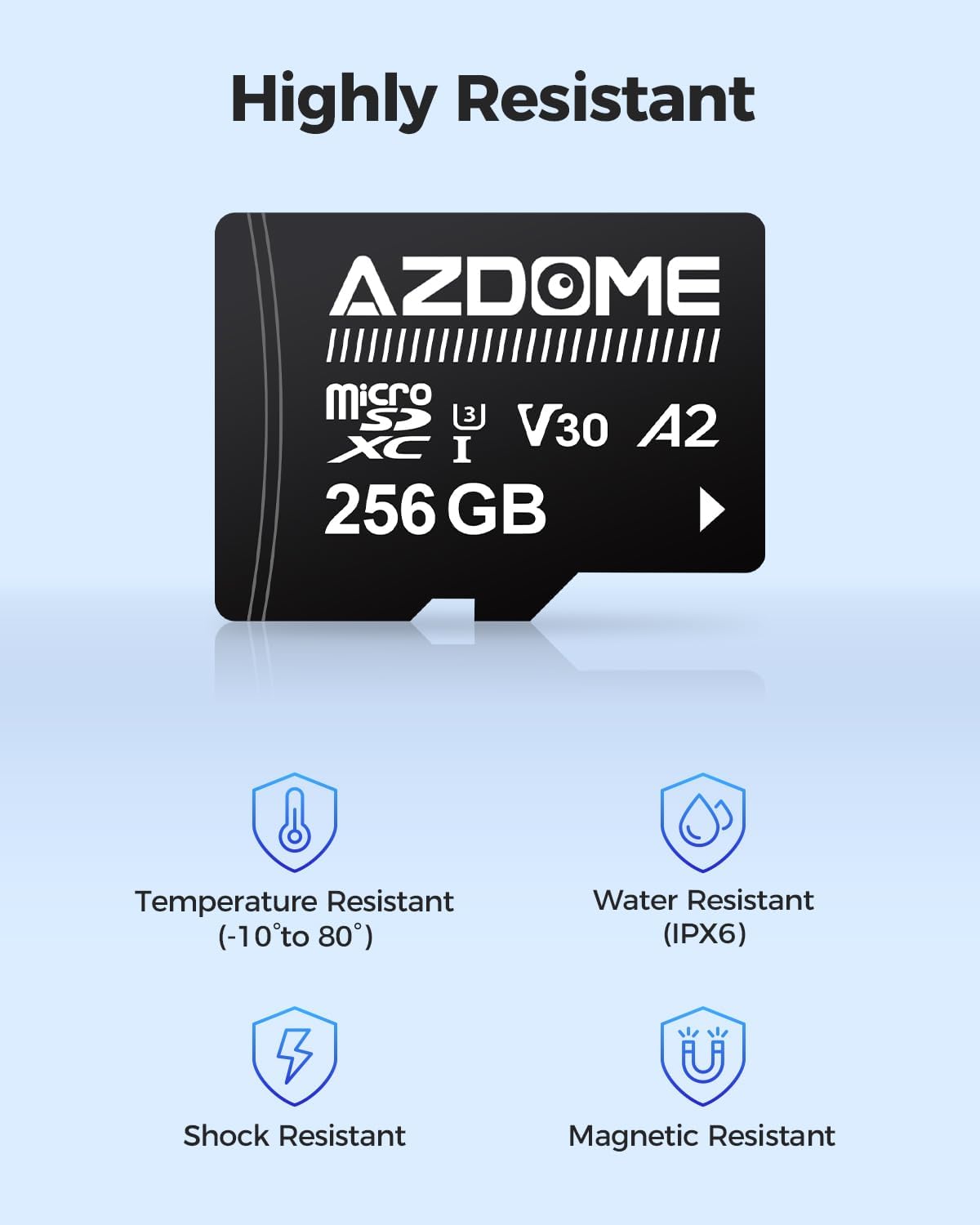
Image: Graphic detailing the robust features of the AZDOME Micro SD Card: Temperature Resistant (-10° to 80°), Water Resistant (IPX6), Shock Resistant, and Magnetic Resistant, ensuring durability in various conditions.
Ensure the SD card is U3, Class 10, and A2 rated for optimal performance with continuous loop recording. The included AZDOME 256GB card meets these specifications.
Troubleshooting
Common Issues and Solutions
- Dash Cam Not Powering On:
- Check all power connections, especially the hardwire kit. Ensure the red, yellow, and black wires are correctly connected to their respective power sources and ground.
- Verify the vehicle's fuse for the connected circuit is not blown.
- Confirm the vehicle's battery voltage is sufficient if using parking mode with low voltage protection.
- Recording Stops or Freezes:
- The SD card may be full or corrupted. Format the SD card within the dash cam settings.
- Ensure you are using a high-quality, U3, Class 10, A2 rated SD card. Lower quality cards may not handle continuous recording stress.
- Check for firmware updates for the dash cam on the AZDOME official website.
- Parking Mode Not Activating:
- Confirm the hardwire kit is correctly installed and providing constant power (BAT+) and accessory power (ACC).
- Ensure parking monitoring is enabled in the dash cam's settings.
- Verify the vehicle's battery voltage is above the low voltage protection threshold set by the hardwire kit.
- Rear Camera Not Displaying:
- Check the connection of the rear camera cable to both the main mirror unit and the rear camera itself. Ensure it is securely plugged in.
- Inspect the cable for any damage or kinks.
Specifications
| Feature | Detail |
|---|---|
| Model Name | PG17 |
| Video Capture Resolution | 2160p (4K) |
| Display Size | 12 inches |
| Connectivity Technology | USB Type-C, Wireless |
| Special Features | Parking Monitoring with G-Sensor, Time Lapse Recording |
| Included Components | User Manual, Memory Card (256GB), Hardwire Kit |
| Mounting Type | Rearview Mirror Mount |
| Compatible Vehicle Types | Minivan, RV, UTV, Truck |
| SD Card Compatibility | U3, Class 10, A2 microSDXC |
Warranty and Support
AZDOME products are designed for reliability and performance. For any assistance, please refer to the following information:
- Warranty: 1 Year Warranty
- Return Policy: 30 Days Return Policy
- Defects: Return on Defects
Customer Support
For technical support or inquiries, please contact AZDOME customer service:
- Email: service@azdomevip.com
- Phone: (833) 6675545


Images: Visual representation of AZDOME's 1-year warranty, 30-day return policy, return on defects, and customer support contact information.
Related documentsPG17


Ask a question about this manual
Ask about setup, troubleshooting, compatibility, parts, safety, or missing instructions. Manuals+ will review the question and use this page’s manual context to help answer it.