
Important Safety Instructions
Please read and understand all safety warnings and instructions before operating this tool. Failure to follow the warnings and instructions may result in electric shock, fire, and/or serious injury.
- Work Area Safety: Keep the work area clean and well-lit. Cluttered or dark areas invite accidents. Do not operate power tools in explosive atmospheres, such as in the presence of flammable liquids, gases, or dust.
- Electrical Safety: Avoid body contact with earthed or grounded surfaces. Do not expose power tools to rain or wet conditions.
- Personal Safety: Always wear eye protection. Use hearing protection when operating for extended periods. Dress properly; avoid loose clothing or jewelry.
- Tool Use and Care: Do not force the power tool. Use the correct power tool for your application. Disconnect the battery pack from the power tool before making any adjustments, changing accessories, or storing power tools.
- Battery Pack Use and Care: Recharge only with the charger specified by the manufacturer. Do not use battery packs with any other power tools.
Product Overview
The Ginour Cordless Mini Buffer Polisher DA-12V is a versatile tool designed for car detailing, polishing, waxing, and cleaning. It features a 200W motor, 6-speed control, and interchangeable modes (rotary, 3mm random orbital, 12mm random orbital).
Package Contents
Verify that all items listed below are included in your package:
- 1x Ginour Cordless Mini Polisher
- 2x Eccentric Block (3mm and 12mm)
- 1x Conversion Shaft
- 1x 3mm Fixed Collet
- 2x Extension Shaft
- 2x Backing Plate (1.2" and 2")
- 6x Felt Polishing Point with Shank
- 6x Sponge Polishing Cone with Shank
- 16x Polishing Sponge Pad
- 6x Waxing Pad
- 6x Wool Polishing Pad
- 2x 2.0Ah Li-ion Battery
- 1x Charger
- 1x Wrench
- 1x Gloves
- 1x Microfiber Towels
- 1x Apron
- 1x Storage Box
Component Identification

The image above displays the complete kit, including the polisher unit, two batteries, charger, various backing plates, polishing pads, and other accessories, all contained within a storage case.
Setup
1. Charging the Battery
Before first use, fully charge both 2.0Ah Li-ion batteries. Connect the charger to a power outlet and insert the battery. The indicator light on the charger will show the charging status.

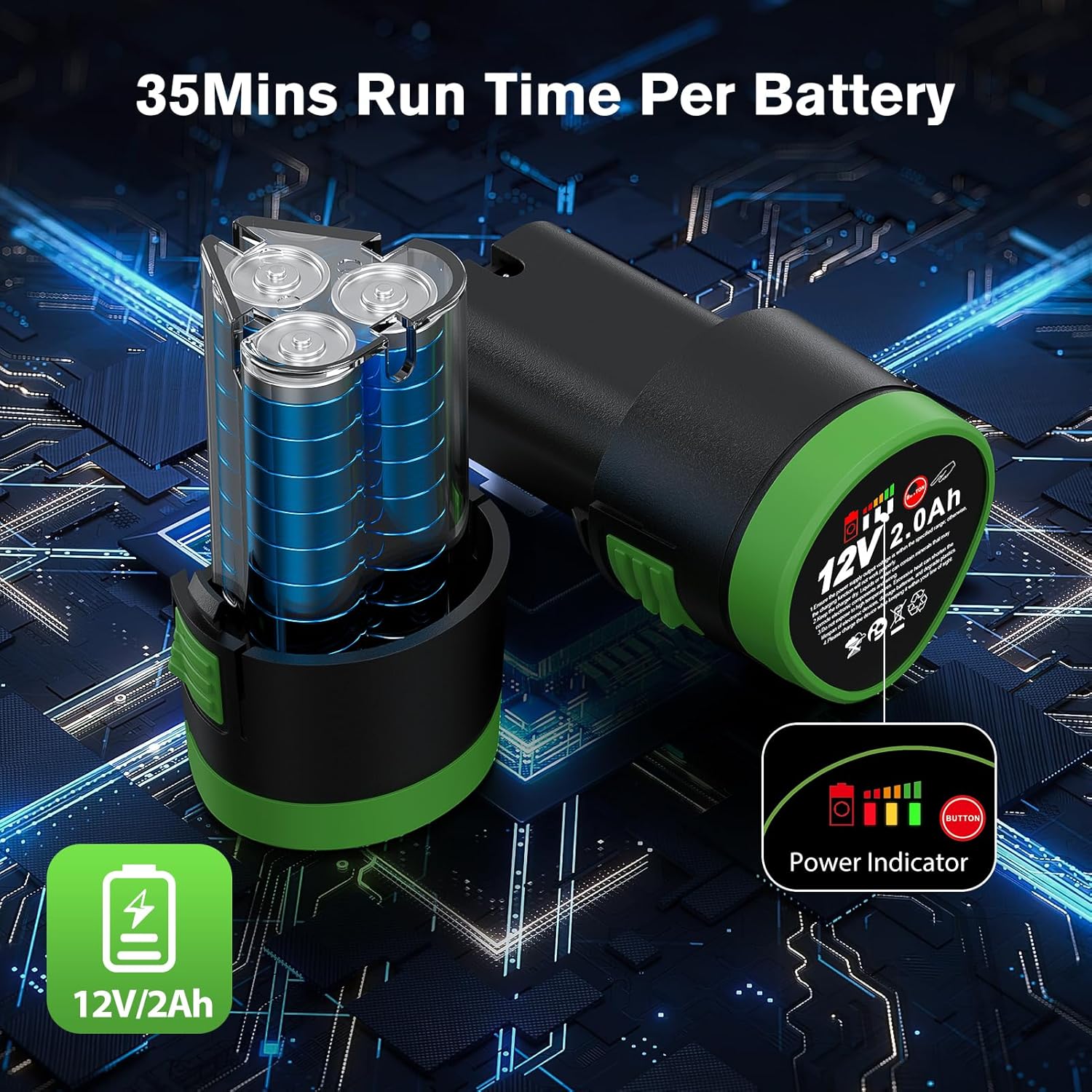
The battery shown has a power indicator. Press the button to view the charge level. Each battery provides approximately 35 minutes of run time.
2. Attaching Backing Plates and Accessories
The polisher supports multiple modes by changing the eccentric block or using extension shafts. Refer to the diagram below for assembly.

To switch modes, use the provided wrench to secure or remove the eccentric blocks or extension shafts. Ensure all attachments are tightened securely before operation.
The 12mm random orbital block offers greater polishing power and efficiency. The 3mm random orbital block is suitable for wet grinding and achieving a mirror-like finish, effectively removing minor scratches, requiring precise pressure control.
Operating Instructions
1. Powering On/Off
Insert a charged battery into the polisher. To turn on, press the power switch. To turn off, release the power switch.
2. Speed Control
The polisher features a 6-speed control dial. Adjust the dial to select the desired speed setting for your application.

- Speeds 1-2 (2800-3200 RPM): Ideal for waxing and light buffing.
- Speeds 3-4 (3600-4200 RPM): Suitable for general polishing and cleaning.
- Speeds 5-6 (4700-5000 RPM): Recommended for removing paint defects and oxidation.
3. Application Techniques
Always apply a small amount of polish or wax to the pad, not directly to the surface. Work in small sections, using overlapping passes. Maintain consistent pressure and movement.

The compact size of this polisher makes it suitable for intricate areas such as car interiors, door handles, side mirrors, and wheel spokes.
Maintenance
1. Cleaning
After each use, remove the polishing pad and clean it according to its material type. Wipe down the polisher body with a clean, damp cloth. Do not use harsh chemicals or abrasive cleaners.
2. Battery Care
Store batteries in a cool, dry place away from direct sunlight. Do not store fully discharged batteries for extended periods. Recharge them periodically if not in use.
3. Storage
Store the polisher and all accessories in the provided storage box in a dry, secure location, out of reach of children.

Proper storage in the dedicated case helps protect the tool and accessories from damage and loss.
Troubleshooting
| Problem | Possible Cause | Solution |
|---|---|---|
| Polisher does not turn on. | Battery not charged or improperly inserted. | Ensure battery is fully charged and correctly seated. |
| Reduced power or inconsistent operation. | Low battery charge; excessive pressure applied. | Recharge battery. Reduce pressure during operation. |
| Excessive vibration or noise. | Loose backing plate or accessory; damaged pad. | Check and tighten all attachments. Replace damaged pads. |
Specifications
- Model: DA-12V
- Motor Power: 200W
- Voltage: 12V
- No-load Speed: 2800-5000 RPM
- Battery Type: Lithium-Ion
- Battery Capacity: 2.0Ah
- Backing Plate Sizes: 1.2 inches, 2 inches
- Orbital Modes: 3mm Random Orbital, 12mm Random Orbital, Rotary
- Item Weight: 5.13 pounds (approx.)
Warranty and Support
Ginour products are manufactured to high-quality standards. For warranty information, technical support, or service inquiries, please refer to the contact information provided with your purchase or visit the official Ginour website.
Keep your purchase receipt as proof of purchase for warranty claims.