
1. Introduction
The Itel T31 Pro ANC TWS Earbuds are designed to provide an immersive audio experience with advanced features for clear communication and extended use. These earbuds integrate 32dB Active Noise Cancellation (ANC) to minimize ambient distractions, a Quad Mic system for crystal-clear calls, and offer up to 45 hours of total playback time with the charging case. The ergonomic design ensures a comfortable and secure fit for various activities, while intuitive touch controls provide easy management of audio and calls.
Official product video showcasing the Itel T31 Pro ANC TWS Earbuds features and design.
2. What's in the Box
Please check the package contents to ensure all items are present:
- Itel T31 Pro ANC TWS Earbuds (Left and Right)
- Charging Case
- USB Type-C Charging Cable
- Multiple Sizes of Eartips (Small, Medium, Large)
- User Manual (This document)
3. Product Overview
The Itel T31 Pro earbuds feature a glossy silver finish and an ergonomic design for comfortable wear. The charging case is compact and provides additional battery life.

Front view of the Itel T31 Pro ANC TWS Earbuds and their charging case.

Side view of the Itel T31 Pro ANC TWS Earbuds and their charging case, highlighting the sleek design.
Back view of the Itel T31 Pro ANC TWS Earbuds and their charging case.
4. Setup
4.1. Charging the Earbuds and Case
- Place the earbuds into the charging case. Ensure they are correctly seated.
- Connect the USB Type-C charging cable to the charging port on the case and to a power source.
- The indicator light on the case will show charging status. A full charge typically takes approximately 1.5 to 2 hours.
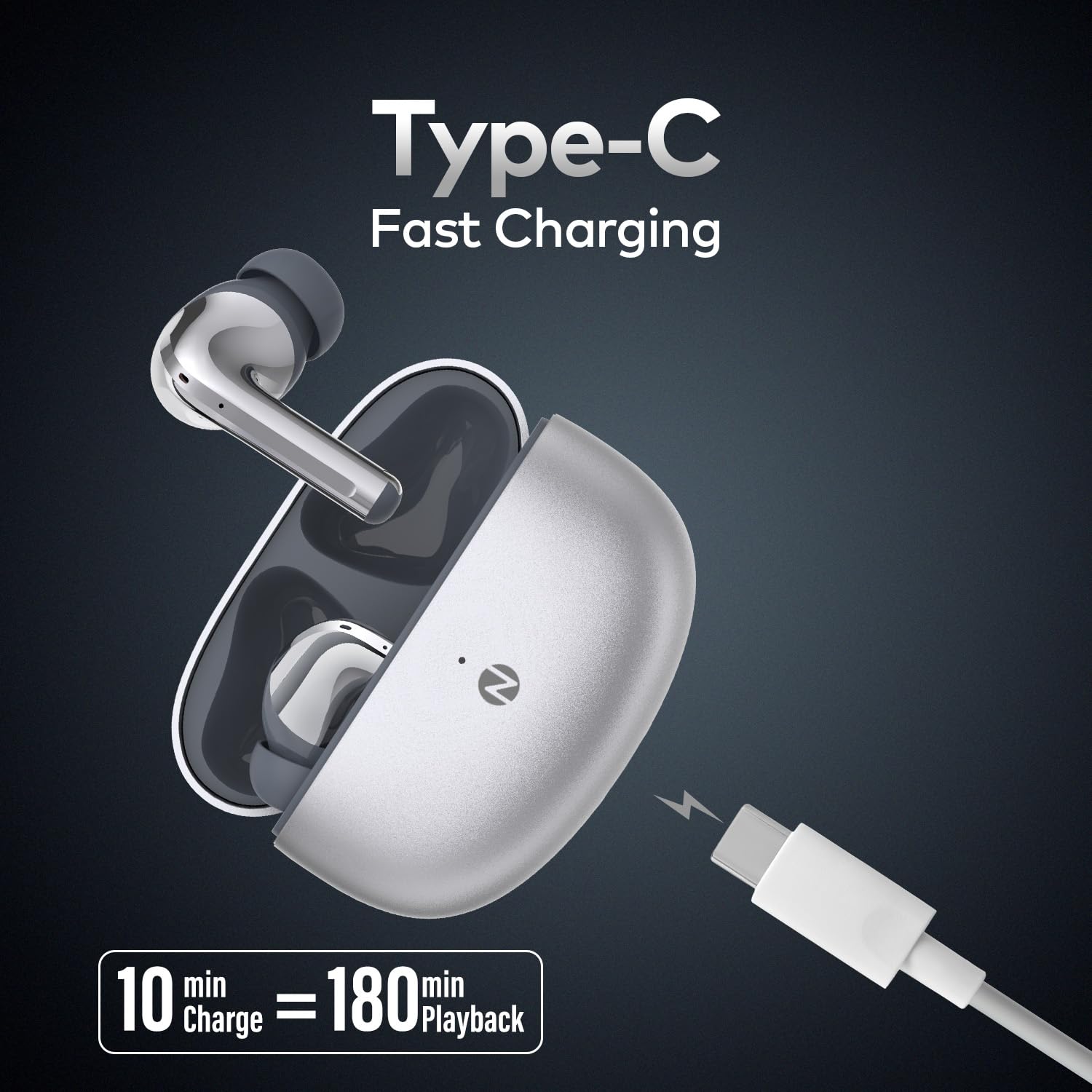
- The earbuds offer fast charging, providing up to 180 minutes of playback from a 10-minute charge.

The charging case with earbuds, connected to a USB Type-C cable for fast charging.
4.2. Pairing with Your Device
- Open the charging case. The earbuds will automatically enter pairing mode.
- On your device (smartphone, tablet, etc.), enable Bluetooth.
- Search for "Itel T31 Pro" in the list of available Bluetooth devices.
- Select "Itel T31 Pro" to connect. A voice prompt will confirm successful pairing.
- The earbuds support instant pop-up pairing for convenience and speed with compatible devices.
4.3. Wearing the Earbuds
- Choose the eartips that provide the most comfortable and secure fit for your ears.
- Insert the earbuds into your ear canals and gently twist them until they feel snug and stable.
- A proper fit is crucial for optimal sound quality and effective Active Noise Cancellation.
5. Operating Instructions
5.1. Touch Controls
The Itel T31 Pro earbuds feature touch-sensitive areas for easy control of various functions:
- Play/Pause: Single tap on either earbud.
- Next Track: Double tap on the right earbud.
- Previous Track: Double tap on the left earbud.
- Answer/End Call: Single tap on either earbud.
- Reject Call: Long press on either earbud.
- Activate Voice Assistant: Triple tap on either earbud.
- Switch ANC Modes: Long press on the right earbud (ANC On/Transparency/ANC Off).
5.2. Active Noise Cancellation (ANC) Modes
The earbuds feature 32dB Active Noise Cancellation to reduce ambient noise. You can cycle through different modes:
- ANC On: Blocks out most external noise for an immersive listening experience.
- Transparency Mode: Allows you to hear your surroundings while still enjoying your audio, useful for awareness.
- ANC Off: Standard listening mode without active noise cancellation.
To switch between modes, long press the touch control area on the right earbud.
Visual representation of the 32dB Active Noise Cancellation feature of the earbuds.
5.3. Making Calls
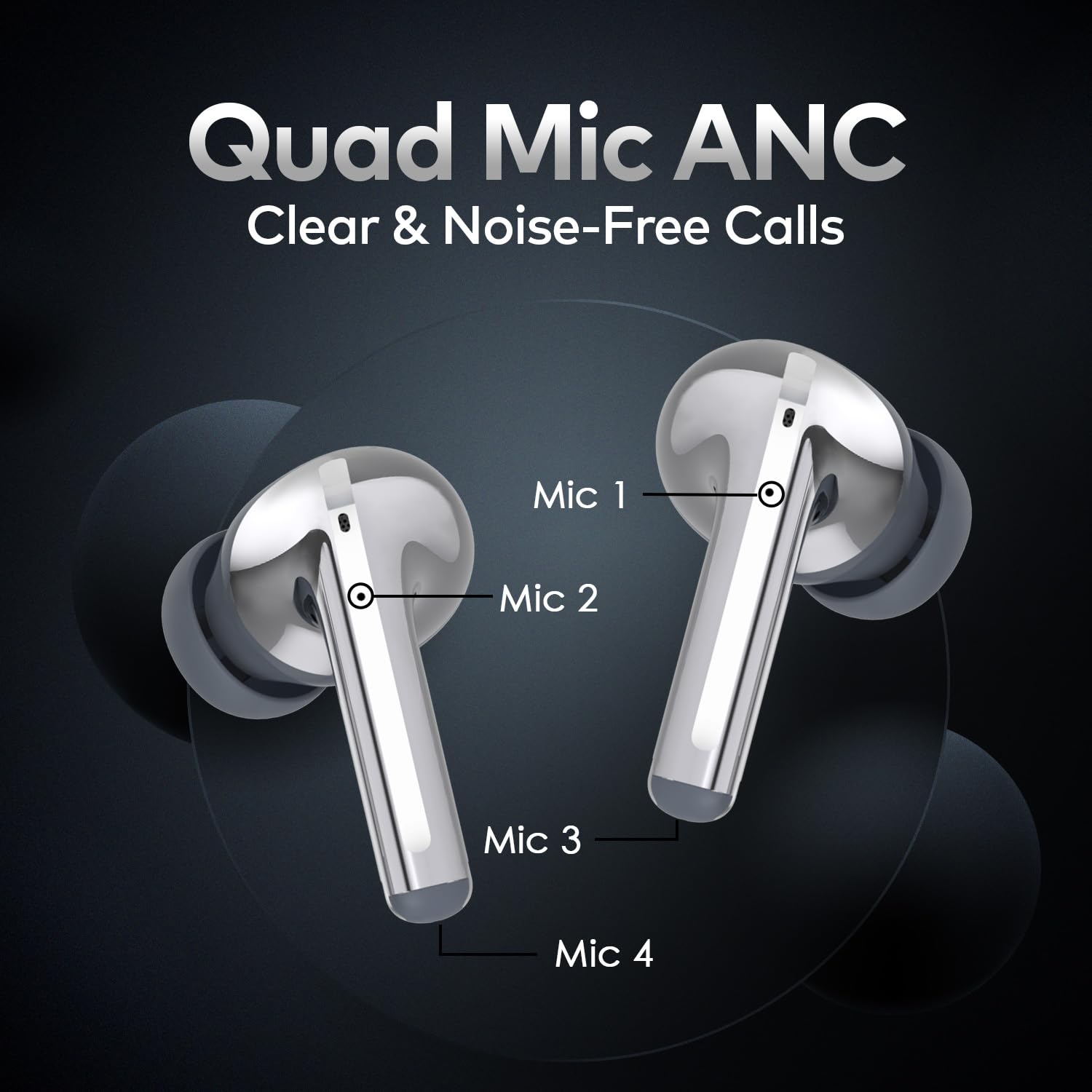
The Quad Mic technology ensures clear voice pickup during calls, even in noisy environments.
- Answering a Call: Single tap on either earbud.
- Ending a Call: Single tap on either earbud.
- Rejecting a Call: Long press on either earbud.

Diagram showing the placement of the four microphones on the earbuds for enhanced call clarity.
5.4. Playing Music
Enjoy high-quality audio with 10mm dynamic drivers for rich bass and clear sound.
- Play/Pause: Single tap on either earbud.
- Next Track: Double tap on the right earbud.
- Previous Track: Double tap on the left earbud.
5.5. Voice Assistant
Activate your device's voice assistant for hands-free control:
- Activate: Triple tap on either earbud.
6. Maintenance
6.1. Cleaning
- Regularly clean the earbuds and charging case with a soft, dry, lint-free cloth.
- Remove eartips and clean them with mild soap and water, then dry thoroughly before reattaching.
- Ensure charging contacts on both earbuds and case are clean and free of debris.
6.2. Storage
- When not in use, store the earbuds in their charging case to protect them and keep them charged.
- Store in a cool, dry place away from extreme temperatures and direct sunlight.
6.3. Water Resistance (IPX5)
The Itel T31 Pro earbuds are IPX5 water-resistant, meaning they can withstand splashes and sweat. They are not designed for submersion in water.
- Avoid exposing the earbuds to running water or heavy rain.
- Do not wear them while swimming or showering.
- If they get wet, wipe them dry immediately before placing them back in the charging case.

The earbuds and case demonstrating IPX5 water resistance against splashes.
7. Troubleshooting
| Problem | Possible Cause | Solution |
|---|---|---|
| Earbuds not turning on | Low battery | Place earbuds in the charging case and charge fully. |
| Cannot pair with device | Bluetooth off, earbuds not in pairing mode, or device too far | Ensure Bluetooth is on, open case to enter pairing mode, keep device within 10 meters. Forget previous pairings and try again. |
| Only one earbud working | Earbuds not properly synced | Place both earbuds back in the case, close the lid, wait a few seconds, then open again to re-sync. |
| Poor sound quality | Improper fit, low battery, or obstruction | Adjust eartips for a secure fit, charge earbuds, clean earbud nozzles. |
| ANC not effective | Improper fit, wrong mode selected | Ensure a tight seal with correct eartips. Cycle through ANC modes to ensure ANC is active. |
8. Specifications
| Feature | Detail |
|---|---|
| Model Number | T31Pro |
| Brand | Itel |
| Color | Electroplated silver |
| Ear Placement | In Ear |
| Form Factor | True Wireless |
| Noise Control | Active Noise Cancellation (32dB) |
| Microphone | Quad Mic Technology |
| Total Playtime | Up to 45 Hours (with charging case) |
| Audio Driver Size | 10 Millimetres |
| Fast Charging | 10 min charge = 180 min playback |
| Bluetooth Version | 5.3 |
| Water Resistance | IPX5 |
| Control Method | Touch |
| Item Weight | 50 Grams |
| Compatible Devices | Bluetooth-enabled devices |
9. Warranty and Support
9.1. Warranty Information
The Itel T31 Pro ANC TWS Earbuds come with a 1-year manufacturer's warranty from the date of purchase. This warranty covers manufacturing defects and issues arising from normal use. It does not cover damage caused by misuse, accidents, unauthorized modifications, or normal wear and tear.
9.2. Customer Support
For technical assistance, warranty claims, or any product-related inquiries, please contact Itel customer support through the following channels:
- Manufacturer Contact: Building I, NO.10 East Area of ShangXue Science & Technology Industrial Park, BanTian street, LongGang District, Shenzhen, China.
- Importer Contact: S MOBILE DEVICES PRIVATE LIMITED, UNIT NO. B-303, THIRD FLOOR, TOWER-B, PLOT NO-7, SECTOR-142, NOIDA, Gautam Buddha Nagar, Uttar Pradesh, India, 201301.
- General Support: Refer to the official Itel website or your regional support contact for the most up-to-date contact information, including phone numbers and email addresses.
