
Introduction
Thank you for choosing the VECHTEL 2 Din Car Stereo. This device features a 7-inch touchscreen with wireless CarPlay and Android Auto, Bluetooth 5.1, FM radio, Mirror Link functionality, and support for a rear view camera. This manual provides essential information for installation, operation, maintenance, and troubleshooting to ensure optimal performance and user safety.
Safety Information
- Read all instructions carefully before installation and use.
- Professional installation is recommended to prevent damage to the unit or vehicle.
- Do not operate the device in a way that distracts you from driving. Always prioritize road safety.
- Ensure all wiring is correctly connected to avoid short circuits or electrical hazards.
- Keep the unit away from water and excessive moisture.
- Do not attempt to disassemble or modify the unit. This will void the warranty.
Package Contents
Verify that all items are present in the package:
- 1 x VECHTEL 2 Din Car Stereo
- 1 x Rear View Camera
- 1 x Power Cable
- 1 x Speaker Cable
- 1 x Remote Control
- 1 x External Microphone
- 1 x User Manual

Image: VECHTEL 2 Din Car Stereo with included accessories.
Product Overview
The VECHTEL car stereo features a 7-inch HD touchscreen for intuitive control and a clear display. Physical buttons and a rotary volume knob provide convenient access to essential functions while driving.

Image: 7-inch HD Touch Screen display comparison.

Image: Car stereo interface and port overview.
Setup
Installation
This unit is a standard 2 DIN size. Ensure your vehicle's dashboard opening is compatible. It is highly recommended to have the unit installed by a qualified professional to ensure correct wiring and secure mounting.
Wiring Connections
Connect the power cable, speaker cables, external microphone, and rear view camera according to the provided wiring diagram in the included user manual. Pay close attention to positive and negative terminals to avoid damage.
- Power: Connect to the vehicle's power supply (ACC, B+, Ground).
- Speakers: Connect to your vehicle's speakers (Front Left, Front Right, Rear Left, Rear Right).
- Rear Camera: Connect the video input (CVBS) and power for the camera. The unit will automatically display the camera feed when reversing.
- External Microphone: Plug into the designated microphone input for improved call clarity.
- USB/AUX: Connect USB devices for media playback or charging, and AUX for external audio sources.
Operating Instructions
Wireless CarPlay and Android Auto
Connect your smartphone wirelessly via Bluetooth to access CarPlay or Android Auto. This allows safe use of navigation, music, and messaging apps through the car stereo's display. Voice control via Siri or Google Assistant is supported for hands-free operation.
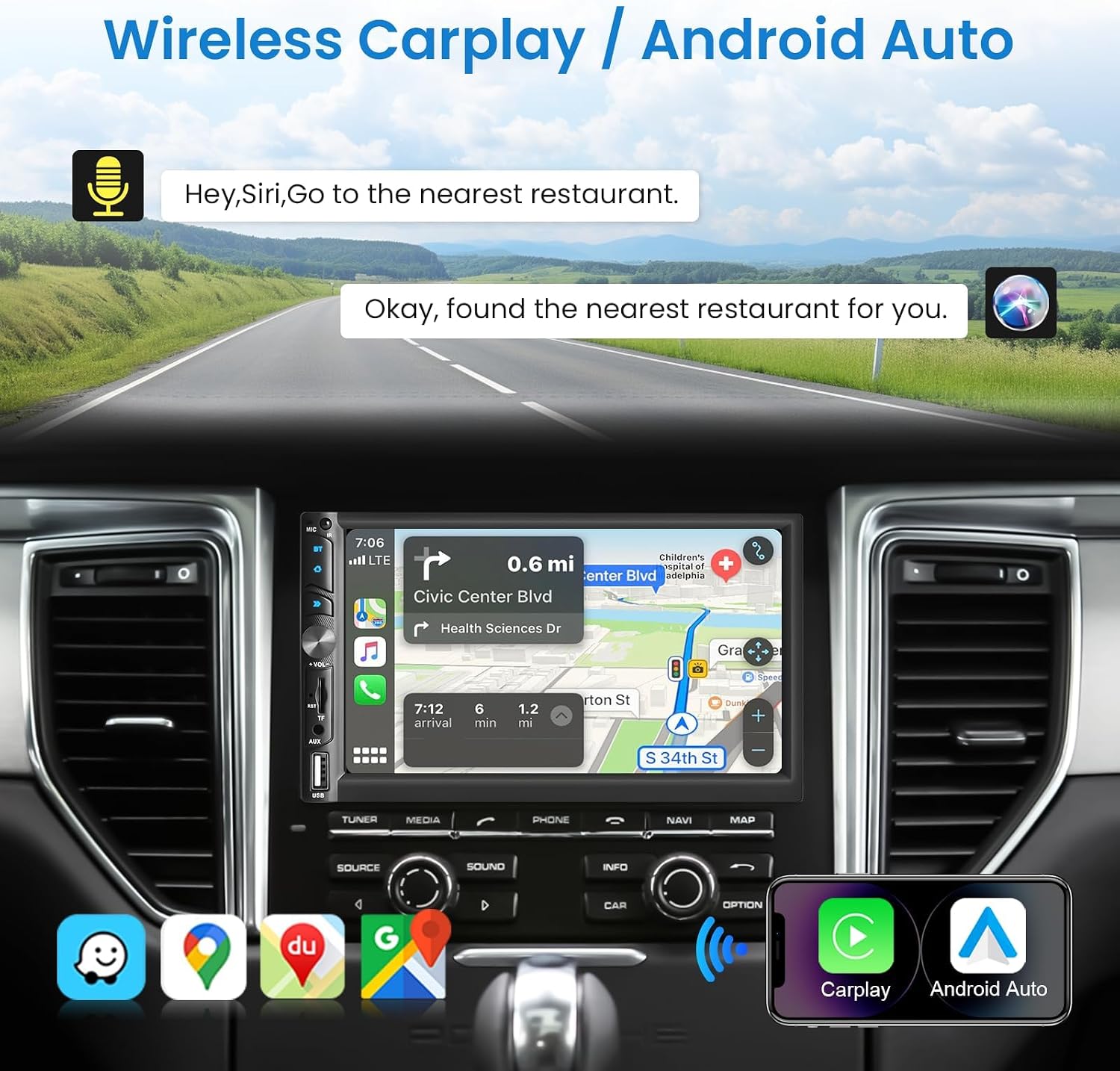
Image: Wireless CarPlay / Android Auto in use.
Bluetooth 5.1 Connectivity
The unit features Bluetooth 5.1 for stable and fast wireless connections. Pair your phone to make hands-free calls and stream audio. The dual microphone system (built-in and external) ensures clear communication.

Image: Upgraded Bluetooth 5.1 features.
Mirror Link Function
Connect your iOS or Android smartphone via USB to use the Mirror Link function. This allows you to display your phone's screen content, such as navigation apps, Spotify, or YouTube, directly on the car stereo's display.

Image: iOS / Android Mirror Link in action.
FM Radio
Tune into your favorite FM radio stations. The unit supports 18 preset stations for quick access.
Rear View Camera
When the vehicle is shifted into reverse, the car stereo automatically displays the feed from the included 12-LED night vision rear camera. This feature provides a wide-angle view to assist with parking and maneuvering.

Image: Rear View Camera display and features.
Sound Settings
Adjust the audio output to your preference using the built-in 10-band equalizer. The unit also supports woofer output for enhanced bass performance.

Image: Excellent Sound Quality settings and connections.
USB/TF/AUX Playback
Insert a USB drive or TF card into the respective ports for media playback. Connect external audio devices via the AUX input.
Maintenance
- Cleaning: Use a soft, dry cloth to clean the screen and unit. Avoid abrasive cleaners or solvents.
- Software Updates: Check the VECHTEL website or contact support for any available software updates to ensure optimal performance and new features.
- Environmental Conditions: Avoid exposing the unit to extreme temperatures or direct sunlight for prolonged periods.
Troubleshooting
| Problem | Possible Cause | Solution |
|---|---|---|
| No power | Incorrect wiring; Blown fuse; Vehicle battery issue. | Check power connections (ACC, B+, Ground). Inspect vehicle fuses. Consult a professional if necessary. |
| No sound | Incorrect speaker wiring; Volume too low; Mute function active; Audio source issue. | Verify speaker connections. Increase volume. Disable mute. Check selected audio source. |
| Bluetooth connection unstable | Interference; Device too far; Phone Bluetooth issue. | Ensure phone is close to the unit. Restart phone and car stereo. Re-pair the device. |
| Rear camera not displaying | Incorrect camera wiring; Camera power issue; Reverse trigger not connected. | Check camera video input and power connections. Ensure the reverse trigger wire is correctly connected to the vehicle's reverse light circuit. |
| Touchscreen unresponsive | System freeze; Dirt on screen. | Restart the unit. Clean the screen with a soft cloth. |
Specifications
| Feature | Detail |
|---|---|
| Model Number | 113266 |
| Screen Size | 7.0 inches |
| Screen Resolution | 1024*600 |
| Voltage | 12V |
| Bluetooth Version | 5.1 |
| Output Power | 4*45W (180 Watts total) |
| USB Interface | USB2.0 |
| Reverse Input | CVBS |
| FM Radio Range | 87.5-108.0MHZ |
| DVR Support | Yes |
| Woofer Output | Yes |
| Audio Formats | MP3/WMA/WAV/APE/FLAC |
| Video Formats | MKV/AVI/TS/TP/MP4/M4V (Max bitrate 50-80Mbps) |
| Dimensions (D x W x H) | 9.2 x 17.8 x 9.8 cm |
Warranty Information
This VECHTEL car stereo is covered by a three-year warranty from the date of purchase. This warranty covers manufacturing defects and malfunctions under normal use. Please retain your proof of purchase for warranty claims. The warranty does not cover damage caused by improper installation, misuse, accidents, or unauthorized modifications.
Support
VECHTEL specializes in automotive electronics and provides dedicated customer support. If you encounter any issues with compatibility, installation, or operation, please do not hesitate to contact us. Our professional team is available to provide assistance.
For technical support, please follow these steps:
- Step 1: Locate your order on the platform where you purchased the product.
- Step 2: Click on the seller's name (VECHTEL) and select the option to 'Ask a question' or 'Contact seller'.
We offer 24/7 technical support to ensure your satisfaction.
