1. Introduction
Thank you for choosing the Kamon K30 Wireless Earbuds. This manual provides detailed instructions for the proper use, setup, and maintenance of your new earbuds. Please read this manual thoroughly before use to ensure optimal performance and longevity of your device.

Image 1.1: Kamon K30 Wireless Earbuds in their charging case.
The Kamon K30 earbuds feature Bluetooth 5.1 technology for stable connectivity, intuitive touch controls, and a comfortable in-ear design. They are designed to deliver clear stereo sound for various audio activities.
2. Package Contents
Please check the package for the following items:
- 2 x Kamon K30 Wireless Earbuds
- 1 x Wireless Charging Case
- 1 x USB-C Charging Cable
- 4 x Ear Tips (various sizes)
- 1 x User Manual
3. Product Overview
Familiarize yourself with the components of your Kamon K30 Wireless Earbuds.

Image 3.1: The Kamon K30 earbuds removed from their open charging case, showing the charging contacts.
The earbuds are designed for a secure and comfortable fit. The charging case protects the earbuds and provides additional battery life.
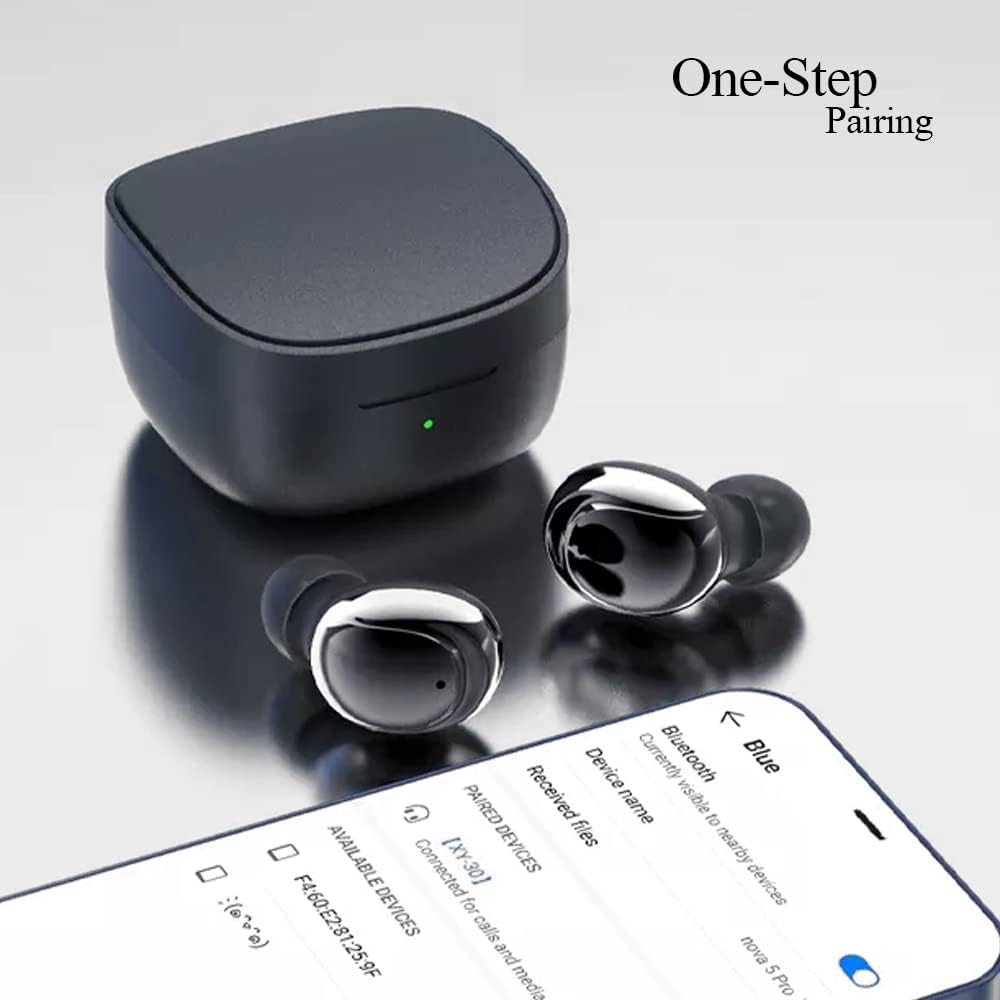
Image 3.2: Internal structure diagram illustrating the components responsible for Hi-Fi stereo sound delivery.
4. Setup
4.1 Charging the Earbuds and Case
Before first use, fully charge the earbuds and the charging case.
- Place the earbuds into the charging case. Ensure they are correctly seated to make contact with the charging pins.
- Connect the USB-C charging cable to the charging port on the case and plug the other end into a USB power adapter (not included) or a computer's USB port.
- The indicator light on the charging case will show charging status. Once fully charged, the light will change or turn off depending on the model.
- Earbud charging time: Approximately 40 minutes.
- Charging box charging time: Approximately 1 hour.

Image 4.1: The charging case and earbuds, illustrating battery life and charging indicators.
4.2 Pairing with a Device
The Kamon K30 earbuds feature one-step auto-pairing for convenience.
- Ensure your device's Bluetooth is turned on.
- Open the charging case. The earbuds will automatically power on and enter pairing mode.
- On your device, search for Bluetooth devices and select "Kamon K30" (or similar name like "XY-30") from the list.
- Once connected, you will hear a confirmation tone, and the earbuds will be ready for use.

Image 4.2: A smartphone displaying the Bluetooth pairing menu, showing "Kamon K30" as an available device.
The earbuds support Bluetooth 5.1, providing a stable connection up to 33 feet (10 meters) in open outdoor environments.
5. Operating Instructions
5.1 Touch Controls
The Kamon K30 earbuds feature intuitive touch controls on each earbud. Refer to the diagram below for specific functions:

Image 5.1: A visual guide to the touch control functions on the Kamon K30 earbuds.
- Play/Pause: One-click on the left or right earbud.
- Answer/Hang Up Call: One-click on the left or right earbud.
- Refuse Call: Long press on the left or right earbud.
- Volume Up: Triple-click the Left earbud.
- Volume Down: Triple-click the Right earbud.
- Previous Song: Double-click the Left earbud.
- Next Song: Double-click the Right earbud.
- Summon Voice Assistant: Long press on the left or right earbud for 3 seconds.
Note: The touch sensors are sensitive. Apply a light touch for control. Avoid forceful tapping.
5.2 Single Earbud Mode
You can use either earbud independently:
- Remove one earbud from the charging case.
- Close the charging case lid.
- The single earbud will automatically connect to your paired device.
6. Maintenance
Proper maintenance ensures the longevity and optimal performance of your earbuds.
- Cleaning: Regularly clean the earbuds and charging case with a soft, dry, lint-free cloth. Do not use harsh chemicals or abrasive materials. Gently clean the charging contacts on both the earbuds and the case to ensure proper charging.
- Storage: When not in use, store the earbuds in their charging case to protect them from dust and damage. Store the case in a cool, dry place away from direct sunlight and extreme temperatures.
- Water Resistance: The earbuds are waterproof (IPX rating not specified, but generally means splash/sweat resistant). Avoid submerging them in water or exposing them to heavy rain. Dry them thoroughly if they get wet.
- Battery Care: To preserve battery life, avoid fully discharging the earbuds and case frequently. Charge them regularly, even if not in constant use.
7. Troubleshooting
If you encounter issues with your Kamon K30 Wireless Earbuds, refer to the following common solutions:
| Problem | Solution |
|---|---|
| Earbuds not pairing with device. |
|
| Only one earbud is working. |
|
| Earbuds not charging. |
|
| Low sound quality or intermittent connection. |
|
8. Specifications
Detailed technical specifications for the Kamon K30 Wireless Earbuds:
- Model Name: K30 (XY-30)
- Brand: Kamon
- Connectivity: Wireless (Bluetooth 5.1)
- Bluetooth Profiles: HSP, HFP, A2DP, AVRCP
- Transmission Distance: Up to 33 feet (10 meters) in open outdoor environments
- Earphone Battery Capacity: 35mAh
- Charging Case Battery Capacity: 350mAh
- Listening Time: 3-5 hours
- Earphone Charging Time: Approximately 40 minutes
- Charging Box Charging Time: Approximately 1 hour
- Horn Material: Graphene True Copper Ring Horn
- Control Method: Touch
- Material: ABS, Electronic Component
- Item Weight: 0.9 ounces (earbuds and case combined)
- Package Dimensions: 2.53 x 2.5 x 2 inches
- Color: Purple (as per this variant)
- Special Features: Lightweight, Microphone Included, Rechargeable Battery, Surround Sound, Sweatproof (Waterproof)

Image 8.1: Dimensional drawing of the Kamon K30 earbuds and their charging case.
9. Warranty and Support
For warranty information or technical support, please refer to the contact details provided on the product packaging or the official Kamon website. Keep your purchase receipt as proof of purchase for any warranty claims.

Image 9.1: A user wearing a Kamon K30 earbud, demonstrating its in-ear fit.


