
1. Introduction
The Nikon OceanPro 7x50mm CF WP Marine Binoculars are engineered for demanding marine environments, offering exceptional optical performance and durability. Designed to withstand moisture and motion, these binoculars provide clear, bright views essential for navigation and observation at sea.
Key Features:
- 7x Magnification, 50mm Objective Lenses: Provides stable viewing and excellent light gathering capabilities.
- Multicoated Eco-Glass Lenses: Delivers crisp images and bright views, especially in challenging marine light conditions.
- Waterproof and Fogproof: Rubber armored, polycarbonate body ensures resistance to water and fog, maintaining performance in harsh weather.
- Built-in Illuminated Global Compass: Features automatic declination for both Northern and Southern Hemispheres, with horizontal and vertical hashes for precise navigation and distance estimation.
- Smooth Focus Control and Long Eye Relief: Allows for fast subject acquisition and comfortable viewing, even for eyeglass wearers.
- Floating Nylon Lanyard: Marine-specific lanyard helps prevent loss at sea.

Image: Nikon OceanPro Binoculars with included accessories.
2. What's in the Box
Your Nikon OceanPro Binoculars package includes the following items:
- Nikon 7x50 OceanPro CF WP Global Compass Marine Binoculars
- Carrying Case
- Nikon Lens Pen
- Lens Cloth
- Marine-specific Floating Nylon Lanyard Neck Strap
- Lens Caps
3. Setup
3.1 Adjusting Interpupillary Distance
Hold the binoculars with both hands and look through them. Adjust the distance between the two barrels until you see a single, clear circular field of view. This ensures proper alignment with your eyes.
3.2 Adjusting Diopter
The diopter adjustment compensates for differences in vision between your left and right eyes. To adjust:
- Close your right eye and look through the left barrel at a distant object. Rotate the center focus wheel until the image is sharp.
- Close your left eye and look through the right barrel. Rotate the diopter ring (usually on the right eyepiece) until the image is sharp. Do not use the center focus wheel for this step.
- With both eyes open, the image should now be clear. For subsequent use, only the center focus wheel will be needed to adjust for different distances.
3.3 Adjusting Eye Relief
The twist-up eyecups allow you to adjust the eye relief for comfortable viewing, especially if you wear eyeglasses. Twist the eyecups up or down until you can see the full field of view without vignetting (darkening around the edges).

Image: Rear view of the Nikon OceanPro Binoculars, highlighting the adjustable eyecups for eye relief.
4. Operating
4.1 Focusing
After adjusting the interpupillary distance and diopter, use the large, smooth center focus wheel to bring objects at various distances into sharp focus. The smooth action allows for quick adjustments to keep moving targets clear.
4.2 Using the Global Compass
The built-in global compass provides directional information directly within your field of view. It features automatic declination, adjusting for magnetic variation in both the Northern and Southern Hemispheres. The compass also includes horizontal and vertical hashes (stadia) that can be used for estimating range, distance, and the size of objects. Refer to the detailed instructions provided with your binoculars for specific calculations using the stadia reticle.
4.3 Low Light Performance
The 7x50 configuration and multicoated Eco-glass lenses are optimized for excellent light transmission, providing bright and clear images even in twilight or other low-light conditions common in marine environments.
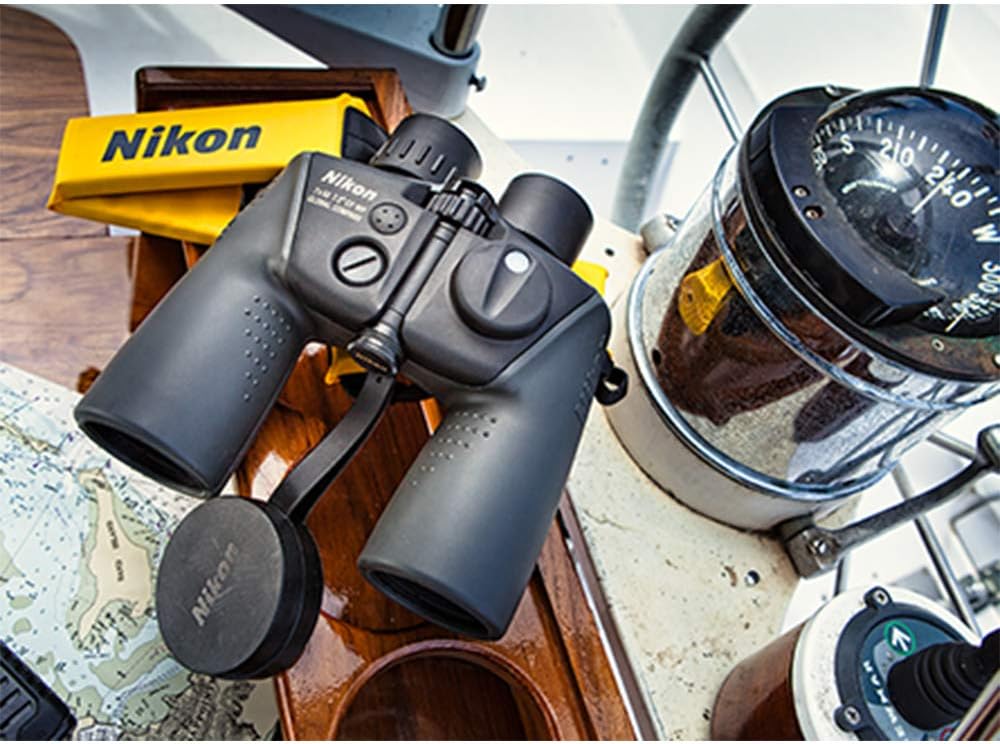
Image: Nikon OceanPro Binoculars positioned on a boat, demonstrating their intended marine use.

Image: A person observing through the Nikon OceanPro Binoculars, illustrating typical usage.
5. Maintenance
5.1 Cleaning
To maintain the optical quality of your binoculars, keep the lenses clean. Use the provided Nikon Lens Pen and cleaning cloth for best results. Gently brush away any loose dust or debris with the brush end of the lens pen. Then, use the soft cleaning cloth or the carbon tip of the lens pen to carefully wipe the lens surfaces in a circular motion. Avoid using abrasive materials or harsh chemicals.
5.2 Waterproof and Fogproof Care
The binoculars are designed to be waterproof and fogproof. After exposure to saltwater, rinse the exterior with fresh water and dry thoroughly with a soft cloth. Do not attempt to disassemble the binoculars, as this will compromise their waterproof and fogproof integrity.
5.3 Storage
Store your binoculars in the provided carrying case in a cool, dry place when not in use. Avoid prolonged exposure to direct sunlight or extreme temperatures.
6. Troubleshooting
If you experience any issues with your Nikon OceanPro Binoculars, please consider the following common solutions:
- Unclear Image: Ensure the interpupillary distance and diopter settings are correctly adjusted for your eyes. Use the center focus wheel to sharpen the image for the current viewing distance.
- Fogging: While the binoculars are fogproof, extreme temperature changes can sometimes cause external condensation. Allow the binoculars to acclimate to the ambient temperature or gently wipe the exterior lenses with a clean, dry cloth.
- Compass Malfunction: Ensure the compass illumination battery (if applicable) is functional. If the compass appears stuck or inaccurate, try gently tapping the binoculars to dislodge any air bubbles. If issues persist, contact Nikon support.
7. Specifications
| Feature | Value |
|---|---|
| Magnification Maximum | 7x |
| Objective Lens Diameter | 50 Millimeters |
| Angular Field of View (Real) | 7.2° |
| Angular Field of View (Apparent) | 47.5° |
| FOV at 1000yds | 377 ft |
| Close Focus Distance | 33 ft |
| Exit Pupil | 7.1mm |
| Relative Brightness | 50.4 |
| Eye Relief | 22.7mm |
| Size (Length x Width) | 7.6 x 8 inches |
| Weight | 39.9 oz (2.49 lbs) |
| Waterproof/Fogproof | Yes |
| Prism Type | Porro |
| Special Feature | Built-In Compass, Focus Knob, Water Proof |
| Item Model Number | 16026 |
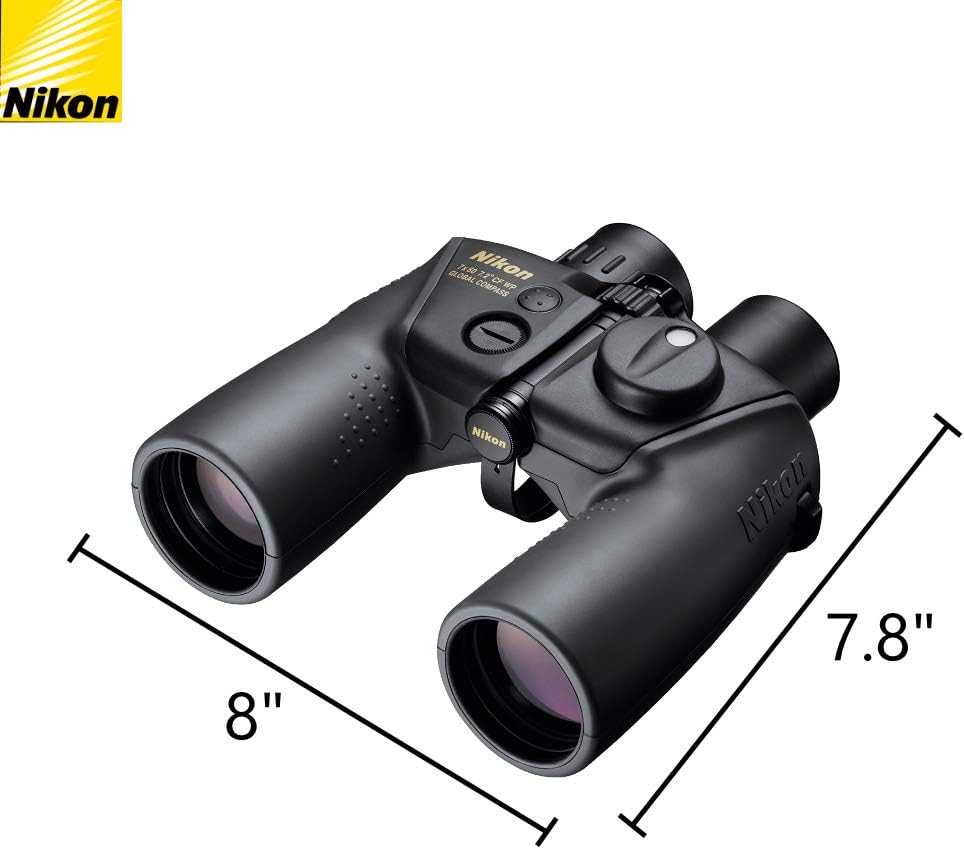
Image: Nikon OceanPro Binoculars with key dimensions indicated.
8. Warranty & Support
For warranty information, technical support, or service inquiries, please refer to the official Nikon website or contact Nikon customer service directly. Keep your proof of purchase for any warranty claims.
Nikon Official Website: www.nikonusa.com
