
1. Introduction
Thank you for purchasing the impcenst Twister Hurricane Light. This decorative lamp creates a mesmerizing water vortex effect with changing LED lights, providing a unique visual experience. This manual provides essential information for the safe and proper use of your product.
2. Safety Information
- Read all instructions before use and retain for future reference.
- This product is for indoor use only.
- Do not immerse the unit in water or expose it to excessive moisture.
- Use only the provided USB cable for power. Ensure the power source meets the product's specifications.
- Keep out of reach of children and pets.
- Do not attempt to open or repair the unit yourself. Contact customer support for assistance.
- Avoid placing the lamp near heat sources or in direct sunlight.
3. Package Contents
Please check the box for the following items:
- impcenst Twister Hurricane Light Unit
- USB Cable
- Foam Balls (pre-installed or in a separate packet)
4. Setup Instructions
Follow these steps to set up your Twister Hurricane Light:
- Prepare the Unit: Carefully remove the top lid of the lamp.
- Fill with Water: Fill the transparent cylinder with clean water up to the indicated fill line, or approximately 1 inch from the top.
- Add Foam Balls: If not already inside, gently place the provided foam balls into the water. These balls enhance the vortex effect.
- Secure the Lid: Replace the top lid firmly to prevent water spillage.
- Connect Power: Plug the small end of the USB cable into the power port on the lamp's base. Connect the other end to a suitable USB power adapter (not included) or a USB port.

Figure 1: Product details showing power port, USB cable, and lid.
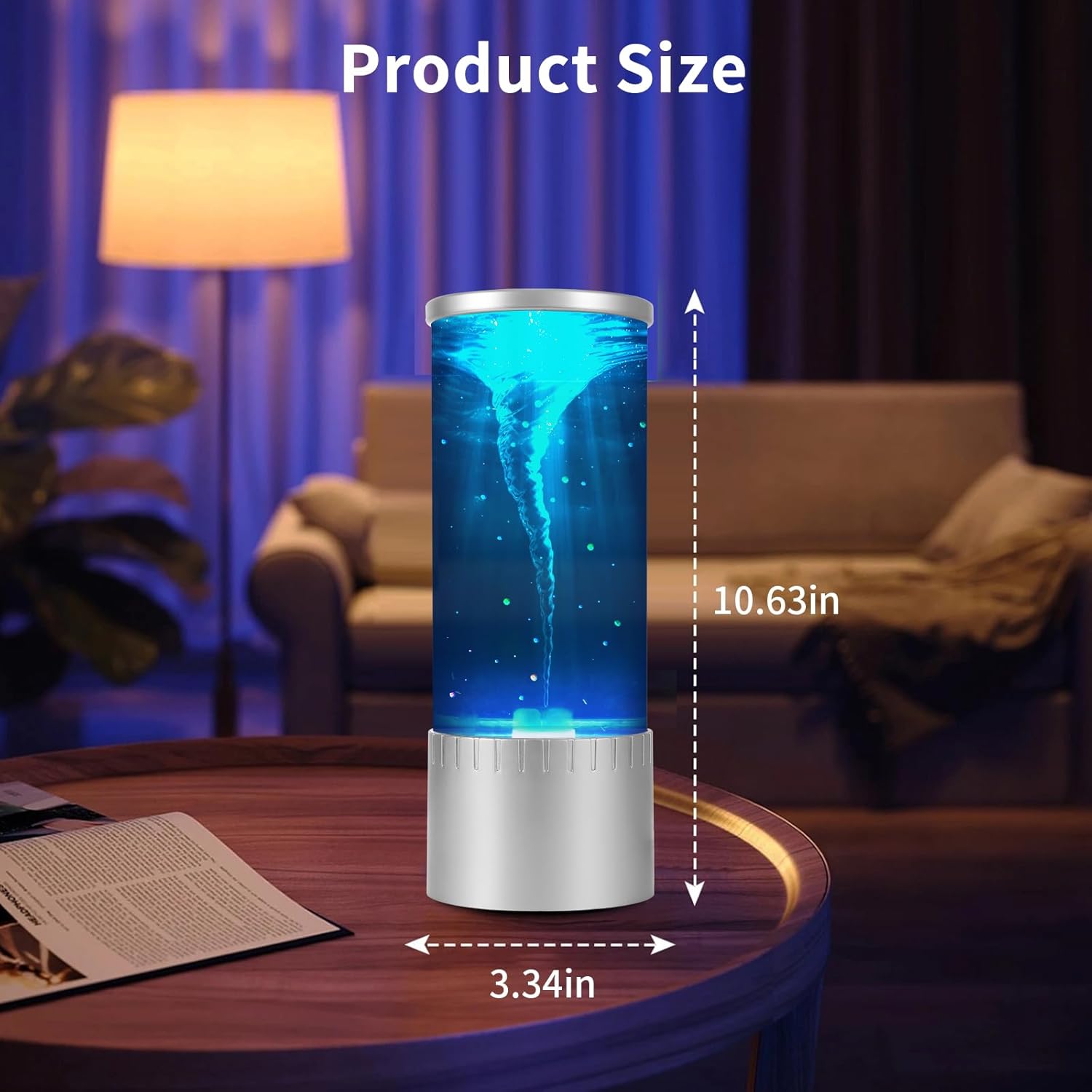
Figure 2: Product dimensions for placement reference.
Video 1: Demonstration of filling the lamp with water, adding foam balls, and connecting the USB cable.
5. Operating Instructions
Once powered on, the Twister Hurricane Light will automatically begin its operation:
- Automatic Activation: The lamp will turn on automatically when connected to power.
- Vortex Generation: The internal mechanism will create a continuous water vortex, simulating a miniature hurricane.
- Color Changing: The LED lights will automatically cycle through 7 different colors, creating a dynamic visual display.
- Quiet Operation: The lamp is designed to operate with minimal noise, typically below 25dB, making it suitable for bedrooms or quiet environments.

Figure 3: The Twister Hurricane Light showcasing its vibrant color-changing feature.

Figure 4: The lamp's low noise level ensures a peaceful environment.
6. Maintenance
- Cleaning: Disconnect the power before cleaning. Wipe the exterior with a soft, damp cloth. Do not use abrasive cleaners or solvents.
- Water Replacement: For optimal performance and clarity, it is recommended to replace the water periodically, especially if it appears cloudy.
- Storage: If storing the lamp for an extended period, empty the water, clean the unit, and store it in a cool, dry place.
7. Troubleshooting
If you encounter any issues, please refer to the following common solutions:
- No Vortex Effect:
- Ensure the water level is correct.
- Verify that the foam balls are present in the water.
- Check if the power cable is securely connected.
- No Light/Power:
- Confirm the USB cable is properly plugged into both the lamp and the power source.
- Try a different USB power adapter or port to rule out a faulty power source.
- Unusual Noise:
- A tiny, subtle noise is normal during operation due to the water spinning mechanism. If the noise is excessive or unusual, ensure the lamp is on a flat, stable surface.
If problems persist, please contact customer support.
8. Specifications
| Feature | Detail |
|---|---|
| Model Number | Twister-01 |
| Dimensions (L x W x H) | 10.8" x 3.4" x 10.8" |
| Item Weight | 7.7 ounces (0.48 Pounds) |
| Material | Acrylic, Plastic |
| Light Source Type | LED |
| Number of Light Sources | 7 (Color-changing) |
| Power Source | USB Cable |
| Mounting Type | Table Mount |
| UPC | 712417799841 |
9. Warranty and Support
For warranty information and customer support, please refer to the product packaging or contact the manufacturer directly. Keep your purchase receipt for warranty claims.