
1. Introduction
This manual provides detailed instructions for the UGREEN 2.5Gb USB to Ethernet Adapter Bundle, which includes a 2.5Gb USB-C Ethernet Adapter and a 5-in-1 USB Hub with Ethernet. Please read this manual thoroughly before using the product to ensure proper operation and to maximize its performance and longevity.
2. Product Overview
The UGREEN bundle enhances your device's connectivity by providing high-speed wired network access and expanding its USB port capabilities. It is designed for users requiring fast data transfer and reliable internet connections.
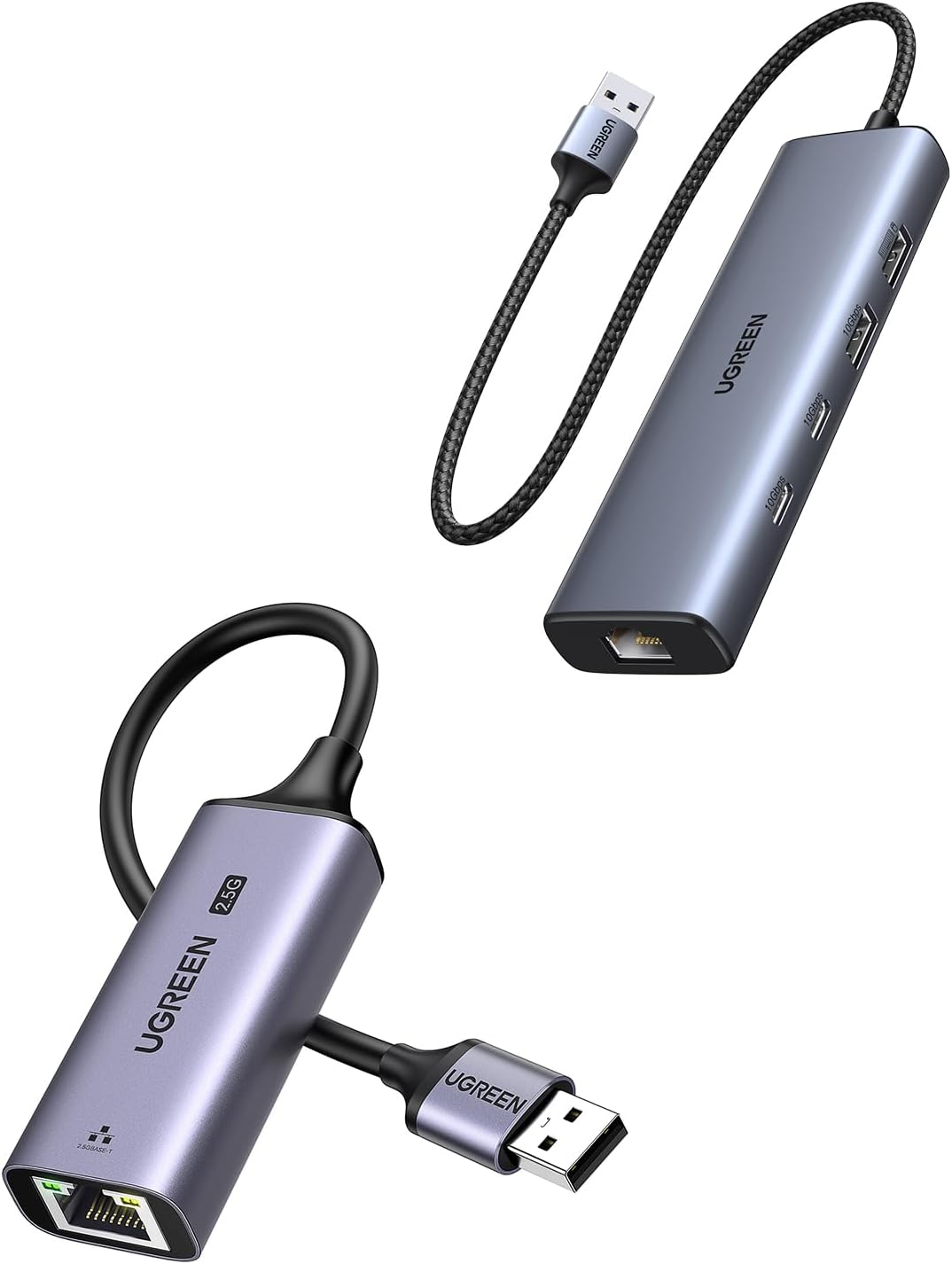
Figure 2.1: UGREEN 2.5Gb USB to Ethernet Adapter and 5-in-1 USB Hub, showing both components of the bundle.
2.1. 5-in-1 USB Hub with Ethernet
This hub provides a versatile expansion for your device, featuring multiple USB ports and an Ethernet port.
- 2x USB-C 3.2 (10Gbps): For high-speed data transfer.
- 1x USB-A 3.2 (10Gbps): For high-speed data transfer.
- 1x USB-A 2.0 (480Mbps): For standard peripherals.
- 1x RJ45 Ethernet (1000Mbps): For Gigabit wired network connection.
- 1x USB-C (Power Delivery): For powering high-power peripherals, not for host device charging.

Figure 2.2: Detailed view of the UGREEN 5-in-1 USB Hub, highlighting its various ports including USB-C 3.2, USB-A 3.2, USB-A 2.0, and RJ45 Ethernet.
2.2. 2.5Gb USB to Ethernet Adapter
This adapter provides ultra-fast wired network connectivity, supporting speeds up to 2.5 Gigabit Ethernet.
- USB Interface: Connects to your device via USB.
- RJ45 Ethernet (2.5Gbps): For high-speed wired network connection.
- Realtek RTL8156BG Chip: Ensures stable performance with low power consumption and reduced heat dissipation.
- Aluminum Alloy Case: Durable and resistant to wear.

Figure 2.3: The UGREEN 2.5Gb USB to Ethernet Adapter, showcasing its compact design and 2.5G capability.
3. Setup
The UGREEN adapters are designed for plug-and-play functionality on most modern operating systems. No driver installation is typically required.
3.1. Connecting the 2.5Gb USB to Ethernet Adapter
- Connect the USB connector of the 2.5Gb Ethernet Adapter to an available USB port on your computer or host device.
- Connect an Ethernet cable from your router, modem, or network switch to the RJ45 port on the adapter.
- The adapter's indicator light will illuminate, indicating a successful connection.
Important: To achieve 2.5Gbps speeds, ensure your router, Ethernet switch, or server also supports 2.5Gb Ethernet.

Figure 3.1: Illustration of connecting the 2.5Gb USB to Ethernet Adapter to a laptop, demonstrating the upgrade from 1Gb to 2.5Gb network speed.
3.2. Connecting the 5-in-1 USB Hub
- Connect the USB cable of the 5-in-1 USB Hub to an available USB port on your computer or host device.
- For network connectivity, connect an Ethernet cable from your router, modem, or network switch to the RJ45 port on the hub.
- You can now connect your USB peripherals (external drives, keyboards, mice, etc.) to the available USB-A and USB-C ports on the hub.
- If connecting high-power peripherals, use the dedicated USB-C power input port on the hub to provide additional power. This port is for powering the hub and connected devices, not for charging the host laptop or phone.
4. Operating Instructions
4.1. Data Transfer with the 5-in-1 USB Hub
The USB 3.2 ports on the 5-in-1 hub support data transfer speeds up to 10Gbps, allowing for rapid transfer of large files, videos, and images. The USB 2.0 port supports up to 480Mbps.
- Connect your USB 3.2 compatible devices (e.g., external SSDs) to the USB-C 3.2 or USB-A 3.2 ports for maximum speed.
- Connect standard USB devices (e.g., mouse, keyboard, USB flash drives) to any available USB-A or USB-C port.

Figure 4.1: Visual representation of data transfer speeds, showing 10Gbps for USB 3.2, which is 2X faster than USB 3.0.
4.2. Network Connectivity
Both the 2.5Gb USB to Ethernet Adapter and the 5-in-1 USB Hub provide stable wired network connections.
- For the fastest possible wired internet, use the 2.5Gb USB to Ethernet Adapter with a compatible 2.5Gbps network infrastructure. This is ideal for demanding applications like NAS (Network Attached Storage) access, fluent streaming, and immersive gaming.
- The 5-in-1 USB Hub's Ethernet port supports Gigabit (1000Mbps) speeds, suitable for general high-speed internet use.

Figure 4.2: Demonstrating the UGREEN 2.5Gb Ethernet Adapter in use with a laptop and a NAS device, highlighting its capability for high-speed network storage access.
5. Maintenance
To ensure the longevity and optimal performance of your UGREEN devices, follow these simple maintenance guidelines:
- Keep the devices clean and free from dust. Use a soft, dry cloth to wipe the surfaces.
- Avoid exposing the devices to extreme temperatures, humidity, or direct sunlight.
- Do not attempt to disassemble or repair the devices yourself. This will void the warranty.
- Store the devices in a cool, dry place when not in use.
- Handle the cables and connectors gently to prevent damage.
6. Troubleshooting
6.1. No Network Connection
- Check Cable Connections: Ensure all Ethernet and USB cables are securely connected to both the adapter/hub and your host device/network equipment.
- Verify Network Status: Check if your router/modem is working correctly and if other devices can access the internet.
- Driver Check: Although typically plug-and-play, ensure your operating system has recognized the device. You can check Device Manager (Windows) or System Information (macOS).
- Router/Switch Compatibility: For 2.5Gbps speeds, confirm your network hardware (router, switch) supports 2.5Gb Ethernet.
- Restart Devices: Try restarting your computer and network equipment.
6.2. Slow Data Transfer Speeds
- Port Type: Ensure you are using the USB 3.2 ports (10Gbps) for high-speed data transfer. Connecting a USB 3.2 device to a USB 2.0 port will limit speeds.
- Host Port Speed: Verify that the USB port on your computer or host device supports USB 3.2 speeds.
- Cable Quality: Use high-quality USB cables that support the desired transfer speeds.
- Power Supply (for Hub): If using high-power peripherals with the 5-in-1 hub, ensure external power is supplied to the hub's dedicated USB-C power input.
6.3. Device Not Recognized
- Try Another USB Port: Connect the adapter/hub to a different USB port on your host device.
- Restart Computer: A simple restart can often resolve recognition issues.
- Check OS Updates: Ensure your operating system is up to date.
7. Specifications
| Feature | Description |
|---|---|
| Brand | UGREEN |
| Model Name | 2.5Gb USB to Ethernet Adapter Bundle with 5-in-1 USB Hub |
| Hardware Interface | USB 3.0 Type A (for 2.5Gb adapter), USB-C (for 5-in-1 hub) |
| Ethernet Speed (2.5Gb Adapter) | Up to 2.5Gbps |
| Ethernet Speed (5-in-1 Hub) | Up to 1000Mbps (Gigabit) |
| USB Data Ports (5-in-1 Hub) | 2x USB-C 3.2 (10Gbps), 1x USB-A 3.2 (10Gbps), 1x USB-A 2.0 (480Mbps) |
| Power Delivery (5-in-1 Hub) | 1x USB-C for power input (for peripherals, not host charging) |
| Special Feature | Plug and Play |
| Compatible Devices | Smartphone, Tablet, Laptop, Desktop Computers |
| Color | Grey |
| Chipset (2.5Gb Adapter) | Realtek RTL8156BG |

Figure 7.1: Illustration of the Realtek RTL8156BG chip, emphasizing its role in providing faster, smoother, and lower power operation for the 2.5Gb Ethernet adapter.
8. Warranty Information
UGREEN products are covered by a limited warranty from the date of purchase. The specific terms and conditions of the warranty may vary by region and product. Please retain your proof of purchase for warranty claims.
For detailed warranty information, please refer to the official UGREEN website or contact UGREEN customer support.
9. Customer Support
If you encounter any issues or have questions regarding your UGREEN 2.5Gb USB to Ethernet Adapter Bundle, please do not hesitate to contact our customer support team.
- Website: Visit the official UGREEN website for FAQs, driver downloads (if applicable), and support resources.
- Email: Contact our support team via email for technical assistance.
- Online Chat: Some regions may offer online chat support.
Please have your product model name and purchase details ready when contacting support.