
Sudio D1BLK
Sudio D1 True Wireless Earbuds User Manual
Model: D1BLK | Brand: Sudio
Introduction
This manual provides comprehensive instructions for the Sudio D1 True Wireless Earbuds. It covers setup, operation, maintenance, and troubleshooting to ensure optimal performance and longevity of your device. The Sudio D1 earbuds offer Bluetooth 5.4 connectivity, Environmental Noise Cancellation (ENC), touch controls, and voice assistant compatibility, designed for a seamless audio experience.
What's in the Box
Upon unboxing, verify that all the following components are present:
- Sudio D1 True Wireless Earbuds
- Wireless Charging Case
- USB-C Charging Cable
- User Manual
- Eartips (multiple sizes)

Image: The Sudio D1 charging case, closed, displaying the Sudio logo and an indicator light.
Setup
Initial Charging
Before first use, ensure the earbuds and charging case are fully charged. Connect the provided USB-C cable to the charging case and a power source. The indicator light on the case will show charging status. A full charge typically takes under 1.5 hours.
Pairing with a Device
- Open the charging case. The earbuds will automatically enter pairing mode.
- On your device (smartphone, tablet, etc.), navigate to the Bluetooth settings.
- Select "Sudio D1" from the list of available devices.
- Once connected, a confirmation sound will play, and the indicator light on the case may change.
Note: Some users have reported a protective film on the battery contacts of the earbuds. Please remove this film before attempting to charge or pair for the first time.

Image: The Sudio D1 earbuds, removed from their charging case, showing their design.
Operating Instructions
Touch Controls
The Sudio D1 earbuds feature intuitive touch controls for managing audio playback and calls. Specific gestures control various functions:
- Play/Pause: Single tap on either earbud.
- Next Track: Double tap on the right earbud.
- Previous Track: Double tap on the left earbud.
- Answer/End Call: Single tap on either earbud.
- Reject Call: Press and hold on either earbud.
Voice Assistant
The earbuds are compatible with voice assistants. Triple tap on either earbud to activate your device's voice assistant (e.g., Siri for iOS, Google Assistant for Android). Full compatibility is ensured for iOS devices, while Android users may experience partial support for voice control features.

Image: A Sudio D1 earbud properly seated in a user's ear.
Product Overview Video
Video: A brief introductory video showcasing the Sudio D1 earbuds and their use.
Battery and Charging
The Sudio D1 earbuds offer extended listening times with their efficient battery system.
- Earbud Playtime: Up to 6.5 hours on a single charge.
- Total Playtime (with case): Up to 30 hours.
- Charging Time: The charging case can be fully charged in under 1.5 hours via USB-C.
To charge the earbuds, place them back into the charging case. The case will automatically begin charging them. To charge the case, connect it to a power source using the provided USB-C cable.
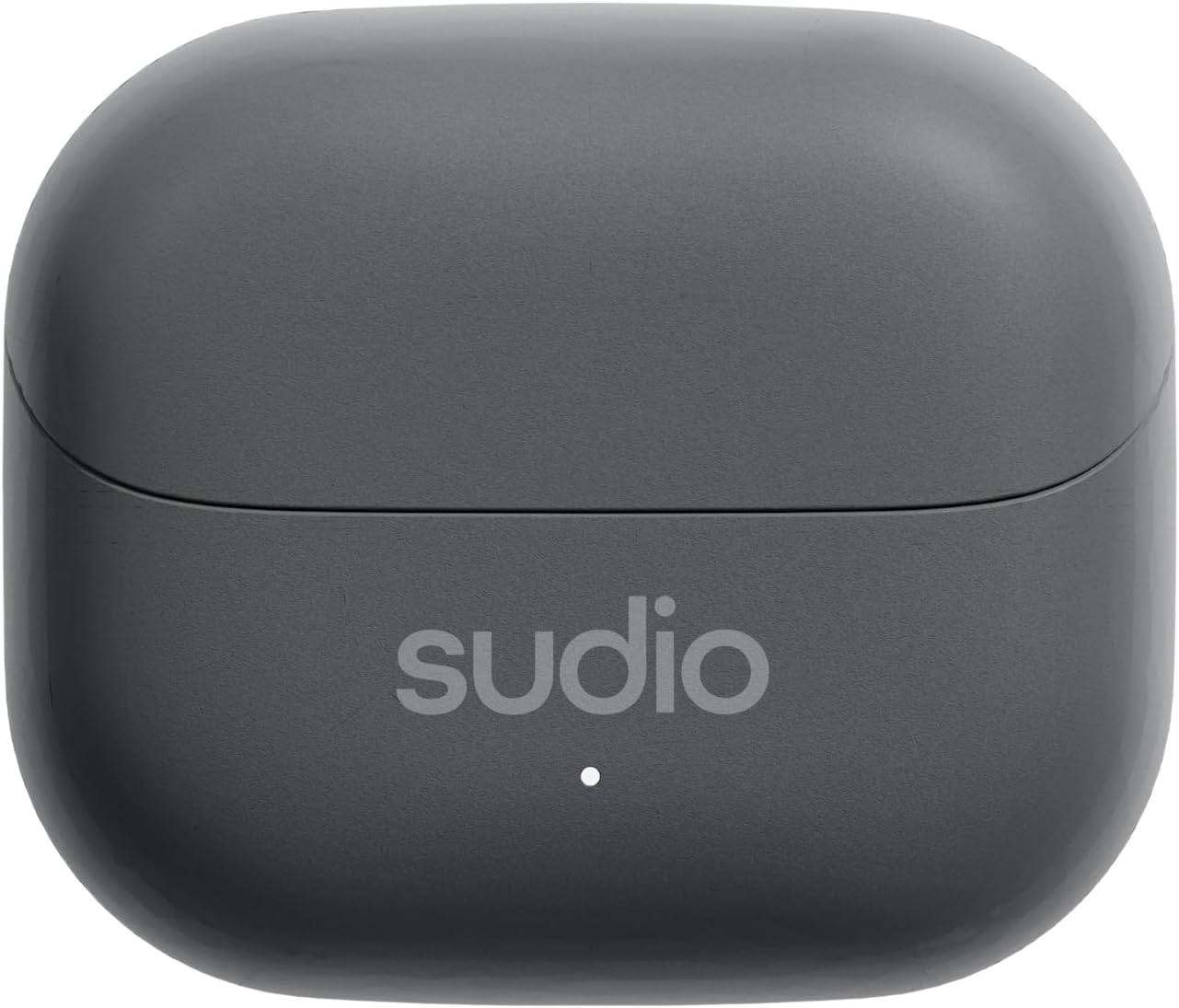
Image: The Sudio D1 charging case open, with both earbuds seated inside, ready for charging.
Maintenance and Care
Proper care ensures the longevity and performance of your Sudio D1 earbuds.
- Cleaning: Gently wipe the earbuds and charging case with a soft, dry, lint-free cloth. Do not use abrasive cleaners or solvents.
- Storage: When not in use, store the earbuds in their charging case to protect them and keep them charged.
- Temperature: Avoid exposing the earbuds to extreme temperatures (hot or cold) or high humidity.
- Water Resistance: While designed for daily use, avoid submerging the earbuds in water.
- Materials: The earbuds and case are constructed from durable Polycarbonate (PC) and Thermoplastic Elastomer (TPE).
Troubleshooting
If you encounter issues with your Sudio D1 earbuds, refer to the following common solutions:
| Problem | Solution |
|---|---|
| Earbuds not charging | Ensure the charging cable is securely connected. Check for any protective film on the earbud charging contacts and remove it. Clean the charging contacts on both earbuds and case. |
| Earbuds not pairing | Ensure Bluetooth is enabled on your device. Place earbuds back in the case, close, then reopen to re-enter pairing mode. Forget "Sudio D1" from your device's Bluetooth list and attempt to pair again. Ensure earbuds are charged. |
| No sound or poor sound quality | Check the volume level on your device and earbuds. Ensure earbuds are properly seated in your ears. Try different eartip sizes for a better seal. Re-pair the earbuds. |
| Touch controls unresponsive | Ensure your fingers are clean and dry. Try restarting the earbuds by placing them in the case and closing it for a few seconds before reopening. |
Specifications
| Feature | Detail |
|---|---|
| Model Name | D1 |
| Connectivity Technology | Wireless (Bluetooth 5.4) |
| Bluetooth Range | 10 meters |
| Audio Driver Type | 13mm Dynamic Driver |
| Noise Control | Environmental Noise Cancellation (ENC) |
| Battery Life (Earbuds) | Up to 6.5 hours |
| Total Playtime (with case) | Up to 30 hours |
| Charging Time | Under 1.5 hours (case) |
| Control Method | Touch |
| Compatible Devices | Smartphones (iOS & Android) |
| Material | Polycarbonate (PC), Thermoplastic Elastomer (TPE) |
| Item Weight | 1.41 ounces (earbuds and case) |
| Frequency Range | 20 Hz - 20,000 Hz |
| Impedance | 32 Ohm |
Warranty and Support
Sudio products are covered by a limited warranty. For detailed warranty information, product support, or to contact customer service, please visit the official Sudio website or your point of purchase.
You can also visit the Sudio Brand Store on Amazon for more information and product updates.
Related documentsD1BLK


Ask a question about this manual
Ask about setup, troubleshooting, compatibility, parts, safety, or missing instructions. Manuals+ will review the question and use this page’s manual context to help answer it.