
1. Introduction
This manual provides comprehensive instructions for the installation, operation, and maintenance of your ANNKE Crater 2-2K WiFi Security Camera. This indoor camera offers 2K Super HD resolution, 360-degree pan and 120-degree tilt capabilities, two-way audio, human motion detection, and flexible storage options to enhance your home security.

Figure 1: ANNKE Crater 2-2K WiFi Security Camera and its mobile application interface.
2. Package Contents
Please check the package contents upon unboxing. If any items are missing or damaged, contact customer support.
- ANNKE Crater 2-2K WiFi Security Camera
- Power Adapter
- USB Cable
- Mounting Accessories (Screws, Wall Plugs)
- Quick Start Guide
3. Product Overview
Familiarize yourself with the camera's components before installation.
- Camera Lens: Captures video footage.
- Microphone: For audio input and two-way communication.
- Speaker: For audio output and two-way communication.
- Status LED: Indicates camera status (e.g., power, network connection).
- MicroSD Card Slot: For local video storage (card not included).
- Reset Button: Used to restore factory settings.
- Power Port: Connects to the power adapter.
4. Setup
Follow these steps to set up your ANNKE Crater 2-2K WiFi Security Camera.
- Power On: Connect the power adapter to the camera's power port and plug it into a wall outlet. The camera will power on and the status LED will indicate its readiness.
- Download the App: Scan the QR code in the Quick Start Guide or search for "Myannke" in your mobile device's app store (App Store for iOS, Google Play for Android) and download the official application.
- Create Account & Add Camera: Open the Myannke app, register a new account if you don't have one, and follow the in-app instructions to add your new camera. This typically involves scanning a QR code on the camera or entering its serial number.
- Connect to Wi-Fi: During the app setup process, you will be prompted to connect the camera to your home Wi-Fi network. Ensure your Wi-Fi network is 2.4GHz, as 5GHz networks are not supported by this device.

Figure 2: Initial setup process for the ANNKE Crater 2-2K WiFi Security Camera.
5. Operating the Camera
5.1 Live View and Video Quality
Once connected, you can access the live video feed from your camera through the Myannke app. The camera provides 2K Super HD resolution for clear and detailed images.

Figure 3: Visual comparison of 2K Super HD and 2MP video resolutions.
5.2 Pan and Tilt Control
The camera features 360-degree horizontal pan and 120-degree vertical tilt capabilities, allowing you to remotely adjust the viewing angle from the Myannke app to cover a wider area.

Figure 4: Demonstrating the camera's pan and tilt functionality.
5.3 Smart Motion Detection
The camera is equipped with advanced human motion detection. When motion is detected, especially human figures, you will receive real-time alert notifications on your mobile device.

Figure 5: Example of a human motion detection alert.
5.4 Two-Way Audio
Utilize the built-in microphone and speaker for clear two-way communication. This allows you to speak to individuals near the camera and hear their responses directly through the app.

Figure 6: Illustration of the two-way audio feature.
5.5 Enhanced Night Vision
The camera automatically switches to enhanced night vision mode in low-light conditions, providing clear black-and-white video footage even in complete darkness.
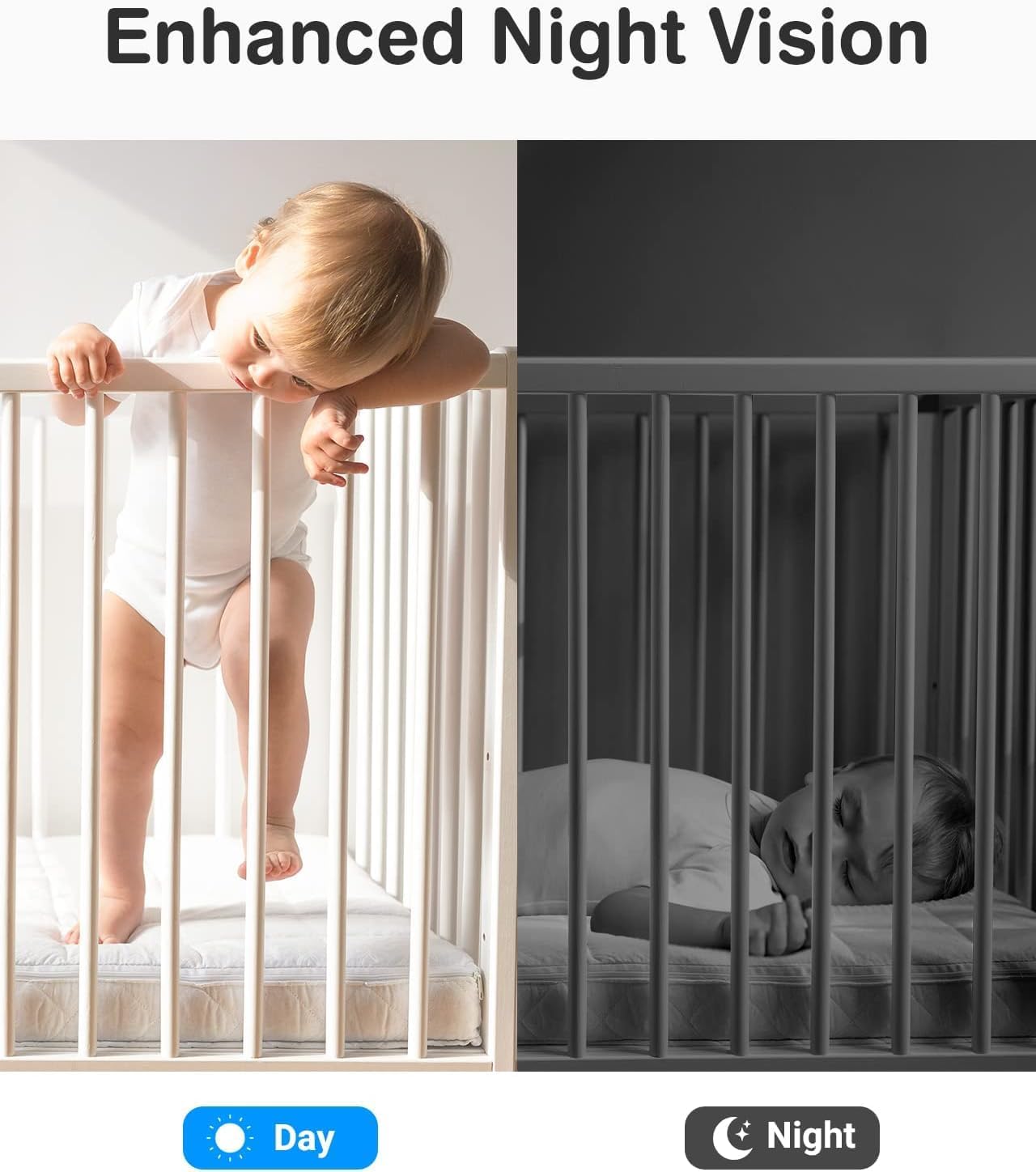
Figure 7: Day and night vision capabilities.
5.6 Storage Options (SD Card & Cloud)
The camera supports both local storage via a MicroSD card (up to 128GB, not included) and cloud storage services. You can watch playback of recorded events anytime, anywhere through the Myannke app.

Figure 8: Storage options and video playback interface.
5.7 Alexa Integration
The ANNKE Crater 2-2K WiFi Camera is compatible with Amazon Alexa. You can use voice commands to view the camera's live feed on compatible Alexa-enabled smart displays.
6. Maintenance
- Cleaning: Use a soft, dry cloth to clean the camera lens and body. Do not use liquid cleaners or aerosols.
- Firmware Updates: Regularly check for and install firmware updates through the Myannke app to ensure optimal performance and security.
- Placement: Ensure the camera is placed in a stable location, away from direct sunlight, heat sources, and excessive moisture.
7. Troubleshooting
| Problem | Possible Cause | Solution |
|---|---|---|
| Camera offline | No power; Wi-Fi disconnected; Router issue. | Check power connection; Restart camera and router; Reconfigure Wi-Fi in app. |
| Cannot connect to Wi-Fi | Incorrect Wi-Fi password; 5GHz network; Weak signal. | Verify password; Ensure 2.4GHz network; Move camera closer to router. |
| No motion detection alerts | Detection sensitivity too low; Notifications disabled. | Adjust sensitivity in app settings; Enable push notifications for the app. |
| Poor video quality | Weak Wi-Fi signal; Dirty lens. | Improve Wi-Fi signal strength; Clean camera lens. |
8. Specifications
| Feature | Detail |
|---|---|
| Model Number | I71BL |
| Resolution | 3MP (2K Super HD) |
| Pan/Tilt Range | 360° Pan, 120° Tilt |
| Connectivity | Wi-Fi (2.4GHz only) |
| Audio | Two-Way Audio |
| Motion Detection | Human Motion Detection |
| Night Vision | Enhanced Night Vision |
| Storage Options | MicroSD Card (up to 128GB), Cloud Storage |
| Power Consumption | 12 Watts |
| Dimensions | 15.5 x 9.5 x 9.4 cm |
| Weight | 330 grams |
9. Warranty and Support
ANNKE products come with a limited warranty. For detailed warranty information, technical support, or to report any issues, please visit the official ANNKE website or contact their customer service team.
Website: www.annke.com
Email: support@annke.com