
1. Introduction
This manual provides detailed instructions for the installation, operation, and maintenance of your YESKAMO 5MP Wireless Outdoor Security Camera System. Please read this manual thoroughly before use to ensure proper functionality and safety.
2. Product Overview
2.1 Package Contents
The package includes the following items:
- Wireless Security Cameras (4 units)
- 12-inch IPS Monitor with Integrated NVR (8-channel recorder)
- 3TB HDD (pre-installed)
- Power Adapters for Cameras and NVR
- Mounting Hardware (screws, wall plugs)
- USB Mouse
- 1m LAN Cable
- Instruction Manual (Japanese)
- Security Stickers (4 sheets)
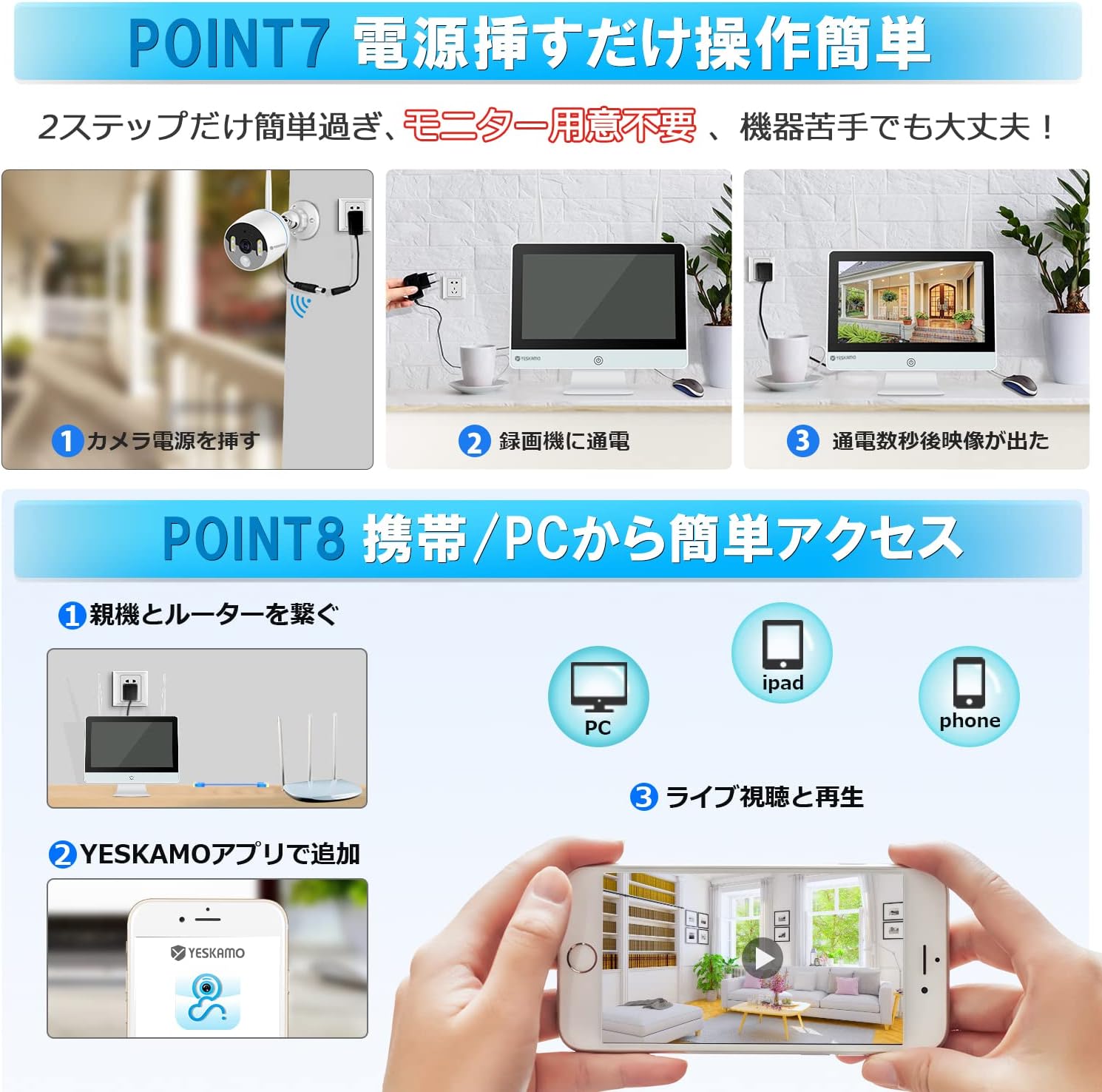
Image: All components included in the YESKAMO 5MP Wireless Outdoor Security Camera System package.
2.2 Key Features
- 5MP Ultra-High Definition: Provides clear and detailed video surpassing Full HD.
- Durable Metal Construction: Aluminum alloy cameras offer impact resistance, durability, and efficient heat dissipation.
- 12-inch IPS Monitor: Integrated monitor with a 178° ultra-wide viewing angle for vivid color reproduction.
- 3TB Large Capacity HDD: Pre-installed for extended recording, supporting H.265 compression for efficient storage.
- AI Human Detection: Reduces false alarms by accurately detecting human figures.
- Motion-Activated Lighting: Four security lights illuminate upon human detection in darkness.
- Two-Way Audio: Built-in high-sensitivity microphone and speaker for real-time communication.
- Full-Color Night Vision: Captures full-color video at night when security lights are activated.
- IP66 Waterproof & Dustproof: Suitable for outdoor use in various weather conditions.
- Easy Setup: Cameras are pre-paired with the NVR for plug-and-play installation.
- Expandable System: Supports up to 8 cameras.
- Multiple Connectivity Options: HDMI output for larger displays, LAN for wired connection, USB for backup.
- Stable Wireless Signal: Enhanced antennas (3dBi for cameras, 5dBi for NVR) and high-sensitivity chip.
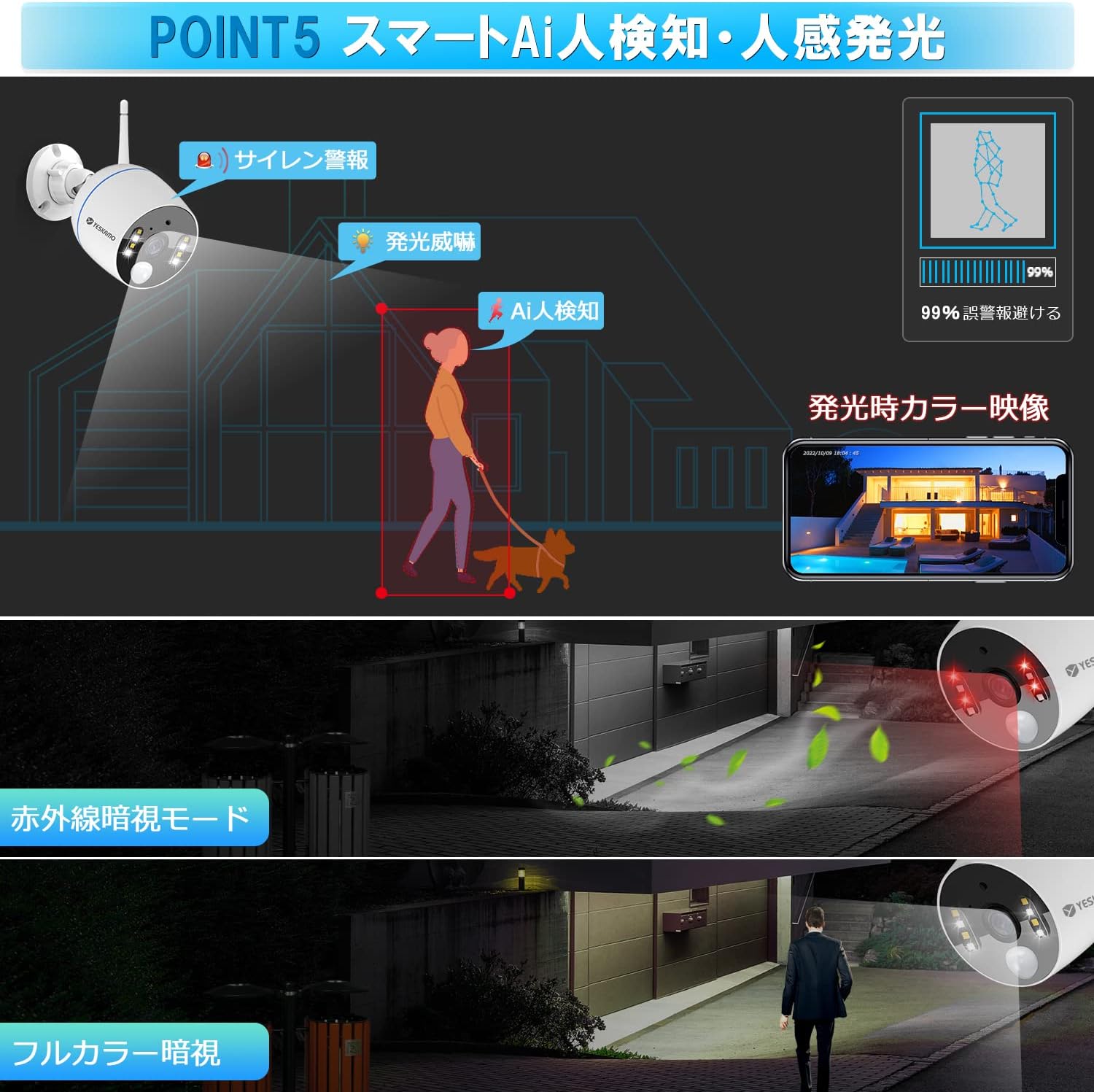
Image: A detailed diagram of the camera unit, showing its WiFi antenna, IP66 rating, IR-CUT sensor, floodlight LEDs, AI lens, microphone, speaker, 2-axis mounting bracket, power terminal, and RJ-45 Ethernet terminal.
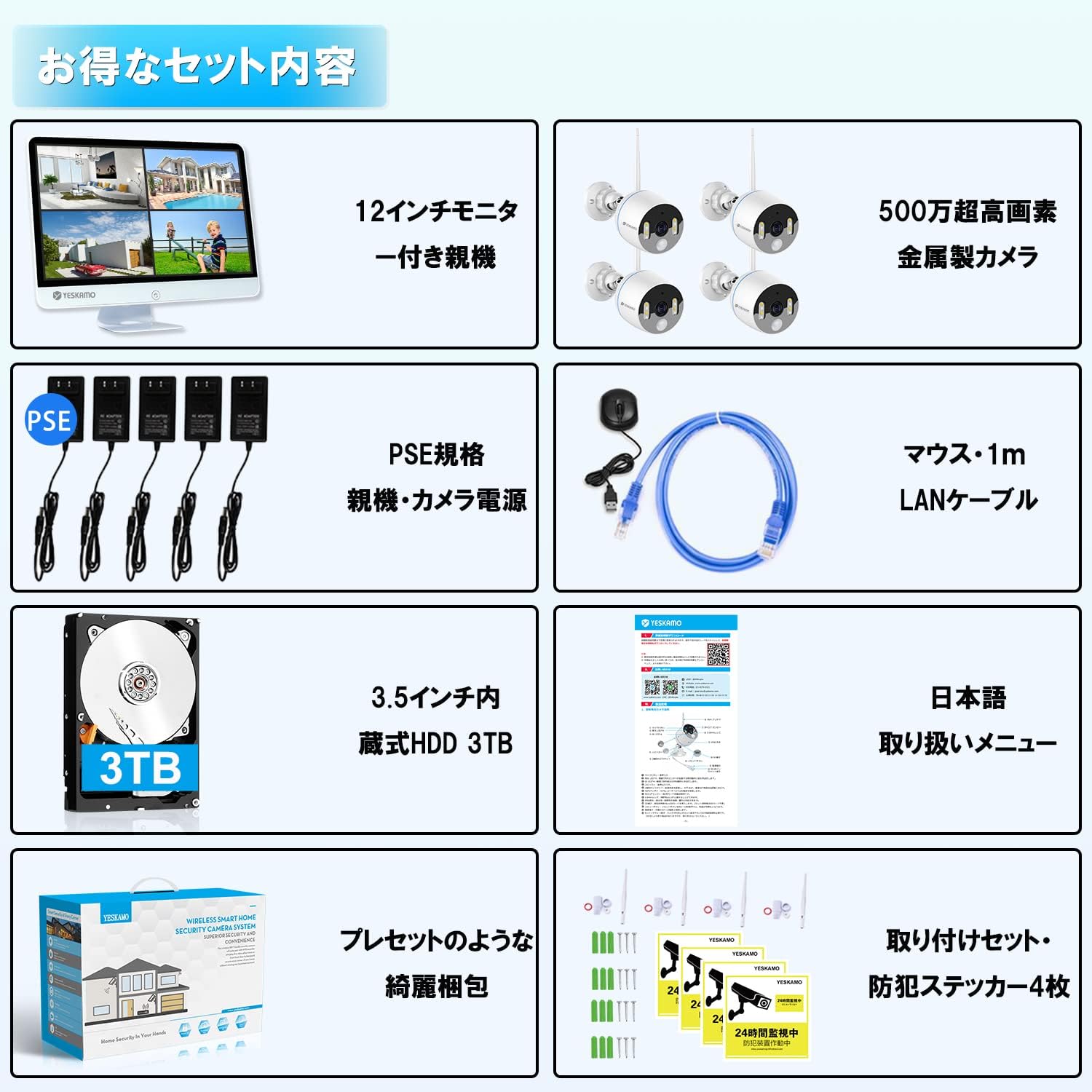
Image: A detailed diagram of the NVR monitor, illustrating its LAN connector, HDMI terminal, power terminal, two USB 2.0 ports, 5dBi antennas, and dimensions (12-inch screen, 22.6cm height, 30cm width, 5.6cm base).
3. Setup Instructions
3.1 Initial Connection (Plug & Play)
The cameras are pre-paired with the NVR at the factory, allowing for a simple plug-and-play setup.
- Connect the power adapters to each camera and the NVR.
- Power on the NVR. The camera feeds should appear on the integrated 12-inch IPS monitor within seconds.
- (Optional) For remote viewing, connect the NVR to your router using the provided LAN cable.
Video: This video demonstrates the simple plug-and-play setup process, showing how to connect power to the NVR and cameras, and how the video feeds automatically appear on the monitor.
Video: This video illustrates the connection method for the wireless security camera system with an integrated monitor, including connecting the camera and NVR to power and the NVR to a display via VGA or HDMI, and to a router via LAN cable.
3.2 Camera Installation
The cameras are designed for easy installation. Ensure the mounting surface is stable and secure.
- Choose a suitable location for each camera, ensuring optimal coverage and a stable wireless signal.
- Use the provided mounting hardware (screws and wall plugs) to securely attach the camera bracket to the wall or ceiling.
- Adjust the camera angle as needed.
- Connect the camera to its power adapter.
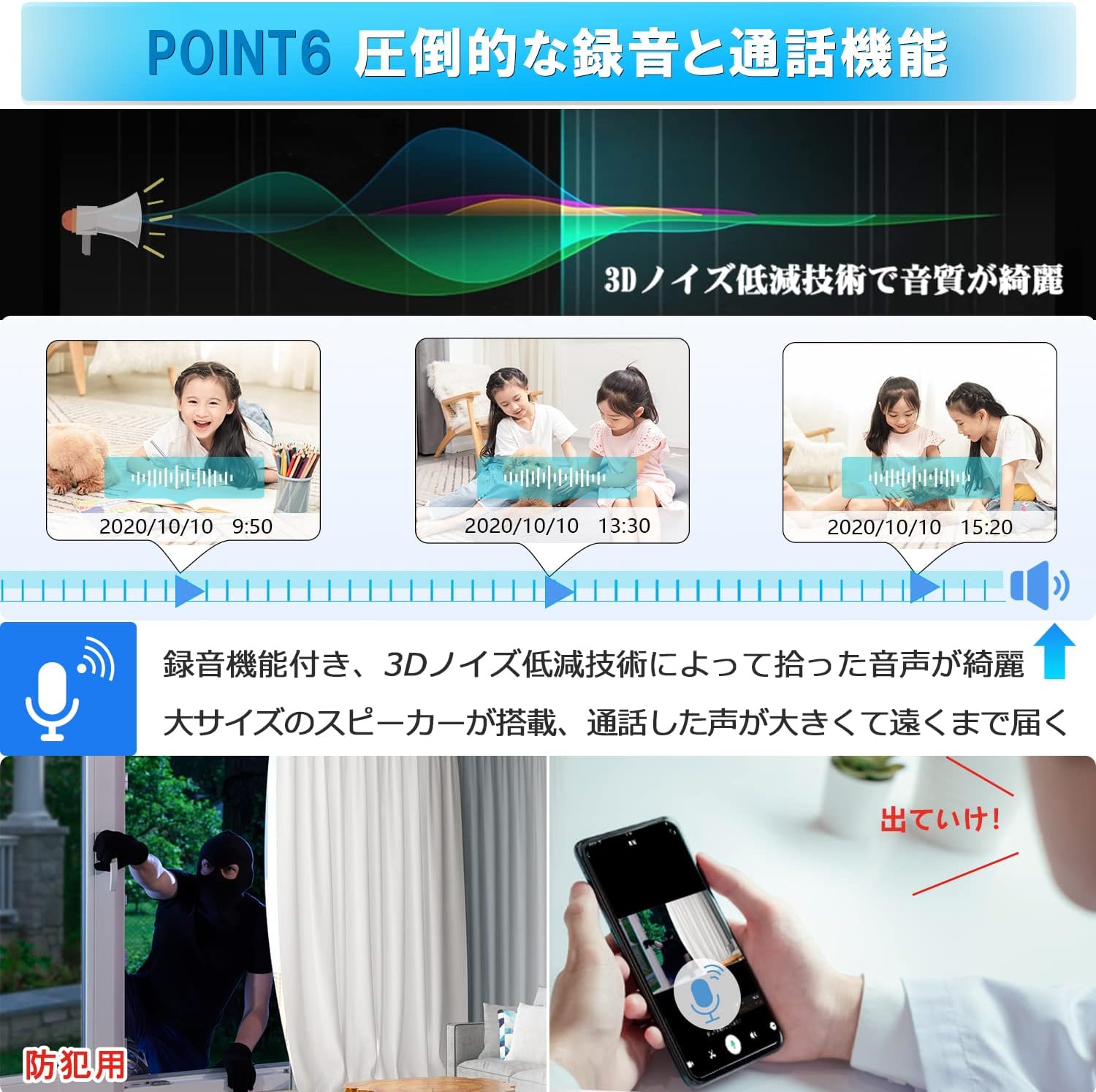
Image: A person drilling holes and mounting the YESKAMO security camera onto a wall, demonstrating the ease of installation.
3.3 Adding Additional Cameras
If you wish to expand your system with additional cameras (up to 8 channels), follow these steps:
- Access the NVR's menu and navigate to the camera management section.
- Select the option to add a new camera.
- The NVR will search for available cameras. Once detected, confirm the addition.
Video: This video demonstrates how to add a Wi-Fi camera to the system via the NVR interface, including clicking the '+' icon, searching for cameras, and confirming the addition once the camera is detected.
4. Operating Instructions
4.1 Live View and Recording
Once set up, the NVR will display live feeds from all connected cameras. The 3TB HDD allows for continuous recording for over 20 days with 4 cameras, utilizing H.265 compression.

Image: A split-screen view on the NVR monitor showing live feeds from multiple YESKAMO cameras, demonstrating the system's surveillance capabilities.
4.2 AI Human Detection and Alerts
The system features advanced AI human detection to minimize false alarms. When a human is detected, the camera's security lights will activate, and an alert will be sent to your mobile device.
- Motion-Activated Lighting: Four security lights on the camera illuminate brightly upon human detection in dark environments.
- Siren Alarm: The system can trigger a siren alarm to deter intruders.
- Mobile Notifications: Receive instant alerts on your smartphone via the linked app.
- Email Notifications: Configure email alerts for detected events.
- NVR Buzzer: The NVR can emit an audible buzzer alarm.
Video: This video demonstrates the motion detection function of the YESKAMO NK series security camera set, showing how it detects movement and triggers alerts.
4.3 Two-Way Audio
Utilize the built-in microphone and speaker for two-way communication through the camera.
- Speak through your smartphone app to the camera's speaker.
- Listen to audio from the camera's location via the app.

Image: An illustration depicting the two-way audio function, showing a person speaking into a smartphone and the sound being projected from the camera, allowing for communication with someone near the camera.
4.4 Full-Color Night Vision
When the security lights are activated by human detection, the camera records in full color, even at night.

Image: A comparison showing standard black and white night vision versus full-color night vision provided by the camera's activated security lights.
4.5 Remote Monitoring
Connect the NVR to your home network to enable remote monitoring via the YESKAMO mobile application on your smartphone or tablet.

Image: A smartphone displaying live camera feeds, illustrating remote access capabilities of the YESKAMO security camera system.
5. Maintenance
- Regular Cleaning: Periodically clean the camera lenses and housing with a soft, damp cloth to ensure clear image quality. Avoid abrasive cleaners.
- Firmware Updates: Check the manufacturer's website or the mobile app for available firmware updates to ensure optimal performance and security.
- Cable Inspection: Regularly inspect all cables for any signs of wear or damage, especially for outdoor installations.
- IP66 Rating: The cameras are IP66 waterproof and dustproof, designed to withstand outdoor elements. However, avoid submerging them in water or exposing them to high-pressure water jets.
6. Troubleshooting
6.1 No Image on Monitor
- Ensure all power adapters are securely connected to the cameras and the NVR, and that power outlets are functional.
- Verify that the NVR is powered on.
- If using an external monitor, check the HDMI/VGA cable connection.
- Restart the NVR and cameras.
6.2 Unstable Wireless Signal
The system is equipped with enhanced antennas for stable wireless performance. If you experience signal instability:
- Repeater Function: Utilize the camera's repeater function to extend the signal range.
- Wired Connection: Connect cameras directly to the NVR via Ethernet cables for a more stable connection.
- Signal Boosters: Consider using a separate wireless repeater or Wi-Fi extension antenna (sold separately) to improve signal strength.
- Obstruction Check: Ensure there are no major obstructions (thick walls, metal structures) between the cameras and the NVR.
6.3 False Alarms
The AI human detection feature is designed to reduce false alarms. If you are still receiving frequent false alarms:
- Adjust the sensitivity settings for motion detection in the NVR menu.
- Ensure the camera's field of view does not include elements that frequently move (e.g., tree branches in strong wind, busy roads).
7. Specifications
| Feature | Specification |
|---|---|
| Brand | YESKAMO |
| Model Number | JP-TJ12-10804 |
| Product Dimensions (LxWxH) | 22 x 42 x 35 cm |
| Item Weight | 2.15 Kilograms |
| Color | White |
| Voltage | 12 Volts |
| Camera Resolution | 5 Megapixels |
| Monitor Size | 12-inch IPS |
| HDD Capacity | 3TB |
| Waterproof Rating | IP66 |
| Viewing Angle | 110°-120° (Camera), 178° (Monitor) |
| Video Compression | H.265 |
| UPC | 198715843088 |
8. Warranty and Support
- 60-Day Money-Back Guarantee: If you are not satisfied with the product, you can return it within 60 days for a full refund.
- 1-Year Free Replacement: The product is eligible for a free replacement within one year of purchase for manufacturing defects.
- 3-Year Warranty: A comprehensive 3-year warranty covers the system against defects in materials and workmanship.
- Technical Support:
- Phone support available during business hours.
- Email inquiries are responded to promptly within 24 hours.
- Certifications: The product has acquired Technical Conformity Certification and PSE Certification, ensuring compliance with safety and technical standards.


