
EIOTCLUB Trial plan
EIOTCLUB Prepaid Data SIM Card User Manual
Model: Trial plan
Introduction
This manual provides comprehensive instructions for the EIOTCLUB Prepaid Data SIM Card. It covers the setup, operation, maintenance, and troubleshooting of your SIM card, designed for high-speed 4G/5G LTE connectivity across various IoT devices in the U.S. networks.

Image: The EIOTCLUB Prepaid Data SIM Card, showing its packaging and the SIM card itself, indicating 5G compatibility and 300MB trial data.
Setup
Follow these steps to properly install and activate your EIOTCLUB SIM card in your compatible device.
1. SIM Card Insertion
The EIOTCLUB SIM card is a 3-in-1 design (Standard, Micro, Nano) to fit various devices. Carefully select the correct size for your device.
- Identify the SIM card slot on your device (e.g., security camera, mobile WiFi hotspot, router).
- Insert the EIOTCLUB SIM card into the slot with the correct orientation, ensuring it clicks into place if applicable.

Image: A visual guide demonstrating the three steps for easy plug-and-play connectivity, including inserting the SIM card into a camera, waiting for network connection, and successful connection notification.
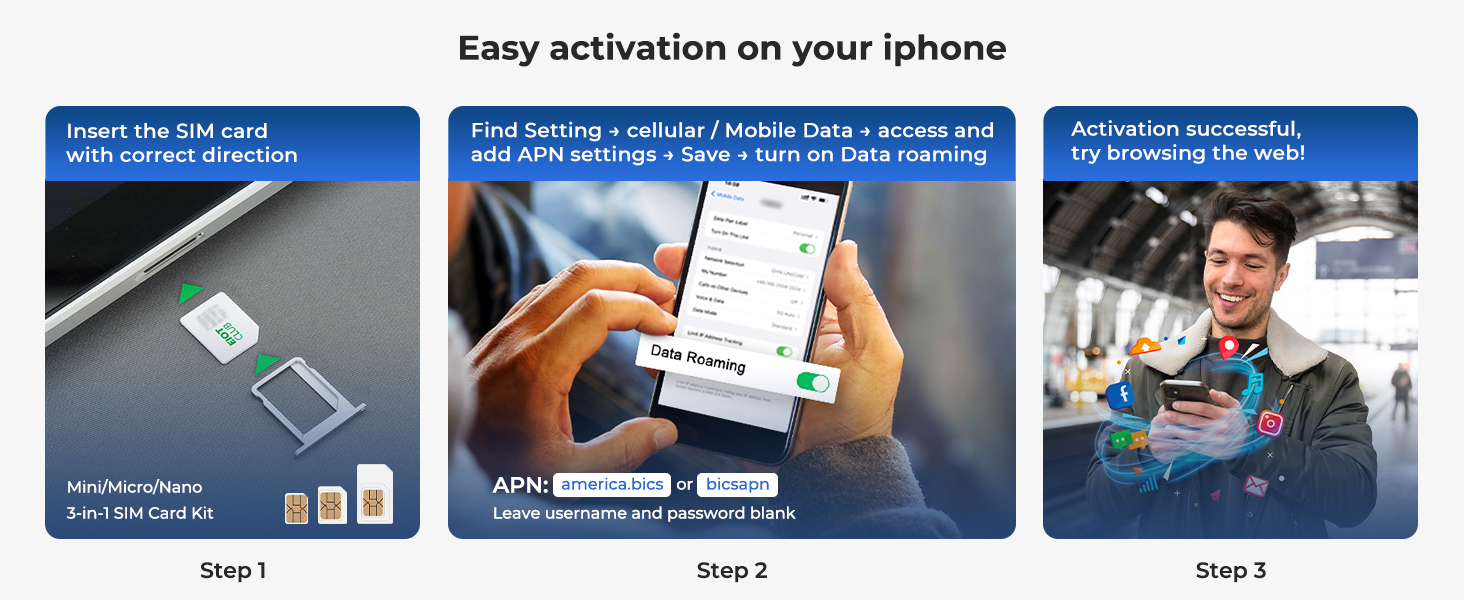
Image: A detailed three-step process showing how to insert the SIM card, wait for the device to connect to the network, and receive a successful connection notification on a mobile phone.
2. APN Configuration
After inserting the SIM card, you may need to configure the Access Point Name (APN) settings on your device for proper network access. Refer to your device's manual for specific instructions on how to access APN settings.
- APN: america.bics or bicsapn
- Username: Leave blank
- Password: Leave blank

Image: A four-step guide illustrating the activation process: getting the SIM card, plugging it into the device, setting up the APN, and confirming successful connection.

Image: A three-step guide for activating the SIM card on an iPhone, showing SIM insertion, navigating to cellular settings to set APN, and successful web browsing.

Image: A three-step guide for activating the SIM card on a 5G/4G portable WiFi router, showing SIM insertion, logging into device web interface to change APN, and saving settings with data roaming enabled.
Operating
The EIOTCLUB SIM card provides reliable data service for a variety of devices.
Network Compatibility and Coverage
The SIM card is compatible with major U.S. networks, specifically operating on AT&T and T-Mobile networks. It automatically prefers the strongest available carrier to ensure consistent connectivity.
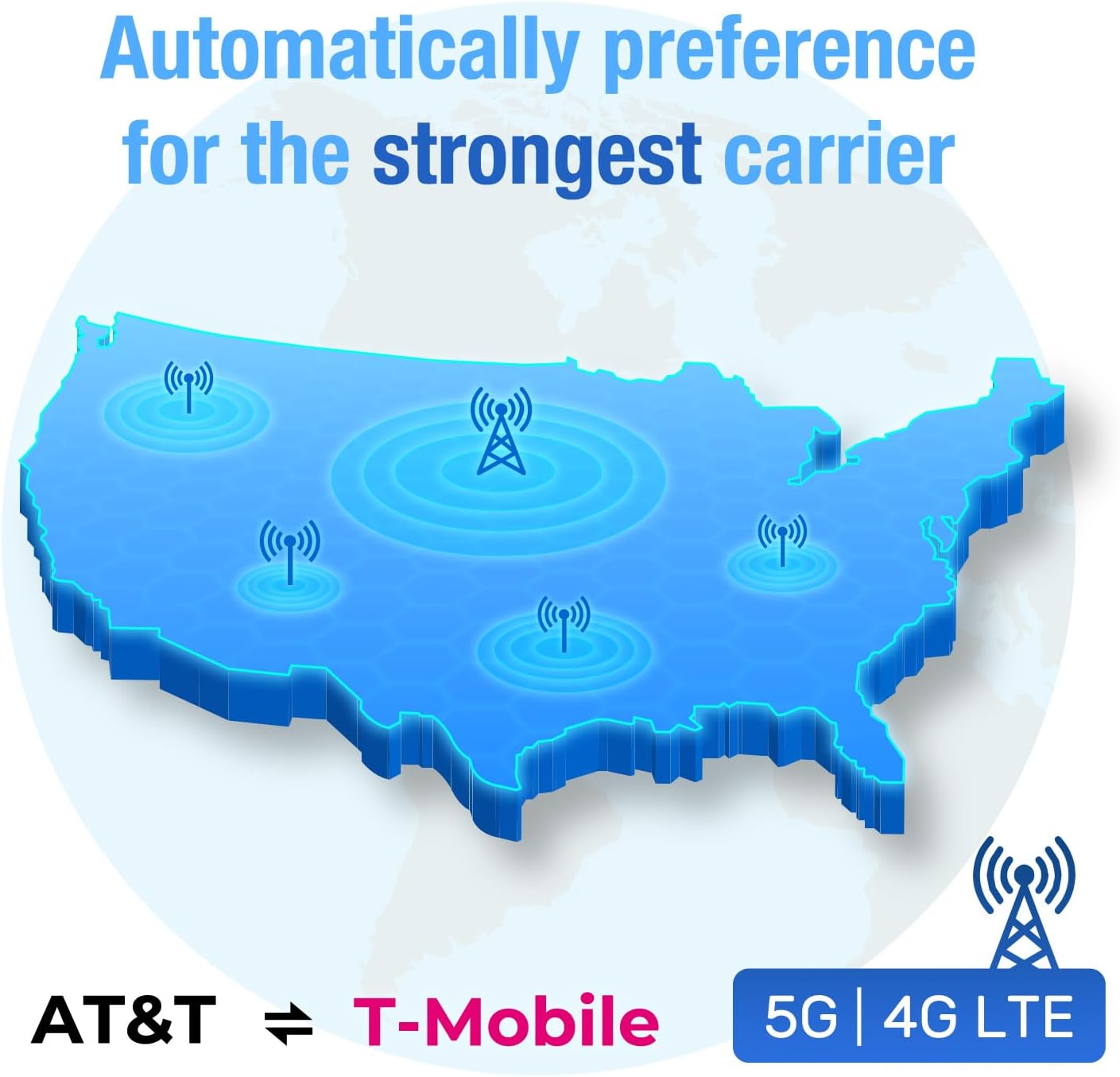
Image: A map of the United States illustrating network coverage and the automatic preference for the strongest carrier, indicating 5G and 4G LTE compatibility with AT&T and T-Mobile.
Device Compatibility
This SIM card is designed to work with any unlocked 5G/4G device. Common compatible devices include:
- Security Cameras
- Mobile WiFi Hotspots
- Trail Cameras
- Routers
- Tablets
- GPS Trackers
- Other IoT devices

Image: Icons depicting universally compatible devices such as mobile phones, remote cameras, SIM routers, GPS trackers, lawn mowers, and drones.

Image: A collage of images showing the SIM card being used with various devices including a hotspot, mobile router, laptop, iPad, phone, and different types of security cameras.
Data Plan Management
EIOTCLUB offers flexible and transparent prepaid data plans with no hidden fees or contracts. Plans can be easily adjusted and renewed online or through the EIOTCLUB app.

Image: A table displaying various flexible and affordable data plans categorized for routers, security cameras, and trail cameras/POC radios, showing data amounts, durations, and prices.
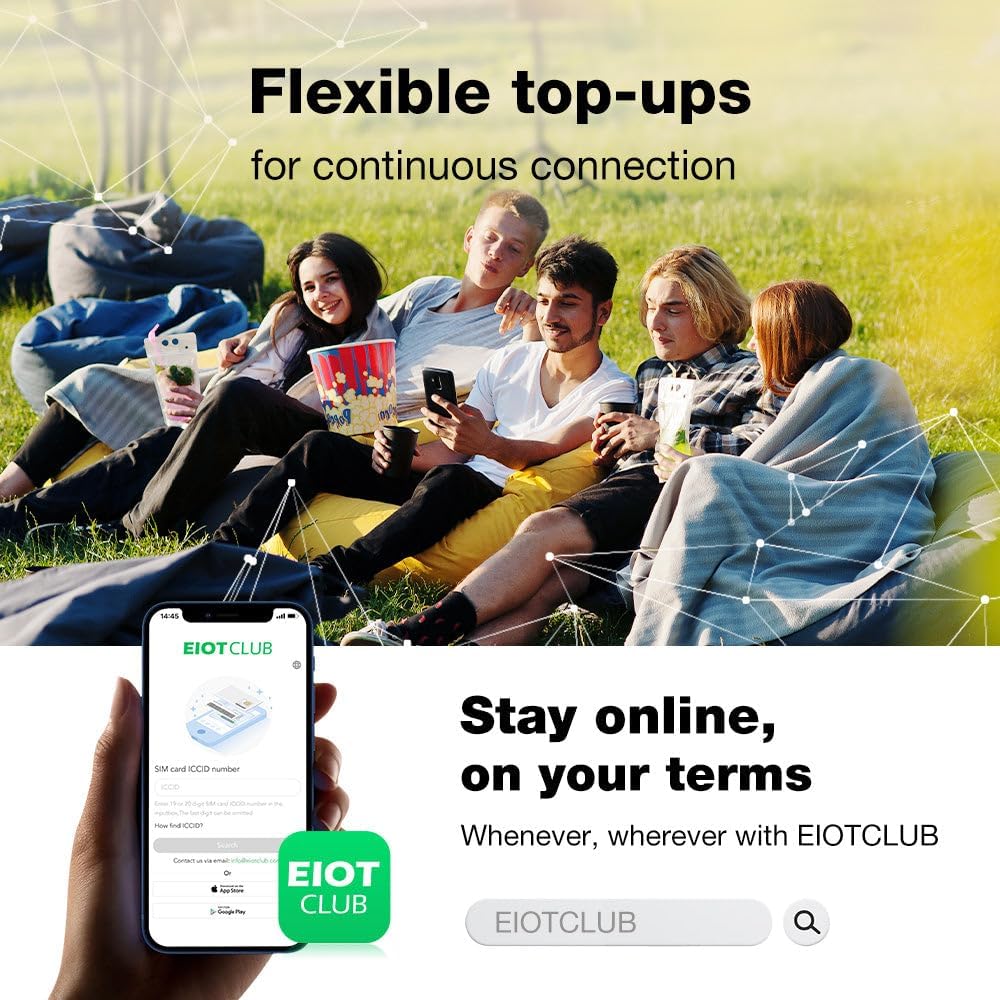
Image: A group of people using various devices, illustrating the concept of flexible top-ups for continuous connection, with a mobile phone displaying the EIOTCLUB app interface.

Image: A screenshot of the EIOTCLUB app interface showing flexible data plan recharge options for security, hunting, and tracker devices, with various data and duration packages.
Maintenance
To ensure continuous and optimal performance of your EIOTCLUB SIM card, regular monitoring and timely renewals are recommended.
- Monitor Data Usage: Utilize the EIOTCLUB app or online portal to track your current data consumption. This helps in planning your next top-up or plan renewal.
- Renew Plans: Ensure your data plan is renewed before it expires to avoid service interruption. Renewal options are available through the EIOTCLUB app and website.
- Keep Device Updated: Ensure the firmware or software of your device (e.g., camera, hotspot) is up-to-date, as this can affect SIM card performance and network compatibility.
Troubleshooting
If you encounter issues with your EIOTCLUB SIM card, consider the following troubleshooting steps:
- No Network Connection:
- Verify the SIM card is correctly inserted into your device.
- Check your device's APN settings against the recommended settings (america.bics or bicsapn, no username/password).
- Restart your device.
- Ensure your data plan is active and has available data.
- Slow Data Speeds:
- Check your device's signal strength. Weak signal can lead to slower speeds.
- Confirm your device is operating in an area with 4G/5G LTE coverage.
- Ensure your data plan has sufficient high-speed data remaining.
- Device Not Recognizing SIM:
- Ensure your device is unlocked and compatible with 5G/4G networks.
- Try inserting the SIM card into another compatible device to rule out a device-specific issue.
If these steps do not resolve the issue, please contact EIOTCLUB professional support for further assistance.
Specifications
Key technical specifications for the EIOTCLUB Prepaid Data SIM Card (Trial Plan model):
| Feature | Detail |
|---|---|
| Brand | EIOTCLUB |
| Model Number | Trial plan |
| Cellular Technology | LTE (5G compatible) |
| Service Provider | AT&T/T-mobile networks |
| Item Weight | 0.317 ounces |
| Package Dimensions | 3.82 x 3.11 x 0.01 inches |
| First Available Date | August 20, 2024 |
Warranty and Support
EIOTCLUB is committed to providing excellent customer service and product reliability.
- Professional Support: A dedicated online customer support team is available to assist with any issues or inquiries regarding your data SIM card.
- 30-Day Money Back Guarantee: Enjoy a 30-day money-back and free return policy.
- 10-Year Long Term Promise: EIOTCLUB offers a 10-year commitment to safeguard your rights. If the product breaks, you are eligible for free exchange and returns anytime within this period.
- 24/7 Online Support: Access 1-on-1 online support around the clock for immediate assistance.

Image: Two customer support representatives wearing headsets, smiling, indicating available professional support.

Image: A graphic detailing after-sales support, including 30-Day Money Back, 10-Year Long Term Promise, and 24/7 Online Support.

Image: A graphic emphasizing the 10-Year commitment with a shield icon, stating free exchange and returns if the product breaks.
Related documentsTrial plan


Ask a question about this manual
Ask about setup, troubleshooting, compatibility, parts, safety, or missing instructions. Manuals+ will review the question and use this page’s manual context to help answer it.