
Introduction
This manual provides essential information for setting up, operating, maintaining, and troubleshooting your Lenovo LOQ 15ARP9 gaming laptop. Designed for performance and durability, this laptop features an AMD Ryzen 7 processor, NVIDIA GeForce RTX 4050 graphics, 24GB RAM, and a 512GB SSD, running on Windows 11 Home.

Image: Front view of the Lenovo LOQ 15ARP9 gaming laptop, showcasing its display and keyboard.
1. Getting Started (Setup)
1.1 Unboxing and Initial Inspection
Carefully remove the laptop and all accessories from the packaging. Inspect for any visible damage. The package typically includes the laptop, power adapter, and documentation.
1.2 Connecting Power
- Connect the power adapter to the laptop's power input port.
- Plug the power cable into a grounded electrical outlet.
- Allow the battery to charge sufficiently before first use, or use it while connected to power.
1.3 First Boot and Windows Setup
Press the power button to turn on the laptop. Follow the on-screen instructions to complete the Windows 11 Home setup process. This includes selecting your region, language, connecting to a network, and creating a user account.
1.4 Connecting Peripherals
The laptop features multiple ports for connecting external devices:
- USB Ports: Connect external storage, mice, keyboards, or other USB devices. The laptop includes 4 USB 3.0 ports.
- HDMI Port: Connect to an external monitor or TV. The laptop has 1 HDMI port.
- Ethernet Port: For wired network connectivity. The laptop has 1 Ethernet port.
- Audio Jack: For headphones or external speakers.

Image: Front view of the laptop, highlighting the screen and keyboard layout.
2. Operating Your Laptop
2.1 Keyboard and Touchpad
The laptop features a full-size keyboard with a numeric keypad and a precision touchpad. The keyboard is backlit, enhancing visibility in low-light conditions.

Image: Close-up of the laptop keyboard, showing the backlit keys.
2.2 Display and Graphics
The 15.6-inch Full HD (1920x1080) display offers a 144Hz refresh rate and 100% sRGB color accuracy, suitable for gaming and creative tasks. Graphics are powered by the NVIDIA GeForce RTX 4050 with 6GB GDDR6 VRAM, supporting features like DLSS 3 and Ray Tracing for enhanced visual fidelity.

Image: Illustrates the Lenovo AI Engine+ chip and the 15.6-inch FHD 144Hz display with 100% sRGB.
2.3 Audio System
Experience immersive 3D audio with Nahimic Audio by SteelSeries. This technology is optimized for gaming, providing clear sound and communication capabilities.

Image: Screenshot of the Nahimic Audio control panel, showing various sound customization options.
2.4 Lenovo AI Engine+ and Performance Modes
The Lenovo AI Engine+ with the LA1 AI chip optimizes performance for various tasks. Activate Balance Mode in Lenovo Vantage to allow the AI to dynamically adjust laptop settings for optimal performance, whether for gaming or productivity.
2.5 Connectivity
The laptop supports Wi-Fi (802.11ax) and Bluetooth for wireless connections. Wired connectivity is available via the Ethernet port.
2.6 Multi-Display Setup
The Lenovo LOQ 15ARP9 supports up to three independent displays, allowing for an expanded workspace or immersive gaming setup. Connect external monitors via the HDMI port and other available display outputs.
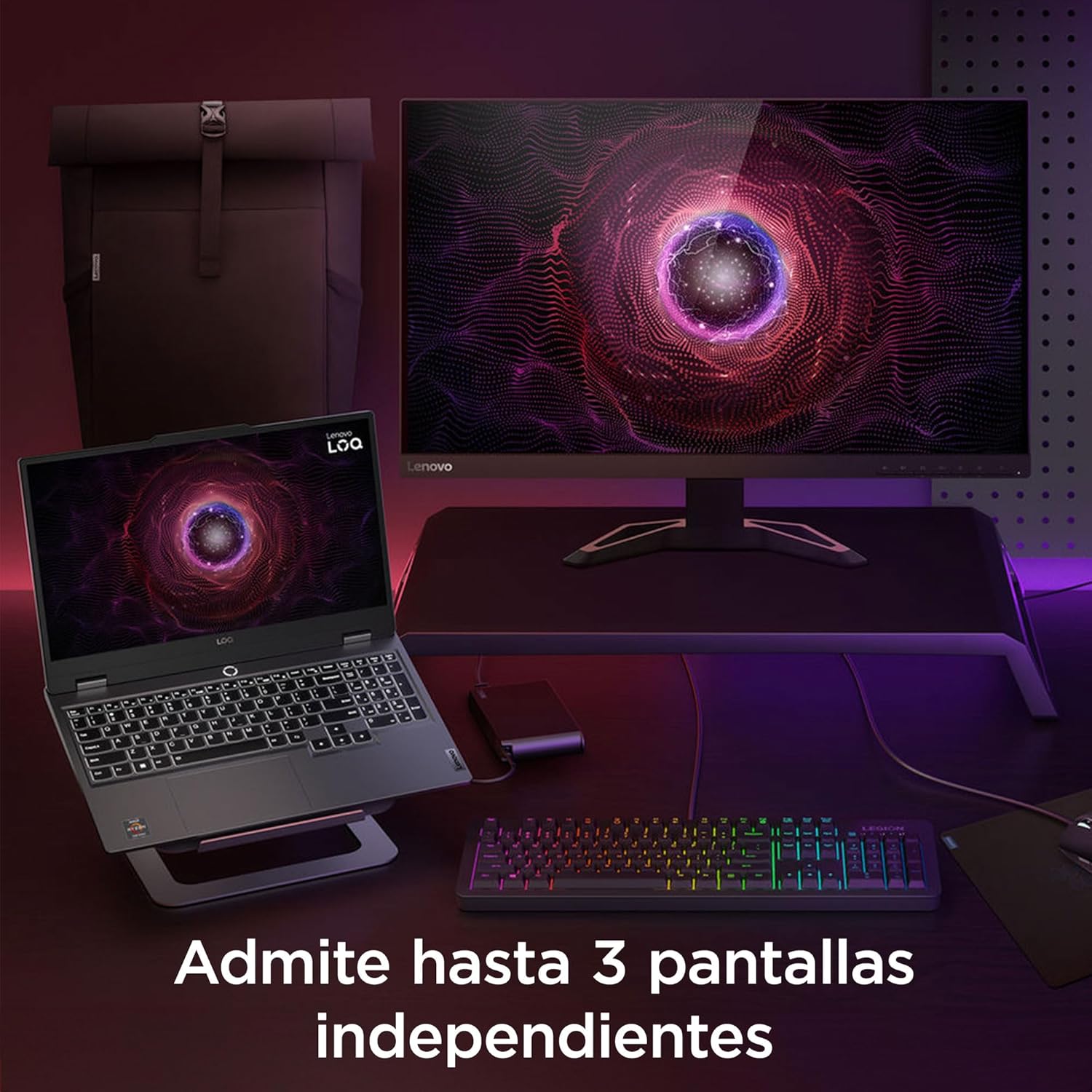
Image: A laptop connected to an external monitor and keyboard, illustrating multi-display capability.
3. Maintenance and Care
3.1 Cooling System
The laptop incorporates Hyperchamber technology for efficient heat dissipation, ensuring stable performance during intensive use. Keep the vents clear of obstructions to maintain optimal airflow.

Image: Underside view of the laptop, showing the cooling vents and airflow.
3.2 Software Updates
Regularly update your operating system, drivers, and applications to ensure optimal performance, security, and compatibility. Lenovo Vantage can assist with driver updates.
3.3 Cleaning and Storage
Use a soft, lint-free cloth to clean the screen and exterior. Avoid harsh chemicals. When not in use, store the laptop in a cool, dry place, away from direct sunlight and extreme temperatures.
4. Troubleshooting
This section addresses common issues you might encounter. For more detailed troubleshooting or issues not covered here, refer to the official Lenovo support website.
4.1 Common Issues and Solutions
- Laptop does not power on: Ensure the power adapter is securely connected and the outlet is functional. Try a different outlet.
- Screen is blank: Check if the laptop is powered on. Connect an external monitor to verify if the issue is with the laptop's display.
- Poor performance: Close unnecessary applications. Check for background processes. Ensure cooling vents are clear. Update drivers.
- Wi-Fi connectivity issues: Restart the laptop and router. Check Wi-Fi settings and ensure the adapter is enabled.
4.2 Contacting Support
If you encounter persistent issues, contact Lenovo customer support. Have your laptop's model number (LOQ 15ARP9) and serial number ready for assistance.
5. Product Specifications
| Feature | Specification |
|---|---|
| Brand | Lenovo |
| Model Series | LOQ 15ARP9 |
| Model Number | 83JC004ULM |
| Processor Brand | AMD |
| Processor Type | AMD Ryzen 7 (7435HS) |
| Processor Speed | 4.5 GHz |
| Number of Processors | 8 |
| RAM Size | 24 GB |
| RAM Technology | DDR5 |
| Max Supported Memory | 32 GB |
| Hard Drive Size | 512 GB |
| Hard Drive Type | SSD (Solid State) |
| Graphics Coprocessor | NVIDIA GeForce RTX 4050 |
| Graphics Card RAM Size | 6 GB GDDR6 |
| Screen Size | 15.6 Inches |
| Screen Resolution | 1920 x 1080 Pixels (FHD) |
| Operating System | Windows 11 Home |
| Connectivity | Bluetooth, Wi-Fi (802.11ax) |
| USB 3.0 Ports | 4 |
| HDMI Ports | 1 |
| Ethernet Ports | 1 |
| Audio Details | Speakers, Headphones (Nahimic Audio) |
| Special Features | 100% sRGB, AI Chip LA1, Nahimic Audio, Backlit Keyboard |
| Dimensions (LxWxH) | 35.98 x 2.39 x 25.87 cm |
| Weight | 2.3 kg |
6. Warranty and Support Information
6.1 Product Durability
The Lenovo LOQ 15ARP9 is designed with MIL-STD 810H durability standards, ensuring reliability for daily use in gaming, studies, or streaming environments.
6.2 Warranty
This product comes with a direct warranty from Lenovo. For specific warranty terms, conditions, and duration, please refer to the warranty card included with your product or visit the official Lenovo support website.
6.3 Support Resources
For technical assistance, service, or spare parts, please contact Lenovo's official support channels. You can find contact information and additional resources on the Lenovo Support Website.


