
HUAWEI Vili-B19F
HUAWEI Watch GT 5 46mm Smartwatch User Manual
Brand: HUAWEI | Model: Vili-B19F
Product Overview
The HUAWEI Watch GT 5 46mm is a sophisticated smartwatch designed for comprehensive health tracking and sports performance. It features a sharp-edged design, long battery life, and compatibility with both iOS and Android devices, making it a versatile companion for your daily activities and fitness goals.

Figure 1: HUAWEI Watch GT 5 46mm Smartwatch (Black model shown).
What's in the Box
Upon unboxing your HUAWEI Watch GT 5, you should find the following items:
- HUAWEI Watch GT 5 46mm Smartwatch
- Charging Cable
- User Manual (this document)
Setup Guide
1. Initial Charging
Before first use, fully charge your HUAWEI Watch GT 5. Connect the provided charging cable to the watch's charging port and plug the USB end into a compatible power adapter (not included) or a computer's USB port. The watch display will indicate charging status.

Figure 2: The HUAWEI Watch GT 5 with its charging cable, demonstrating the charging setup.
2. Downloading the HUAWEI Health App
To unlock the full potential of your smartwatch, download the HUAWEI Health app on your smartphone. The app is compatible with both iOS and Android devices. Search for "HUAWEI Health" in your device's app store or scan the QR code provided in the quick start guide (if applicable).
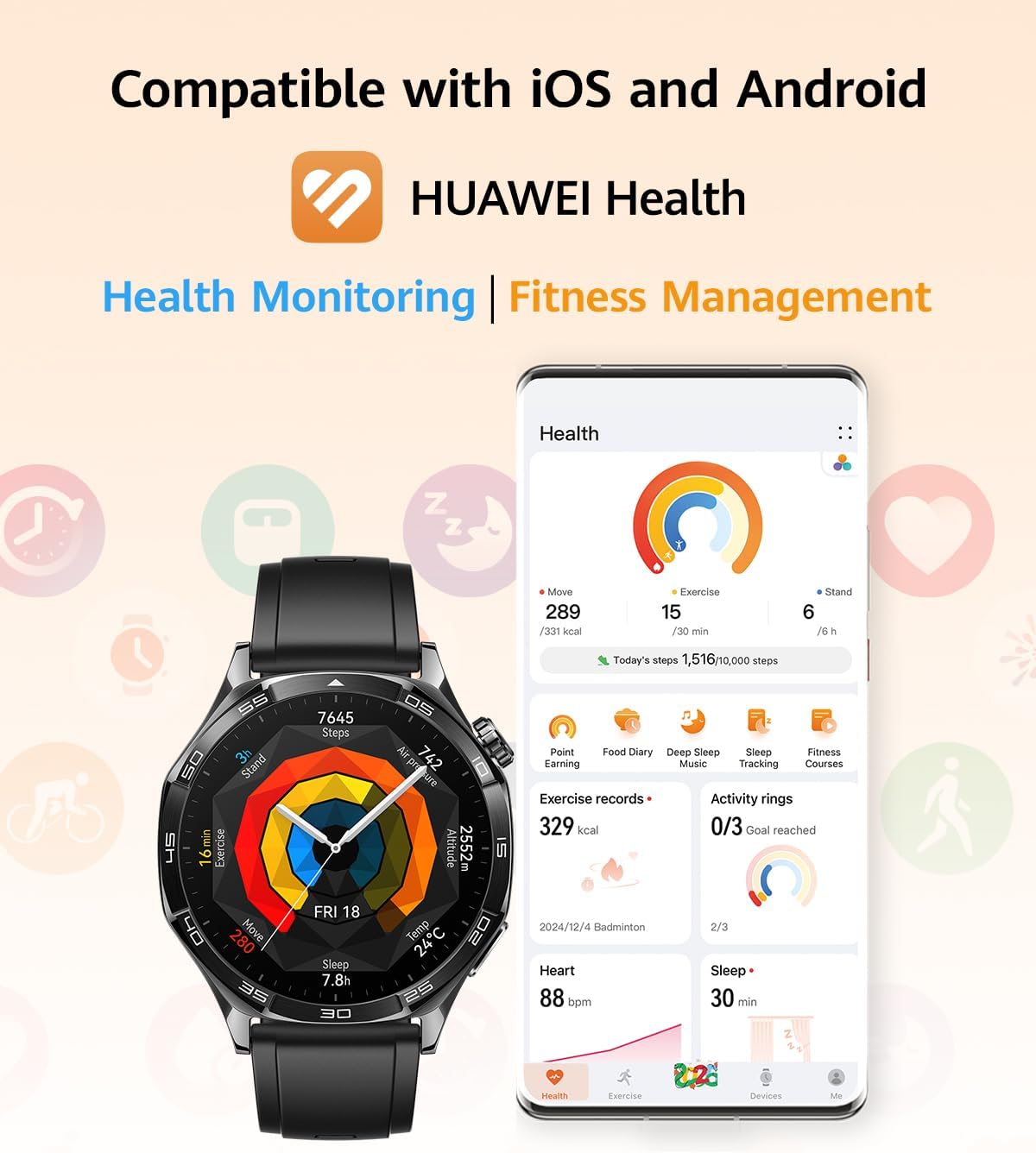
Figure 3: The HUAWEI Watch GT 5 display alongside a smartphone screen showing the HUAWEI Health app interface, illustrating compatibility with iOS and Android.
3. Pairing Your Watch
- Ensure Bluetooth is enabled on your smartphone.
- Open the HUAWEI Health app and follow the on-screen instructions to add a new device.
- Select "HUAWEI Watch GT 5" from the list of available devices.
- Confirm the pairing request on both your watch and smartphone.
Operating Your Smartwatch
Navigating the Interface
The HUAWEI Watch GT 5 features an intuitive touch screen and physical buttons for navigation. Swipe left/right or up/down to access different screens and menus. Press the top button to open the app list or return to the home screen. The bottom button can be customized for quick access to a preferred function.
Key Features
- Sharp-Edged Design & Durability: The watch is crafted with ultra-hard coatings on the body and screen, along with a uniform nano-film water-proof finish, ensuring durability for daily wear.
- Extended Battery Life: Enjoy up to 14 days of maximum battery life and 9 days of typical usage on a single charge, minimizing the need for frequent recharging.

Figure 4: Visual representation of the HUAWEI Watch GT 5's impressive battery life, highlighting 14 days max and 9 days typical usage.
- Advanced Health Tracking: The watch provides fast, accurate, and comprehensive health tracking, including heart rate monitoring, blood oxygen level measurement, sleep monitoring, and stress measurement.

Figure 5: Detailed view of the HUAWEI Watch GT 5's 24-hour health management features, including sleep, blood oxygen, heart rate, and stress tracking.
- Emotional Wellbeing Assistant: Utilize the exclusive Emotional Wellbeing app, which leverages HUAWEI TruSense data to help you stay attuned to your mental health and current emotional state.

Figure 6: The Emotional Well-Being App interface on the HUAWEI Watch GT 5, showing interactive mood monitoring.
- All-New Running and Cycling Experience: Benefit from seamless wrist-based navigation and real-time, map-based routes for enhanced running and cycling activities. The watch supports over 100 different workout modes.

Figure 7: The HUAWEI Watch GT 5 being used during running and cycling, showcasing its navigation and sports tracking capabilities.

Figure 8: An illustration of various workout modes available on the HUAWEI Watch GT 5, emphasizing its versatility for different fitness activities.
- Bluetooth Calling: Stay connected by making and receiving calls directly from your wrist when paired with your smartphone.
Figure 9: The HUAWEI Watch GT 5 displaying an incoming call, demonstrating its Bluetooth calling feature.
Official Product Video: HUAWEI Watch GT 5 Overview
Video 1: An official overview of the HUAWEI Watch GT 5, showcasing its design, features, and user interface. This video highlights the watch's capabilities in health monitoring, sports tracking, and daily use.
Maintenance
To ensure the longevity and optimal performance of your HUAWEI Watch GT 5, follow these maintenance guidelines:
- Cleaning: Regularly wipe the watch screen and strap with a soft, lint-free cloth. For stubborn stains, slightly dampen the cloth with water. Avoid using harsh chemicals or abrasive materials.
- Water Resistance: The watch has a water-proof finish. However, avoid prolonged submersion in water, especially hot water, and do not press buttons underwater. Dry the watch thoroughly after exposure to water.
- Charging: Use only the provided charging cable. Ensure the charging contacts on the watch and cable are clean and dry before charging.
- Storage: When not in use for extended periods, store the watch in a cool, dry place away from direct sunlight and extreme temperatures.
Troubleshooting
If you encounter issues with your HUAWEI Watch GT 5, try the following common troubleshooting steps:
- Watch Not Turning On: Ensure the watch is fully charged. Connect it to the charger for at least 10 minutes.
- Pairing Issues:
- Ensure Bluetooth is enabled on your phone and the watch is discoverable.
- Restart both your watch and smartphone.
- Clear the Bluetooth cache on your phone (Android) or reset network settings (iOS).
- Ensure the HUAWEI Health app is updated to the latest version.
- Inaccurate Health Data: Ensure the watch is worn snugly on your wrist, about one finger's width above the wrist bone. Clean the sensor area regularly.
- Notifications Not Appearing: Check notification permissions for the HUAWEI Health app on your smartphone. Ensure the app is running in the background.
- Short Battery Life: Review your usage patterns. Features like always-on display, frequent GPS use, and continuous heart rate monitoring consume more power. Adjust settings in the HUAWEI Health app to optimize battery life.
For more detailed troubleshooting or persistent issues, refer to the official HUAWEI support website or contact customer service.
Specifications
| Feature | Specification |
|---|---|
| Product Dimensions | 4.72 x 4.72 x 2.56 inches |
| Item Weight | 1.69 ounces (48 Grams) |
| ASIN | B0DDL8SLXN |
| Item Model Number | Vili-B19F |
| Batteries | 1 Lithium Polymer batteries required (included) |
| Standing Screen Display Size | 1.43 Inches |
| Memory Storage Capacity | 128 MB |
| Operating System | HarmonyOS |
| Special Features | Multisport Tracker, Activity Tracker, GPS, Phone Call, Notifications |
| Battery Capacity | 524 Milliamp Hours |
| Connectivity Technology | Bluetooth |
| Wireless Communication Standard | Bluetooth |
| Battery Cell Composition | Lithium Polymer |
| GPS | Built-in GPS |
| Shape | Round |
| Manufacturer | HUAWEI |
| Date First Available | October 2, 2024 |
Warranty and Support
Your HUAWEI Watch GT 5 is covered by a manufacturer's warranty. For specific warranty terms, conditions, and duration, please refer to the warranty card included with your product or visit the official HUAWEI support website. For technical assistance, product inquiries, or service requests, please contact HUAWEI customer support through their official channels.
For the most up-to-date support information, please visit: HUAWEI Official Support
Related documentsVili-B19F


Ask a question about this manual
Ask about setup, troubleshooting, compatibility, parts, safety, or missing instructions. Manuals+ will review the question and use this page’s manual context to help answer it.