1. Product Overview
The KOIOS H13 True HEPA Air Purifier (Model AP2303) is designed to improve indoor air quality in large rooms up to 1200 square feet. It features a three-stage filtration system and 360° air intake to effectively capture airborne particles as small as 0.3 microns, including smoke, dust, pollen, pet dander, and odors. This unit also includes an aromatherapy function and colorful ambient lighting.
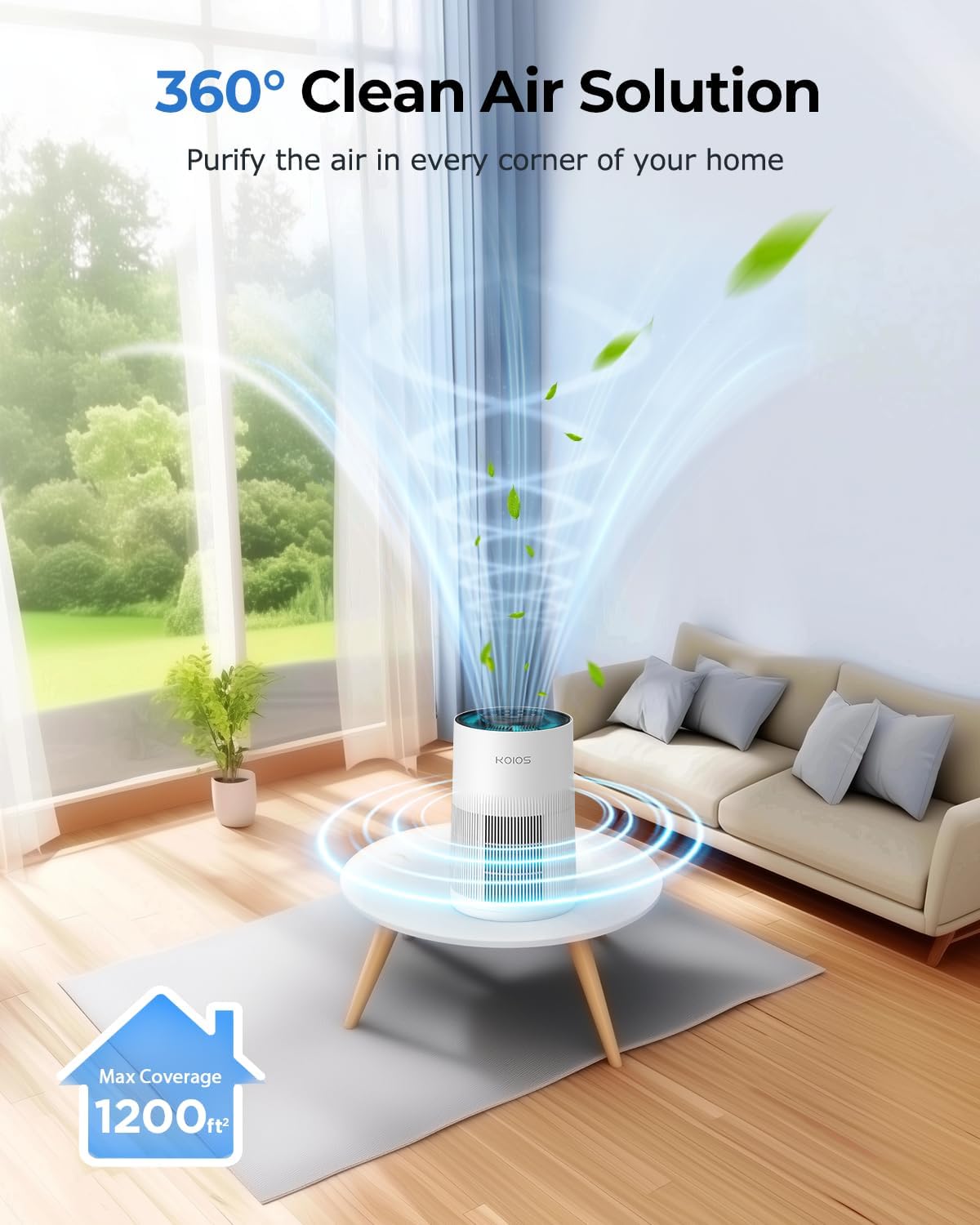
Figure 1: KOIOS H13 True HEPA Air Purifier AP2303 in operation.
2. What's in the Box
- Air Purifier Unit (x1)
- H13 True HEPA Filter (x1, pre-installed inside the air purifier)
- Power Adapter (x1, typically located inside the filter compartment)
- Aromatherapy Pads (x5)
- User Manual (x1)
3. Setup
3.1 Unpacking and Filter Installation
- Carefully remove the air purifier from its packaging.
- Turn the unit upside down. Locate the base cover and twist it counter-clockwise to unlock and remove it.
- Remove the pre-installed H13 True HEPA filter from its plastic packaging. The power adapter is often found inside the filter.
- Place the unwrapped filter back into the air purifier unit.
- Replace the base cover and twist it clockwise to lock it securely.
3.2 Placement
Place the air purifier on a flat, stable surface in the desired room. Ensure there is adequate space around the unit for optimal air intake and output. Avoid placing it directly against walls or furniture that might obstruct airflow.
4. Operating Instructions
The control panel is located on the top of the air purifier. All functions are controlled via touch-sensitive buttons.
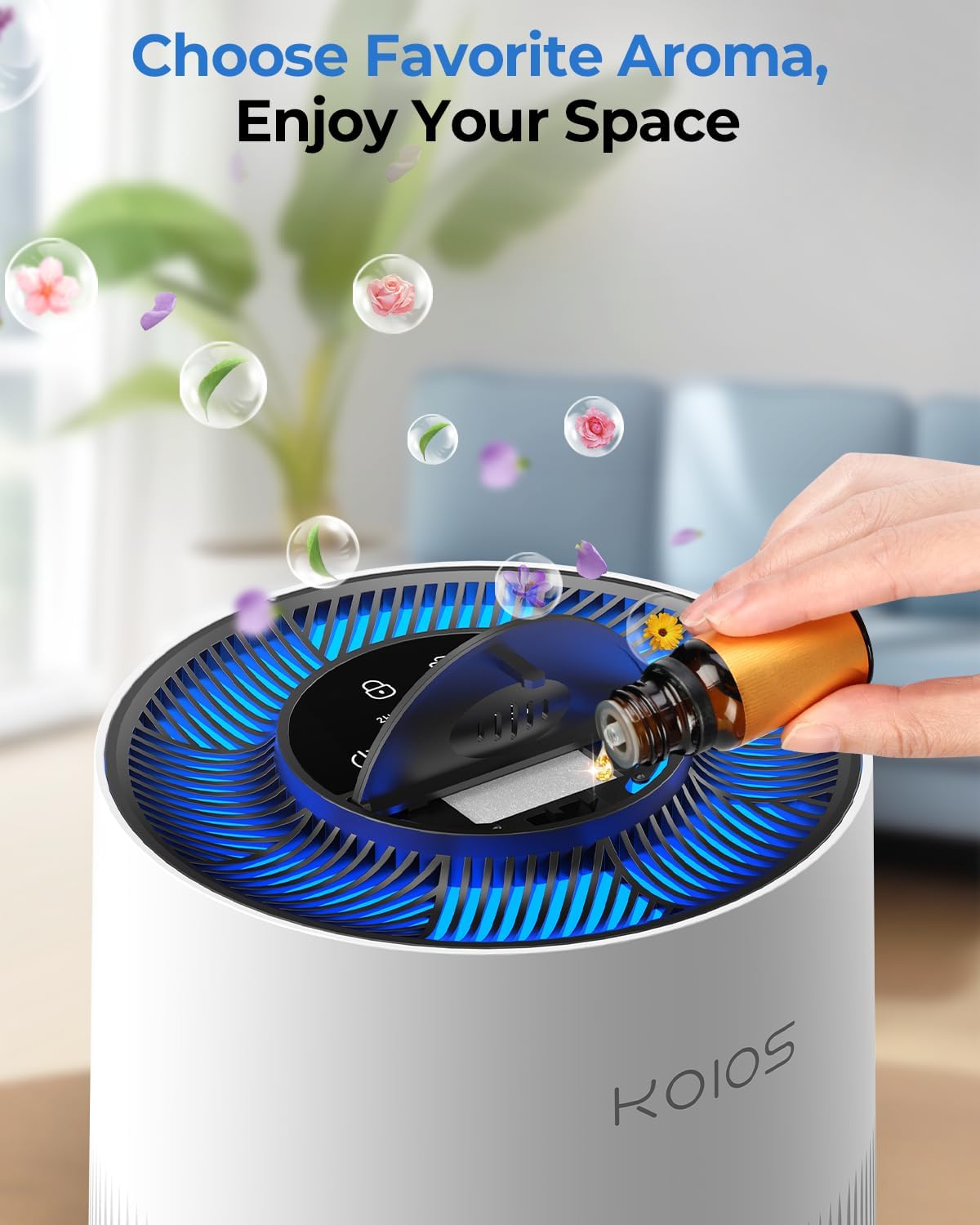
Figure 2: Control Panel and Aromatherapy Feature.
4.1 Power On/Off
- Press the Power button (
 ) to turn the air purifier on or off.
4.2 Fan Speed Control
- Press the Fan Speed button () to cycle through three fan speeds: Low (I), Medium (II), and High (III).
4.3 Timer Settings
- Press the Timer button () to set the operating time for 2, 4, or 8 hours. The unit will automatically turn off after the set time.
4.4 Colorful Ambient Lighting
- Press the Light button () to turn the ambient light on or off. The light cycles through 7 different colors.

Figure 3: 7-Color Cycling Ambient Light Feature.
4.5 Child Lock
- To activate the Child Lock, press and hold the Child Lock button () for 3 seconds. The control panel will be locked to prevent accidental changes.
- To deactivate, press and hold the Child Lock button for another 3 seconds.

Figure 4: Child Lock Feature for safety.
4.6 Aromatherapy Function
- Gently push the aromatherapy cover on the top panel to open it.
- Add a few drops of your preferred essential oil onto one of the provided aromatherapy pads.
- Place the pad into the designated slot and close the cover. The aroma will diffuse with the purified air.
5. Maintenance
5.1 Filter Replacement Reminder
- The air purifier is equipped with a filter replacement reminder. An indicator light on the control panel will illuminate when it's time to change the filter (recommended every 3-6 months).
- After replacing the filter, press and hold the Filter button () for 3 seconds until you hear a beep to reset the reminder.
5.2 Replacing the Filter
- Turn off and unplug the air purifier.
- Turn the unit upside down and unlock the base cover by twisting it counter-clockwise.
- Remove the old filter.
- Insert a new official KOIOS replacement filter (search B0DDL579HK) into the unit.
- Replace and lock the base cover.
- Plug in the unit and reset the filter reminder as described above.

Figure 5: Three-Stage Filtration System.
6. Troubleshooting
If you encounter any issues with your KOIOS Air Purifier, please refer to the following common troubleshooting steps:
- Unit not turning on: Ensure the power adapter is securely plugged into both the unit and a working electrical outlet. Check if the power adapter was removed from inside the filter during initial setup.
- Reduced airflow or unusual noise: Check if the filter needs replacement. Ensure the filter is correctly installed and free from obstructions.
- Filter indicator light remains on after replacement: Make sure to reset the filter reminder by pressing and holding the Filter button for 3 seconds.
- Control panel unresponsive: Check if the Child Lock is activated. Deactivate it by pressing and holding the Child Lock button for 3 seconds.
For further assistance, please contact customer support.
7. Specifications
| Feature | Detail |
|---|---|
| Model Number | AP2303 |
| Product Dimensions | 6.3"D x 10.4"W x 6.9"H |
| Item Weight | 3.1 Pounds |
| Power Source | DC |
| Coverage Area | Up to 1200 sq ft |
| Filtration System | 3-Stage (Pre-filter, H13 True HEPA, Activated Carbon) |
| Noise Level | As low as 20dB (lowest setting) |
| Certifications | FCC, ETL, CARB certified (non-ozone) |
8. Warranty and Support
KOIOS is committed to providing quality products and customer satisfaction.
- Customer Service: Lifetime customer service is available.
- Email Support: Expect a fast email reply within 24 hours for any inquiries.
- Returns & Exchanges: Enjoy a 12-month return and exchange policy.
- Technical Assistance: Official guidance is provided to help resolve technical issues.
For any questions or support, please reach out to us through the contact information provided in your purchase documentation or on the official KOIOS website.


