
YEELIGHT YLYDD-0045
YEELIGHT Smart Outdoor Permanent String Light User Manual
Model: YLYDD-0045 | Brand: YEELIGHT
Enhance your home ambiance with versatile, durable, and smart outdoor lighting.
1. Product Overview
The YEELIGHT Smart Outdoor Permanent String Light is designed to provide vibrant and customizable lighting for various outdoor settings, including eaves, patios, and rooftops. With RGB LED technology, it offers 16 million colors, high brightness, and over 20 preset lighting effects. Control is made easy via the Yeelight app, allowing for DIY customization and music synchronization. Its IP67 waterproof rating ensures durability and year-round use in diverse weather conditions.
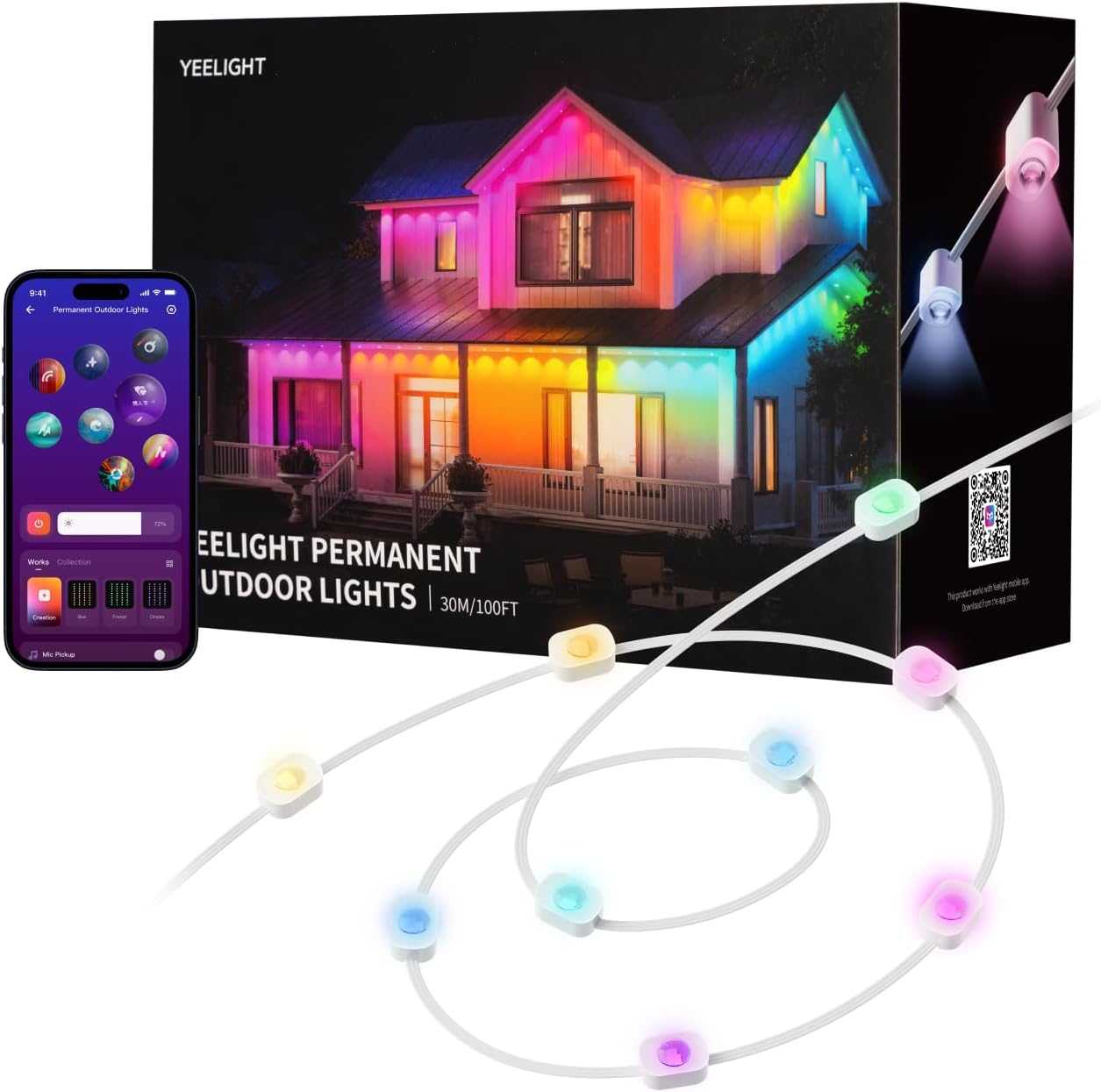
Image: The product packaging showing the string lights and a smartphone displaying the control app, with a house illuminated by colorful lights in the background.
2. Package Contents
Before installation, please verify that all components are present in your package:
- Permanent Outdoor Lights (multiple sections, depending on length purchased)
- Control Box
- Power Adapter
- Mounting Clips
- Spare VHB Tapes (pre-applied on lights)
- Extension Cable(s) (100ft and 150ft packages include 1 or 2 extension cables respectively, designed for cross-eave installations)
Each light string section is approximately 16 feet long. Ensure you have the correct number of sections for your desired total length.
3. Setup and Installation
3.1 Pre-Installation
- Unpack and Inspect: Open the packaging box and carefully check all included items against the package contents list.
- Connect Light Sections: If you have multiple light string sections, align their connectors and snap them together according to the grooves. Tighten the connections securely. Continue connecting until you reach the desired total length.
- Connect Power: Connect the power end of the assembled light string to the adapter. Secure the tail end of the light string with the waterproof cap.
- Test Functionality: Before mounting, turn on the power to check if all lights are functioning properly.
3.2 Mounting the Lights
The lights are designed for easy and secure installation using pre-applied VHB adhesive and additional screw clips for enhanced stability.
- Clean Surface: Clean the installation surface thoroughly with a cloth or tissue to ensure optimal adhesion.
- Positioning: Install the string lights approximately 2-4 inches (5-10 cm) away from the wall surface for optimal light projection.
- Apply Adhesive: Remove the VHB gum backing from each light module. Press each light firmly against the surface for at least 5 seconds to ensure strong adhesion.
- Secure with Clips: For added security and long-term stability, especially on turns or uneven surfaces, secure each string light section with the provided screw clips.

Image: A close-up view demonstrating the installation process, showing the adhesive backing and the use of a screw clip to secure the light module to a surface.
3.3 Installation Video Guide
Video: Official guide on how to install the permanent outdoor lights, covering unpacking, connecting sections, and mounting.
Video: A demonstration of the adhesive strength of the light modules, showing their ability to securely hold objects after installation.
4. Operating Instructions (App Control)
The YEELIGHT Smart Outdoor Permanent String Lights are primarily controlled via the Yeelight mobile application, available for both iOS and Android devices. Ensure your device's Bluetooth is enabled for initial pairing.
4.1 Pairing with the Yeelight App
- Power On & Reset: Power on the light device. Press and hold the power button on the control box for 5 seconds until the lights enter the blue breathing mode, indicating they are ready for pairing.
- Add Device in App: Open the Yeelight app. Click the "Add" (+) icon, then select "Permanent Outdoor Lights" from the device list.
- Scan & Connect: Click "Add Now" and tap the detected device (e.g., "Permanent Outdoor Lights"). Follow the on-screen instructions and short press the power button on the control box to confirm pairing.
- Set Length: After successful pairing, click on the device in the app to enter the length selection interface. Select the actual length of your installed light string (e.g., 1 segment for 16ft, 2 segments for 32ft, etc.).
4.2 Lighting Effects and Customization
Once paired, you can easily control and customize your lights through the app's home screen.
- On/Off & Brightness: Easily toggle the lights on or off and adjust their brightness using the main controls.
- Preset Effects: Tap the lighting effect ball at the top of the device page to switch between over 20 preset effects for various occasions (e.g., Christmas, Halloween, Valentine's Day, Party).
- DIY Mode: Enter "DIY Graffiti" mode to select and fill individual LED colors. You can also set dynamic effects, customizing direction and speed for each effect. Saved DIY lighting effects will be stored on the home screen for quick access.
- Music Flow: Open "Music Flow" and select your audio source (Phone or Device mic). Choose a rhythm effect to synchronize the lights with your music, creating a dynamic light show.
- Pure Color Mode: Select "Pure Color Mode" to choose a single static color from 16 million options.
- White Light Mode: Switch to "White Light Mode" to enter a warm 3000K light setting, ideal for cozy daily illumination.

Image: A smartphone displaying the Yeelight app interface, showcasing options for smart control, DIY customization, and music synchronization.

Image: An outdoor view of a house decorated with the smart string lights displaying green and purple Halloween-themed lighting.

Image: A house adorned with the smart string lights in festive red and green Christmas colors, with a light dusting of snow.
Video: A promotional video showcasing the Yeelight Outdoor Strip Permanent Lights used for various holidays and parties, highlighting their versatility and vibrant effects.
5. Maintenance
The YEELIGHT Smart Outdoor Permanent String Lights are designed for long-lasting outdoor use with an IP67 waterproof rating. Regular maintenance will help ensure their longevity and optimal performance.
- Cleaning: Periodically clean the light modules and cables with a soft, damp cloth to remove dirt, dust, or debris. Avoid using harsh chemicals or abrasive materials.
- Inspect Connections: Annually, or after severe weather conditions, inspect all connections and mounting points to ensure they remain secure. Re-tighten any loose screw clips if necessary.
- Weather Resistance: The lights are built to withstand temperatures from -4°F to 140°F. No special winterization or removal is required for seasonal changes.

Image: A visual representation of the lights' durability, showing a house illuminated by the string lights in rainy, sunny, and snowy conditions, highlighting their IP67 waterproof rating and temperature resistance.
6. Troubleshooting
| Problem | Possible Cause | Solution |
|---|---|---|
| Lights not turning on. | No power, loose connection, faulty adapter. | Check power outlet. Ensure all light sections and adapter are securely connected. Test adapter if possible. |
| Lights not pairing with app. | Bluetooth off, incorrect pairing mode, app issue. | Ensure Bluetooth is on. Reset lights to blue breathing mode. Restart Yeelight app or phone. |
| Lights flickering or inconsistent. | Loose connection, power fluctuation, damaged section. | Check all physical connections. Ensure stable power supply. Isolate and test sections if possible. |
| Adhesive not holding. | Improper surface cleaning, surface type, extreme weather. | Re-clean surface thoroughly. Use additional screw clips for secure mounting, especially on non-smooth surfaces. |
If you encounter issues not listed here or if the solutions do not resolve the problem, please contact YEELIGHT customer support.
7. Specifications
- Model Number: YLYDD-0045
- Length: 100 Ft (available in 50, 100, 150 ft options)
- Light Source Type: RGB LED
- Number of Light Sources: 60
- Lumens per LED: 40 lm
- Beam Angle: 90°
- Color Temperature (Warm White): 3000 Kelvin
- Colors: 16 Million (RGB)
- Power Source: Corded Electric
- Wattage: 12 watts
- Connectivity: Bluetooth (App Control)
- Indoor/Outdoor Usage: Outdoor, Indoor
- Water Resistance Level: IP67 Waterproof (LED strip), IP65 Waterproof (Control Box)
- Operating Temperature: -4°F to 140°F (-20°C to 60°C)
- Material: Polyester, Rubber
- Item Weight: 6.45 pounds
- Package Dimensions: 12.6 x 8.82 x 5.35 inches
- Country of Origin: China

Image: A diagram illustrating the superior lighting performance with details on lamp bead spacing, beam angle, and lumens per LED.
8. Warranty and Support
For warranty information, technical support, or any product-related inquiries, please refer to the official YEELIGHT website or contact their customer service directly. Keep your purchase receipt for warranty claims.
You can visit the YEELIGHT Official Store on Amazon for more information and support resources.