1. Introduction
Thank you for choosing the Aiheal 10.5L Ultrasonic Humidifier. This manual provides essential information for the safe and efficient operation, maintenance, and troubleshooting of your new humidifier. Please read it thoroughly before use and retain it for future reference.
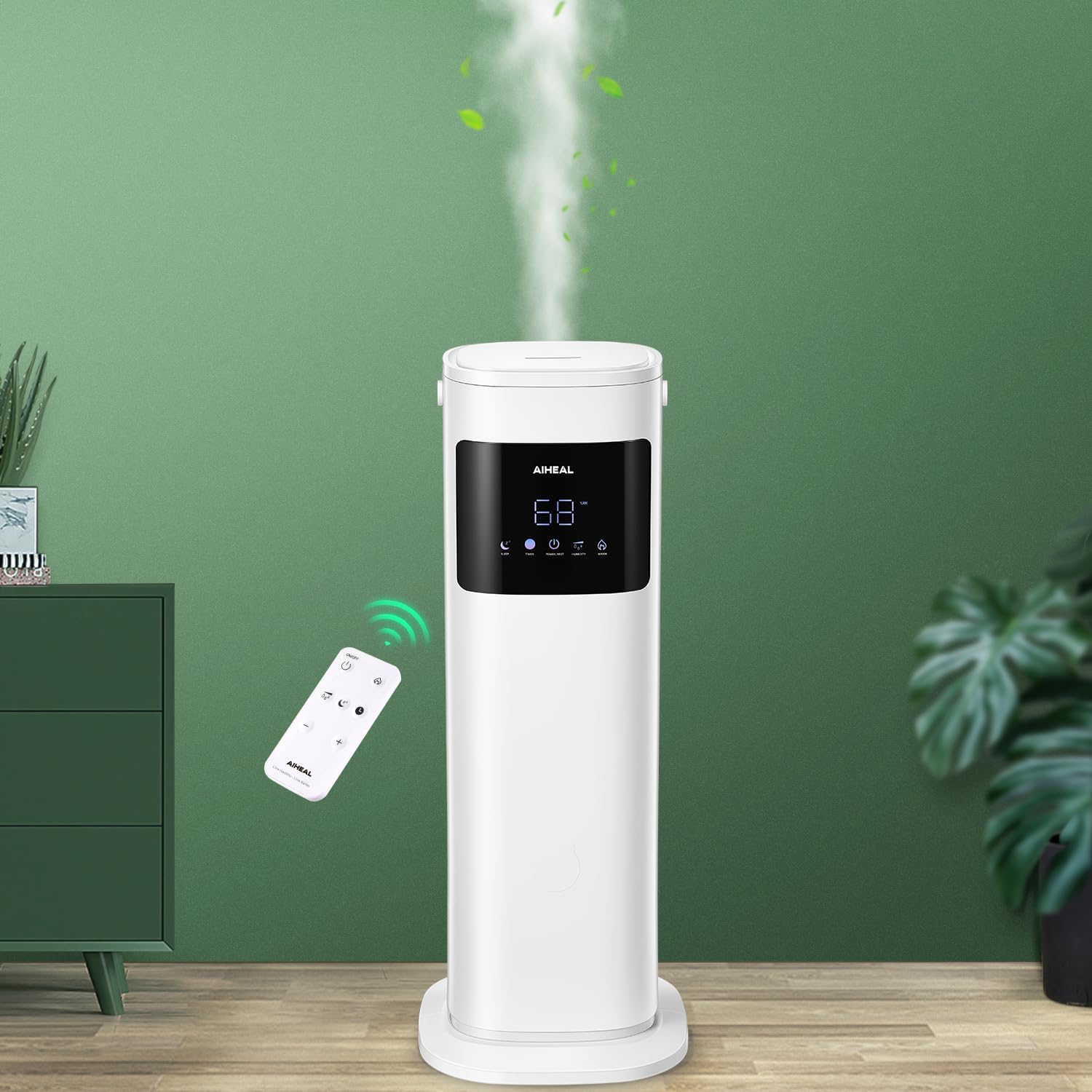
Figure 1: Aiheal 10.5L Ultrasonic Humidifier in operation.
2. Safety Instructions
To reduce the risk of fire, electric shock, or injury, always follow these basic safety precautions:
- Read all instructions before operating the humidifier.
- Place the humidifier on a firm, flat, level surface at least 12 inches (30 cm) away from walls and heat sources.
- Do not place the humidifier directly on carpet, as this may block the air intake.
- Do not immerse the base unit in water or other liquids.
- Always unplug the humidifier before filling, cleaning, or moving it.
- Do not add essential oils directly into the water tank, as this may damage the unit.
- Keep out of reach of children and pets.
- Use only clean, cool tap water or distilled water. Do not use hot water.
- If the humidifier is damaged, do not operate it. Contact customer support.
3. Product Overview
3.1 Included Components
- 1 x Aiheal 10.5L Ultrasonic Humidifier
- 1 x Quick Start Guide
- 1 x Cleaning Brush
- 1 x Remote Control
- 1 x User Manual (this document)
3.2 Key Features
- 10.5L Large Capacity: Provides up to 70 hours of continuous mist at the lowest setting.
- Top-Fill Design: Easy and convenient water refilling without disassembling the unit.
- Cool and Warm Mist: Choose between cool mist for general humidification or warm mist for added comfort during colder seasons.
- Customized Humidity: Set your desired humidity level between 30% and 80% Relative Humidity (RH). The humidifier will automatically maintain this level.
- 3 Mist Levels: Adjust mist output to Low, Medium, or High.
- Remote and Touch Control: Operate the humidifier conveniently via the included remote control or the intuitive LED touch screen.
- Sleep Mode: Operates quietly with the LED display turned off for an undisturbed night's sleep.
- 12-Hour Timer: Program the humidifier to turn off automatically after a set duration.
- Auto Shut-Off: Automatically turns off when water levels are low for safety.
- Ultra-Quiet Operation: Operates at approximately 28dB, ensuring a peaceful environment.

Figure 2: Overview of humidifier features.
4. Setup
4.1 Unpacking and Placement
- Carefully remove all components from the packaging.
- Place the humidifier base on a stable, flat, and water-resistant surface.
- Ensure there is at least 12 inches (30 cm) of space around the humidifier for optimal mist dispersion.
4.2 Base Assembly and Foam Removal
- Attach the base plate to the bottom of the main unit, ensuring it clicks securely into place.
- Open the top cover and remove any protective foam or packaging materials from inside the water tank and the base unit.
Video 1: Aiheal 10.5L Humidifier Setup and Features. This video demonstrates the initial setup, including base assembly, foam removal, and highlights key operational features like top-fill and mist control.
4.3 Filling the Water Tank
- Open the top cover of the humidifier.
- Pour clean, cool tap water or distilled water directly into the water inlet until it reaches the 'MAX' line indicated inside the tank. Do not overfill.
- Close the top cover securely.

Figure 3: Top-fill water tank design.
5. Operating Instructions
5.1 Power On/Off
- Plug the power cord into a suitable electrical outlet.
- Press the Power/Mist button on the touch screen or the ON/OFF button on the remote control to turn the humidifier on or off.
5.2 Mist Level Adjustment
- While the humidifier is on, press the Power/Mist button repeatedly to cycle through the 3 mist output levels (Low, Medium, High).
- Alternatively, use the + and - buttons on the remote control to adjust the mist level.
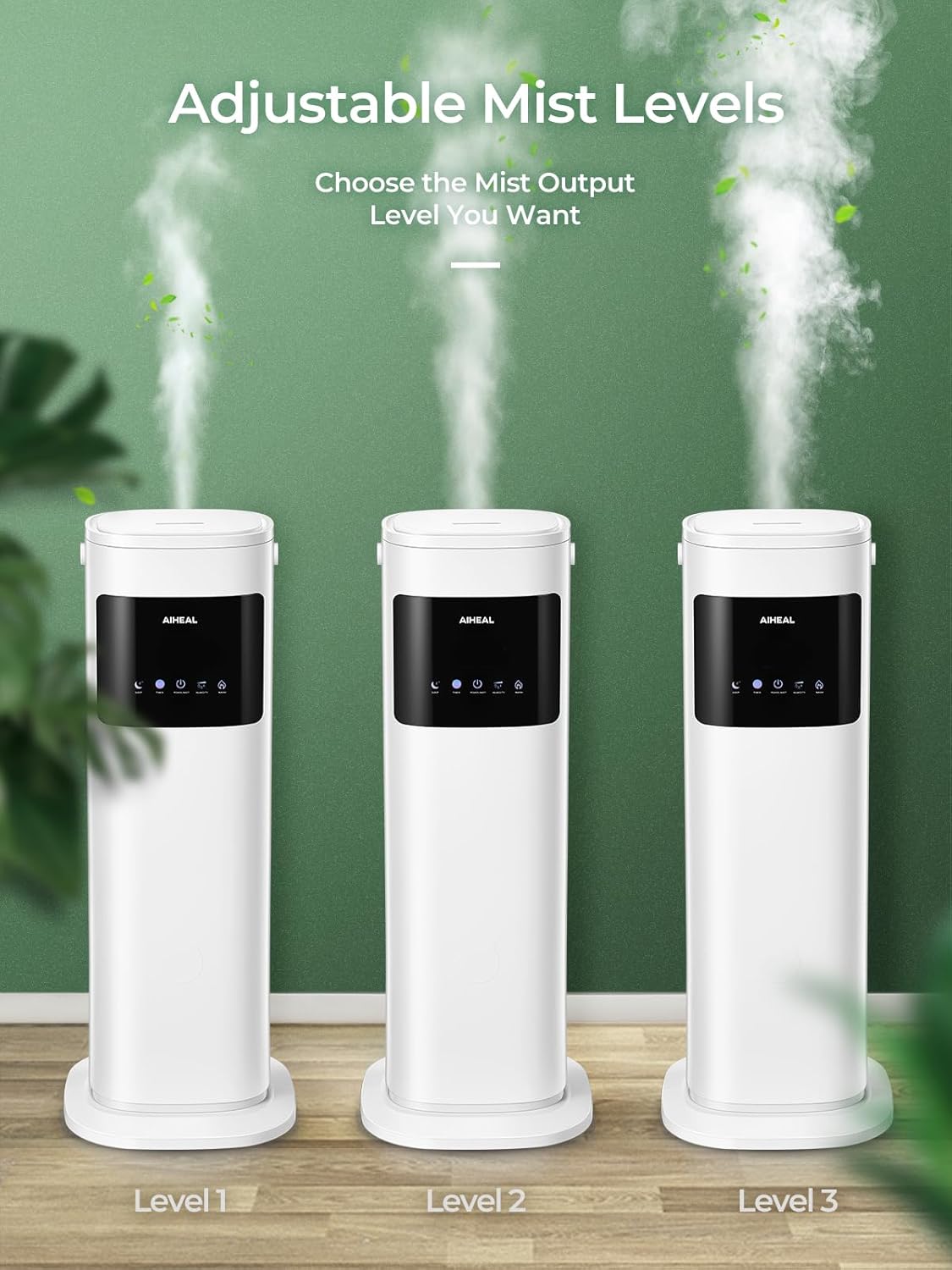
Figure 4: Adjustable mist levels.
5.3 Customized Humidity Setting
- Press the Humidity button on the touch screen or the remote control.
- Use the + and - buttons to set your desired humidity level (30% to 80% RH). The humidifier will automatically turn on/off to maintain this level.
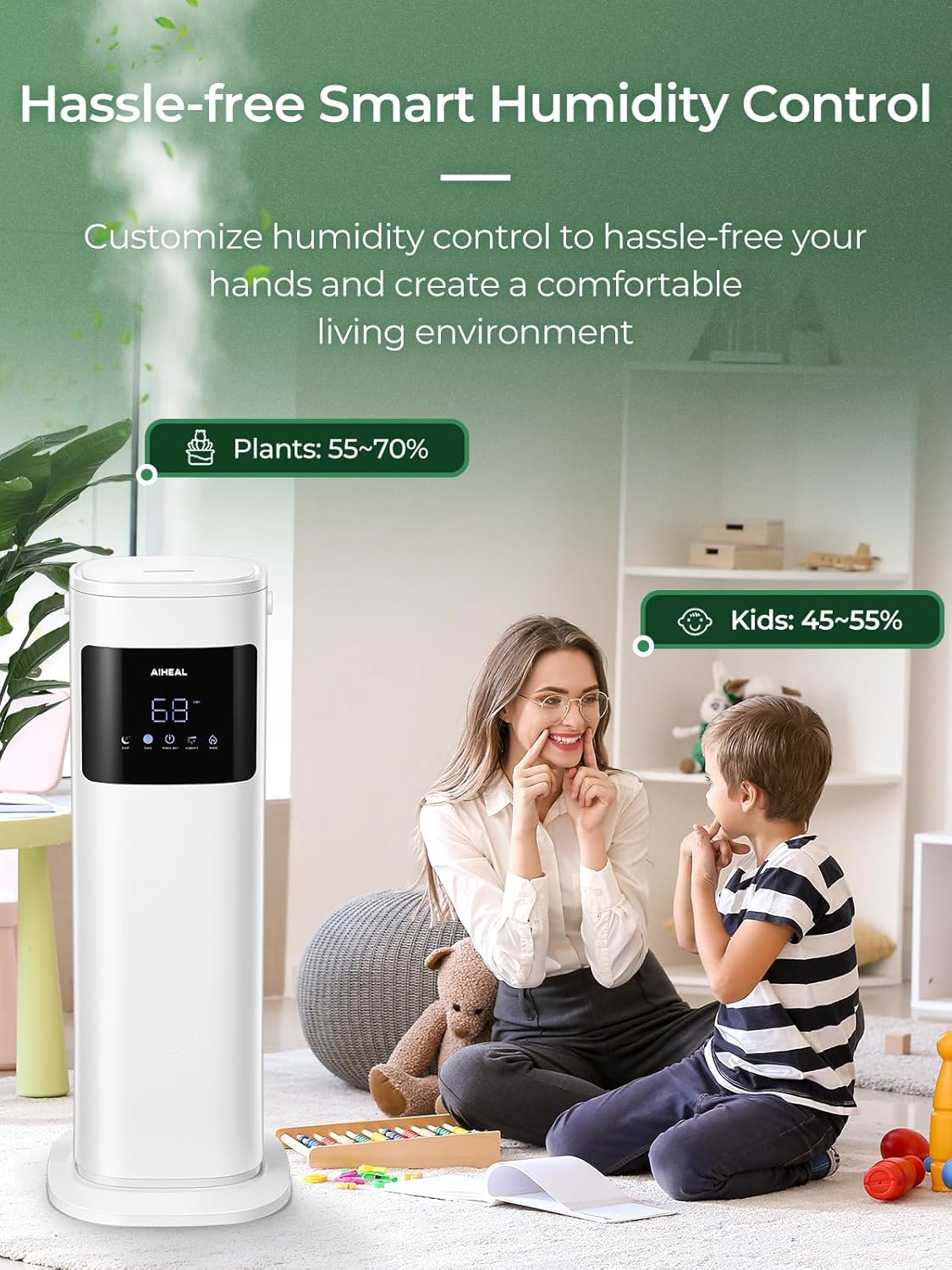
Figure 5: Smart humidity control for various environments.
5.4 Cool and Warm Mist
- Press the Warm button (flame icon) on the touch screen or remote control to activate warm mist. Press again to switch back to cool mist.

Figure 6: Cool and Warm Mist functionality.
5.5 Sleep Mode
- Press the Sleep button (moon icon) on the touch screen or remote control to activate Sleep Mode. The LED display will turn off, and the humidifier will operate quietly.
- Press any button to exit Sleep Mode.

Figure 7: Ultra-quiet operation and Sleep Mode.
5.6 12-Hour Timer
- Press the Timer button (clock icon) on the touch screen or remote control.
- Use the + and - buttons to set the desired operating time (1-12 hours). The humidifier will automatically turn off after the set time.
5.7 Remote Control
The included remote control allows for convenient operation of all humidifier functions from a distance. Ensure the remote has fresh batteries and is pointed towards the humidifier's display panel.

Figure 8: Remote control for the humidifier.
6. Maintenance
Regular cleaning is crucial for maintaining the efficiency and longevity of your humidifier and preventing mineral buildup.
6.1 Daily Maintenance
- Empty and rinse the water tank daily.
- Wipe the inside of the tank with a clean cloth.
6.2 Weekly Cleaning
- Unplug the humidifier and remove the top cover.
- Lift the water tank from the base using its built-in handle.
- Pour 2-4 tablespoons of white vinegar into the water tank and the base reservoir.
- Let it soak for 20-30 minutes to loosen mineral buildup.
- Use the provided cleaning brush to gently scrub the ultrasonic nebulizer and other internal components.
- Rinse the tank and base thoroughly with clean water until the vinegar smell is gone.
- Wipe all surfaces dry before reassembling.
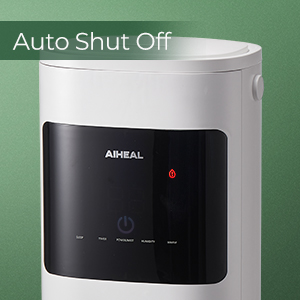
Figure 9: Cleaning the humidifier base.
6.3 Storage
When storing the humidifier, ensure all parts are clean and dry. Store it in a cool, dry place, preferably in its original packaging.
7. Troubleshooting
If you encounter issues with your humidifier, please refer to the following common problems and solutions:
| Problem | Possible Cause | Solution |
|---|---|---|
| No mist or low mist output | Low water level; Mineral buildup; Mist outlet blocked. | Refill water tank; Clean the ultrasonic nebulizer and water tank; Ensure mist outlet is clear. |
| Red raindrop icon with exclamation point (Auto Shut-Off) | Water tank is empty or not properly seated. | Refill the water tank and ensure it is correctly placed on the base. |
| Unusual noise | Humidifier not on a level surface; Water level too low; Foreign object in water tank. | Place on a level surface; Refill water tank; Check for and remove any foreign objects. |
| Water leakage | Water tank not properly sealed; Overfilling; Unit damaged. | Ensure tank cover is secure; Do not overfill; Contact customer support if damaged. |
If the problem persists after trying these solutions, please contact Aiheal customer support for assistance.
8. Specifications
| Feature | Detail |
|---|---|
| Brand | Aiheal |
| Model Name | humidifier (JSQ-C99A1) |
| Capacity | 10.5 Liters (2.7 Gallons) |
| Operation Mode | Ultrasonic |
| Mist Type | Cool and Warm Mist |
| Max Runtime | Up to 70 hours (on lowest setting) |
| Coverage Area | Up to 600 Square Feet |
| Humidity Control Range | 30% to 80% RH |
| Mist Levels | 3 (Low, Medium, High) |
| Timer | 1-12 Hours |
| Noise Level | Approximately 28 dB |
| Product Dimensions | 10.2"D x 10.2"W x 27.7"H |
| Item Weight | 11.58 pounds |
| Voltage | 120 Volts |
| Wattage | 110 watts |
| UPC | 657381996592 |
9. Warranty and Support
For warranty information and customer support, please refer to the warranty card included with your product or visit the official Aiheal website. Keep your purchase receipt as proof of purchase.


