
AMBITFUL AF970
AMBITFUL AF970 Camera Flash Speedlite User Manual
Model: AF970
Introduction
Thank you for choosing the AMBITFUL AF970 Camera Flash Speedlite. This manual provides essential information for the safe and effective operation, setup, and maintenance of your new speedlite. Please read this manual thoroughly before use to ensure optimal performance and longevity of the product.
Product Overview
The AMBITFUL AF970 is a versatile camera flash speedlite designed for a wide range of DSLR cameras, including Canon, Nikon, Sony, Olympus, Fuji, and Panasonic. It features a built-in 2.4G wireless receiver for convenient off-camera triggering and offers precise lighting control with adjustable settings and a flexible flash head.

Figure 1: AMBITFUL AF970 Camera Flash Speedlite.
Key Features:
- 2.4G Wireless Connectivity: Built-in wireless receiver supports wireless triggering, compatible with a wide range of DSLR cameras.
- Fast Recycle Time: Approximately 2.5 seconds flash recycle time, with 100-1500 flashes per battery set.
- Adjustable Light Output: 8 steps of light adjustment (1/1 to 1/128) for precise control.
- Multiple Flash Modes: Supports M (Manual), S1 (Optical Slave), S2 (Pre-flash Cancel Slave), and Strobe modes.
- Flexible Flash Head: Rotates 0-270 degrees horizontally and tilts 0-90 degrees vertically for diverse lighting angles.
- LCD Panel: Clear LCD screen for easy parameter adjustment and monitoring.
- Universal Hotshoe: Compatible with most camera hot shoes (not compatible with Sony Minolta hot shoe).
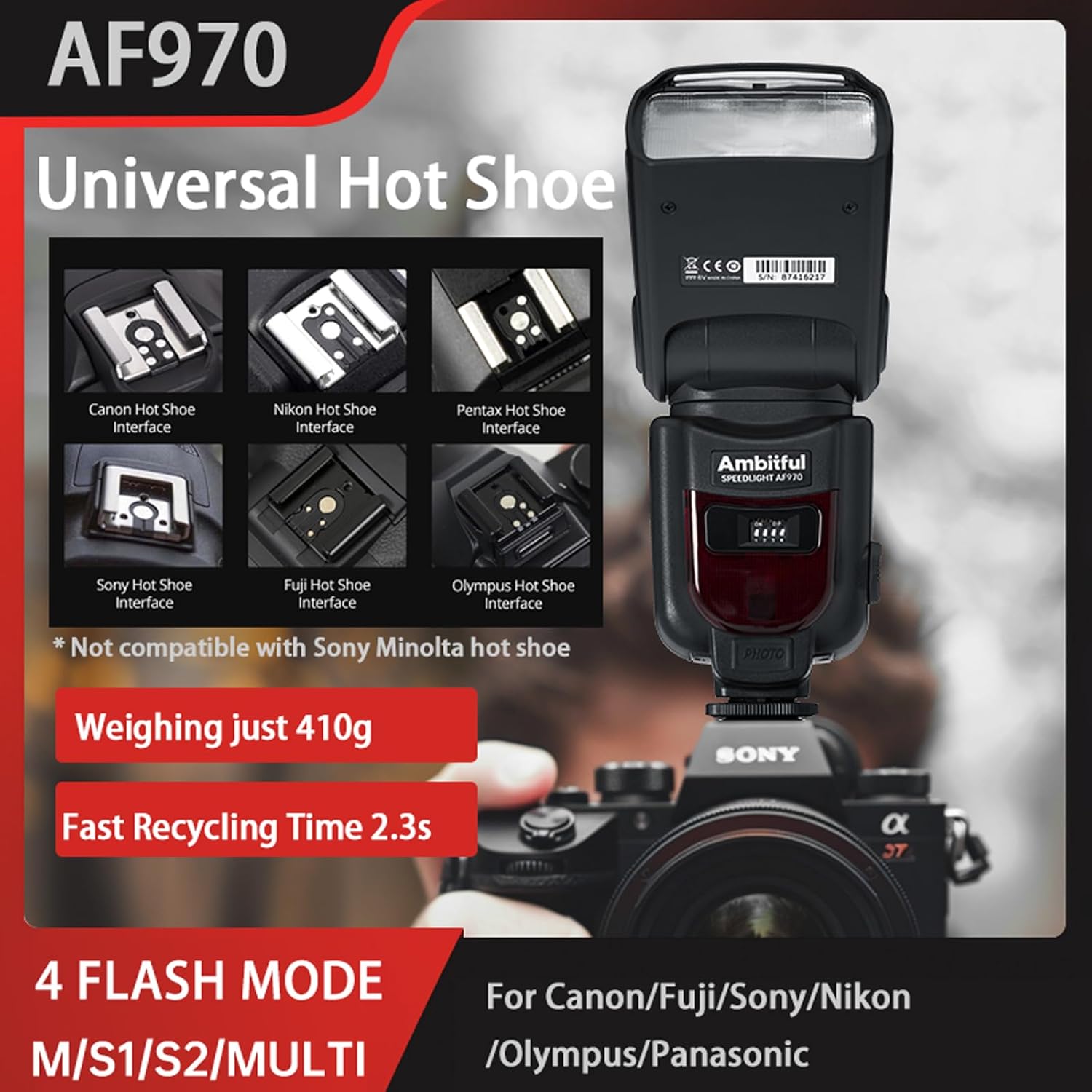
Figure 2: Universal Hot Shoe compatibility, showing interfaces for Canon, Nikon, Pentax, Sony, Fuji, and Olympus.
The AF970 features a universal hot shoe design, ensuring broad compatibility with various camera brands. It weighs approximately 410g and boasts a fast recycling time of 2.3 seconds.
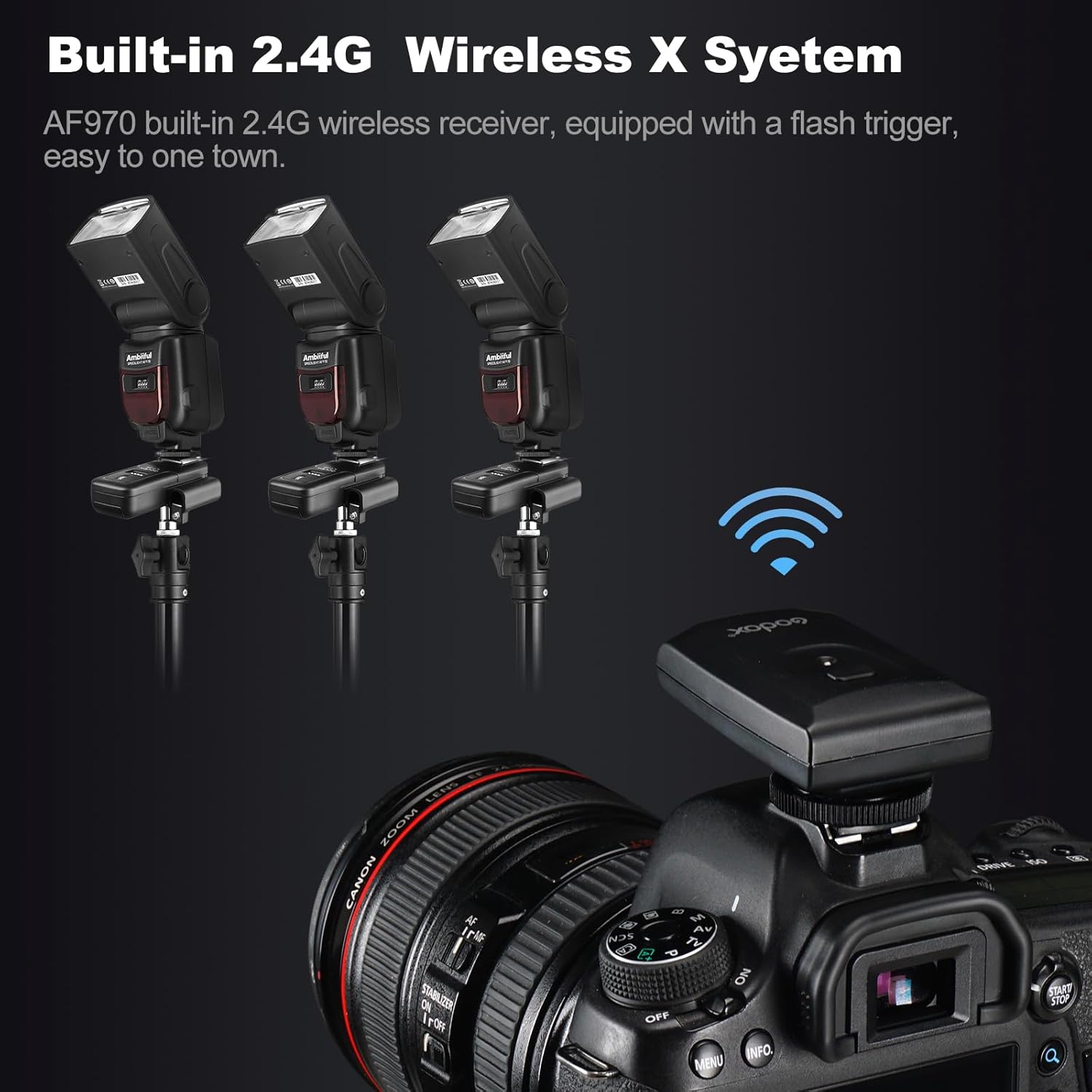
Figure 3: Built-in 2.4G Wireless X System allows for multi-flash setups with a flash trigger.
The integrated 2.4G wireless X system enables seamless communication with other flash units, providing flexibility for complex lighting arrangements.
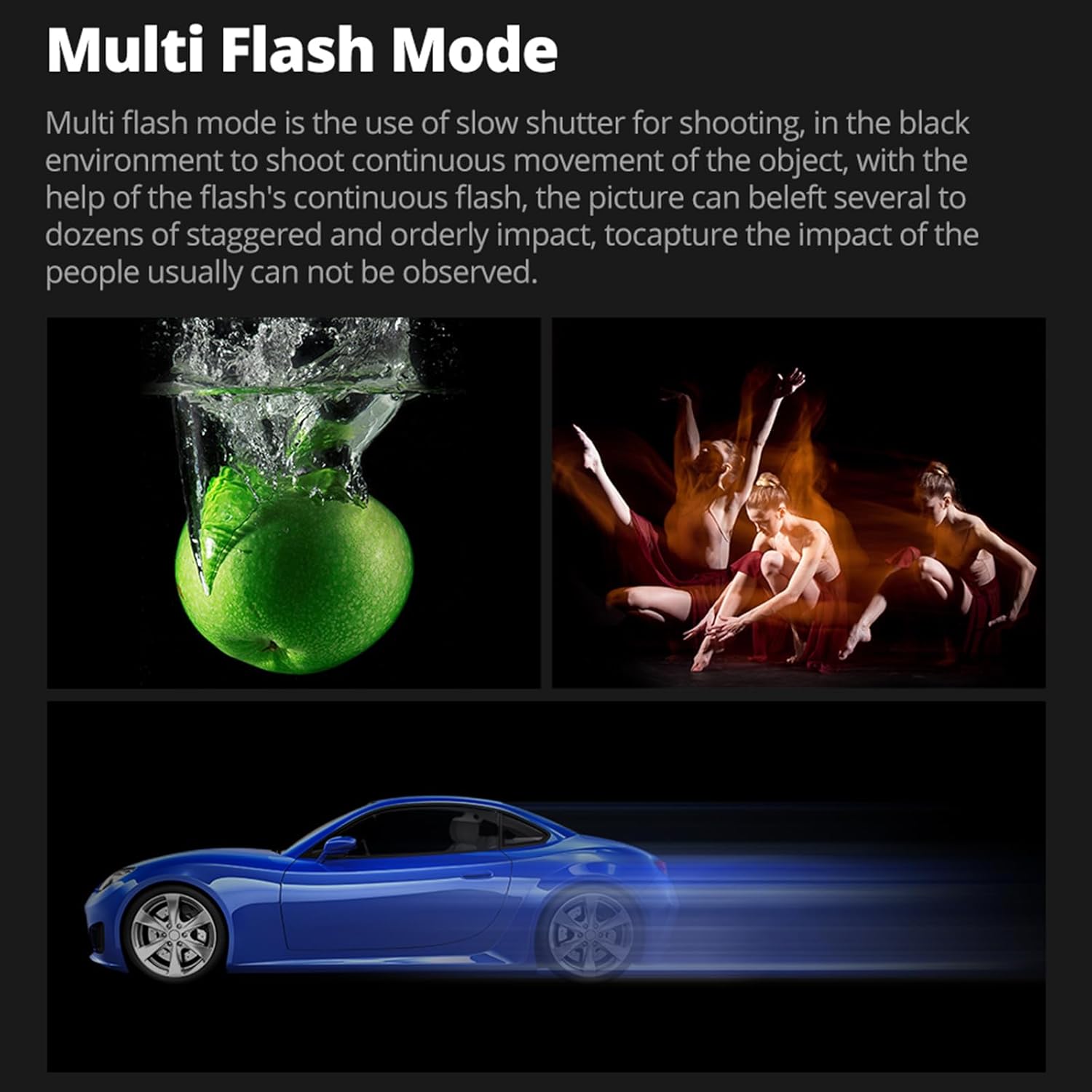
Figure 4: Multi Flash Mode for capturing continuous movement with slow shutter speeds.
Multi-flash mode is ideal for capturing continuous movement of objects in low-light environments, creating a staggered and orderly impact that is not usually observable.
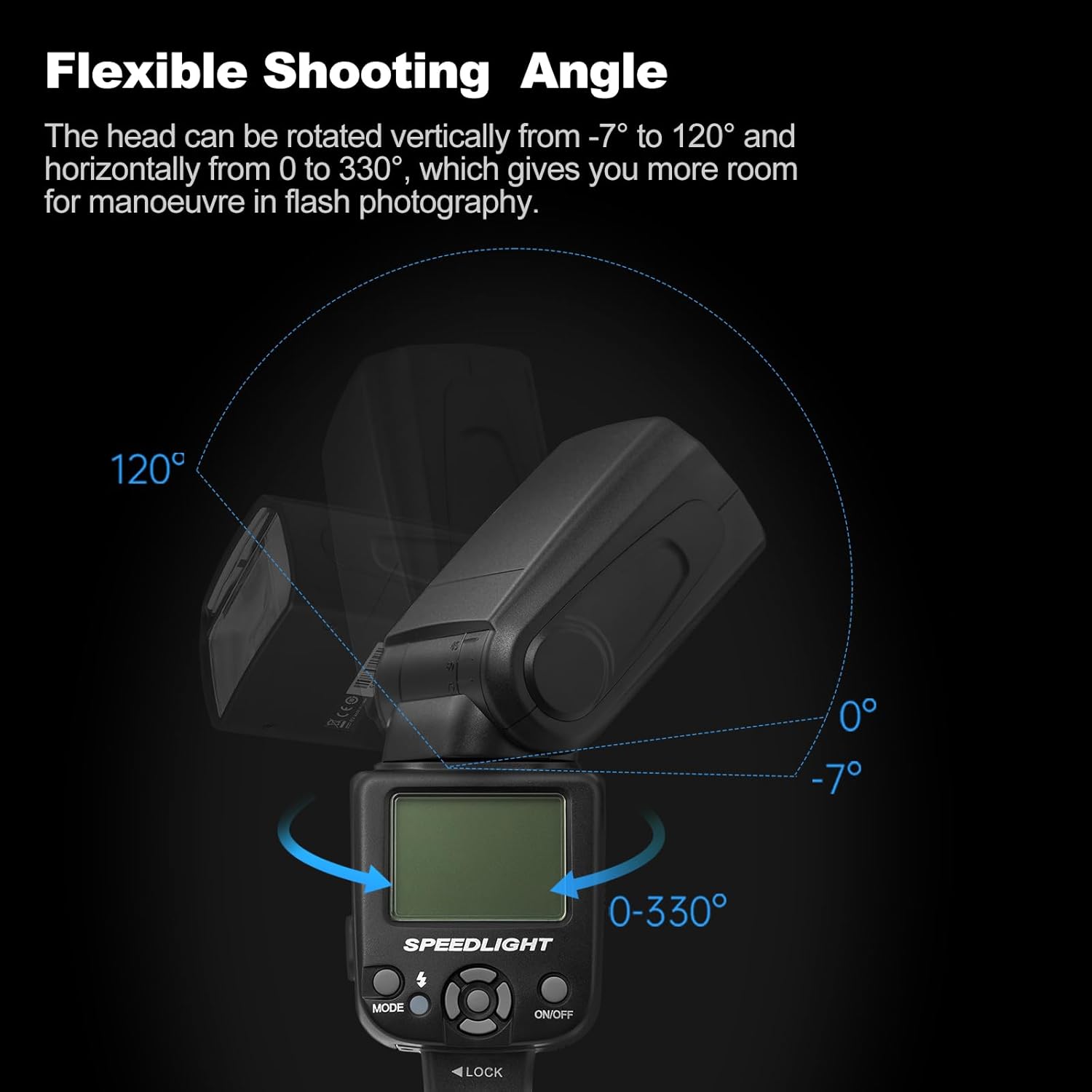
Figure 5: The flash head can be rotated vertically from -7° to 120° and horizontally from 0° to 330°, offering extensive maneuverability.
The adjustable flash head provides creative freedom, allowing you to bounce light off surfaces or direct it precisely for stunning photos from various angles.

Figure 6: The LCD screen provides precise control over 24 brightness fine-tuning parameters.
The clear LCD panel allows for accurate control of light output, ensuring your settings are precise.

Figure 7: Detailed view of the AF970's components, including the Fresnel lens for strong focus, optical receiver, AA battery compartment, and universal hot shoe.
The AF970 incorporates a Fresnel lens for focused light output and is powered by four AA alkaline batteries (not included).
Setup
Follow these steps to set up your AMBITFUL AF970 Camera Flash Speedlite:
- Unboxing: Carefully remove all components from the packaging. The package includes the camera flash, mini stand, diffuser, storage bag, and 12pcs gel light filters.
- Attach Mini Stand: If using the speedlite off-camera, attach the mini stand to the hot shoe mount at the base of the speedlite. This provides a stable base for tabletop or floor placement.
- Install Batteries: Open the battery compartment and insert four AA alkaline batteries. Ensure correct polarity. (Batteries are not included).
- Attach Diffuser: Slide the included diffuser over the flash head. The diffuser helps to soften the light and reduce harsh shadows, providing a more natural look.
- Mount to Camera (Optional): Slide the speedlite's hot shoe mount onto your camera's hot shoe. Secure it by tightening the locking mechanism.

Figure 8: What's in the Box: Flash Body, Mini Stand, Diffuser, Storage Bag, and 12pcs Gel Light Filters.
Video 1: Demonstrates unboxing, attaching the mini stand, installing batteries, and attaching the diffuser to the AMBITFUL AF970 Camera Flash.
Operating the Speedlite
The AF970 offers various modes and settings for flexible lighting control.
Control Panel Overview:

Figure 9: Functionality Redefined - Control panel with Mode selection buttons, Backlight switch, Flash key/wake up key, and Select settings button group.
- ON/OFF Button: Press to power the unit on or off.
- MODE Button: Cycle through flash modes: M (Manual), S1 (Optical Slave), S2 (Pre-flash Cancel Slave), and Strobe.
- Directional Buttons/Select Settings: Use these buttons to navigate menus and adjust parameters like flash output.
- Flash Key/Wake Up Key: Triggers a test flash or wakes the unit from sleep mode.
- Backlight Switch: Toggles the LCD screen backlight.
Flash Modes:
- Manual (M) Mode: Allows you to manually set the flash output from 1/1 (full power) to 1/128 in 8 steps. This mode provides precise control over lighting.
- S1 Mode (Optical Slave): The flash will fire in response to the first flash from a master flash. Useful for simple optical triggering.
- S2 Mode (Pre-flash Cancel Slave): The flash will ignore the pre-flash from a master flash and fire on the main flash. Ideal for cameras that emit a pre-flash for exposure metering.
- Strobe Mode: Allows the flash to fire multiple times during a single exposure, creating a stroboscopic effect for capturing motion sequences.

Figure 10: Manual Flash Mode offers 22 levels of dimming from 1/1 to 1/128.

Figure 11: Multi Strobe Mode can achieve up to 100 flash times and 199Hz flash duration.
Advanced Features:
- Flash Exposure Compensation (FEC): Adjust the flash output from -3 to +3 EV in 1/3 stop increments to fine-tune exposure.
- High-Speed Flash Duration: Supports synchronous flash shooting at a shutter speed of up to 1/20000s, allowing you to match ambient light with minimal effort.

Figure 12: Adjust FEC for desired lighting effects.

Figure 13: The AF970 supports extremely fast flash durations.
Maintenance
Proper maintenance ensures the longevity and optimal performance of your speedlite:
- Cleaning: Use a soft, dry cloth to clean the speedlite body. For the LCD screen and flash tube, use a microfiber cloth specifically designed for optics. Avoid using harsh chemicals or abrasive materials.
- Battery Care: Remove batteries when the speedlite is not in use for extended periods to prevent leakage and damage. Store batteries in a cool, dry place.
- Storage: Store the speedlite in its provided storage bag in a dry, dust-free environment away from extreme temperatures and direct sunlight.
- Handling: Handle the flash head and hot shoe mount with care to prevent damage to the internal mechanisms and electrical contacts.
Troubleshooting
If you encounter issues with your AMBITFUL AF970 Speedlite, refer to the following common troubleshooting steps:
| Problem | Possible Cause | Solution |
|---|---|---|
| Speedlite does not power on. | Low or dead batteries; incorrect battery installation. | Replace batteries with fresh ones. Ensure batteries are inserted with correct polarity. |
| Flash does not fire. | Speedlite not securely mounted; incorrect mode selected; camera settings issue. | Ensure the speedlite is firmly seated in the camera's hot shoe. Check that the flash mode (M, S1, S2) is appropriate for your setup. Verify camera flash settings. |
| Flash output is too weak/strong. | Incorrect flash power setting; FEC (Flash Exposure Compensation) misadjusted. | Adjust the flash power setting on the speedlite. Check and reset FEC if necessary. |
| Slow recycle time. | Low battery power; high flash output setting. | Replace batteries. Reduce flash power setting. |
If the problem persists after attempting these solutions, please contact AMBITFUL customer support for further assistance.
Specifications
| Feature | Detail |
|---|---|
| Brand | AMBITFUL |
| Model Number | AMBITFUL AF970 |
| Item Weight | 1.1 pounds (approx. 499g) |
| Package Dimensions | 9.02 x 4.06 x 3.23 inches (approx. 22.9 x 10.3 x 8.2 cm) |
| Compatible Mountings | Hot Shoe (Universal, excluding Sony Minolta) |
| Camera Flash Type | Speedlite |
| Flash Sync Speed | Up to 1/200s (and 1/20000s flash duration) |
| Power Source | 4x AA Batteries (not included) |
| Recycle Time | 0.1-2.5 seconds |
| Flash Output Adjustment | 8 steps (1/1 to 1/128) |
| Flash Head Rotation | Horizontal: 0-270 degrees; Vertical: 0-90 degrees |
| Wireless Function | Built-in 2.4G Wireless Receiver |
What's in the Box
- Camera Flash x1
- Mini Stand x1
- Diffuser x1
- Storage Bag x1
- 12pcs Gel Light Filter
Warranty and Support
AMBITFUL products are manufactured to high quality standards. For warranty information and customer support, please refer to the official AMBITFUL website or contact your local retailer. You can also visit the AMBITFUL Store on Amazon for additional resources and product information.
For general inquiries or technical assistance, please visit www.ambitful.com.
Related documentsAF970


Ask a question about this manual
Ask about setup, troubleshooting, compatibility, parts, safety, or missing instructions. Manuals+ will review the question and use this page’s manual context to help answer it.