
1. Introduction
This manual provides essential information for the safe and efficient operation of your Phomemo M834 Portable Thermal Printer. Please read it thoroughly before using the device and retain it for future reference. The Phomemo M834 is an inkless thermal printer designed for portable use, offering high-resolution printing for various documents and notes.

Image: The Phomemo M834 printer highlights its key advantages such as Bluetooth wireless connectivity, inkless printing, portability, ease of setup, lightweight design, and multi-size thermal paper support, contrasting with common limitations of other printers like wired connections, ink requirements, and bulkiness.
2. Safety Information
Observe the following safety precautions to prevent damage to the printer or personal injury:
- Do not disassemble, repair, or modify the printer yourself.
- Keep the printer away from water, moisture, and direct sunlight.
- Use only Phomemo-approved thermal paper. Using other paper types may damage the print head.
- Ensure the printer is placed on a stable surface during operation.
- Keep out of reach of children.
- Do not touch the print head immediately after printing, as it may be hot.
- Use the provided USB-C cable for charging.
3. Package Contents
Verify that all items are present in your package:
- Phomemo M834 Portable Printer
- Printer Carry Case
- USB-C Cable
- USB-C to USB Adapter
- User Guide
- Thermal Paper Roll (8.5" width)
- Additional Thermal Paper Rolls (4.33", 3.14", 2.08" widths)

Image: The package contents include the Phomemo M834 portable printer, a printer case, a USB-C cable, a USB-C to USB adapter, a user guide, and multiple rolls of thermal paper in various widths (8.5", 4.33", 3.14", 2.08").
4. Product Overview
The Phomemo M834 is a compact and versatile thermal printer. It features a 300 dpi print resolution for clear output and supports various thermal paper sizes and types. Its inkless technology eliminates the need for cartridges, reducing operational costs.
Key Features:
- High Print Clarity: 300 dpi resolution for sharp text and images.
- Versatile Paper Support: Compatible with US Letter, A4, 4.33'', 3.14'', 2.08'' paper sizes, and roll, fold, or ordinary thermal paper types.
- Extended Battery Life: 2600mAh rechargeable battery supports over 160 pages of continuous printing.
- Wide Device Compatibility: Connects via Bluetooth to smartphones (Android, iOS) and USB to PCs (Windows 10/11, Linux, ChromeOS, macOS).
- Inkless Technology: Uses thermal printing, requiring no ink, toner, or ribbons.

Image: The Phomemo M834 portable thermal printer is shown with its carrying case, various sizes of thermal paper rolls, and a smartphone displaying the Phomemo app, illustrating its wireless connectivity and portability.

Image: A visual comparison demonstrates the superior clarity of 300 DPI printouts from the Phomemo M834 compared to standard 203 DPI prints, highlighting the enhanced detail and readability.

Image: This graphic illustrates the Phomemo M834's 2600mAh large capacity battery, emphasizing its USB-C fast charging capability and the ability to print over 160 sheets on a full charge.
5. Setup Instructions
5.1 Charging the Printer
- Connect the provided USB-C cable to the printer's charging port.
- Plug the other end into a USB power adapter (not included) or a computer's USB port.
- The indicator light will show charging status. A full charge typically takes a few hours.
5.2 Loading Thermal Paper
- Open the printer's paper cover.
- Insert the thermal paper roll or folded paper, ensuring the printable side faces the print head.
- Adjust the paper guides to fit the paper width snugly.
- Close the paper cover securely.

Image: The Phomemo M834 printer is depicted with its paper compartment open, showcasing support for five paper sizes (US Letter, A4, 4.33'', 3.14'', 2.08'') and four types: single sheet, continuous folding, inner roll, and stickers.
6. Operating Instructions
6.1 Power On/Off
Press and hold the power button for 3 seconds to turn the printer on or off.
6.2 Connecting to a Device
6.2.1 Bluetooth Connection (Smartphones/Tablets)
- Download the Phomemo app from your device's app store.
- Ensure Bluetooth is enabled on your smartphone or tablet.
- Open the Phomemo app and follow the on-screen instructions to search for and connect to your M834 printer.
6.2.2 USB Connection (PC/Laptop)
- Connect the printer to your computer using the provided USB-C cable.
- Install the appropriate printer driver from the official Phomemo website.
- Once the driver is installed, the printer will be recognized by your operating system.
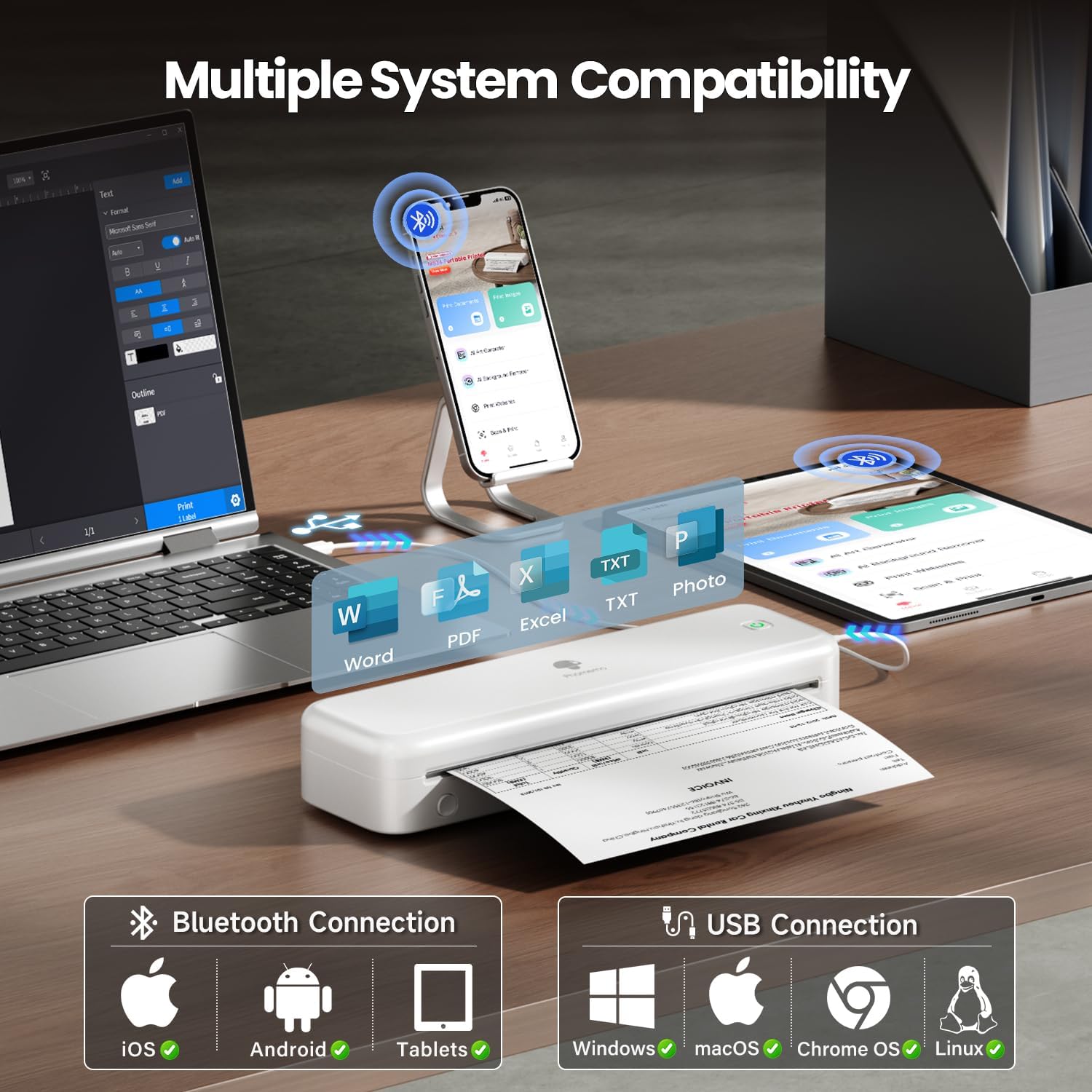
Image: The Phomemo M834 printer demonstrates its broad compatibility, connecting via Bluetooth to iOS, Android, and Tablets, and via USB to Windows, macOS, Chrome OS, and Linux systems, supporting various document formats like Word, PDF, Excel, and text files.
6.3 Printing
- Open the document or image you wish to print on your connected device.
- Select the print option within the application.
- Choose the Phomemo M834 as your printer.
- Adjust print settings (e.g., paper size, density) as needed.
- Initiate the print job.
7. Maintenance
7.1 Cleaning the Print Head
Regular cleaning of the print head ensures optimal print quality.
- Turn off the printer and disconnect it from power.
- Open the paper cover.
- Gently wipe the print head with a cotton swab lightly dampened with isopropyl alcohol.
- Allow the print head to dry completely before closing the cover and powering on the printer.
7.2 Storage
Store the printer in a cool, dry place away from direct sunlight and extreme temperatures. If storing for an extended period, ensure the battery is partially charged (around 50%) to prolong its lifespan.
8. Troubleshooting
| Problem | Possible Cause | Solution |
|---|---|---|
| Printer does not turn on | Low battery; Power button not pressed correctly | Charge the printer; Press and hold the power button for 3 seconds |
| Poor print quality | Print head dirty; Incorrect paper type; Low battery | Clean the print head; Use Phomemo thermal paper; Charge the printer |
| Cannot connect via Bluetooth | Bluetooth off; Printer not discoverable; App issue | Ensure Bluetooth is on; Restart printer and app; Re-pair device |
| Paper jam | Paper loaded incorrectly; Damaged paper | Open cover, remove jammed paper, reload correctly; Use undamaged paper |
| Printer not recognized by PC | Driver not installed; Loose USB connection | Install latest driver from Phomemo website; Check USB cable connection |
9. Specifications
| Feature | Detail |
|---|---|
| Model | M834 |
| Printing Technology | Thermal |
| Print Resolution | 300 x 300 DPI |
| Connectivity | Bluetooth, USB |
| Compatible Operating Systems | Android, iOS, Windows 10/11, Linux, ChromeOS, macOS |
| Battery Capacity | 2600mAh Lithium Polymer |
| Max Input Sheet Capacity | 160 pages (continuous printing) |
| Max Monochrome Printing Speed | 6 ppm |
| Supported Paper Sizes | US Letter, A4, 4.33'', 3.14'', 2.08'' |
| Product Dimensions | 29 x 11.2 x 9.8 cm |
| Item Weight | 1.23 kg |
10. Warranty and Support
For warranty information and customer support, please refer to the official Phomemo website or contact their customer service directly. Keep your purchase receipt as proof of purchase for warranty claims.
Phomemo Official Website: www.phomemo.com


