
Huawei AF63
HUAWEI M-Pen Lite Stylus Instruction Manual (Model AF63)
This manual provides instructions for the HUAWEI M-Pen Lite Stylus, designed for use with the Matepad SE 11.
1. Introduction
The HUAWEI M-Pen Lite Stylus (Model AF63) is a precision input device designed to enhance your experience with the HUAWEI Matepad SE 11. It offers accurate and responsive interaction for writing, drawing, and navigation tasks.

Image 1: The HUAWEI M-Pen Lite Stylus, presented in a sleek grey finish, featuring a pen-like design with a functional clip for portability.
2. Setup and First Use
The HUAWEI M-Pen Lite Stylus is designed for straightforward use with compatible devices. Follow these steps to begin using your stylus:
- Compatibility Check: Ensure your device is a HUAWEI Matepad SE 11. This stylus is specifically designed for this model to ensure optimal performance.
- Battery Installation (if applicable): Some stylus models require a battery for active functionality. Please check your product packaging for specific battery requirements and installation instructions. If a battery is required, carefully insert it according to the polarity markings.
- Initial Use: Simply touch the stylus tip to the screen of your HUAWEI Matepad SE 11. The device should recognize the stylus input automatically. No Bluetooth pairing is typically required for this model.
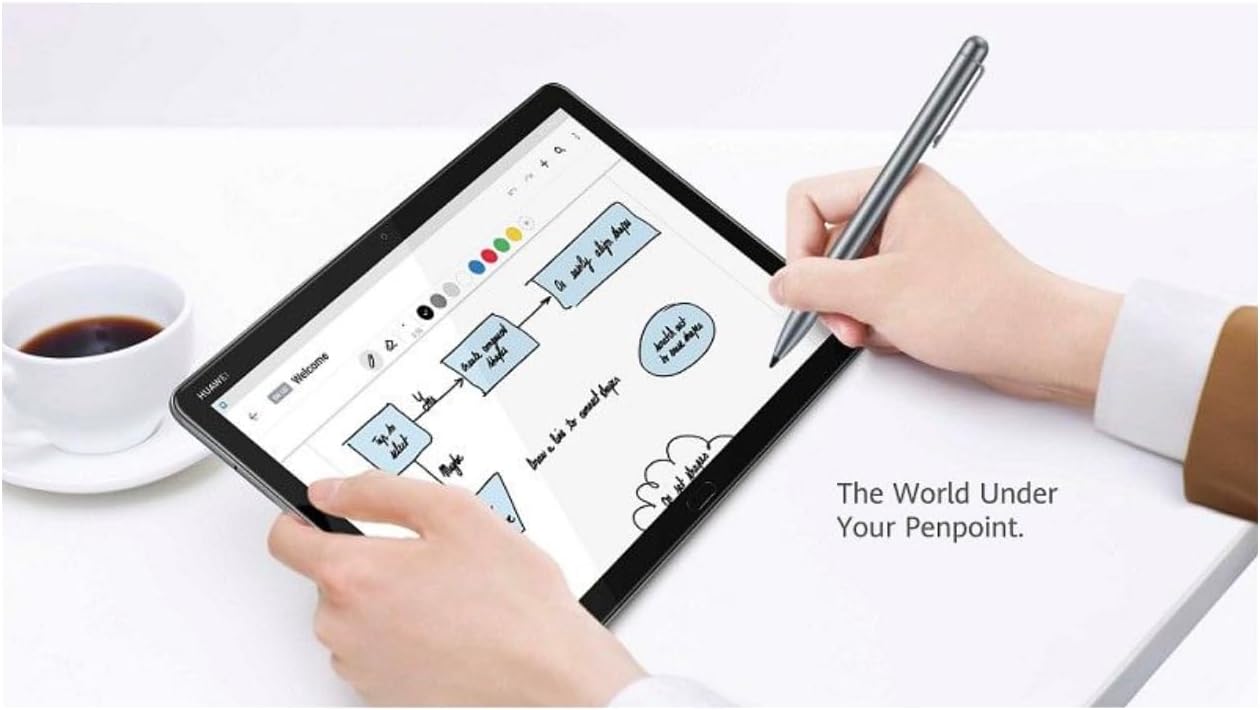
Image 2: A user demonstrating the HUAWEI M-Pen Lite Stylus in action, writing notes or drawing on the screen of a HUAWEI Matepad SE 11 tablet.
3. Operating the Stylus
The M-Pen Lite Stylus provides a natural writing and drawing experience. Here are general guidelines for operation:
- Writing and Drawing: Hold the stylus as you would a traditional pen. Apply light pressure to the screen to write or draw. The responsiveness may vary slightly depending on the application used.
- Navigation: Use the stylus to tap, swipe, and select items on your Matepad SE 11 screen, similar to using your finger, but with greater precision.
- Pressure Sensitivity: While this model is a "Lite" version, some applications may offer varying line thickness or opacity based on the pressure applied. Experiment with different apps to discover its full capabilities.
4. Maintenance and Care
To ensure the longevity and optimal performance of your HUAWEI M-Pen Lite Stylus, follow these maintenance tips:
- Cleaning: Gently wipe the stylus body with a soft, dry, lint-free cloth. Avoid using harsh chemicals, abrasive cleaners, or excessive moisture, as these can damage the stylus.
- Tip Care: The stylus tip is a delicate component. Avoid applying excessive force or dropping the stylus, which could damage the tip. If the tip becomes worn or damaged, check if replacement tips are available from HUAWEI.
- Storage: When not in use, store the stylus in a safe place where it will not be scratched or damaged. Utilize the clip to secure it to a tablet cover or pocket if available.
- Battery Replacement (if applicable): If your stylus requires a battery and its performance degrades (e.g., reduced responsiveness), it may be time to replace the battery. Refer to the original packaging or HUAWEI's official support resources for the correct battery type and replacement procedure.

Image 3: A detailed view of the HUAWEI M-Pen Lite Stylus, highlighting its metallic grey finish and the precision tip.
5. Troubleshooting
If you encounter issues with your HUAWEI M-Pen Lite Stylus, try the following troubleshooting steps:
| Problem | Possible Solution |
|---|---|
| Stylus is not responding. |
|
| Inaccurate input or lag. |
|
| Stylus tip appears damaged. |
|
6. Specifications
Key specifications for the HUAWEI M-Pen Lite Stylus (Model AF63):
- Brand: Huawei
- Model: AF63 (Item model number: 55037214)
- Compatibility: HUAWEI Matepad SE 11
- Color: Grey
- Item Weight: 39 Grams
- Item Dimensions (L x W x H): 15 x 63 x 22 millimetres (Note: These dimensions likely refer to packaging. Refer to product for actual pen dimensions.)
- Battery: 1 12V battery required (Please verify battery type and inclusion with product packaging.)
- Global Trade Identification Number (GTIN): 06942103115820
7. Warranty and Support
For detailed warranty information, technical support, or service inquiries regarding your HUAWEI M-Pen Lite Stylus, please refer to the official HUAWEI website or contact HUAWEI customer service directly. Keep your proof of purchase for warranty claims.
Official HUAWEI Support: consumer.huawei.com/en/support/
Related documentsAF63


Ask a question about this manual
Ask about setup, troubleshooting, compatibility, parts, safety, or missing instructions. Manuals+ will review the question and use this page’s manual context to help answer it.