
1. Introduction
The ARCCAPTAIN LY800J Auto Darkening Welding Helmet is designed to provide superior eye and face protection during various welding and cutting operations. Featuring advanced auto-darkening technology, a large viewing screen, and adjustable settings, this helmet ensures optimal visibility and safety for TIG, MIG, ARC welding, and grinding/cutting tasks.
2. Safety Information
WARNING: Always read and understand all safety instructions before using this welding helmet. Failure to do so may result in serious injury or permanent vision damage.
- This helmet is not suitable for laser welding or overhead welding applications.
- Always wear appropriate safety glasses under the welding helmet.
- Ensure the helmet is correctly adjusted for your head size and viewing distance before use.
- Do not use the helmet if any parts are damaged or missing.
- Replace outer and inner protective lenses regularly to maintain optical clarity.
3. Components Overview
The ARCCAPTAIN LY800J welding helmet includes the following main components:
- Welding Helmet Shell
- Auto-Darkening Filter (ADF) Lens Assembly
- Headgear with adjustable straps and comfort cushion
- Outer and Inner Protective Lenses (replacement set included)
- CR2450 Lithium Batteries (2 included, pre-installed or separate)
- Storage Bag

4. Setup
4.1 Headgear Adjustment
Proper adjustment of the headgear is crucial for comfort and safety. The headgear features multiple adjustment points:
- Head Circumference Adjustment: Use the knob at the back of the headgear to tighten or loosen the band around your head.
- Top Strap Adjustment: Adjust the top strap to position the helmet correctly on your head, ensuring the viewing area is at eye level.
- Distance Adjustment for Eye-to-Lens: Adjust the distance between your eyes and the ADF lens for optimal viewing and comfort.
- Angle Adjustment: Use the side buttons to adjust the angle of the helmet when it is in the raised position.

4.2 Battery Installation/Check
The helmet is powered by two CR2450 lithium batteries and solar panels. Ensure the batteries are correctly installed and have sufficient charge. The solar panels continuously charge the batteries during use, extending their lifespan.
4.3 Protective Film Removal
Before first use, remove any protective films from both the inner and outer surfaces of the ADF lens and the clear protective lenses.
5. Operating Instructions
5.1 Auto-Darkening Function
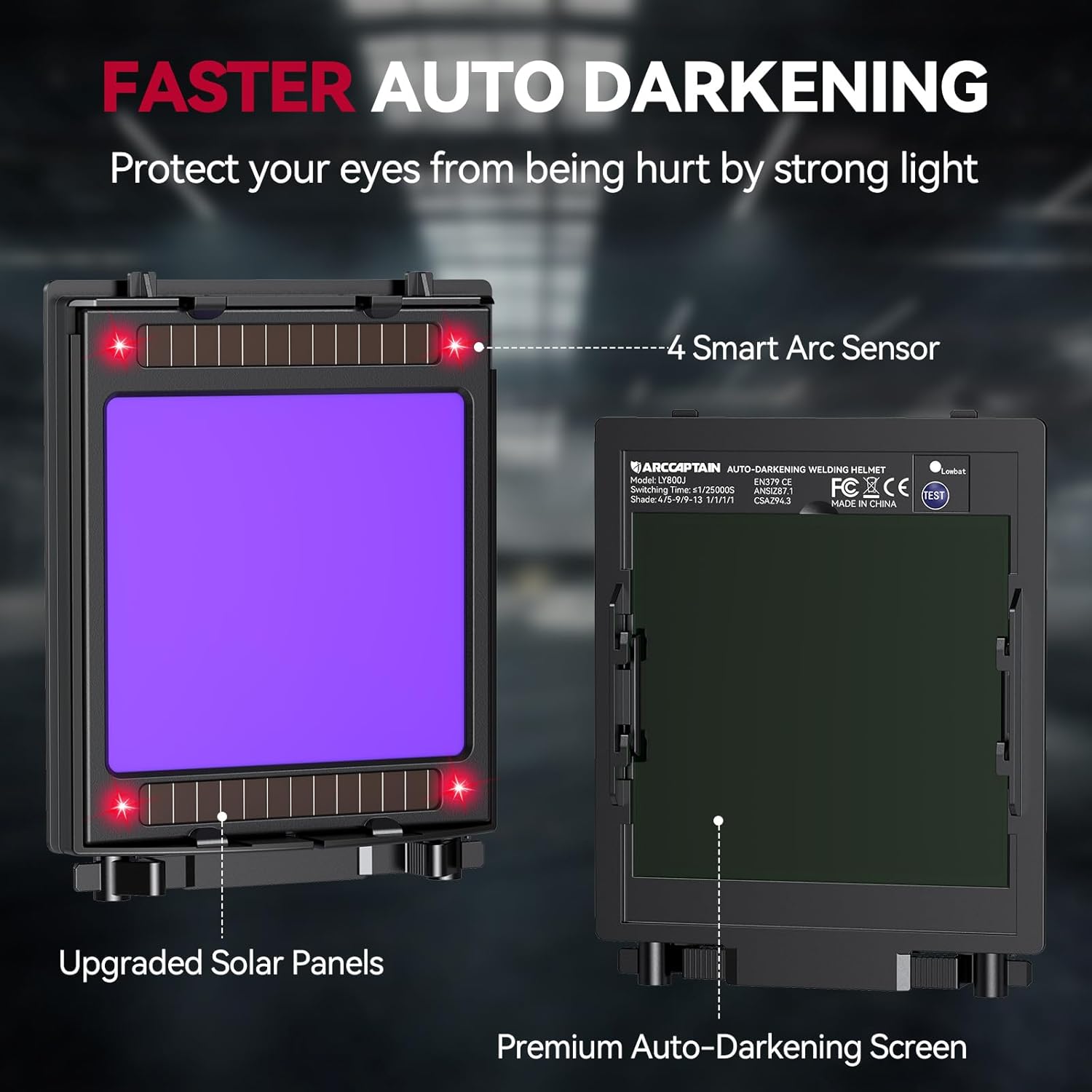
The helmet features an auto-darkening filter (ADF) with four arc sensors. The lens automatically switches from light to dark in 1/25000 seconds when an arc is detected, protecting your eyes from intense light. It returns to a light state when the welding arc ceases.
5.2 Shade Adjustment
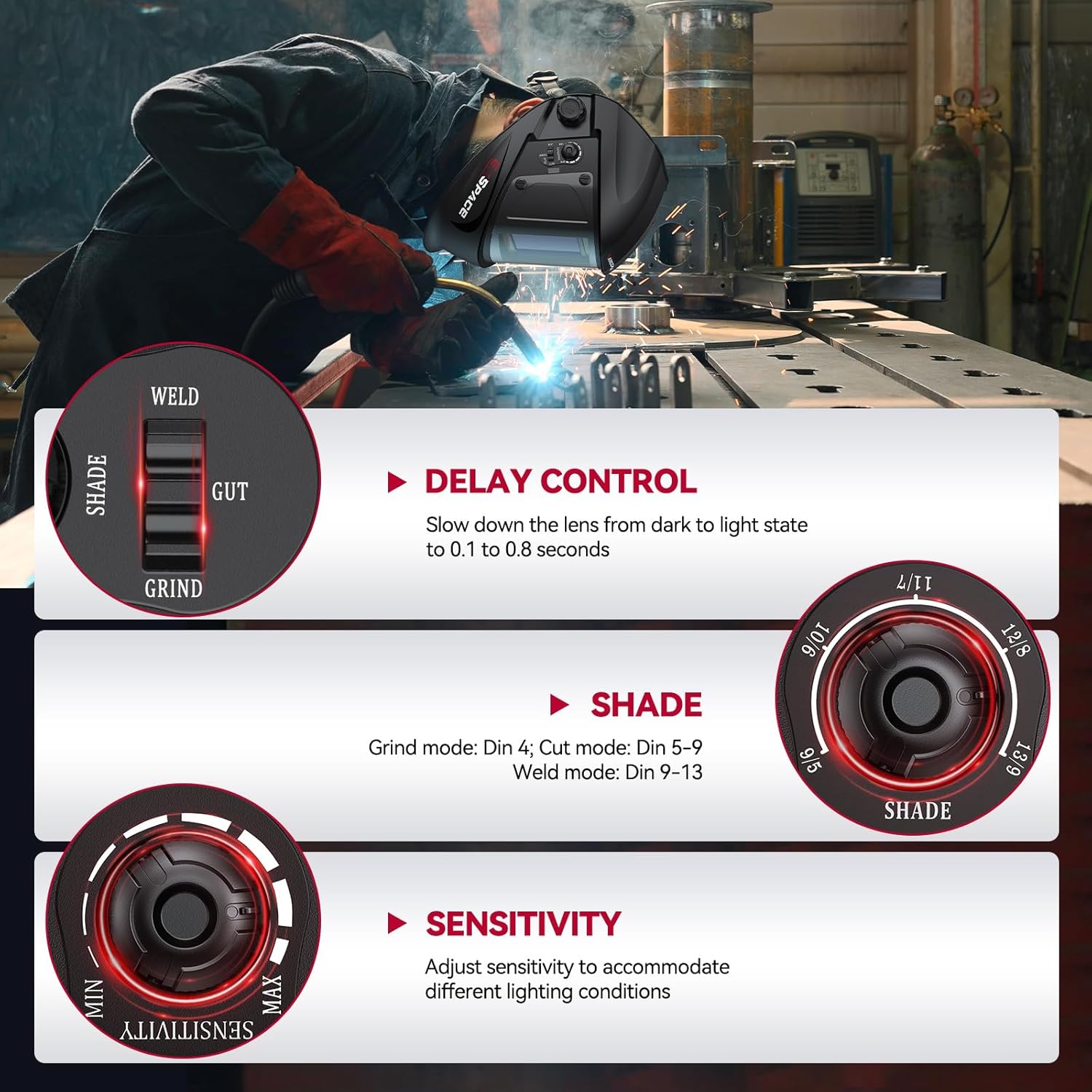
The shade level can be adjusted using the external knob. Select the appropriate shade based on your welding process and current:
- Grind Mode: DIN 4 (Light State)
- Cut Mode: DIN 5-9
- Weld Mode: DIN 9-13
5.3 Sensitivity Adjustment
The sensitivity knob controls how easily the sensors detect the welding arc. Adjust it to prevent false triggering from ambient light or to ensure proper darkening in low-light conditions. Options include Minimum, Middle, and Maximum sensitivity.
5.4 Delay Adjustment
The delay control determines how long the lens remains dark after the welding arc stops. This prevents eye strain from afterglow. Adjust the delay from 0.1 to 0.8 seconds (Fast, Middle, Slow).
5.5 Wide Application
This helmet is suitable for various welding and cutting processes:
- Stick Welding
- MIG Welding
- TIG Welding
- Plasma Cutting
- Grinding

5.6 Optical Clarity and Viewing Area
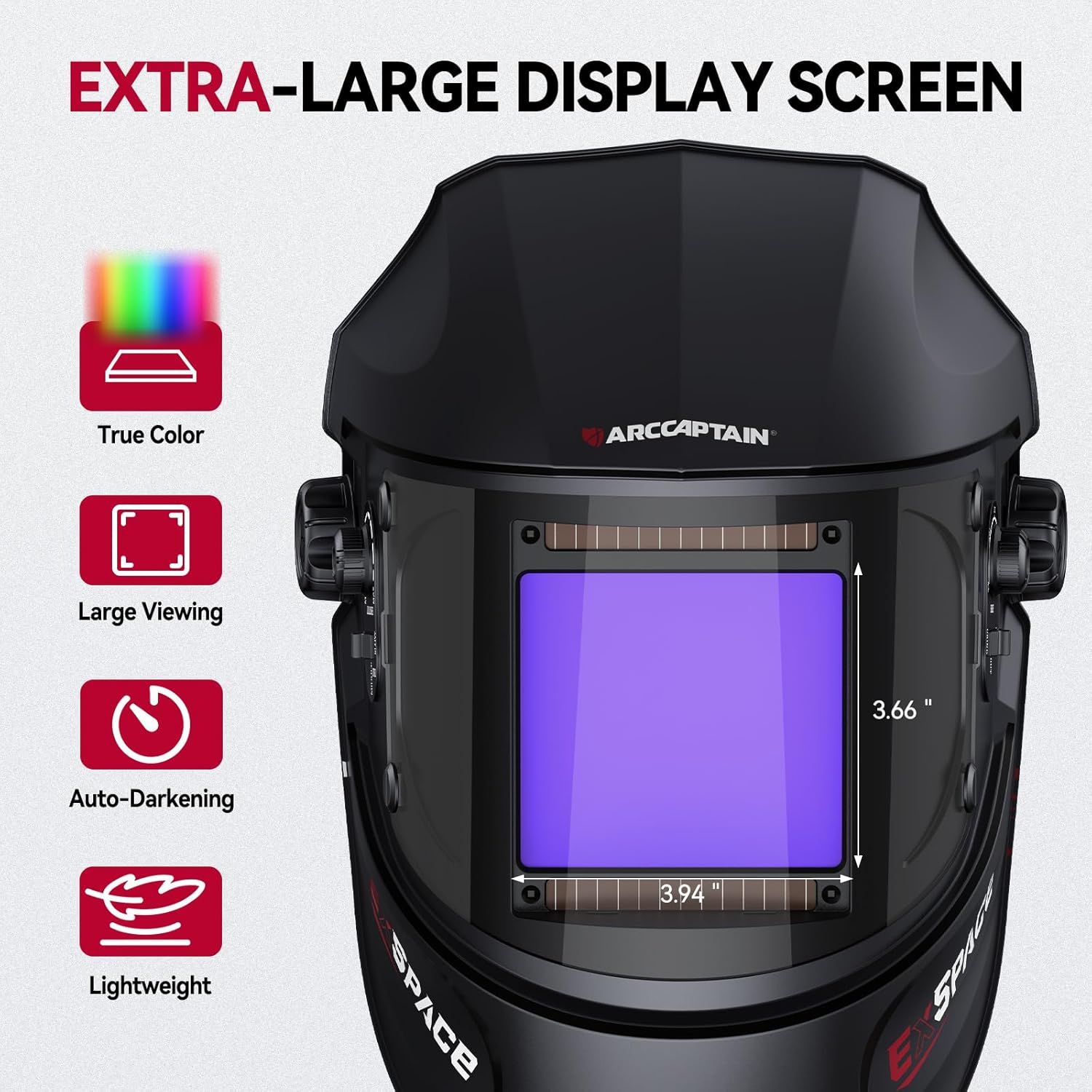
The helmet features a 3.94" x 3.66" super large visible screen with 1/1/1/1 top optical clarity and true color technology, enhancing visibility and reducing eye strain.

6. Maintenance
6.1 Cleaning the Helmet
Clean the helmet shell with a mild soap and water solution. Avoid harsh chemicals or abrasive cleaners that could damage the material or finish.
6.2 Lens Cleaning and Replacement
Clean the ADF lens and protective lenses with a soft, lint-free cloth. Replace scratched or damaged protective lenses immediately to maintain clear vision and protection. The helmet comes with replacement outer and inner lenses.
6.3 Battery Replacement
If the low battery indicator appears or the auto-darkening function becomes unreliable, replace the CR2450 lithium batteries. Ensure correct polarity during installation.
7. Troubleshooting
| Problem | Possible Cause | Solution |
|---|---|---|
| Lens does not darken | Low battery; Sensors blocked; Incorrect sensitivity setting; Ambient light interference. | Replace batteries; Clean sensors; Adjust sensitivity; Shield from excessive ambient light. |
| Poor visibility | Dirty lenses; Scratched lenses; Incorrect shade setting. | Clean lenses; Replace protective lenses; Adjust shade to appropriate level. |
| Helmet feels uncomfortable | Improper headgear adjustment. | Re-adjust headgear straps and knobs for a secure and comfortable fit. |
8. Specifications
| Model Number | LY800J |
| Viewing Area | 3.94" x 3.66" |
| Optical Class | 1/1/1/1 |
| Light State Shade | DIN 4 |
| Dark State Shade | DIN 5-9 / 9-13 (Adjustable) |
| Switching Time | 1/25000 seconds |
| Delay Time | 0.1 - 0.8 seconds (Adjustable) |
| Arc Sensors | 4 |
| Power Supply | Solar Cell & 2 x CR2450 Lithium Batteries |
| Material | Polypropylene (PP) |
| Item Weight | 2.51 pounds |
| Product Dimensions | 6.69 x 9.45 x 11.8 inches |
9. Official Product Videos
ARCCAPTAIN 1/1/1/1 Welding Helmet Auto Darkening
This video provides an overview of the ARCCAPTAIN auto-darkening welding helmet, highlighting its 1/25000s fast darkening speed, 1/1/1/1 optical clarity, and suitability for various welding and cutting modes.
ARCCAPTAIN 3.94"X3.66" Welding Helmet Auto Darkening
This video showcases the ARCCAPTAIN welding helmet's features, including its large 3.94"x3.66" viewing window, adjustable sensitivity and delay settings, and comfortable headgear design.
10. Warranty and Support
ARCCAPTAIN products are manufactured to high-quality standards. For warranty information, technical support, or replacement parts, please refer to the contact information provided in your product packaging or visit the official ARCCAPTAIN website. Protection plans may also be available for extended coverage.


