
1. Introduction
Thank you for choosing the NUSTE Portable Air Compressor Q12. This device is designed for convenient and efficient inflation of various items, including car tires, motorcycle tires, bicycle tires, and sports balls. Featuring a digital pressure gauge, preset inflation modes, and a rechargeable battery, it offers a reliable solution for maintaining optimal pressure wherever you are.
2. Package Contents
Please verify that all items listed below are included in your package:
- NUSTE Portable Air Compressor Q12 Unit
- Air Hose with Schrader Valve
- Storage Bag
- USB-C Charging Cable
- Universal Nozzle Cone
- Needle Adapter (for balls)
- Presta Adapter (for bicycle tires)
- 12V Car Power Adapter (Cigarette Lighter)
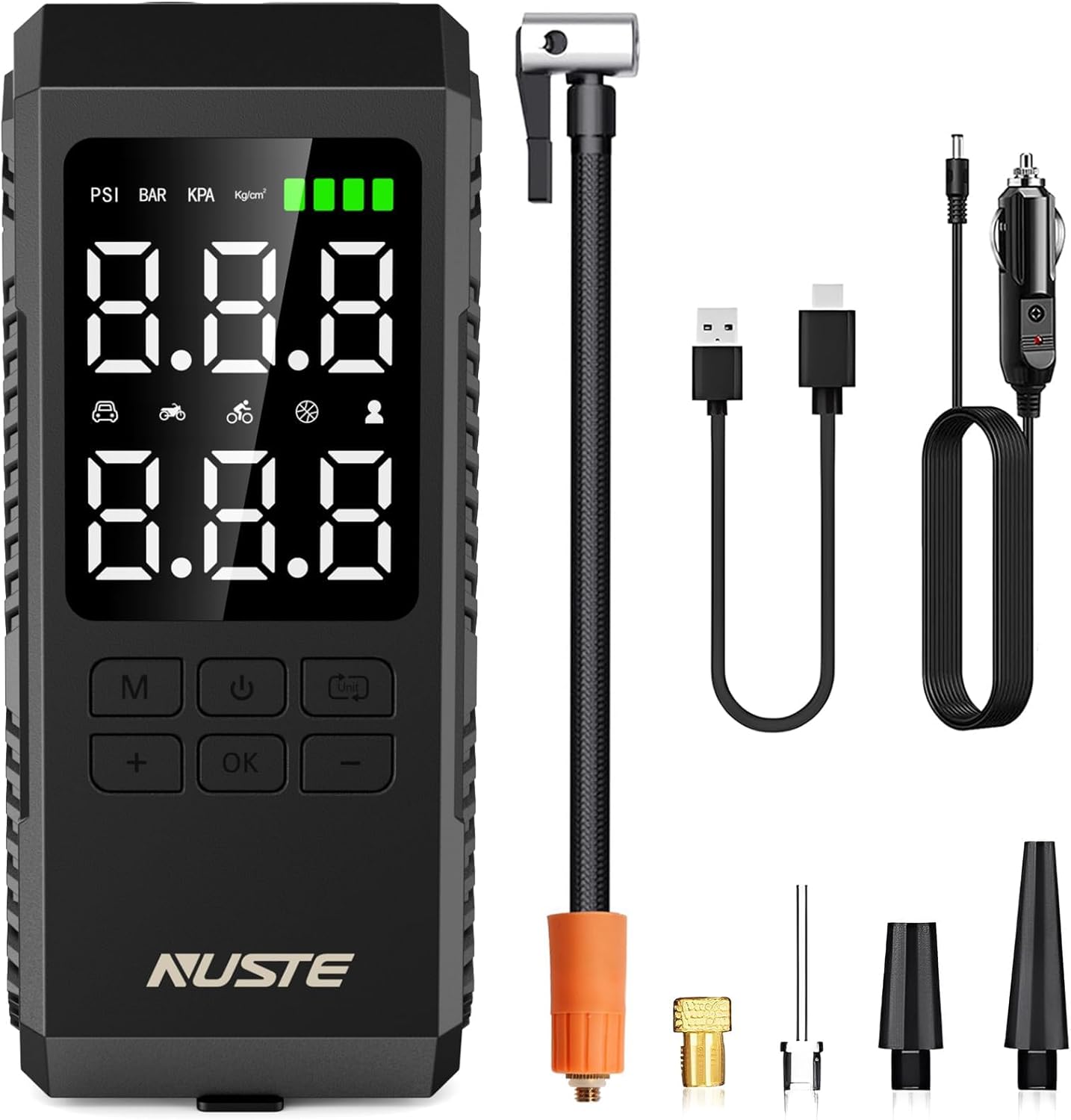
Image: NUSTE Portable Air Compressor Q12 with all accessories.
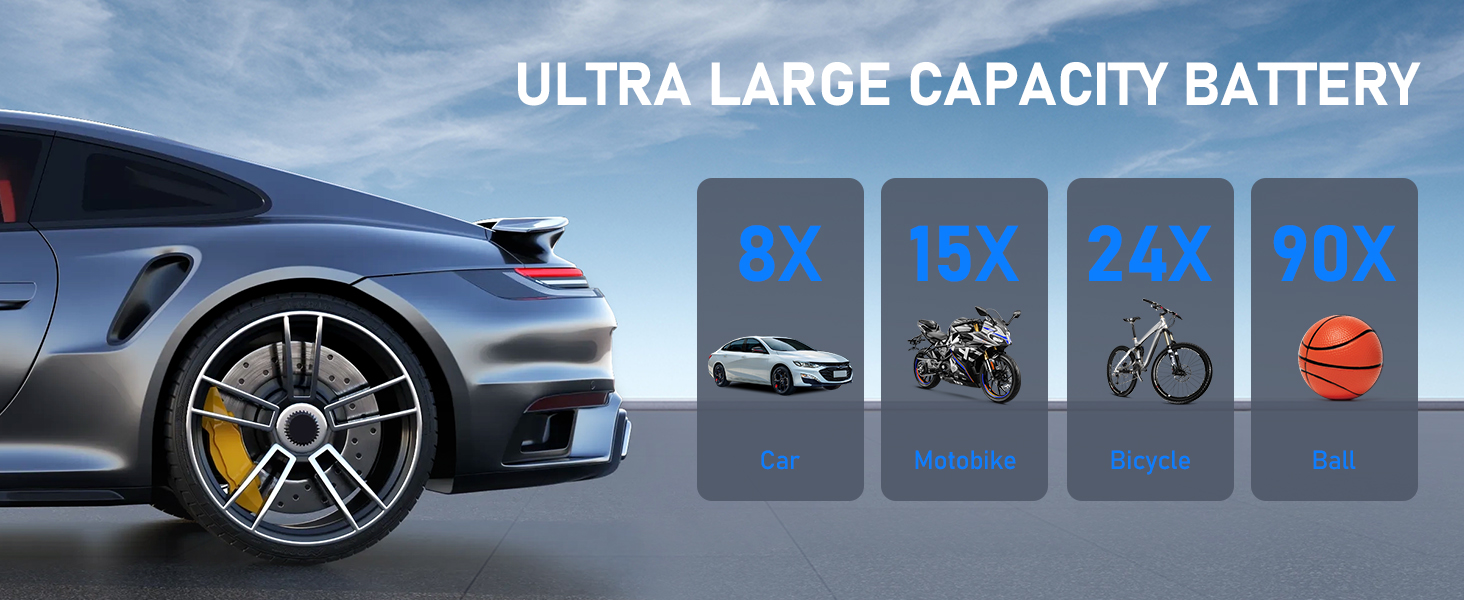
Image: Detailed view of the NUSTE Q12 and its various adapters and cables.
3. Product Features
- High-Speed Inflation: Provides a maximum pressure of 150 PSI, capable of inflating a car tire (30-36 PSI) in approximately 40 seconds, or from 0-36 PSI in 5 minutes.
- One-Click Operation: Features 4 preset inflation modes (bicycles, motorcycles, cars, and balls) and 3 preset units (PSI, KPA, BAR). The device automatically stops when the preset pressure is reached.
- Built-in Rechargeable Battery: High-capacity battery provides up to 25 minutes of continuous operation on a full charge (approx. 4 hours to fully charge).
- Multi-Mode Inflation: Offers four types of pressure units (PSI, KPA, BAR, KG/CM²) and a fifth custom mode for specific inflation needs.
- Emergency LED Light: Integrated LED light for visibility during nighttime use or emergencies.
- Power Bank Function: Can be used to charge other devices via its USB-C port.
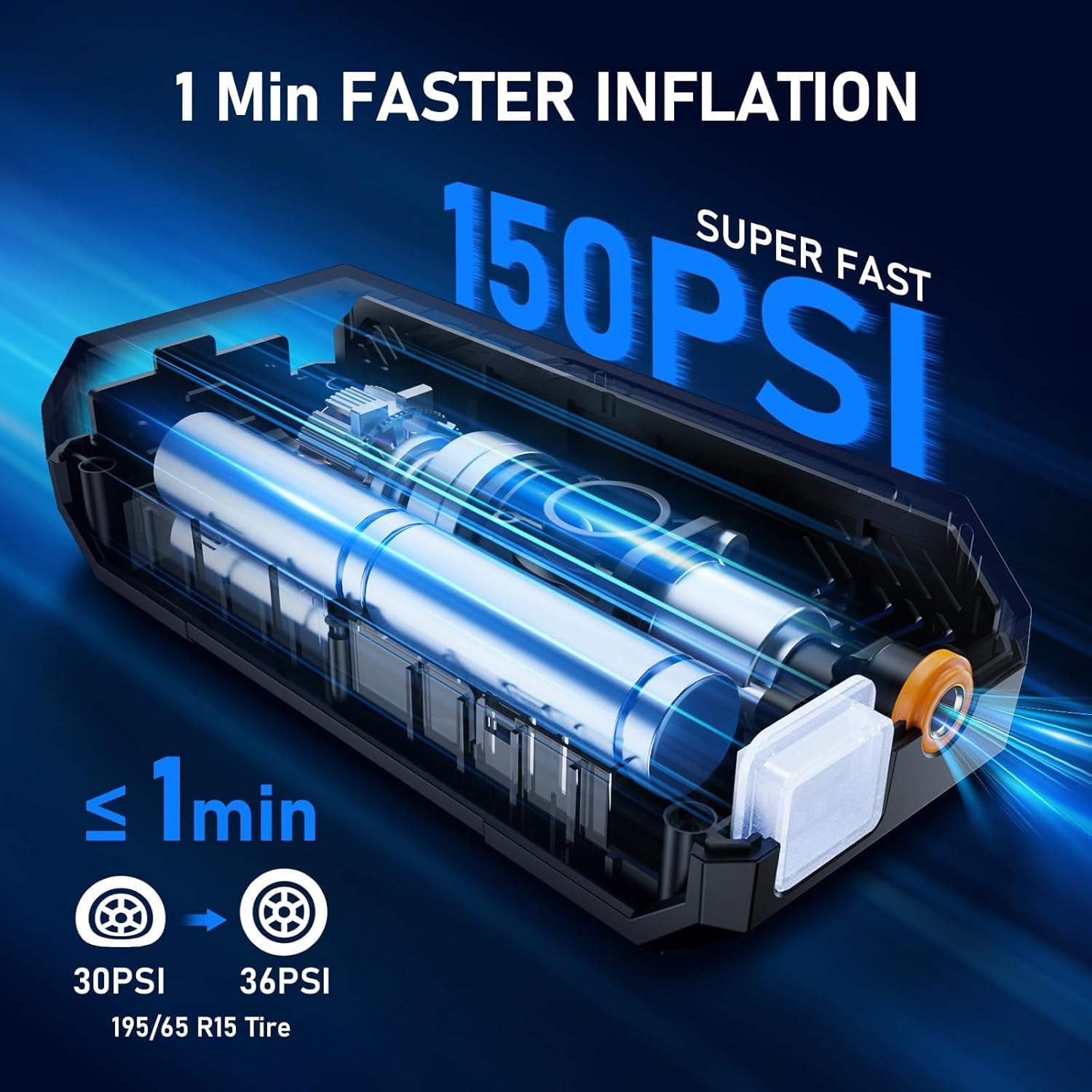
Image: The NUSTE Q12 inflating a tire, highlighting its 150PSI super fast inflation capability.

Image: The NUSTE Q12 displaying its upgraded portable air compressor features for different vehicles and balls.
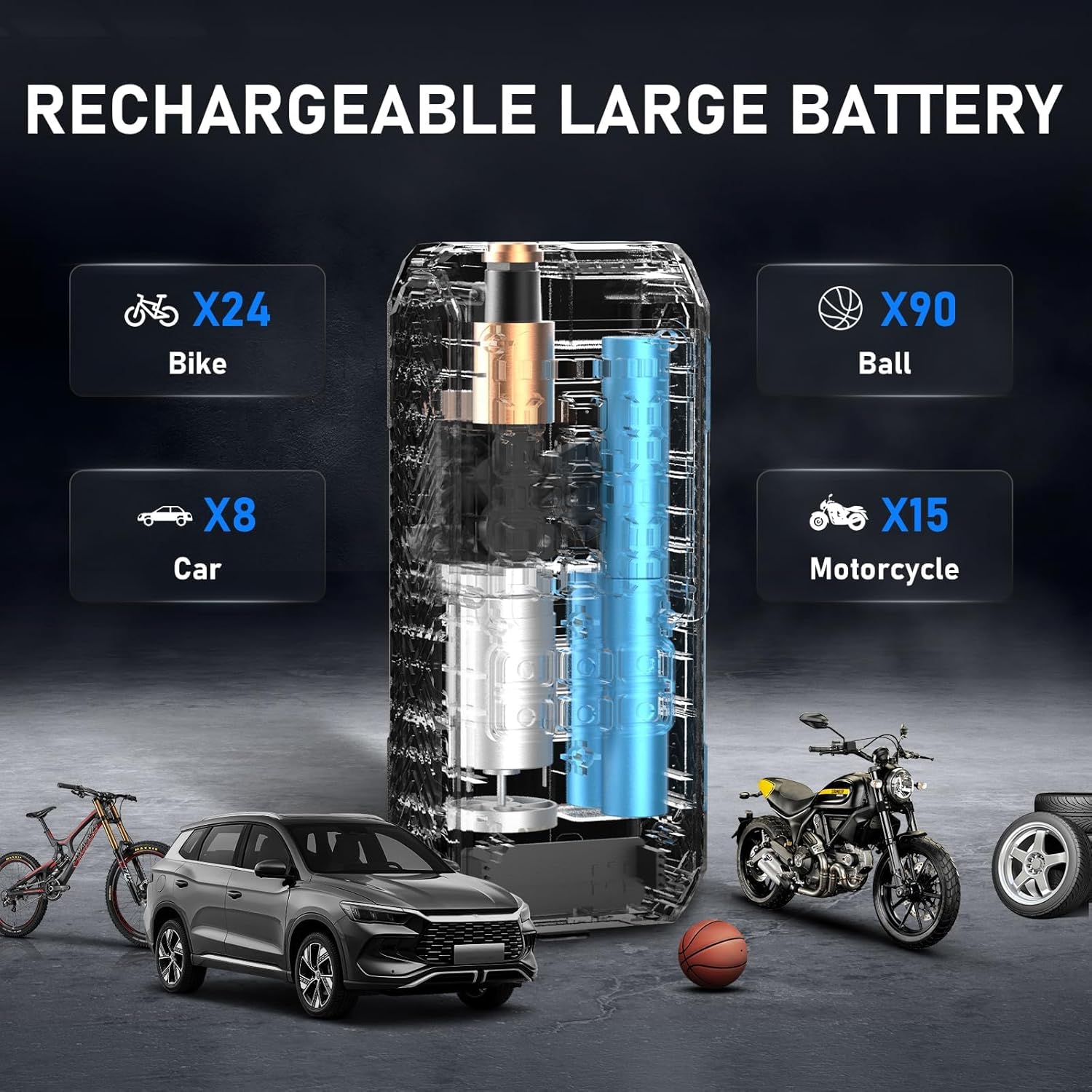
Image: The NUSTE Q12 connected to a tire, showcasing its large LCD screen display with clear pressure readings.
4. Setup
- Ensure the air compressor is fully charged or connected to a power source.
- Screw the air hose securely into the top port of the compressor unit.
- Select the appropriate adapter (Schrader valve for most tires, needle for balls, Presta for some bicycles) and attach it to the end of the air hose.
- Connect the adapter to the item you wish to inflate.

Image: Visual guide showing the four steps to prepare the NUSTE Q12 for wireless inflation.
5. Operating Instructions
5.1 Power On/Off and Unit Selection
- Press and hold the power button (U) to turn the device on or off.
- Once on, the display will show the current pressure and the target pressure.
- Press the unit button (M) to cycle through pressure units: PSI, KPA, BAR, KG/CM².
5.2 Preset Inflation Modes
The NUSTE Q12 offers several preset modes for common inflation tasks. Press the mode button (M) to cycle through the following modes:
- Car Mode: Default pressure range typically 26-54 PSI.
- Motorcycle Mode: Default pressure range typically 26-44 PSI.
- Bicycle Mode: Default pressure range typically 30-120 PSI.
- Ball Mode: Default pressure range typically 4-16 PSI.
- Manual Mode: Allows you to set a custom target pressure using the '+' and '-' buttons.

Image: The NUSTE Q12 showing its various pressure units and preset modes for different items.

Image: The NUSTE Q12 set to Car Mode, indicating a typical pressure range.

Image: The NUSTE Q12 set to Motorbike Mode, indicating a typical pressure range.

Image: The NUSTE Q12 set to Bicycle Mode, indicating a typical pressure range.

Image: The NUSTE Q12 set to Ball Mode, indicating a typical pressure range.
5.3 Starting Inflation
- After selecting the desired mode and setting the target pressure (if in manual mode), press the OK button to begin inflation.
- The device will display the current pressure as it inflates.
- The compressor will automatically stop once the target pressure is reached.
- Disconnect the air hose from the item.
5.4 LED Light and Power Bank Function
- LED Light: Press the light button (flashlight icon) once for a steady white light. Press again to cycle through different light modes (e.g., flashing, SOS) or turn off.
- Power Bank: Open the protective cover at the bottom of the unit. Connect your device's USB charging cable to the USB-A output port to use the compressor as a power bank.

Image: The NUSTE Q12 demonstrating one-click preset modes and unit selection.

Image: The NUSTE Q12 connected to a tire, showcasing its large LCD screen display with clear pressure readings.
Video: A user demonstrating the NUSTE Portable Air Compressor Q12's ease of use and features, including its LED light and power bank function.
6. Charging
The NUSTE Portable Air Compressor Q12 can be charged using two methods:
- USB-C Cable: Connect the provided USB-C cable to the USB-C input port at the bottom of the unit and to a compatible USB power adapter (not included).
- 12V Car Power Adapter: Use the included car power adapter to charge the unit directly from your vehicle's cigarette lighter socket.
A full charge typically takes approximately 4 hours.

Image: The NUSTE Q12 illustrating both cordless operation via its built-in battery and wired operation using the DC power cord.
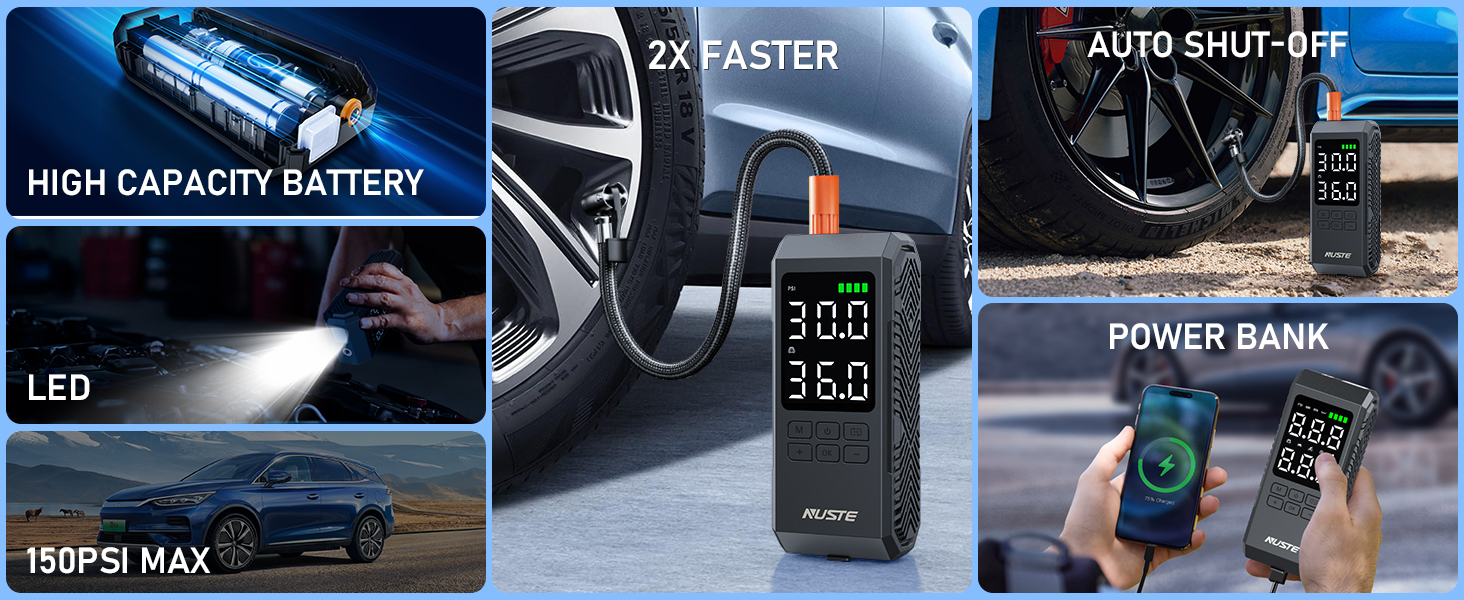
Image: The NUSTE Q12 showcasing its high-capacity battery, LED light, 150PSI max pressure, auto shut-off, and power bank functionality.
7. Maintenance
- Keep the device clean and free from dust and debris.
- Store the compressor and all accessories in the provided storage bag when not in use.
- Avoid exposing the device to extreme temperatures or direct sunlight for prolonged periods.
- Ensure the air hose and adapters are free from kinks or damage before each use.
8. Troubleshooting
| Problem | Possible Cause | Solution |
|---|---|---|
| Device does not power on | Low battery or no charge | Charge the device using the USB-C cable or 12V car adapter. |
| Compressor not inflating | Air hose not securely connected; incorrect adapter; valve stem blocked | Ensure air hose is tightly screwed in. Check adapter for proper fit. Clear any obstructions from the valve stem. |
| Inaccurate pressure reading | Loose connection; unit not calibrated | Ensure all connections are secure. If issues persist, consult manufacturer support. |
| Device overheats | Prolonged continuous use | Allow the device to cool down for at least 10-15 minutes before resuming use. Avoid continuous operation beyond recommended limits. |
9. Specifications
| Specification | Detail |
|---|---|
| Brand | NUSTE |
| Model Number | CZK-Q12 |
| Material | ABS Plastic |
| Product Dimensions (LxWxH) | 3.15" x 2.16" x 7.48" |
| Power Source | Battery Powered |
| Air Flow Capacity | 35 Liters Per Minute |
| Maximum Pressure | 150 Pound per Square Inch (PSI) |
| UPC | 751757632012, 749752335830 |
| Included Components | Air hose with Schrader valve, Storage bag, Tire inflator, USB-C cable, Universal nozzle cone, needle adapter, Presta adapter |
10. Warranty and Support
For warranty information or technical support, please refer to the official NUSTE website or contact their customer service directly. Keep your purchase receipt for warranty claims.