
1. Introduction and Overview
The truke BTG Crystal True Wireless Earbuds are designed for both gamers and audiophiles, offering a blend of advanced audio technology and a distinctive aesthetic. Featuring 40ms ultra-low latency for gaming, dual pairing capabilities, and an impressive 68-hour playtime, these earbuds provide a seamless and immersive audio experience. Equipped with 13mm dynamic drivers, Hi-Fi DSP sound, and 360-degree spatial audio, they deliver rich, detailed sound. Quad-Mic Environmental Noise Cancellation (ENC) ensures crystal-clear communication, while the IPX5 water-resistance provides durability for active lifestyles. The futuristic RGB LED case design adds a unique visual flair.

Image: truke BTG Crystal Earbuds in their charging case, showcasing the sleek black design and illuminated green LED strip.
2. What's in the Box
Your truke BTG Crystal package includes the following items:
- Wireless Charging Case
- Eartips (various sizes)
- User Manual
- Charging Cable
3. Setup
3.1. Charging the Earbuds and Case
Before first use, fully charge the truke BTG Crystal earbuds and their charging case. Connect the provided charging cable to the case and a compatible USB power source. The LED indicators on the case will show the charging status. A full charge provides up to 68 hours of total playtime with the charging case. A quick 10-minute charge can provide up to 100 minutes of playback.

Image: The truke BTG Crystal earbuds and charging case, illustrating the impressive 68-hour playtime capability.
3.2. Pairing with Your Device
The truke BTG Crystal earbuds utilize Bluetooth 5.4 for stable and efficient connectivity. They also support dual pairing, allowing connection to two devices simultaneously.
- Open the charging case. The earbuds will automatically enter pairing mode.
- On your device (smartphone, tablet, laptop), enable Bluetooth.
- Search for "truke BTG Crystal" in the list of available Bluetooth devices.
- Select it to connect. Once connected, a voice prompt will confirm successful pairing.
For dual pairing, connect to the first device, then disconnect. Connect to the second device. Reconnect to the first device, and the earbuds should now be paired with both.
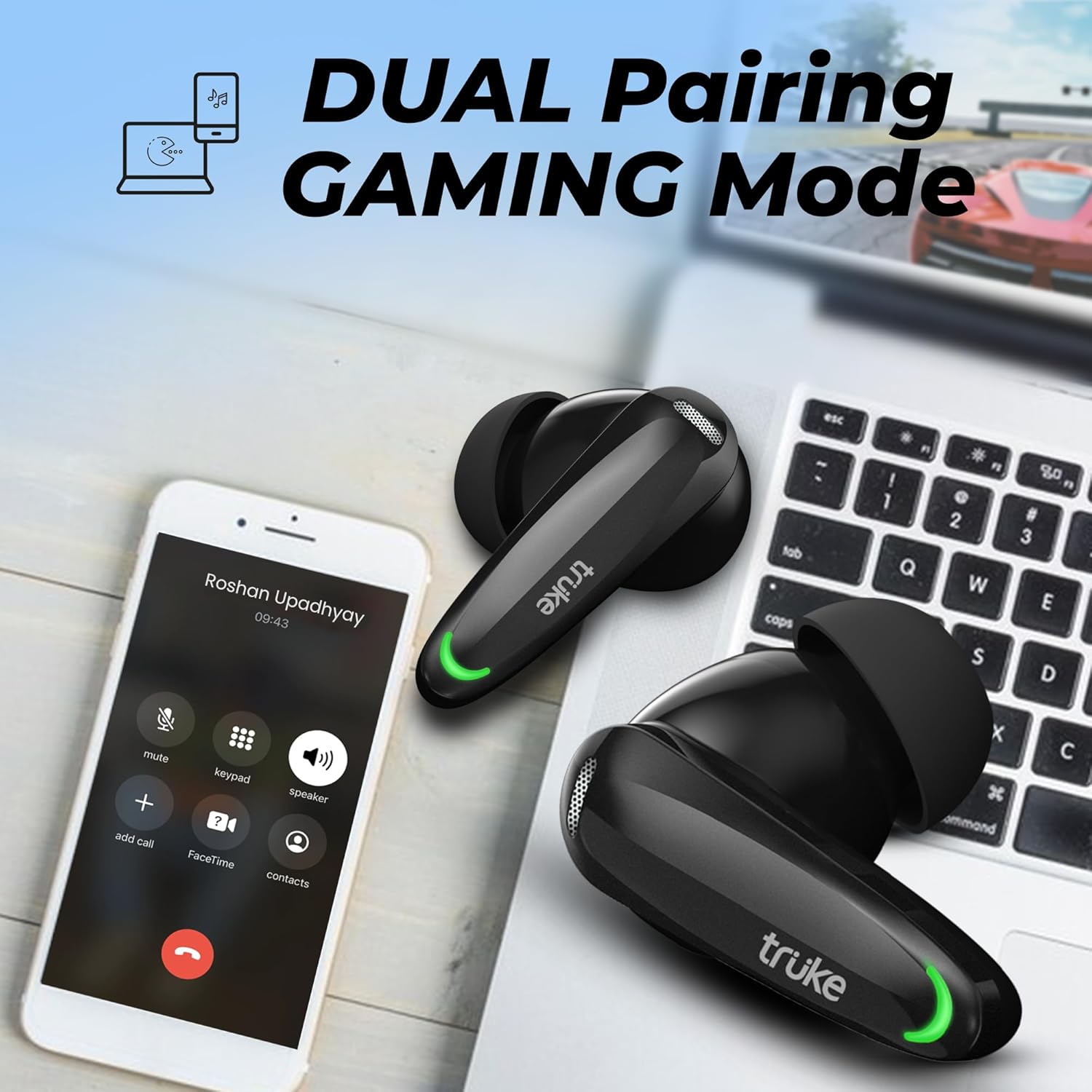
Image: The truke BTG Crystal earbuds positioned near a smartphone and a laptop, highlighting their dual pairing functionality for seamless device switching.
4. Operating Instructions
4.1. Touch Controls
The truke BTG Crystal earbuds feature intuitive touch controls for managing audio playback, calls, and modes. Refer to the detailed touch control guide in the included user manual for specific gestures.

Image: A close-up of the truke BTG Crystal earbuds, indicating the touch-sensitive areas for control.
4.2. Gaming Mode (Low Latency)
Activate the ultra-fast 40ms low latency mode for a competitive edge in gaming. This mode minimizes audio lag, ensuring that sound cues like footsteps and gunshots are delivered in near real-time, enhancing your reaction time and overall gameplay precision.

Image: The truke BTG Crystal earbuds set against a gaming backdrop, emphasizing their 40ms super low latency mode for enhanced gaming performance.
4.3. Call Management with Quad-Mic ENC
The BTG Crystal features Quad-Mic Environmental Noise Cancellation (ENC) technology. This system effectively filters out ambient noise, ensuring your voice is captured with precision for crystal-clear conversations, even in noisy environments.

Image: An X-ray view of a truke BTG Crystal earbud, illustrating the internal components and the Quad Mic Pure Voice ENC Tech for clear communication.
4.4. Immersive Audio Experience
Experience superior sound quality with 13mm dynamic drivers, enhanced by Hi-Fi DSP Sound. This combination delivers deep, resonant bass, clear highs, and balanced mids. The 360-degree Spatial Audio further elevates the soundstage, creating a truly immersive listening experience where every sound element feels like it's coming from all around you.

Image: An exploded diagram of the 13mm driver, showcasing the components responsible for Hi-Fi DSP Sound and 360-degree Spatial Audio.
5. Maintenance
5.1. Cleaning
Regularly clean your earbuds and charging case to maintain optimal performance and hygiene. Use a soft, dry, lint-free cloth to wipe down the surfaces. For the eartips, remove them and clean with a mild soap solution if necessary, ensuring they are completely dry before reattaching.
5.2. Water Resistance
The truke BTG Crystal earbuds are rated IPX5 water-resistant, protecting them against sweat, light rain, and splashes. This makes them suitable for workouts and outdoor activities. However, they are not designed for submersion in water. Avoid exposing them to strong jets of water or prolonged immersion.
6. Troubleshooting
If you encounter any issues with your truke BTG Crystal earbuds, please refer to the following common troubleshooting steps:
- No Sound: Ensure earbuds are charged, connected to your device, and volume is up. Try re-pairing.
- Connection Issues: Make sure Bluetooth is enabled on your device and the earbuds are within range (up to 10 meters). Try forgetting the device in your Bluetooth settings and re-pairing.
- One Earbud Not Working: Place both earbuds back in the case, close it, wait a few seconds, then open it again. This often re-syncs them.
- Charging Problems: Check the charging cable and power source. Ensure the charging contacts on the earbuds and case are clean and free of debris.
- Poor Call Quality: Ensure the microphones are not obstructed. If in a noisy environment, the ENC feature should help, but extreme noise may still affect clarity.
For persistent issues, consult the full user manual or contact truke customer support.
7. Specifications
| Feature | Specification |
|---|---|
| Model Name | BTG Crystal |
| Model Number | B140 |
| Connectivity Technology | Wireless (Bluetooth) |
| Bluetooth Version | 5.4 |
| Bluetooth Range | 10 Metres |
| Audio Latency | 40 Milliseconds |
| Audio Driver Size | 13 Millimetres |
| Battery Life (Total) | Up to 68 Hours (with charging case) |
| Charging Time (10 min charge) | 100 minutes playback |
| Microphone | Quad-Mic with ENC Technology |
| Water Resistance Rating | IPX5 |
| Control Type | Touch Control |
| Material | Plastic (Earbuds & Case) |
| Item Weight | 50 Grams |
| Product Dimensions | 5 x 6 x 3.5 cm |
8. Warranty and Support
The truke BTG Crystal earbuds come with a 1-year warranty from the date of purchase. truke is committed to providing comprehensive service support, backed by over 400 service points. For warranty claims, technical assistance, or any product-related inquiries, please refer to the contact information provided in your product packaging or visit the official truke website.

Image: The truke BTG Crystal earbuds and charging case, accompanied by text indicating a 1-year warranty and comprehensive service support.


