
Introduction
Thank you for choosing the Marsail Ergonomic Office Chair. This manual provides detailed instructions for assembly, operation, maintenance, and troubleshooting to ensure you get the most out of your new office chair. Please read this manual thoroughly before assembly and use, and keep it for future reference.
Safety Warnings
- Always follow the assembly instructions carefully.
- Keep fingers and other body parts away from moving parts when adjusting the chair.
- Do not exceed the maximum weight capacity of 300 lbs.
- Always use the chair on a stable, flat surface.
Setup and Assembly
The Marsail Ergonomic Office Chair requires assembly. All necessary tools and hardware are included in the package. Follow the steps below for proper assembly.
While specific step-by-step images for assembly are not provided, the process generally involves attaching the base, casters, gas lift, seat mechanism, seat, backrest, and headrest. Refer to the included assembly guide in your product packaging for detailed diagrams.
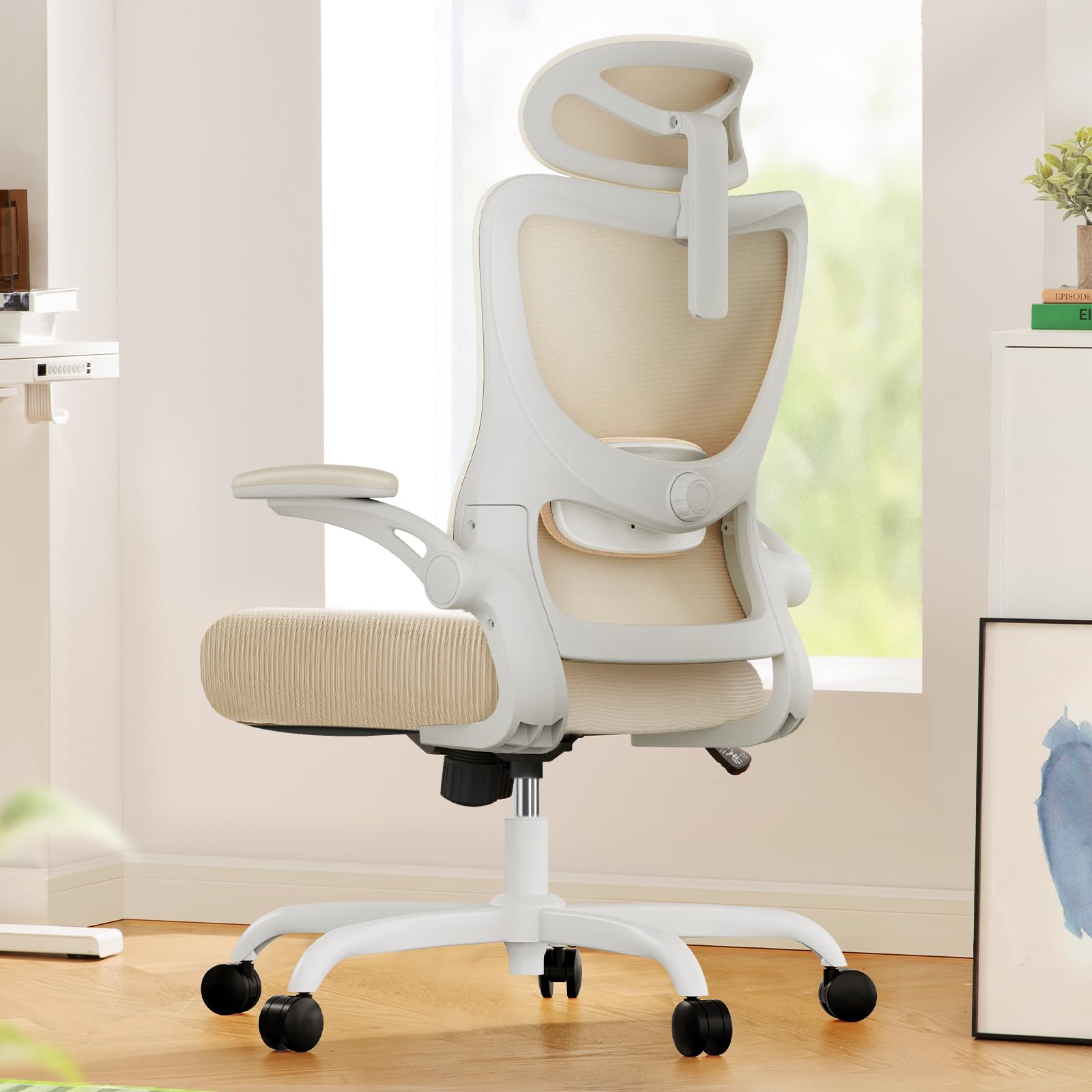
Image: Overview of chair components before assembly.
Operating Instructions and Adjustments
Your Marsail Ergonomic Office Chair is designed with multiple adjustable features to provide personalized comfort and support. Familiarize yourself with these adjustments to optimize your sitting experience.
1. Height Adjustment
To adjust the chair's height, locate the lever on the right side beneath the seat. While seated, pull the lever up to lower the chair. To raise the chair, stand up and pull the lever up. Release the lever at your desired height.
2. Recline and Tilt-Rock Function
The chair features a backrest with a 90° to 120° recline. To recline, pull the lever on the left side beneath the seat outwards. To lock the recline position, push the lever inwards. The tension of the tilt-rock function can be adjusted by turning the round knob located beneath the seat.

Image: Illustration of recline and tension adjustment controls.
3. Adjustable Headrest
The 2D adjustable headrest can be moved up and down to provide optimal head and neck support. Simply grasp the headrest and slide it to your preferred height. It can also be tilted for personalized comfort.

Image: Demonstrating the adjustable headrest for optimal head and neck support.
4. Adaptable Lumbar Support
The computer chair's lumbar support system adjusts 1.18" forward & backward and 2.16" up & down. Use the knob on the back of the chair to adjust the depth and height of the lumbar support to precisely match your height and body shape, promoting optimal sitting posture.
Image: Detailed view of the lumbar support adjustment knob.
5. Flexible 3D Armrests
The PU-padded armrests offer 3D adjustability. They can move 1.96" forward or back, swivel 15° left or right, and flip up 90° to allow more freedom or to easily slide the ergonomic chair under the desk. Adjust them to find your optimal arm position.

Image: Visual guide to adjusting the armrests for depth, swivel, and flip-up positions.
Maintenance
To ensure the longevity and optimal performance of your Marsail Ergonomic Office Chair, follow these simple maintenance guidelines:
- Cleaning: For general cleaning, use a dry cloth. For deeper cleaning, dry clean as needed. Avoid harsh chemicals that may damage the mesh or fabric.
- Inspection: Periodically check all bolts and screws to ensure they are tight. Re-tighten if necessary.
- Casters: Keep the casters clean from debris (hair, dust) to ensure smooth movement.
Troubleshooting
If you encounter any issues with your Marsail Ergonomic Office Chair, refer to the following common troubleshooting tips:
- Chair not adjusting height: Ensure the height adjustment lever is fully engaged. If the gas lift is unresponsive, it may require replacement.
- Chair wobbles: Check that all assembly bolts are securely tightened. Ensure the chair is on a flat, even surface.
- Casters not rolling smoothly: Inspect casters for trapped debris (hair, lint) and clean them. Lubrication may be applied if needed.
- Backrest recline issues: Verify that the recline lock lever is disengaged. Adjust the tilt tension knob to your preference.
If problems persist, please contact Marsail customer support for further assistance.
Specifications
| Feature | Detail |
|---|---|
| Brand | Marsail |
| Model Name | MSOC10W-US |
| Color | White |
| Product Dimensions | 46.06"D x 23.62"W x 22.83"H |
| Material | Metal, Plastic, Foam |
| Back Style | Mesh Back |
| Special Features | Adjustable Headrest, Adjustable Height, Adjustable Lumbar, 3D Arm Rests, Ergonomic |
| Maximum Weight Recommendation | 300 Pounds |
| Reclining Position Count | 2 (90° to 120°) |
| Furniture Base Movement | Swivel |
| UPC | 810158826533 |

Image: Product dimensions and maximum load capacity.
Warranty and Support
For warranty information, product support, or to purchase replacement parts, please visit the official Marsail website or contact their customer service directly. Keep your purchase receipt and model number (MSOC10W-US) handy for faster service.
Marsail is dedicated to providing high-quality seating products and excellent customer service. Your satisfaction is our priority.